


If your PC could talk, it would probably beg for a faster SSD right now. In 2026, the right drive can make boot times feel almost unfair.
The best picks cover everything from the blazing WD_Black SN8100 for top-end speed to the SIX NVMe model with heatsink for cooler gaming, plus solid budget choices like KOOTION and dependable SATA options like JOIOT and Vansuny.
The trick is knowing which one fits your setup, and that is where the real difference starts.

More Details on Our Top Picks
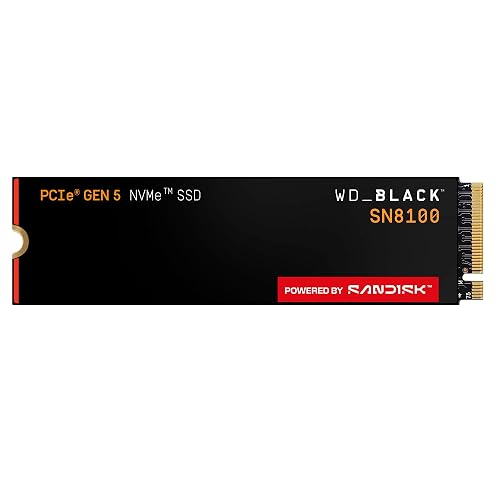
WD_Black SN8100 2TB NVMe SSD (WDS200T1X0M)
If you want a fast internal SSD that can keep up with heavy gaming, large file work, and smooth system loads, the WD_Black SN8100 2TB NVMe SSD is a strong pick. You get PCIe 5.0 x4 speed, up to 14,900 MB/s sequential read, and strong write performance for huge games and edits. Because it uses TLC 3D NAND, it stays efficient and handles long sessions well. It fits desktop and laptop M.2 2280 builds, too. You can also use SanDisk Dashboard for health checks and firmware updates, which keeps setup easy and stress low.
- Capacity:2TB
- Form Factor:M.2 2280
- Interface:PCIe 5.0 x4
- Read Speed:Up to 14,900 MB/s
- Write Speed:Up to 11,000 MB/s
- Compatibility:Desktop/laptop
- Additional Feature:2.3M IOPS
- Additional Feature:SanDisk Dashboard support
- Additional Feature:5-year warranty
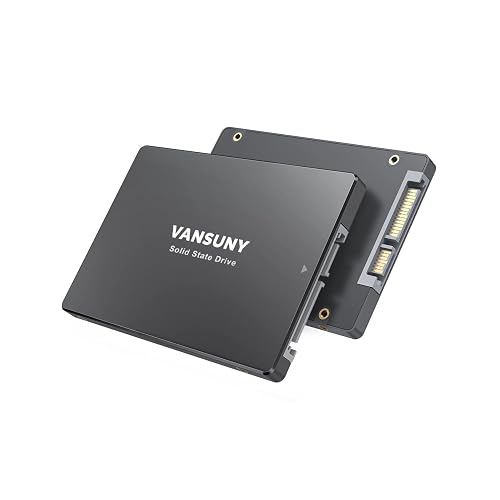
Vansuny 128GB SATA III 2.5″ Internal SSD
The Vansuny 128GB SATA III 2.5″ Internal SSD is a smart pick for anyone who wants a quick, simple upgrade without the stress. It offers SATA 3.0 speeds, so your PC launches apps faster and feels more responsive right away. With read speeds up to 450 MB/s and write speeds up to 330 MB/s, it handles daily work, light gaming, and basic editing with ease. The 3D NAND flash and ABS case help it stay cool, quiet, and durable. It fits most 2.5-inch laptops and desktops, and it consumes less power as well.
- Capacity:128GB
- Form Factor:2.5-inch
- Interface:SATA III
- Read Speed:Up to 450 MB/s
- Write Speed:Up to 330 MB/s
- Compatibility:Desktop/laptop
- Additional Feature:3D NAND flash
- Additional Feature:Shockproof casing
- Additional Feature:Silent operation
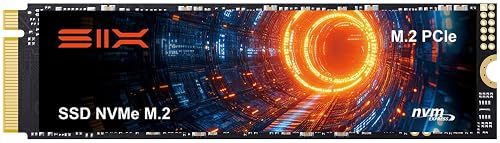
SIX 1TB NVMe M.2 PCIe 4.0 SSD with Heatsink
With its built-in heatsink and PCIe 4.0 speed, the SIX X7400 NVMe M.2 SSD is a strong fit when your PC needs fast storage that stays cool under pressure. You get 1TB in an M.2 2280 design, so it fits many desktops, laptops, and even a PS5 slot. It delivers read speeds up to 7350 MB/s, helping you boot faster, move large files sooner, and reduce game load times. The included screw and screwdriver simplify setup, and the 5-year warranty provides added peace of mind.
- Capacity:1TB
- Form Factor:M.2 2280
- Interface:PCIe 4.0 x4
- Read Speed:Up to 7,350 MB/s
- Write Speed:Up to 6,400 MB/s
- Compatibility:Desktop/laptop/PS5
- Additional Feature:Includes heatsink
- Additional Feature:PS5 storage expansion
- Additional Feature:5-year warranty
JOIOT 512GB SATA III Internal SSD Drive
JOIOT’s 512GB SATA III internal SSD drive is a smart pick when you want your PC to feel faster without a lot of fuss. You get a 2.5-inch drive that fits many laptops and desktops, plus 512GB of space for Windows, apps, and games. Its SATA III interface reaches up to 550 MB/s read and 450 MB/s write, so programs open quickly. Because it uses 3D NAND TLC flash with no moving parts, it feels sturdy, handles bumps better, and stays cooler. It also uses less power, which helps your system run smoothly.
- Capacity:512GB
- Form Factor:2.5-inch
- Interface:SATA III
- Read Speed:Up to 550 MB/s
- Write Speed:Up to 450 MB/s
- Compatibility:Desktop/laptop
- Additional Feature:TLC flash memory
- Additional Feature:Shock resistant
- Additional Feature:Improved heat dissipation
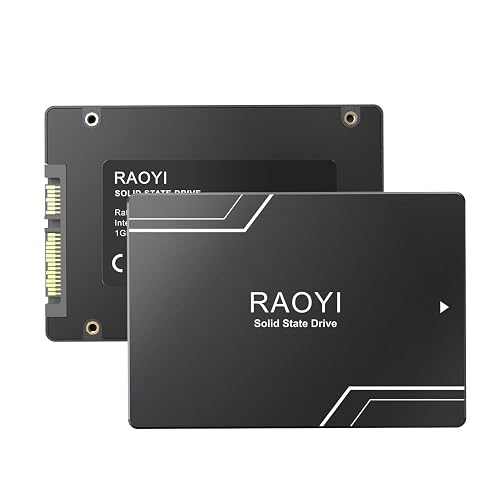
RAOYI 1TB SATA III 2.5″ Internal SSD
RAOYI’s 1TB SATA III 2.5-inch internal SSD is a strong pick if you want to give an older PC a fast, low-stress upgrade without overcomplicating the job. You get 1TB of storage, SATA 6 Gb/s support, and speeds up to 550 MB/s read and 500 MB/s write, so your system feels much snappier. Its 3D NAND, shock-resistant build, and lower power use help it stay steady. You can use it with Windows, Linux, or Mac PCs for booting, gaming, editing, and daily work. Installation is simple.
- Capacity:1TB
- Form Factor:2.5-inch
- Interface:SATA III
- Read Speed:Up to 550 MB/s
- Write Speed:Up to 500 MB/s
- Compatibility:Desktop/laptop
- Additional Feature:PC+ABS casing
- Additional Feature:Backward compatible
- Additional Feature:1-year warranty
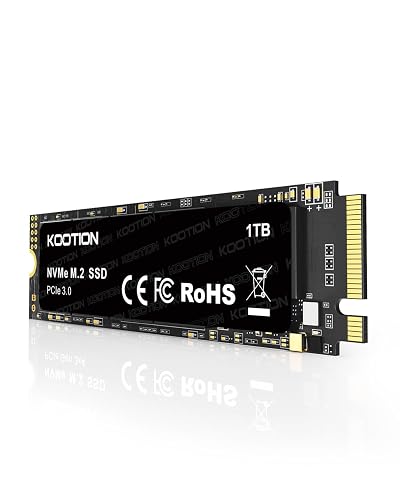
KOOTION 1TB NVMe Internal SSD 3500MB/s for PC/Laptop
The KOOTION 1TB NVMe Internal SSD is a smart pick if you want your PC or laptop to feel much faster without a messy upgrade. It uses PCIe 3.0 x4, delivering up to 3500 MB/s read and 3000 MB/s write, so apps open quickly and game load times shrink. Its M.2 2280 size fits many motherboards, desktops, and laptops with an M.2 slot. Because it has no moving parts, it runs quietly, uses less power, and handles bumps better. It also features 3D NAND, includes a 1 year warranty and an installation kit, and comes with helpful support.
- Capacity:1TB
- Form Factor:M.2 2280
- Interface:PCIe 3.0 x4
- Read Speed:Up to 3,500 MB/s
- Write Speed:Up to 3,000 MB/s
- Compatibility:Desktop/laptop
- Additional Feature:Installation kit included
- Additional Feature:3D NAND flash
- Additional Feature:Lifetime tech support
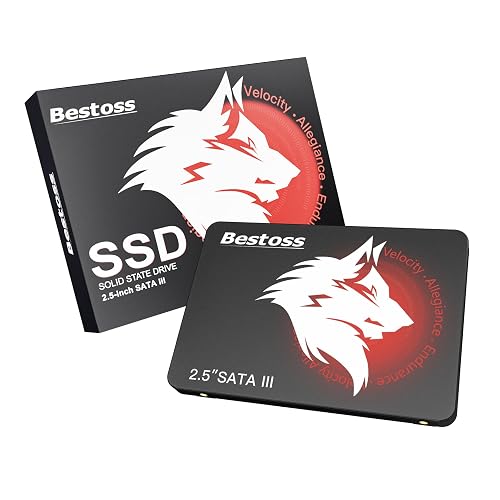
Bestoss 1TB 2.5″ SATA III Internal SSD
Bestoss’s 1TB 2.5-inch SATA III S201 SSD is a smart pick if you want your PC, laptop, or NAS to feel quicker without making the upgrade process stressful. You get up to 550 MB/s read speed, so your system boots faster and opens files with less waiting. Because it uses TLC NAND, it also delivers solid write endurance for daily storage. The red and black 2.5-inch drive works with SATA III, SATA II, and SATA I. It supports TRIM, NCQ, SMART, and earthquake resistance, and Bestoss tests each drive before shipping, which helps you feel more confident.
- Capacity:1TB
- Form Factor:2.5-inch
- Interface:SATA III
- Read Speed:Up to 550 MB/s
- Write Speed:Up to 550 MB/s
- Compatibility:Desktop/laptop/NAS
- Additional Feature:NCQ/SMART/TRIM support
- Additional Feature:Three-year warranty
- Additional Feature:Lifetime technical support
Factors to Consider When Choosing Internal SSDs for PC
When choosing an internal SSD for your PC, start with interface compatibility so the drive works with your system without headaches. Match capacity to your storage needs, and check speed, form factor fit, warranty, and endurance to ensure reliable performance over time. This prevents buying a fast drive that fits your budget but not your PC, which can be an expensive surprise.
Interface Compatibility
A fast SSD only helps if your PC can actually talk to it the right way, so start by checking your motherboard’s slot type and protocol support. If you are using M.2, confirm it is keyed for NVMe and not just SATA, because some slots only pass SATA lanes. Next, match the PCIe generation to the drive. A PCIe 4.0 or 5.0 SSD will still work in a PCIe 3.0 slot, but it will slow down, and nobody buys speed to let it nap. Also check the drive length, such as 2242, 2260, or 2280, so it fits the mounting point. Then make sure airflow is decent, since fast NVMe drives can run hot. Finally, watch for shared lanes, because adding one drive can disable another port.
Capacity Needs
Now that your PC can handle the right SSD connection, the next question is how much space you actually need, because speed means little if the drive fills up too fast. For everyday Windows use and light gaming, 256 to 512 GB usually covers your system and a few apps. If you keep a bigger game library or lots of media, 1 TB feels much safer. Creators who work with video, RAW photos, or large datasets should look at 2 TB to 4 TB or more, so they are not always moving files around. Also, leave 20 to 30 percent free for healthy wear leveling. If you use two drives, keep the OS on a smaller SSD, and park bulk files on a larger one.
Speed And Performance
Speed matters, but the best SSD for your PC depends on more than one flashy number. Start with the interface. NVMe over PCIe provides far more speed than SATA, so it is the better pick for quick boots, big transfers, and heavy apps. Next, look at sequential read and write speeds if you move large files. Then check random IOPS, because higher numbers help your desktop feel snappy when you open programs, browse, or juggle tasks. Also, match the drive’s PCIe generation to your motherboard, or you will leave speed on the table. Finally, compare sustained performance, latency, and power use. A drive that stays cool and keeps writing fast can save you from annoying slowdowns later.
Form Factor Fit
Once you’ve picked the right speed, you still need a drive that actually fits your PC. Check your motherboard or laptop first, because the common M.2 2280 size and 2.5-inch SATA drives need different spaces. Then match the connector and protocol. An M.2 slot can use SATA or NVMe, but the wrong one won’t work, even if it looks close enough to fool you. Also check your slot’s PCIe generation and lane count, since PCIe 3.0 x4, 4.0 x4, and 5.0 all need proper support. In small PCs and laptops, make sure the drive’s thickness, mounting points, and cooling clearance leave room for heatsinks and nearby parts. That little check can save you a big headache later.
Warranty And Endurance
When choosing an SSD, warranty and endurance matter as much as speed because they indicate how long the drive is likely to remain reliable. Check the warranty length first, since one to five years shows how much support you receive during the drive’s useful life. Then compare TBW, because that number indicates how much data you can write before wear becomes a concern. If you edit video, run games nonstop, or move large files daily, aim for higher TBW, stronger DWPD, and clear MTBF specifications. Also read the fine print so firmware bugs, defects, and dead on arrival issues are covered, and make sure any registration steps will not trip you up. For lighter desktop use, you can be less strict without being careless.
Frequently Asked Questions
What’s the Difference Between NVME and SATA SSDS?
NVMe SSDs connect via PCIe lanes, offering much faster speeds, lower latency, and better overall performance. SATA SSDs use older SATA ports, so transfer rates are slower; however, they are less expensive and remain a reliable option.
How Much SSD Capacity Do Most PC Users Need?
Most PC users need 1 TB. About 70% of gamers use drives under 2 TB. You can fit Windows, apps, and plenty of games on 1 TB; choose 2 TB if you store media or work on large projects.
Do Internal SSDS Improve Gaming Performance?
Yes, you will see faster game loading and smoother texture streaming, but you will not get much higher FPS. You will notice shorter wait times, fewer stutters in open-world titles, and quicker installs overall.
Can I Install an SSD Without Reinstalling Windows?
Yes, you can install an SSD without reinstalling Windows. You will clone your current drive, or you can perform a fresh install later. Then set the SSD as your boot drive.
What Is SSD Endurance and Why Does It Matter?
SSD endurance is the total amount of data you can write to the drive before its flash cells wear out. You should care because higher endurance means a longer lifespan, fewer failures, and better reliability for your Windows drive over time.




