


If you want a 4K monitor that feels sharp, smooth, and easy to live with, you have more strong IPS LCD options in 2026 than ever before.
From the Dell S2725QS and LG 32UR500K-B to gaming-friendly models like the Acer Nitro and ZZA 32-inch, each offers a different mix of color, size, and speed.
The challenge is not finding a good screen, it is finding the one that fits how you work, play, and relax best.
| Dell 27 Plus 4K Monitor (S2725QS) | 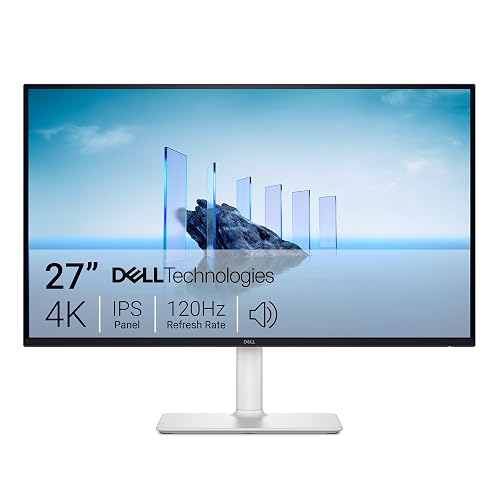 | Best Overall | Screen Size: 27-inch | Resolution: 3840 x 2160 | Panel Type: IPS | VIEW LATEST PRICE | Read Our Analysis |
| ViewSonic VX3276-4K-MHD 32 Inch 4K Monitor | 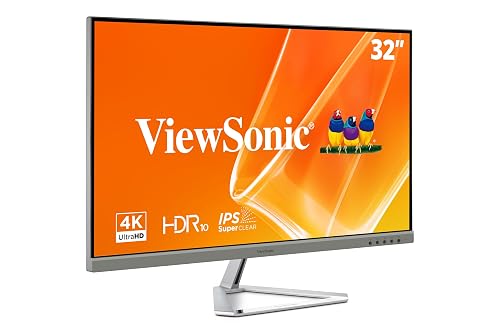 | Best 32-Inch | Screen Size: 32-inch | Resolution: 3840 x 2160 | Panel Type: MVA | VIEW LATEST PRICE | Read Our Analysis |
| Acer Nitro 27″ 4K UHD Gaming IPS Monitor | 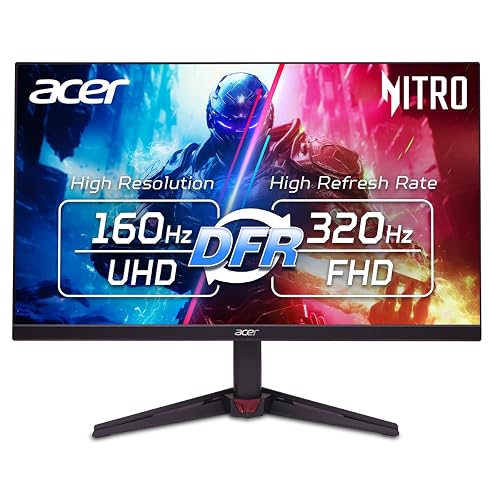 | Best Gaming Pick | Screen Size: 27-inch | Resolution: 3840 x 2160 | Panel Type: IPS | VIEW LATEST PRICE | Read Our Analysis |
| ZZA 32 Inch 4K UHD Gaming Monitor | 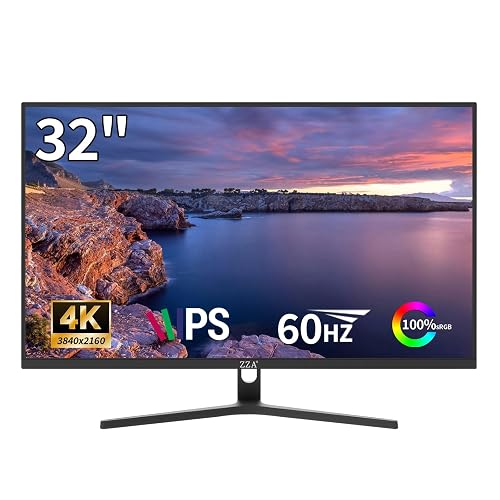 | Best For Multimedia | Screen Size: 32-inch | Resolution: 3840 × 2160 | Panel Type: IPS | VIEW LATEST PRICE | Read Our Analysis |
| LG 32UR500K-B 32-inch 4K UHD Monitor |  | Best For Productivity | Screen Size: 32-inch | Resolution: 3840 x 2160 | Panel Type: Not specified | VIEW LATEST PRICE | Read Our Analysis |
| LG 27US500-W 27-Inch 4K UHD IPS Monitor |  | Best For Work | Screen Size: 27-inch | Resolution: 3840 x 2160 | Panel Type: IPS | VIEW LATEST PRICE | Read Our Analysis |
| InnoView 15.6-inch Portable 4K UHD Monitor |  | Best Portable Pick | Screen Size: 15.6-inch | Resolution: 3840 x 2160 | Panel Type: LCD | VIEW LATEST PRICE | Read Our Analysis |
More Details on Our Top Picks
Dell 27 Plus 4K Monitor (S2725QS)
If you want a monitor that feels just as good for work as it does for play, the Dell 27 Plus 4K Monitor (S2725QS) makes a strong case for itself. You get sharp 4K detail on a 27-inch IPS screen, plus rich color with 99% sRGB. Because it runs at 120Hz with AMD FreeSync Premium, motion stays smooth and tear free. ComfortView Plus helps reduce eye strain, so long sessions feel easier. The slim bezels, height adjustment, and built in speakers keep your desk clean, flexible, and ready.
- Screen Size:27-inch
- Resolution:3840 x 2160
- Panel Type:IPS
- HDR Support:HDR ready
- Refresh Rate:120Hz
- HDMI Ports:2 HDMI ports
- Additional Feature:99% sRGB gamut
- Additional Feature:ComfortView Plus
- Additional Feature:Height/pivot/swivel tilt
ViewSonic VX3276-4K-MHD 32 Inch 4K Monitor
The ViewSonic VX3276-4K-MHD 32-inch 4K monitor is a strong pick for anyone who wants a large, sharp screen without spending all day fighting eye strain. You get 3840 x 2160 detail, a wide 118% color gamut, and HDR10 support, so movies and work look lively and clean. The MVA panel provides 178-degree viewing angles, and the anti-glare matte finish helps in bright rooms. Flicker-Free technology, a Blue Light Filter, and ViewMode presets for Game, Movie, Web, Text, and Mono make long sessions easier on your eyes.
- Screen Size:32-inch
- Resolution:3840 x 2160
- Panel Type:MVA
- HDR Support:HDR10
- Refresh Rate:60 Hz
- HDMI Ports:2 HDMI ports
- Additional Feature:118% color gamut
- Additional Feature:ViewMode presets
- Additional Feature:3-year limited warranty
Acer Nitro 27″ 4K UHD Gaming IPS Monitor
Acer’s Nitro 27″ 4K UHD Gaming IPS Monitor is an excellent choice when you want sharp 4K detail, fast gaming response, and smooth play on a single screen. Its 27-inch IPS panel delivers crisp images, 90% DCI-P3 color coverage, and HDR10 support, so games and media look vivid. AMD FreeSync Premium, 160 Hz at 4K, and response times down to 0.5 ms help reduce tearing and motion blur. Connectivity includes HDMI 2.1 and DisplayPort 1.4, and the monitor offers tilt adjustment, VESA mounting compatibility, and flicker-free viewing for added comfort.
- Screen Size:27-inch
- Resolution:3840 x 2160
- Panel Type:IPS
- HDR Support:HDR10
- Refresh Rate:Up to 160Hz
- HDMI Ports:2 x HDMI 2.1
- Additional Feature:Up to 160Hz
- Additional Feature:0.5ms GTG response
- Additional Feature:DFR to FHD 320Hz
ZZA 32 Inch 4K UHD Gaming Monitor
Boasting a 32-inch 4K UHD IPS panel, the ZZA monitor is a smart pick if you want sharp detail, rich color, and smooth everyday gaming in one clean package. You get 3840 × 2160 clarity, HDR10, 100% sRGB, and wide 178° viewing, so movies and edits look lively. Its 60 Hz panel, AMD FreeSync, and ultra-low response time help keep motion steady and tear-free. With HDMI 2.0, DisplayPort 1.4, and wall-mount support, it fits your PC, console, and desk with ease.
- Screen Size:32-inch
- Resolution:3840 × 2160
- Panel Type:IPS
- HDR Support:HDR10
- Refresh Rate:60Hz
- HDMI Ports:HDMI 2.0
- Additional Feature:95% DCI-P3
- Additional Feature:3000:1 contrast
- Additional Feature:75×75mm wall mount
LG 32UR500K-B 32-inch 4K UHD Monitor
LG’s 32UR500K-B makes a strong case for anyone who wants a roomy 32-inch 4K screen without making their desk feel crowded. You get sharp 3840 x 2160 detail, rich colors, and up to 90% DCI-P3 with HDR10, so photos, movies, and text all look clean. When you move from work to play, Dynamic Action Sync trims lag, and Black Stabilizer helps you spot details in dark scenes. You can also enjoy Waves MaxxAudio speakers, OnScreen Control, tilt adjustment, and easy connections through HDMI and DisplayPort.
- Screen Size:32-inch
- Resolution:3840 x 2160
- Panel Type:Not specified
- HDR Support:HDR10
- Refresh Rate:Not specified
- HDMI Ports:HDMI x2
- Additional Feature:Waves MaxxAudio
- Additional Feature:OnScreen Control
- Additional Feature:Black Stabilizer
LG 27US500-W 27-Inch 4K UHD IPS Monitor
If you want a 27-inch monitor that makes 4K detail easy to see and pleasant to use, the LG 27US500-W is built for the job. You get a sharp 3840 x 2160 IPS screen with wide viewing angles, so the image stays clear from the side. HDR10 and up to 90% DCI-P3 add richer color and deeper blacks. Reader Mode and Flicker Safe help reduce eye strain. With OnScreen Control, split-screen tools, tilt adjustment, and HDMI in the box, you can set it up quickly and work comfortably.
- Screen Size:27-inch
- Resolution:3840 x 2160
- Panel Type:IPS
- HDR Support:HDR10
- Refresh Rate:Not specified
- HDMI Ports:HDMI cable included
- Additional Feature:Reader Mode
- Additional Feature:Flicker Safe
- Additional Feature:Split display workspace
InnoView 15.6-inch Portable 4K UHD Monitor
The InnoView 15.6-inch Portable 4K UHD Monitor is a smart pick if you want crisp detail in a screen that stays easy to carry. Its 3840 x 2160 panel delivers sharp text and rich color, while HDR, 100% sRGB, and 1.07 billion colors make images look lively. Because it weighs just 1.65 pounds, you can slip it into your bag with little fuss. Its USB-C and HDMI ports make setup simple. It works well for work, games, and study, and the protective sleeve helps when you are on the go.
- Screen Size:15.6-inch
- Resolution:3840 x 2160
- Panel Type:LCD
- HDR Support:HDR support
- Refresh Rate:60 Hz
- HDMI Ports:1 HDMI port
- Additional Feature:USB-C single-cable
- Additional Feature:1.65 lb weight
- Additional Feature:Protective sleeve included
Factors to Consider When Choosing IPS LCD 4K Monitors
When choosing an IPS LCD 4K monitor, begin with panel quality and color, as they determine how sharp and accurate the image appears. Next, match resolution and screen size to your workspace. Also evaluate refresh rate, response time, HDR, and brightness to ensure the display feels smooth, clear, and comfortable for daily use. Balancing these factors will give you a monitor that looks excellent and performs well without paying for unnecessary extras.
Panel Type And Color
Because your screen choice shapes how every photo, game, and document looks, IPS LCD 4K monitors stand out for both panel quality and color performance. You get wide 178° viewing angles, so colors and contrast stay steady even when you lean aside. A true 4K IPS panel also gives you crisp detail, which helps text and images look clean on a 27 to 32 inch screen. Color coverage matters next: about 99% sRGB suits web work, while near 90% DCI-P3 brings richer tones for media. Matte anti-glare finishes help too, since they cut reflections and keep color looking calm. If you want extra depth, look for HDR10 and stronger contrast, often 1500:1 or better.
Resolution And Size
A 4K IPS monitor’s size changes how sharp it feels and how easy it is to use, so match the screen to your space and your eyes. On a 27-inch model, 3840 × 2160 pixels create very crisp text and tiny details that feel clean and precise. On a 32-inch screen, you still get 4K clarity, and you also get a larger workspace and bigger icons, which can feel kinder during long days. Because pixel density changes with size, two 4K displays can look different even with the same resolution. A 16:9 shape also helps you work and watch comfortably, while 15.6-inch portable models stay sharp, but trade area for portability.
Refresh Rate Performance
Refresh rate shapes how alive a 4K IPS monitor feels, especially once you move past screen size and start using it every day. For smoother scrolling and cleaner cursor movement, choose 120Hz or 160Hz panels, because they update the image more often than 60Hz and make motion easier on your eyes. That extra speed also helps in games, where you can see more frames and experience less stutter during fast action. A 60Hz display can still suit work, browsing, and video, but it will not feel as quick when scenes change rapidly. If you use adaptive sync, match the refresh rate to your frame rate for steadier, tear-free motion. Also, pair a higher refresh rate with solid response times to get the best results.
Response Time Matters
Even if a monitor looks sharp on paper, slow response time can still make motion feel messy in daily use. You want lower milliseconds because pixels then switch colors faster, which cuts blur and ghosting in quick scenes. On a 4K IPS LCD, that matters even more, since fine detail can make smearing stand out when you scroll a page or move in a game. A panel rated at 0.03 ms can look cleaner in motion than one at 4 ms, and the gap feels real. Also check whether the spec uses gray-to-gray, GTG, because the test method changes how much trust you should place in the number. Faster panels often work well with adaptive sync, so motion stays smoother and is easier on your eyes.
HDR And Brightness
When you shop for IPS LCD 4K monitors, HDR and brightness should be near the top of your list, because they shape how alive the picture feels in both movies and everyday use. You will want clear HDR support, such as HDR10 or HDR Ready, so the screen can handle brighter highlights and darker shadows. Next, check brightness. Many models sit around 260 to 350 nits; higher numbers help images pop and remain easy to see in bright rooms. Contrast also matters, since 1500:1, 2500:1, or 3000:1 makes dark scenes look richer. Then look for wide color coverage, for example 90% DCI-P3 or 99% sRGB, because it gives you fuller tones. Strong HDR with weak brightness can still feel like fancy fireworks indoors.
Connectivity And Ports
Just as important as picture quality, the ports on an IPS LCD 4K monitor can make your setup feel smooth or frustrating. Check for HDMI, DisplayPort, or USB-C, since 4K models differ a lot. If you use a PC, console, and laptop, two HDMI ports or a mix of HDMI and DisplayPort will save you from constant cable swaps. For higher refresh-rate gaming or work, match the port version to your needs, because HDMI 2.1 and DisplayPort 1.4 handle more bandwidth. If you want one-cable laptop use, USB-C with video and power can cut clutter fast. Also look at the included cables and their length, because missing adapters can slow you down right when you just want to plug in and get going.
Ergonomics And Adjustability
A monitor that looks sharp can still feel wrong if it sits too high, too low, or at the wrong angle, so ergonomics matters as much as resolution. Look for height, tilt, swivel, and pivot adjustments so you can align the screen with your eyes and posture. A wide tilt range helps cut glare and keeps your neck relaxed during long sessions. Swivel makes shared desks easier, and pivot lets you switch to portrait mode for reading or coding without hunching over. VESA support also matters because you can add an arm or wall mount for finer placement. Finally, choose a stand that feels steady and moves easily, since small screen changes can make a big comfort difference.
Warranty And Support
Even with a stand that feels right on your desk, your monitor still needs backup if something goes wrong, so warranty and support deserve a close look. Check the coverage length first; some IPS LCD 4K monitors give you 18 months, while others offer three years. Then confirm whether the plan covers both parts and labor, since that can prevent surprise repair bills. Also look for advanced exchange or replacement service, because a fast swap keeps your work moving. Some warranties even protect the backlight and the panel separately, which matters when screen repairs get costly. Finally, verify the support tools you will receive, such as quick-start help, registration guides, and direct contact options, so you are not left guessing when you need assistance.
Frequently Asked Questions
Which IPS LCD 4K Monitor Has the Best Color Accuracy for Professionals?
You’ll usually get the best color accuracy from a professional-grade IPS 4K monitor such as the BenQ PD3225U or the Dell UltraSharp U3223QE. Prioritize factory calibration, a wide color gamut, and a Delta E under 2.
Do 4K IPS Monitors Need a Powerful Graphics Card?
Yes, you usually do. 4K IPS monitors are a high-resolution canvas, and you will need a stronger graphics card for smooth gaming or editing. Office work and streaming can run on modest hardware.
Are 4K IPS Monitors Good for Console Gaming?
Yes. 4K IPS monitors deliver sharp detail, excellent color, and wide viewing angles for console gaming. You should prioritize low input lag and 120 Hz support if your console can use them.
What Is the Ideal Viewing Distance for a 4K Monitor?
For a 4K monitor, you should typically sit about 18 to 36 inches away, depending on the screen size. This distance lets you see sharp detail without straining your eyes or missing fine text.
How Important Is HDR on an IPS LCD 4K Monitor?
HDR matters, but contrast and brightness are more important. On an IPS LCD 4K monitor, decent HDR can improve highlights and color, but weak HDR often feels barely better than standard mode.




