


If you are hunting for a 4K monitor that feels sharp, smooth, and easy on your eyes, these seven IPS LED picks for 2026 provide a strong place to start.
You will find fast gaming panels, color-accurate work displays, and budget-friendly options that still hold up well. Each model addresses a different need, so the real question is not which looks best, but which one fits how you actually use your screen every day.
More Details on Our Top Picks
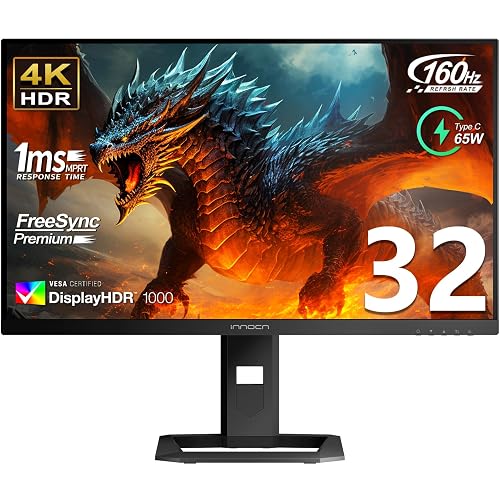
INNOCN 32″ Mini LED 4K 160Hz Monitor
If you want one monitor that can handle fast gaming, sharp 4K detail, and serious creative work, the INNOCN 32″ Mini LED 4K 160Hz Monitor stands out immediately. It delivers 3840 x 2160 clarity, a 160Hz refresh rate, and 1 ms response time, so motion feels smooth and crisp. Mini LED backlighting with 2304 zones and HDR1000 provides deep contrast and bright highlights. The panel covers 99% DCI-P3 and 99% Adobe RGB, and factory calibration yields a Delta E under 2, so photos, edits, and games display accurately.
- Screen Size:32-inch
- Resolution:3840 x 2160
- Panel Type:IPS
- Refresh Rate:160Hz
- HDR Support:HDR1000
- Built-in Audio:Yes
- Additional Feature:2304 local dimming zones
- Additional Feature:65W USB-C charging
- Additional Feature:99% Adobe RGB
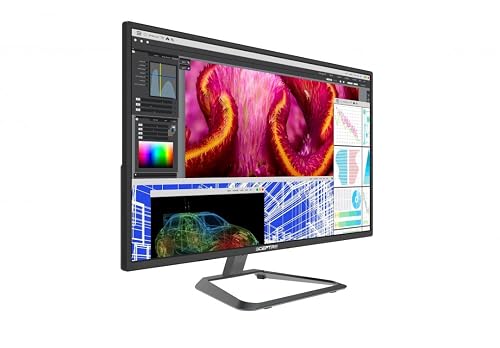
Sceptre 27 Inch 4K IPS Monitor (U278W-4000R)
The Sceptre 27 Inch 4K IPS Monitor (U278W-4000R) is a solid choice if you want sharp detail, wide viewing angles, and a screen that handles work and play without fuss. It delivers 3840 x 2160 resolution on a 27-inch IPS panel, so text is crisp and images remain stable. The 60 Hz refresh rate and 5 ms response time keep everyday use smooth, and FreeSync reduces tearing in games. HDMI, DisplayPort, DVI, and built-in speakers simplify setup. VESA mounting and straightforward OSD controls provide flexibility without extra hassle.
- Screen Size:27-inch
- Resolution:3840 x 2160
- Panel Type:IPS
- Refresh Rate:60Hz
- HDR Support:Not listed
- Built-in Audio:Yes
- Additional Feature:Glossy screen finish
- Additional Feature:RTS/FPS game modes
- Additional Feature:VESA 100×100 mount
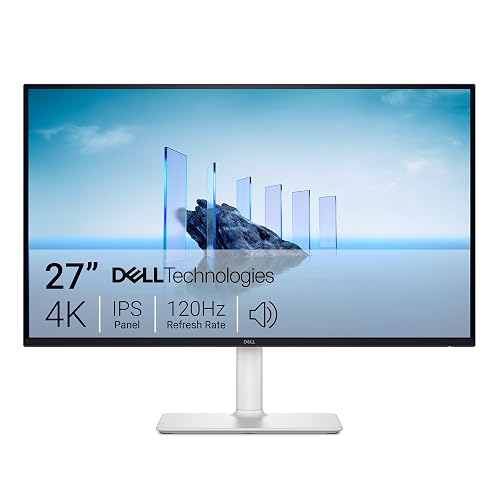
Dell 27 Plus 4K Monitor S2725QS (Ash White)
Dell’s 27 Plus 4K Monitor S2725QS in Ash White is a smart pick when you want sharp 4K detail, smooth 120Hz motion, and a clean look that fits both work and play without taking over your desk. You get a 27-inch IPS panel with vivid 99% sRGB color, so photos, movies, and games look lively and balanced. ComfortView Plus and the anti-glare matte screen help your eyes during long sessions. FreeSync Premium keeps motion tear-free. The slim bezels, built-in speakers, and easy height, tilt, swivel, and pivot adjustments make daily use feel simple and reassuring.
- Screen Size:27-inch
- Resolution:3840 x 2160
- Panel Type:IPS
- Refresh Rate:120Hz
- HDR Support:HDR ready
- Built-in Audio:Yes
- Additional Feature:ComfortView Plus
- Additional Feature:0.03ms response time
- Additional Feature:Premium Panel Exchange
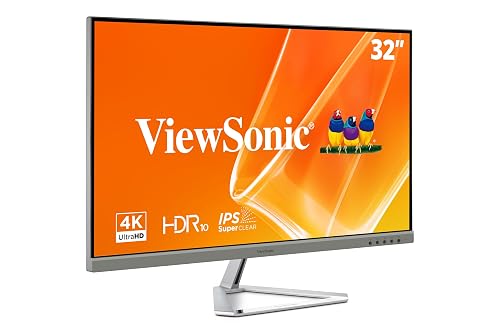
ViewSonic VX3276-4K-MHD 32 Inch 4K Monitor
ViewSonic’s VX3276-4K-MHD is a strong pick for you when you want a large 32-inch 4K screen that feels both sharp and easy on the eyes. Its frameless design helps your desk look clean, and the 3840 x 2160 resolution gives text and images crisp detail. You also get HDR10 support, strong contrast, and wide viewing angles, so colors stay clear from more places. With Flicker-Free tech, a blue light filter, and preset modes, you can work, watch, and play more comfortably. HDMI, DisplayPort, and FreeSync add useful flexibility as well.
- Screen Size:32-inch
- Resolution:3840 x 2160
- Panel Type:IPS/MVA
- Refresh Rate:60Hz
- HDR Support:HDR10
- Built-in Audio:Yes
- Additional Feature:Frameless design
- Additional Feature:Flicker-Free technology
- Additional Feature:3-year limited warranty
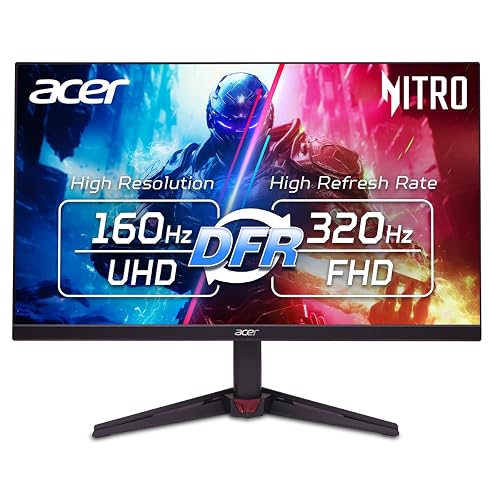
Acer Nitro 27” 4K Gaming IPS Monitor (VG270K V4bmiipx)
Acer’s Nitro 27-inch VG270K V4bmiipx is a strong pick if you want a 4K gaming monitor that performs well for both sharp everyday work and fast-paced play. It features an IPS panel, HDR10, and 90% DCI-P3 color, so photos, streams, and games look lively and clean. The 160Hz refresh rate, AMD FreeSync Premium, and fast 1 ms response keep motion smooth. It also supports 320 Hz at 1080p, so you can switch to esports mode when you need maximum speed. The ZeroFrame design, HDMI 2.1, and included stand make setup easy.
- Screen Size:27-inch
- Resolution:3840 x 2160
- Panel Type:IPS
- Refresh Rate:160Hz
- HDR Support:HDR10
- Built-in Audio:Yes
- Additional Feature:320Hz FHD mode
- Additional Feature:Zero-Frame design
- Additional Feature:FreeSync Premium
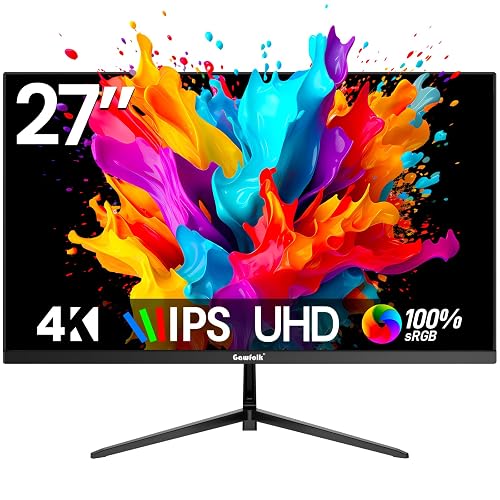
Gawfolk 27 Inch 4K IPS Monitor 60Hz
If you want a roomy 4K screen that feels sharp without being fussy, the Gawfolk 27 Inch 4K IPS Monitor 60Hz is a smart fit for work, school, and relaxed gaming. You get 3840 x 2160 detail, a 100% color gamut, and an IPS panel with wide 178 degree viewing. The matte, frameless design keeps glare down and looks clean on your desk. With 60 Hz, 1 ms response, Adaptive Sync, and Flicker Free, you can enjoy smoother motion and less eye strain. HDMI, DisplayPort, and audio out make setup easy, and the monitor supports tilt and wall mounting. A 12 month warranty adds peace of mind.
- Screen Size:27-inch
- Resolution:3840 x 2160
- Panel Type:IPS
- Refresh Rate:60Hz
- HDR Support:Not listed
- Built-in Audio:No listed
- Additional Feature:100% color gamut
- Additional Feature:2 DisplayPort 1.4
- Additional Feature:1-year warranty
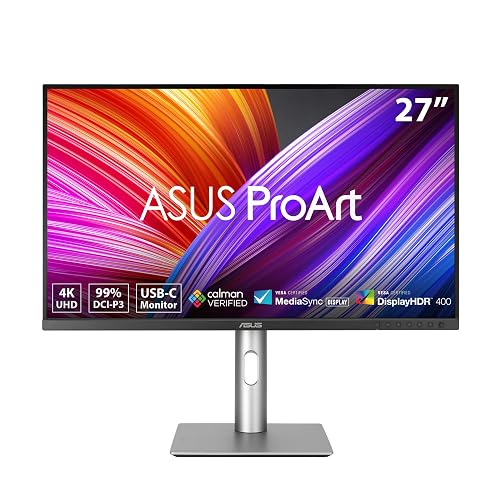
ASUS ProArt 27” 4K HDR Professional Monitor (PA279CRV)
The ASUS ProArt 27-inch PA279CRV is a smart pick for anyone who needs sharp detail and true-to-life color in a work monitor. It features a 27-inch 4K IPS display with wide 178 degree viewing angles, so your image stays clear from almost any seat. It is factory pre-calibrated, Calman Verified, and achieves Delta E under 2, which helps your edits look right the first time. USB-C with 96W power delivery keeps your desk tidy, and HDMI, DisplayPort, and a USB hub add flexibility for your gear.
- Screen Size:27-inch
- Resolution:3840 x 2160
- Panel Type:IPS
- Refresh Rate:60Hz
- HDR Support:HDR
- Built-in Audio:Yes
- Additional Feature:96W USB-C Power Delivery
- Additional Feature:Calman Verified
- Additional Feature:Daisy-chain support
Factors to Consider When Choosing IPS LED 4K Monitors
When choosing an IPS LED 4K monitor, begin with the panel type to ensure it provides the picture quality you need for work or play. Check color accuracy, refresh rate, and response time, because these determine how sharp, smooth, and true to life the image appears. Also verify connectivity options, as the right ports will prevent compatibility problems later.
Panel Type
IPS panel type is one of the main reasons these 4K monitors feel pleasant to use. You get wide 178° viewing angles, so the image stays steady when you lean back or share your screen. Many IPS panels also use matte coatings, which cut glare and help you see clearly in bright rooms. If you game or scroll a lot, look past the basic label and check the refresh rate as well. Some models run at 120 Hz, 160 Hz, or higher, and that can make movement feel much smoother than 60 Hz. Also compare contrast, response time, and color gamut, because IPS quality can vary considerably. Better panels may even come factory calibrated, which is a useful bonus when you want less guesswork.
Color Accuracy
Color accuracy can make or break your experience with an IPS LED 4K monitor, especially if you edit photos, design graphics, or want movies and games to look right. Look for wide gamuts, such as 99% DCI-P3 or 99% Adobe RGB, because they deliver richer, more print-friendly color. A factory-calibrated screen with a Delta E under 2 is even better, since the panel will already be very close to true color. If a monitor covers 90% DCI-P3 or claims full coverage, expect stronger depth and realism than with a narrow gamut. This matters even more on 27-inch and 32-inch 4K models, where fine gradients and skin tones stand out. Do not trust 4K alone; check calibration and panel quality as well.
Refresh Rate
Great color only gets you part of the way there, because smooth motion matters just as much once you start moving windows, games, or video across the screen. Refresh rate, measured in Hertz, tells you how often your monitor updates each second. For most office tasks, 60 Hz works well and feels steady. But if you watch fast video, scroll long pages, or play action games, 120 Hz, 144 Hz, or 160 Hz can make everything feel far smoother. You may notice less blur, tearing, and stutter, especially with adaptive sync. Still, you need a device and cable that can handle 4K at that higher rate, or you will not get the benefit. Check your laptop, desktop, or console first, then match the monitor to how you really use it.
Response Time
Response time matters because it controls how quickly each pixel can shift from one shade to another, and that speed can make the difference between crisp motion and smeary blur. When you shop for an IPS LED 4K monitor, aim for about 1 ms if you want sharp gaming or smooth scrolling. A 5 ms panel can still work well for everyday tasks, but you may notice more blur in fast scenes. Also check how the maker measures it, since gray to gray numbers can differ. Remember that response time and refresh rate work together. If one is fast and the other is slow, motion will not feel as clean. For video, sports, and action games, lower response times are usually better.
Connectivity Options
The right ports can make a 4K monitor easy to live with rather than oddly stubborn. Check HDMI, DisplayPort, USB-C, and any legacy inputs you still use so your gear connects without adapter clutter. For one-cable convenience, choose USB-C with DisplayPort support and power delivery; some screens can send video, data, and up to 96 W of charging at once. For fast gaming or smooth work, match the port standard to your refresh goal. 4K at 120 Hz, 144 Hz, or 160 Hz often needs DisplayPort 1.4 or HDMI 2.1. Also consider how many devices you will plug in and look for extra HDMI ports or USB hubs. Finally, confirm audio support and an audio-out jack if you need sound.
Ergonomic Adjustments
When you spend hours in front of a 4K monitor, comfort matters as much as sharp image quality. Look for height adjustment first, since it lets the top of the screen sit near eye level and helps ease neck strain. Tilt matters too; a range like -5° to +25° can reduce glare and keep your view relaxed. Swivel and pivot support provide more freedom, so you can share your screen or flip to portrait mode without fuss. For larger 27 to 32 inch displays, a stable stand with a wide adjustment range is especially important, because small posture shifts can feel bigger over time. If the stand falls short, VESA mount support can give you extra positioning choices.
HDR Support
HDR support can make your IPS LED 4K monitor feel much more alive, but only if the panel can handle the job. You want strong peak brightness and solid local contrast, because HDR depends on bright highlights, deep shadows, and clean detail. Look for HDR10 or, better yet, HDR1000, since stronger ratings usually point to tougher brightness goals. Mini LED backlighting helps a lot here by using many dimming zones, so dark scenes stay rich and shiny objects pop. A wide color gamut, like 99% DCI-P3, also keeps colors bold and natural. Then check response blur and calibration, because good tone mapping stops HDR from looking flat or overly sharp. That balance makes movies, games, and shows feel far more real.
Frequently Asked Questions
Which IPS LED 4K Monitor Has the Best Factory Color Calibration?
You will generally get the best factory color calibration from a Dell UltraSharp 4K IPS monitor, particularly the U3223QE. It ships with excellent accuracy, so you can trust it right out of the box.
Are IPS LED 4K Monitors Good for Console Gaming at 120HZ?
Yes, you will get crisp 4K detail and smooth 120 Hz gameplay, but you trade deeper blacks for IPS brightness and wider viewing angles. If you value color accuracy and responsiveness, you are making a solid console gaming choice.
Do All 4K IPS Monitors Support USB-C Charging and Display?
No, you cannot assume that. Check each model’s specifications, because many 4K IPS monitors only offer DisplayPort or HDMI. Some USB-C ports do not provide charging, do not carry video, or do not supply enough power.
How Much Desk Space Is Needed for a 32-Inch 4K Monitor?
A 32-inch 4K monitor requires about 28 to 30 inches of desk width and 12 to 16 inches of depth; allow additional space for speakers, the keyboard, and a comfortable viewing distance.
What Warranty Coverage Is Typical for Premium IPS 4K Monitors?
You will typically get a 3-year warranty on premium IPS 4K monitors that covers manufacturing defects and backlight failures. Some manufacturers also provide dead-pixel guarantees or advanced replacement options. Accidental damage and normal wear and tear are generally not covered.




