


Most IPS gaming monitors are not truly the same, and panel tuning can matter more than raw specs when you want clean motion and rich color.
In this guide, you will see which seven models actually earn attention in 2026, from speedy 240Hz and 360Hz picks to sharper QHD and 4K options that make games feel smoother and look better.
You will also learn which extras, like USB-C, extra ports, and better cable control, can quietly make your setup easier to live with.
| Samsung 25″ Odyssey G4 Gaming Monitor (LS25BG402ENXGO) |  | Best Overall | Screen Size: 25 inches | Resolution: FHD 1920 x 1080 | Refresh Rate: 240Hz | VIEW LATEST PRICE | Read Our Analysis |
| Acer Nitro 27″ QHD IPS Gaming Monitor (KG271U) | 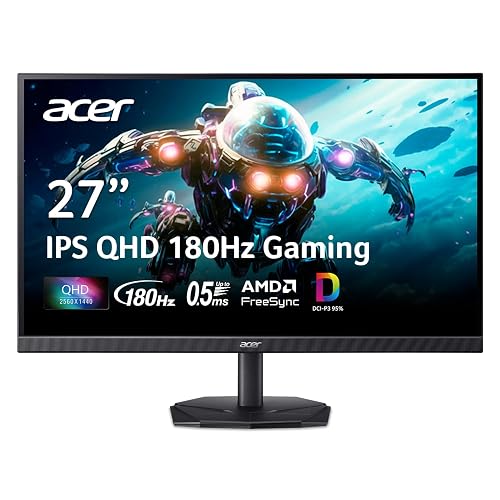 | Best Value | Screen Size: 27 inches | Resolution: QHD 2560 x 1440 | Refresh Rate: 180Hz | VIEW LATEST PRICE | Read Our Analysis |
| AOC Q27G3XMN 27″ QHD Mini LED Gaming Monitor | 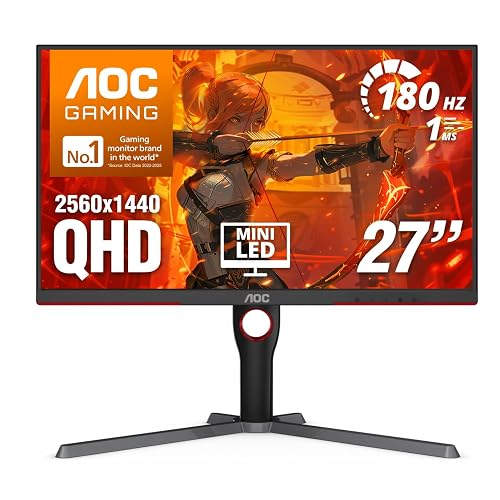 | Best HDR Pick | Screen Size: 27 inches | Resolution: QHD 2560 x 1440 | Refresh Rate: 180Hz | VIEW LATEST PRICE | Read Our Analysis |
| Alienware 25 Gaming Monitor AW2523HF 360Hz Full HD | 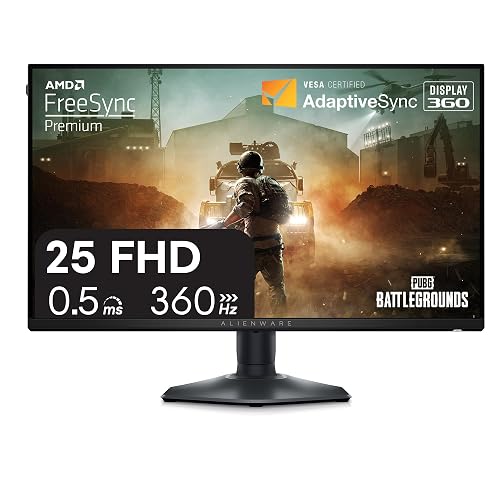 | Best Esports Monitor | Screen Size: 24.5 inches | Resolution: FHD 1920 x 1080 | Refresh Rate: 360Hz | VIEW LATEST PRICE | Read Our Analysis |
| LG 24G411A-B 24-inch Ultragear Gaming Monitor | 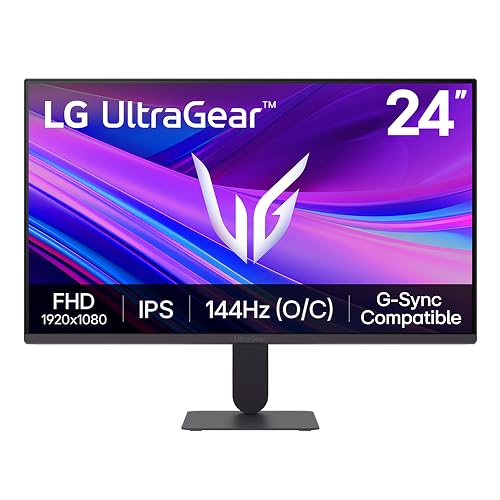 | Best Budget Pick | Screen Size: 24 inches | Resolution: FHD 1920 x 1080 | Refresh Rate: 120Hz native / 144Hz overclock | VIEW LATEST PRICE | Read Our Analysis |
| AOC 27-Inch QHD Gaming Monitor (Q27G41ZE) | 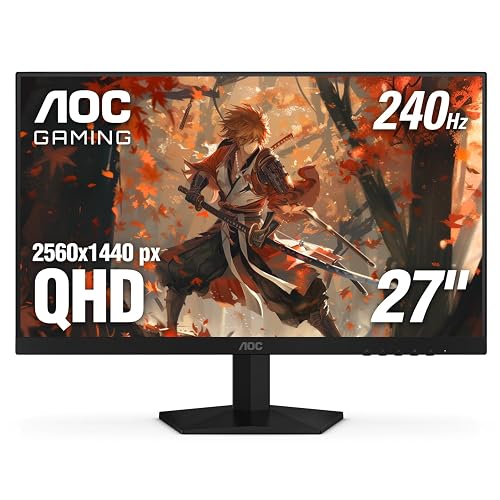 | Best Competitive Pick | Screen Size: 27 inches | Resolution: QHD 2560 x 1440 | Refresh Rate: 240Hz / 260Hz overclock | VIEW LATEST PRICE | Read Our Analysis |
| ASUS ROG Strix 27” 4K Gaming Monitor (XG27UCG) | 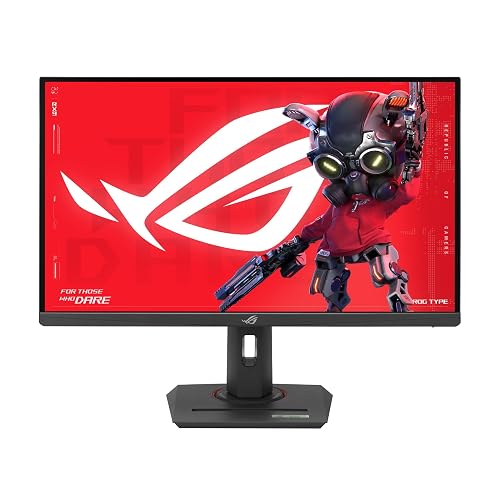 | Best Premium Pick | Screen Size: 27 inches | Resolution: 4K UHD 3840 x 2160 | Refresh Rate: 160Hz 4K / 320Hz FHD dual mode | VIEW LATEST PRICE | Read Our Analysis |
More Details on Our Top Picks
Samsung 25″ Odyssey G4 Gaming Monitor (LS25BG402ENXGO)
If you want a monitor that can keep up when the game gets intense, the Samsung 25″ Odyssey G4 Gaming Monitor is a strong fit, especially for players who care about speed and smooth motion. You get a 25-inch IPS panel with FHD clarity, wide 178-degree viewing, HDR10, and bright 400 cd output. The 240 Hz refresh rate and 1 ms GTG response help you track fast action with less blur. It also supports G-SYNC, FreeSync Premium, and Adaptive Sync, so you can enjoy steadier play. The adjustable stand, Ultrawide Game View, and a practical selection of ports make setup straightforward.
- Screen Size:25 inches
- Resolution:FHD 1920 x 1080
- Refresh Rate:240Hz
- Response Time:1ms GTG
- Adaptive Sync:G-SYNC Compatible / FreeSync Premium / Adaptive Sync
- HDR Support:HDR10
- Additional Feature:Ultrawide Game View
- Additional Feature:Fully adjustable stand
- Additional Feature:Auto Source Switch+
Acer Nitro 27″ QHD IPS Gaming Monitor (KG271U)
The Acer Nitro 27″ QHD IPS Gaming Monitor (KG271U) is a smart pick for gamers who want sharp detail, fast action, and rich color in one screen. You get a 27-inch IPS panel with 2560 x 1440 QHD clarity and a clean zero-frame look. Its 180Hz refresh rate and AMD FreeSync help cut tearing and stutter, so gameplay feels smoother. With up to 0.5 ms GTG response, fast scenes stay crisp. Plus, 95% DCI-P3 coverage, HDR10 support, and accurate color make this monitor suitable for creative work. Connections include DisplayPort 1.2 and two HDMI 2.0 ports.
- Screen Size:27 inches
- Resolution:QHD 2560 x 1440
- Refresh Rate:180Hz
- Response Time:0.5ms GTG
- Adaptive Sync:FreeSync
- HDR Support:HDR10
- Additional Feature:Zero-frame design
- Additional Feature:DCI-P3 95% color
- Additional Feature:Graphic design friendly
AOC Q27G3XMN 27″ QHD Mini LED Gaming Monitor
AOC’s Q27G3XMN is a strong pick when you want a 27-inch gaming monitor that blends sharp QHD detail with deep, punchy contrast. Its VA panel and 2560 x 1440 resolution deliver crisp images, so enemies and scenery stay clear. The Mini-LED backlight, with 336 dimming zones, boosts blacks and whites for vivid depth. You also get a 180 Hz overclocked refresh, 1 ms GtG response, and Adaptive-Sync for smooth, tear-free play. HDMI 2.0, DisplayPort 1.4, 134% sRGB coverage, and HDR1000 round out a setup that feels fast and rich.
- Screen Size:27 inches
- Resolution:QHD 2560 x 1440
- Refresh Rate:180Hz
- Response Time:1ms GTG
- Adaptive Sync:Adaptive-Sync
- HDR Support:VESA DisplayHDR 1000
- Additional Feature:336 dimming zones
- Additional Feature:Mini-LED backlight
- Additional Feature:DisplayHDR 1000
Alienware 25 Gaming Monitor AW2523HF 360Hz Full HD
Built for players who want lightning-fast response without sacrificing sharp image quality, the Alienware 25 Gaming Monitor AW2523HF is an excellent choice for competitive gamers who focus on fast shooters, racing games, and any title where every split second matters. It features a 24.5-inch Fast IPS panel, Full HD clarity, and a 360Hz refresh rate that keeps motion crisp. With AMD FreeSync Premium and AdaptiveSync, you will see reduced tearing and stutter. The adjustable stand, matte screen, and headset hanger help keep your desk organized, spacious, and ready.
- Screen Size:24.5 inches
- Resolution:FHD 1920 x 1080
- Refresh Rate:360Hz
- Response Time:0.5ms GTG
- Adaptive Sync:FreeSync Premium / AdaptiveSync
- HDR Support:HDR content playback
- Additional Feature:Retractable headset hanger
- Additional Feature:Hexagonal base design
- Additional Feature:Premium Panel Exchange
LG 24G411A-B 24-inch Ultragear Gaming Monitor
LG’s 24G411A-B 24-inch UltraGear monitor is a smart pick if you want fast gameplay in a compact size without giving up clear color and sharp detail. You get a Full HD IPS panel with 99% sRGB, HDR10, and a 1500:1 contrast ratio, so your games look lively and balanced. Its 120Hz refresh rate, 1ms MBR, and Adaptive Sync help you stay smooth in tense matches. Also, the Black Stabilizer and Crosshair tools give you extra control. The slim, tilt-ready design fits your desk nicely, and HDMI plus DisplayPort make setup easy.
- Screen Size:24 inches
- Resolution:FHD 1920 x 1080
- Refresh Rate:120Hz native / 144Hz overclock
- Response Time:1ms MBR
- Adaptive Sync:G-SYNC Compatible / FreeSync / Adaptive Sync
- HDR Support:HDR10
- Additional Feature:144Hz overclock mode
- Additional Feature:Black Stabilizer
- Additional Feature:Slim bezel design
AOC 27-Inch QHD Gaming Monitor (Q27G41ZE)
With its 27-inch IPS panel, QHD 2560 x 1440 resolution, and 240 Hz refresh rate, the AOC Q27G41ZE is a strong pick for sharp detail and fast action on one screen, especially for competitive gaming where every frame can matter. It offers 0.3 ms MPRT, Adaptive-Sync, G-Sync Compatible support, and FreeSync so motion stays clean and tearing is reduced. The 300-nit panel, HDR ready support, and wide viewing angles help colors remain accurate. Shadow Control, Game Mode presets, and blue light and flicker-free tools make long sessions easier and more comfortable.
- Screen Size:27 inches
- Resolution:QHD 2560 x 1440
- Refresh Rate:240Hz / 260Hz overclock
- Response Time:0.3ms MPRT
- Adaptive Sync:G-Sync Compatible / FreeSync / Adaptive-Sync
- HDR Support:HDR ready
- Additional Feature:260Hz overclock
- Additional Feature:Shadow Control
- Additional Feature:Zero-Bright-Dot warranty
ASUS ROG Strix 27” 4K Gaming Monitor (XG27UCG)
The ASUS ROG Strix XG27UCG is a smart pick if you want one monitor that can keep up with both sharp 4K visuals and fast-paced gaming. It features a 27-inch Fast IPS panel with a 4K 160Hz mode, and you can switch to FHD 320Hz when speed matters more. Its 1 ms response time, ELMB SYNC, G-SYNC Compatible, and FreeSync Premium support help keep motion clean. With HDR400, 95% DCI-P3, USB-C, HDMI, DisplayPort, and wall-mount support, it suits gaming, editing, and your desk with ease.
- Screen Size:27 inches
- Resolution:4K UHD 3840 x 2160
- Refresh Rate:160Hz 4K / 320Hz FHD dual mode
- Response Time:1ms GTG
- Adaptive Sync:G-SYNC Compatible / FreeSync Premium / Adaptive Sync
- HDR Support:VESA DisplayHDR 400
- Additional Feature:Dual mode display
- Additional Feature:USB-C connectivity
- Additional Feature:Frame Rate Boost
Factors to Consider When Choosing IPS LED Gaming Monitors
When choosing an IPS LED gaming monitor, start with panel resolution, refresh rate, and response time, because these determine how sharp, smooth, and responsive your games feel. Also evaluate color accuracy, since accurate, rich colors make scenes more lifelike and help you spot details more easily. Finally, check connectivity options so the monitor works with your PC, console, and peripherals without a cable headache.
Panel Resolution
Pixel count can change your whole gaming feel, and panel resolution is where that starts. You will see common choices like Full HD 1920 x 1080, QHD 2560 x 1440, and 4K UHD 3840 x 2160. Higher resolution gives you sharper images, tighter pixel density, and clearer text, textures, and tiny details. On a 27-inch monitor, 1440p usually looks much cleaner than 1080p, so your games feel more polished. Still, more pixels need more GPU power, so your system may struggle if you push resolution too high. That is why you should match resolution to your screen size and your performance goals. If you want easy rendering, Full HD helps. If you want richer detail, QHD often hits the sweet spot.
Refresh Rate
A faster refresh rate can make your games feel much more alive, because it specifies how many times per second the screen updates the image. When you choose an IPS LED gaming monitor, look for 180 Hz to 240 Hz if you play competitive games, since camera movement and aiming feel smoother than on 60 Hz or 120 Hz screens. If you chase every edge in esports, 360 Hz can reduce blur and make reactions feel snappier. Still, your PC or console must push enough frames to match. Also check the connection, because some monitors require DisplayPort to reach top speed. Pick the highest rate your system can hold consistently, and you will enjoy cleaner motion without paying for performance you cannot fully use.
Response Time
Response time is the next piece of the puzzle, and it matters just as much as refresh rate for smooth gaming. You want a panel that changes pixel colors fast, because lower response time usually means less blur and cleaner motion when action speeds up. For gaming, aim for about 1 ms GTG or lower if you can, since that helps cut ghosting and smear during sharp turns and quick fights. Also check the metric carefully. GTG and MPRT do not mean the same thing, so compare the same one across monitors. Faster IPS panels can make esports play feel crisp and easy to track, while slower ones can leave edges looking fuzzy. Paired with high refresh rates, good response time keeps movement sharp and steady.
Color Accuracy
Color can make or break the way your games feel, because it shapes every sunset, spell effect, and dark corner you see on screen. To get that rich look, check for wide color coverage, for example 95% DCI-P3 or 99% sRGB, so your monitor can show more of the shades modern games use. A 10-bit or wide-gamut panel also helps by smoothing gradients and reducing banding in skies and magic effects. Next, HDR support can boost brightness and contrast, making highlights pop and shadows stay readable. DisplayHDR 400 or DisplayHDR 1000 usually gives stronger results. Still, specs alone do not guarantee accuracy, so factory calibration and solid grayscale tracking matter. IPS viewing angles of 178 degrees keep colors steady when you lean or shift.
Connectivity Options
For smooth gaming and fewer setup headaches, the right ports matter just as much as the panel itself. Look for DisplayPort 1.4 or HDMI 2.0, since they carry high refresh rates and sharp QHD or 4K signals without choking your frame flow. If you use a PC and a console, two HDMI ports plus a DisplayPort make swapping easy. You will not be crawling behind your desk like a lost cable detective. USB ports also help by linking keyboards, headsets, or firmware updates, and some screens provide up to five. USB-C is valuable when your laptop supports it, because one cable can handle video, data, and sometimes charging. Finally, check for audio out and included cables, so your setup stays neat and ready.
Frequently Asked Questions
What Panel Response Time Is Best for Competitive Gaming?
For competitive gaming, choose a panel with 1 ms to 3 ms response time, ideally 1 ms GtG. This reduces motion blur and ghosting, helping you track fast targets and react faster in shooters and esports.
How Does IPS Compare to Mini LED for HDR Performance?
IPS gives you better viewing angles and color consistency. Mini LED usually delivers stronger HDR, with brighter highlights and deeper contrast. You will see a knight’s armor gleam more vividly on mini LED, though blooming can occur.
Which Refresh Rate Suits Esports Versus Single-Player Gaming?
You will want 240 Hz or higher for esports, since you need every millisecond advantage. For single-player gaming, 60 Hz to 144 Hz usually feels great. 120 Hz offers a strong balance of smoothness, visuals, and performance.
Do IPS Gaming Monitors Support Console Features Like VRR?
Yes, many IPS gaming monitors do support VRR, so you can enjoy smoother gameplay on consoles. Check for HDMI 2.1 or FreeSync/Adaptive-Sync support, and note that the correct cable often determines whether VRR works.
How Important Is Color Accuracy for Gaming and Content Creation?
Color accuracy matters a great deal if you create content, and it also improves gaming by making visuals look better and more consistent. You will notice richer, truer colors, although response time and refresh rate usually matter more.




