


If you are looking for the best IPS LED monitors for 2026, you have more good choices than ever, and that can feel a little overwhelming at first. The right screen can make your games sharper, your work easier, and your desk setup far more comfortable. In this guide, you will find fast picks for esports, color rich displays for creative tasks, and roomy monitors for everyday use. There is also one standout that blends strong contrast with wide versatility in a way that may surprise you.
| AOC Q27G3XMN 27″ QHD Mini LED Gaming Monitor | 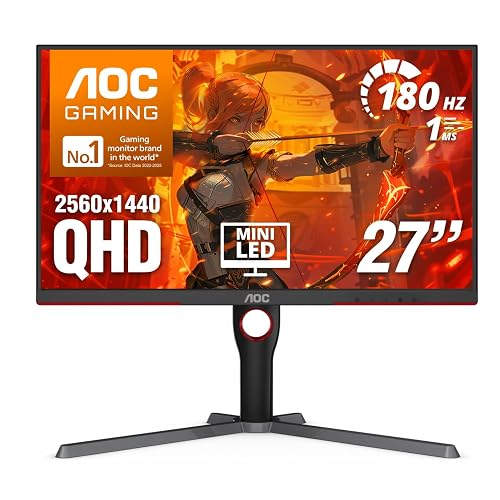 | Best HDR Gaming | Screen Size: 27-inch | Resolution: 2560 x 1440 | Refresh Rate: 180Hz | VIEW LATEST PRICE | Read Our Analysis |
| LG 24U411A-B 24-inch Full HD IPS Monitor | 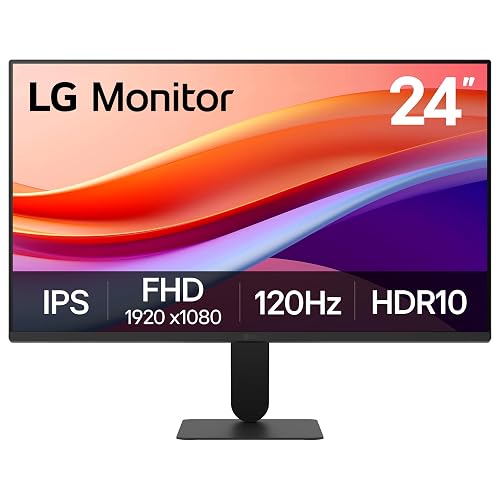 | Best Budget IPS | Screen Size: 24-inch | Resolution: 1920 x 1080 | Refresh Rate: 120Hz | VIEW LATEST PRICE | Read Our Analysis |
| Alienware 25 Gaming Monitor AW2523HF 360Hz Full HD | 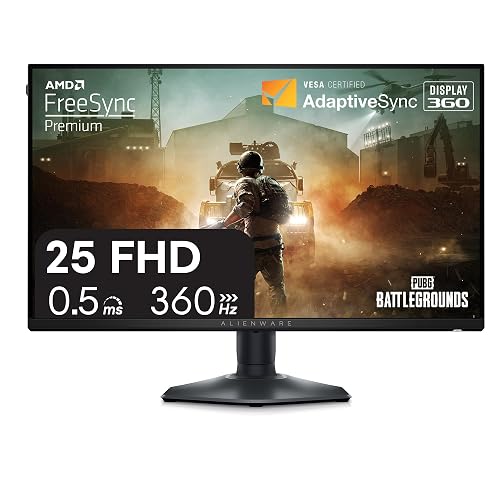 | Fastest Refresh | Screen Size: 24.5-inch | Resolution: 1920 x 1080 | Refresh Rate: 360Hz | VIEW LATEST PRICE | Read Our Analysis |
| ASUS ProArt 27″ 4K HDR Professional Monitor (PA279CRV) | 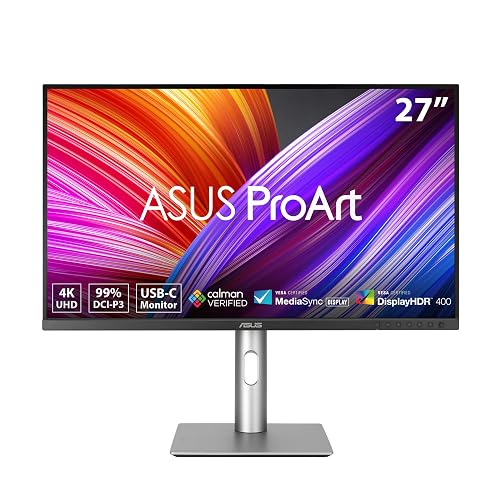 | Best for Creators | Screen Size: 27-inch | Resolution: 3840 x 2160 | Refresh Rate: 60Hz | VIEW LATEST PRICE | Read Our Analysis |
| ViewSonic VS3225-2K 32 Inch 1440p IPS Monitor | 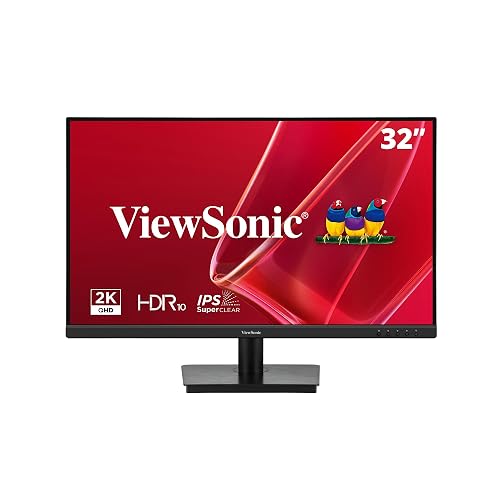 | Best Large Screen | Screen Size: 32-inch | Resolution: 2560 x 1440 | Refresh Rate: 75Hz | VIEW LATEST PRICE | Read Our Analysis |
| ViewSonic VA2448-MH 24 Inch 1080p IPS Monitor | 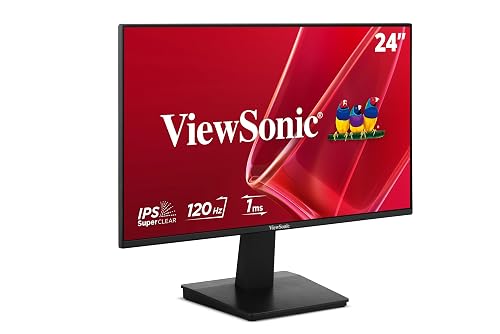 | Best Everyday Use | Screen Size: 24-inch | Resolution: 1920 x 1080 | Refresh Rate: 120Hz | VIEW LATEST PRICE | Read Our Analysis |
| LG 24G411A-B 24-inch Ultragear Gaming Monitor | 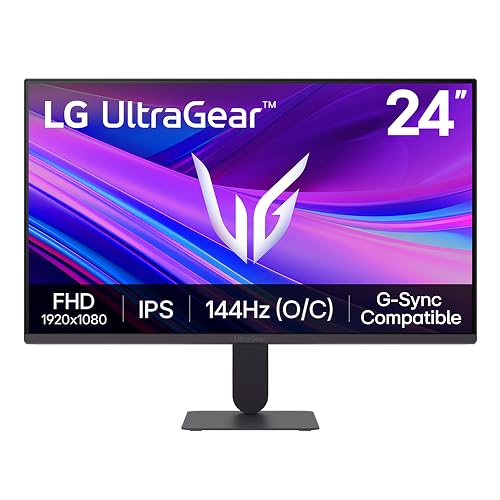 | Best Competitive Gaming | Screen Size: 24-inch | Resolution: 1920 x 1080 | Refresh Rate: 120Hz | VIEW LATEST PRICE | Read Our Analysis |
More Details on Our Top Picks
AOC Q27G3XMN 27″ QHD Mini LED Gaming Monitor
The AOC Q27G3XMN 27-inch QHD Mini LED gaming monitor is a strong choice if you want deep contrast, fast action, and crisp detail in a single screen. It uses a 27-inch VA panel with 336 dimming zones, so blacks look rich and bright areas pop. The 2560 x 1440 QHD resolution keeps text, maps, and enemies sharp. For gaming, the 180 Hz refresh rate and 1 ms GtG response help motion remain smooth and ghosting low. Adaptive-Sync keeps gameplay tear-free. Color coverage reaches 134% sRGB and the monitor supports DisplayHDR 1000. Connectivity includes HDMI 2.0 and DisplayPort 1.4, completing a capable setup.
- Screen Size:27-inch
- Resolution:2560 x 1440
- Refresh Rate:180Hz
- Panel Type:VA
- Adaptive Sync:Adaptive-Sync
- HDMI Support:Yes
- Additional Feature:Mini-LED backlight
- Additional Feature:336 dimming zones
- Additional Feature:DisplayHDR 1000
LG 24U411A-B 24-inch Full HD IPS Monitor
If you want a compact monitor that feels sharp, smooth, and easy on your eyes, the LG 24U411A-B 24-inch Full HD IPS Monitor is a smart fit for everyday work and casual play. You get a 23.8-inch class Full HD screen, wide 178-degree viewing, and rich 99% sRGB color. Its 120Hz refresh rate, 5ms response, FreeSync, and Motion Blur Reduction keep motion cleaner. The slim, three-side borderless design saves space, and Reader Mode, Flicker Safe, and split-screen tools help you stay comfortable and organized all day.
- Screen Size:24-inch
- Resolution:1920 x 1080
- Refresh Rate:120Hz
- Panel Type:IPS
- Adaptive Sync:FreeSync
- HDMI Support:Yes
- Additional Feature:99% sRGB gamut
- Additional Feature:Reader Mode
- Additional Feature:Split screen support
Alienware 25 Gaming Monitor AW2523HF 360Hz Full HD
Alienware’s 25 Gaming Monitor AW2523HF is a strong pick for players who want speed without sacrificing picture clarity. It features a 24.5-inch Fast IPS panel, Full HD resolution, and a 360Hz refresh rate via DisplayPort, so your aim feels sharp and responsive. The 0.5 ms GtG response time helps keep motion clean, while FreeSync Premium and VESA AdaptiveSync reduce tearing. You also get 99% sRGB coverage, HDR support, adjustable height, tilt, swivel, and pivot, plus useful USB ports for a tidy setup.
- Screen Size:24.5-inch
- Resolution:1920 x 1080
- Refresh Rate:360Hz
- Panel Type:Fast IPS
- Adaptive Sync:FreeSync Premium
- HDMI Support:Yes
- Additional Feature:360Hz over DisplayPort
- Additional Feature:Retractable headset hanger
- Additional Feature:3-year warranty
ASUS ProArt 27″ 4K HDR Professional Monitor (PA279CRV)
ASUS’s ProArt PA279CRV is a smart pick if you need a 27-inch IPS monitor that treats color work with care. Its 4K HDR panel, 99% DCI-P3 coverage, and 99% Adobe RGB coverage make it a strong fit for photo and video editing. You also get factory calibration, Calman verification, and Delta E under 2, so images stay true. The USB-C port provides 96W charging, while HDMI, DisplayPort, and a USB hub help keep your desk tidy. The ergonomic stand, eye care features, and FreeSync support make long sessions easier.
- Screen Size:27-inch
- Resolution:3840 x 2160
- Refresh Rate:60Hz
- Panel Type:IPS
- Adaptive Sync:Adaptive Sync / FreeSync
- HDMI Support:Yes
- Additional Feature:96W USB-C power
- Additional Feature:Calman Verified
- Additional Feature:Daisy-chain support
ViewSonic VS3225-2K 32 Inch 1440p IPS Monitor
The ViewSonic VS3225-2K 32 Inch 1440p IPS Monitor is a smart pick for anyone who wants a roomy screen with sharp detail and comfortable viewing. You get QHD 2560 x 1440 clarity on a 32-inch IPS panel, so text looks crisp and images feel lively. The matte finish and thin bezels help you stay focused, and Flicker-Free technology plus a Blue Light Filter can reduce eye strain during long sessions. In addition, 75Hz refresh rate, Adaptive Sync, and FreeSync keep motion smooth. With HDMI and DisplayPort inputs, it connects easily to laptops, PCs, and Macs.
- Screen Size:32-inch
- Resolution:2560 x 1440
- Refresh Rate:75Hz
- Panel Type:IPS
- Adaptive Sync:Adaptive Sync / FreeSync
- HDMI Support:Yes
- Additional Feature:32-inch screen
- Additional Feature:Blue Light Filter
- Additional Feature:3-year limited warranty
ViewSonic VA2448-MH 24 Inch 1080p IPS Monitor
If you want a 24 inch monitor that feels fast, clear, and easy on your eyes, the ViewSonic VA2448-MH is a strong fit for work, home, and casual gaming. You get Full HD sharpness, IPS color, and a frameless matte screen that keeps distractions low. With 120 Hz, 1 ms response time, and FreeSync, motion stays smooth. Flicker Free technology, a Blue Light Filter, and anti glare treatment help you stay comfortable. HDMI, VGA, and audio support make setup simple, and the included cable saves time.
- Screen Size:24-inch
- Resolution:1920 x 1080
- Refresh Rate:120Hz
- Panel Type:IPS
- Adaptive Sync:Adaptive Sync / FreeSync
- HDMI Support:Yes
- Additional Feature:1ms response time
- Additional Feature:3.5mm audio support
- Additional Feature:Game presets
LG 24G411A-B 24-inch Ultragear Gaming Monitor
LG’s 24G411A-B 24-inch UltraGear gaming monitor is a strong pick for players who want fast motion, rich color, and a setup that is easy to live with every day. You get Full HD sharpness, HDR10, and up to 99% sRGB, so games look vivid and clean. The panel runs at 120 Hz and can be overclocked to 144 Hz, with 1 ms MBR to keep action smooth and blur minimal. G-SYNC and FreeSync reduce tearing, and Dynamic Action Sync lowers input lag. Black Stabilizer and a built-in crosshair help you spot targets in darker scenes. The monitor has a slim bezel, a tilt stand, and Split Screen tools to make multitasking and productivity easier.
- Screen Size:24-inch
- Resolution:1920 x 1080
- Refresh Rate:120Hz
- Panel Type:IPS
- Adaptive Sync:G-SYNC Compatible / FreeSync
- HDMI Support:Yes
- Additional Feature:144Hz overclocked
- Additional Feature:Crosshair feature
- Additional Feature:Black Stabilizer
Factors to Consider When Choosing IPS LED Monitors
When choosing an IPS LED monitor, begin with panel quality because it determines how sharp, smooth, and comfortable the display will feel. Match the resolution and screen size to your available space. Check the refresh rate if you need smoother motion, and evaluate color accuracy if true-to-life, rich images matter to you. Finally, verify connectivity options, since the right ports simplify setup and prevent headaches later.
Panel Quality
Panel quality can make or break your experience, because a great IPS LED monitor does more than just turn on and show an image. You want sharp detail, so a higher native resolution and better pixel density help text look crisp, not fuzzy. Next, check viewing angles. Good IPS panels keep colors steady even when you lean back or share the screen. Color also matters, so look for wide gamuts like 99% sRGB or 99% DCI-P3 if you want richer, truer tones. After that, compare contrast ratio and black level, because stronger values give dark scenes more depth. Finally, a matte finish with an anti glare coating cuts reflections, which really helps in bright rooms.
Resolution And Size
Resolution and size work together, so the right IPS LED monitor should look clear without overwhelming your desk or your eyes. If you want sharper text and more room to spread out, 2560 × 1440 and 3840 × 2160 provide finer detail than 1920 × 1080 at the same size. Still, screen size changes how dense those pixels appear. A 24-inch 1080p screen can look crisp on a small desk, while a 32-inch 1440p model may show larger pixels if you sit close. For many people, a 27-inch QHD display hits the sweet spot because it feels roomy and stays clean. If you multitask often, 27 to 32 inch models help. Match both specs to your space and routine.
Refresh Rate
Refresh rate matters just as much as size and sharpness, because it shapes how smooth your screen feels in daily use. You will usually see 60 Hz on basic monitors, but 75 Hz, 120 Hz, 144 Hz, 180 Hz, and even 360 Hz can make scrolling and fast action look much cleaner. Higher numbers also help cut blur, so quick movement feels more responsive in games and video. Still, you will not get the full benefit unless your device and cable support that rate at your chosen resolution. So before you buy, check both the monitor and your setup. If you play competitive games or watch lots of fast motion, a higher refresh rate often matters more than a small jump in resolution. It is a simple upgrade, and your eyes will thank you.
Color Accuracy
Color accuracy is something you might not notice at first, but it makes a big difference when you start editing photos, creating content, or watching movies that should look true to life. Look for wide gamut coverage, such as 99% DCI-P3 or 99% Adobe RGB, if you need rich, accurate colors. For web and everyday creative work, strong sRGB coverage, around 99% or higher, helps your images remain consistent. Factory calibration also matters; a low Delta E under 2 indicates the panel already matches reference colors closely. IPS panels help as well, because they keep color stable across wide viewing angles. HDR can add depth, but calibration and gamut coverage are still more important.
Connectivity Options
When you pick an IPS LED monitor, the connection ports matter just as much as the screen itself, because the right setup can save you time, hassle, and a small pile of adapter cables. First, check for the inputs you actually use, like HDMI, DisplayPort, USB-C, or even VGA, so your PC, laptop, console, or dock plugs in cleanly. If you swap devices often, choose a model with multiple video inputs, such as dual HDMI or HDMI plus DisplayPort. Changing sources will feel much easier. Next, if you want one cable for video and charging, look for USB-C with power delivery, as some screens deliver up to 96W. Also, built-in USB hubs reduce clutter. Finally, confirm VESA mounting and daisy-chain support for a setup that grows with you.
Frequently Asked Questions
Are IPS LED Monitors Better for Eye Strain Than VA Panels?
Generally, yes, you will often feel less strain with IPS LED monitors, because they keep colors and brightness steadier off angle. Still, use flicker free backlighting and proper brightness. Prevention protects your eyes best.
Do IPS Monitors Need Calibration for Accurate Colors?
Yes, you should calibrate an IPS monitor if you want truly accurate colors. Factory settings are usually decent; calibration improves consistency, helps with editing work, and keeps colors matching across devices.
Can IPS LED Monitors Be Used Effectively for Console Gaming?
Yes, you can use IPS LED monitors very effectively for console gaming. They offer vivid colors, wide viewing angles, and responsive performance. You will enjoy smooth play, though you might notice modest contrast in dim scenes.
How Long Do IPS LED Monitors Typically Last?
You can usually expect an IPS LED monitor to last 5 to 10 years, sometimes longer. You can extend its lifespan by keeping brightness moderate, ensuring good cooling, and avoiding constant use at maximum settings.
Are IPS LED Monitors Suitable for Photo and Video Editing?
Yes, IPS LED monitors are suitable for photo and video editing because they provide accurate color, wide viewing angles, and consistent brightness. You should still perform proper calibration and choose a high-quality panel for best results.




