


If your Acer keeps dying at the worst time, you need a charger that fits the model, power level, and port without guesswork.
In 2026, the best picks range from USB-C options for Chromebooks and slim Aspire laptops to 65W barrel replacements for Spin, Swift, and TravelMate models, plus a strong 180W choice for Nitro 5 gaming rigs.
Next, you will want to compare connector type, safety protection, and real-world reliability before you buy.
| Acer Chromebook USB-C Fast Power Adapter | 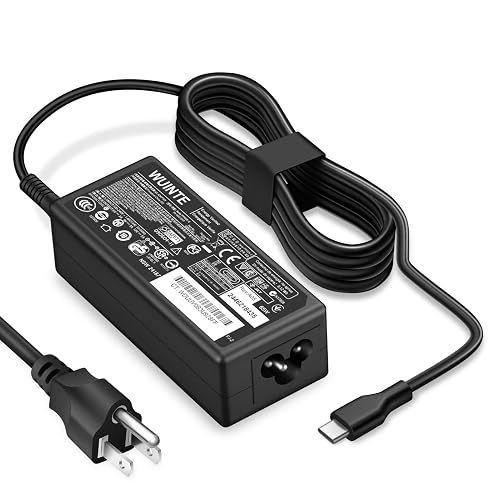 | Best for Chromebooks | Wattage: 65W / 45W | Connector Type: USB-C | Output Voltage: 5V-20V | VIEW LATEST PRICE | Read Our Analysis |
| Dzytnsy 65W USB-C Laptop Charger for Chromebooks | 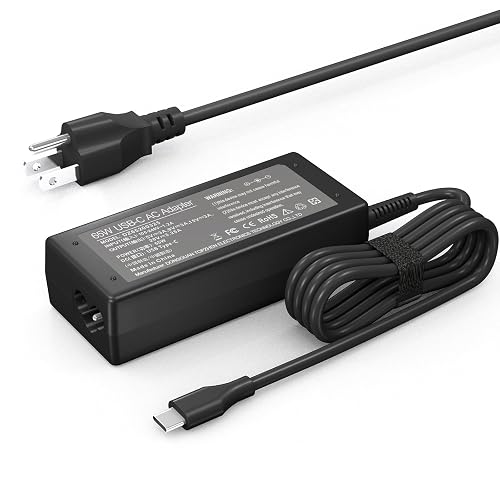 | Broad Compatibility | Wattage: 65W | Connector Type: USB-C | Output Voltage: 5V-20V | VIEW LATEST PRICE | Read Our Analysis |
| 65W Laptop Charger for Acer Aspire Series | 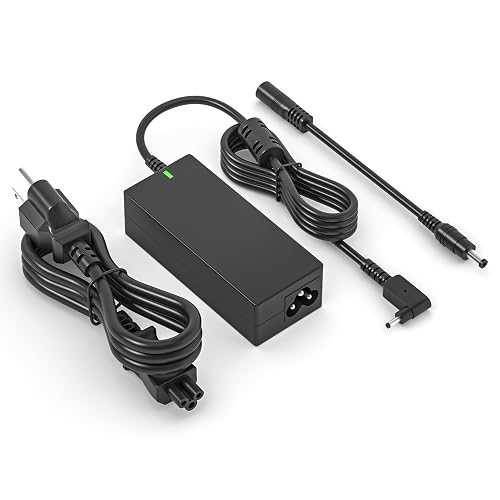 | Best Barrel Charger | Wattage: 65W | Connector Type: 3.0 x 1.1mm | Output Voltage: 19V | VIEW LATEST PRICE | Read Our Analysis |
| 65W Acer Laptop Charger Replacement Power Cord | 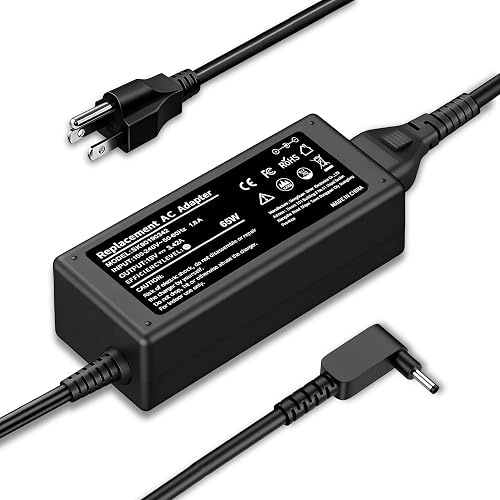 | Best Replacement | Wattage: 65W | Connector Type: 3.0 x 1.1mm | Output Voltage: 19V | VIEW LATEST PRICE | Read Our Analysis |
| Acer Aspire 5 65W Laptop Charger Adapter |  | Best for Aspire | Wattage: 65W | Connector Type: 5.5 x 1.7mm | Output Voltage: 19V | VIEW LATEST PRICE | Read Our Analysis |
| 180W Charger for Acer Nitro 5 Gaming Laptop | 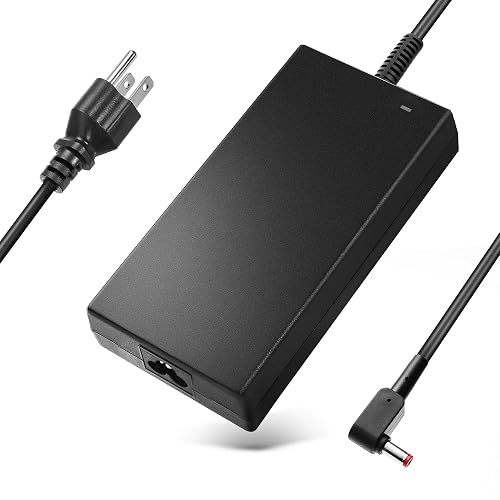 | Best for Gaming | Wattage: 180W | Connector Type: 5.5 x 1.7mm | Output Voltage: 19.5V | VIEW LATEST PRICE | Read Our Analysis |
| Acer Aspire Laptop Charger 65W 45W Compatible | 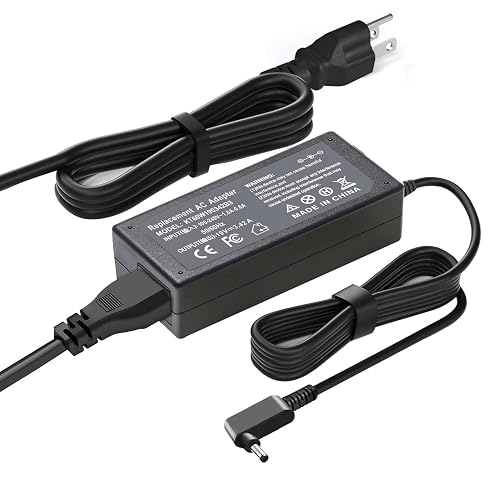 | Best Value | Wattage: 65W / 45W | Connector Type: 3.0 x 1.1mm | Output Voltage: 19V | VIEW LATEST PRICE | Read Our Analysis |
More Details on Our Top Picks
Acer Chromebook USB-C Fast Power Adapter
If you need a reliable Acer Chromebook USB-C fast power adapter, the WUINTE 65W and 45W charger is a smart choice for students, remote workers, and anyone who wants a simple plug-in solution that works. It provides USB-C Power Delivery so your Chromebook can charge quickly and safely. The charger is compatible with many Acer models, as well as Dell, HP, Lenovo, MacBook, and other USB-C devices. The corded design includes a US 3-prong cable, ETL safety listing, and protection against short circuits, overheating, overvoltage, and overcurrent. You also get 24/7 support, a 12-month warranty, and easy portability.
- Wattage:65W / 45W
- Connector Type:USB-C
- Output Voltage:5V-20V
- Input Range:100-240V
- Charging Type:Fast charging
- Safety Protection:Short/overvoltage/overcurrent/overheat
- Additional Feature:12-month warranty
- Additional Feature:24/7 customer service
- Additional Feature:Lifetime technical support
Dzytnsy 65W USB-C Laptop Charger for Chromebooks
The Dzytnsy 65W USB-C Laptop Charger for Chromebooks is a smart pick for anyone who needs one charger that can handle a wide range of USB-C laptops, especially Acer Chromebook users who want steady power without the hassle. You get 65W output, so your laptop can charge quickly and stay ready for class, work, or travel. It supports 45W Type-C devices too, which gives you extra flexibility. The black, rectangular build feels simple and practical. With USB-C wiring, a wall mount design, and broad support for Acer, HP, Lenovo, and Dell models, it keeps your desk and bag less crowded.
- Wattage:65W
- Connector Type:USB-C
- Output Voltage:5V-20V
- Input Range:100-240V
- Charging Type:Fast charging
- Safety Protection:Warranty support
- Additional Feature:Black rectangular design
- Additional Feature:0.6-pound weight
- Additional Feature:Portable no
65W Laptop Charger for Acer Aspire Series
This 65W Acer Aspire laptop charger is a reliable replacement that matches your laptop’s power needs without adding extra bulk. It delivers 65W at 19V and 3.42A, allowing Aspire 1, 3, and 5 models to charge steadily. The charger uses a 3.0 mm x 1.1 mm connector, includes a 2‑pin main plug, and provides corded wall power. Built-in overload, over-voltage, and short-circuit protection help keep the laptop safe. It fits many A515 and A315 models, including Aspire Go 15 Slim variants, so you can swap it in with confidence.
- Wattage:65W
- Connector Type:3.0 x 1.1mm
- Output Voltage:19V
- Input Range:100-240V
- Charging Type:Standard charging
- Safety Protection:Overload/overvoltage/short-circuit
- Additional Feature:3.0 x 1.1mm tip
- Additional Feature:High energy efficiency
- Additional Feature:New replacement product
65W Acer Laptop Charger Replacement Power Cord
A 65W Acer laptop charger replacement power cord from JIONR is a compact, dependable option for many Acer laptops and Chromebooks that use a 3.0 mm x 1.1 mm tip. It delivers 19V output, 3.42A current, and supports fast charging for steady power. Compatible models include Acer Aspire, Spin, Swift, TravelMate, Chromebook, Switch, and Iconia, along with many part codes. The black, 0.31 kg unit includes one adapter plus one extra adapter. It accepts 100 to 240V input, making it easy to pack and travel with.
- Wattage:65W
- Connector Type:3.0 x 1.1mm
- Output Voltage:19V
- Input Range:100-240V
- Charging Type:Fast charging
- Safety Protection:Overload/overvoltage/short-circuit
- Additional Feature:3.0 x 1.1mm tip
- Additional Feature:CE/FCC/UL certified
- Additional Feature:Bubble wrap packaging
Acer Aspire 5 65W Laptop Charger Adapter
Need a reliable fit for your Acer Aspire 5 or Spin 5? This 65W adapter provides steady power with a 19V, 3.42A output so your laptop can charge smoothly during work or study. It includes a barrel connector sized 5.5mm x 1.7mm and a Type A, 2-pin plug for North American outlets. It supports many Aspire 5 A515 models and Spin 5 SP513 units. The unit is new and efficient, and it features overload, over-voltage, and short-circuit protection for added peace of mind.
- Wattage:65W
- Connector Type:5.5 x 1.7mm
- Output Voltage:19V
- Input Range:100-240V
- Charging Type:Standard charging
- Safety Protection:Overload/overvoltage/short-circuit
- Additional Feature:5.5 x 1.7mm barrel
- Additional Feature:8-ounce weight
- Additional Feature:Environment-friendly design
180W Charger for Acer Nitro 5 Gaming Laptop
The 180W charger for Acer Nitro 5 gaming laptops is ideal when you need steady power for demanding play, long work sessions, or fast battery recovery without worrying about weak performance. It delivers 19.5V at 9.23A through a corded AC to DC design, so your laptop stays powered during heavy use. It supports Nitro 5 and Nitro 7 models, as well as several Predator Helios and Triton systems. The 5.5 x 1.7 mm tip ensures a proper fit. Built with short circuit, overcurrent, overvoltage, and overheating protection, the charger is compact, lightweight, and easy to carry.
- Wattage:180W
- Connector Type:5.5 x 1.7mm
- Output Voltage:19.5V
- Input Range:100-240V
- Charging Type:Standard charging
- Safety Protection:Short/overcurrent/overvoltage/overheat
- Additional Feature:19.5V output
- Additional Feature:9.23A current
- Additional Feature:1-year warranty
Acer Aspire Laptop Charger 65W 45W Compatible
If you use one of Acer’s newer Aspire, Extensa, or Spin models, this 65W or 45W charger from Ftenlyen is a practical match because it supplies the correct 19V and uses a 3.0 x 1.1mm connector. It is suitable for many Aspire 3 and Aspire 5 laptops, as well as Select Spin and Chromebook models. The charger accepts 100 to 240V input, making travel easier. The corded design is lightweight, and the black plastic case keeps the appearance simple. Short circuit, heat, and overcharge protection provide added confidence when you plug in.
- Wattage:65W / 45W
- Connector Type:3.0 x 1.1mm
- Output Voltage:19V
- Input Range:100-240V
- Charging Type:Fast charging
- Safety Protection:Short/overcurrent/overheating/overcharge
- Additional Feature:3.0 x 1.1mm tip
- Additional Feature:Copper core wire
- Additional Feature:12-month warranty
Factors to Consider When Choosing Laptop Chargers for Acer
When choosing a charger for your Acer laptop, first check the connector type so it fits securely and charges reliably. Next confirm the wattage, voltage, and amperage match your device, since incorrect specifications can cause weak charging or damage. Also verify device compatibility and choose a charger with safety protections, so you can charge with confidence and avoid unexpected failures.
Connector Type Match
Acer charger fit starts with the plug, not the box or the wattage. A perfect power rating still will not help if the connector cannot seat correctly. You must match the charger’s connector to your Acer’s port exactly. Newer Chromebook-style models often use USB-C with USB Type-C power delivery, while many other Acer laptops use a 3.0 mm × 1.1 mm barrel tip or a 5.5 mm × 1.7 mm barrel tip. Do not assume barrel tips are interchangeable just because they look close. Check both the outer and inner diameter, since tiny size gaps can break the connection. If the plug type is wrong, the charger may feel loose, refuse to connect, or charge only intermittently.
Wattage Requirements
Power matters just as much as plug shape, so match your Acer charger’s wattage to the laptop’s needs. Acer models can ask for 45W, 65W, or even 180W, depending on the family. For many Aspire and Chromebook laptops, 65W works well, and some slim Chromebooks only need 45W USB-C power. Using a charger with more wattage than required is usually fine when the connector and voltage match, because the laptop draws only what it needs. If you choose a weaker charger, you may see slow charging or battery drain during use. Gaming Acer laptops often need much more power, so check the label carefully before you buy.
Voltage And Amperage
Now that you know the wattage your Acer laptop needs, you also need to match the voltage and amperage. Voltage must match your laptop’s requirement, because the wrong level can prevent charging or damage the device. Amperage matters as well, since the charger should supply at least the current your laptop requires. If it falls short, you may experience slow charging or unstable power. Higher wattage is acceptable only when the voltage is correct, because wattage equals voltage multiplied by current. With USB-C chargers, look for support for voltages such as 5V, 9V, 12V, 15V, and 20V so the charger can negotiate correctly. For barrel chargers, check the exact output, for example 19V at 3.42A, so everything operates smoothly and safely.
Device Compatibility
A perfect charger match starts with the small details that often get missed. First check your Acer’s exact series and model number, because a charger that works for one Aspire or Swift may fail on another. Then match the connector type and size exactly. Many Chromebook models use USB-C Power Delivery, while some Aspire laptops need round barrel tips, such as 3.0 mm x 1.1 mm or 5.5 mm x 1.7 mm. Next, confirm whether your laptop charges through USB-C or a DC plug. After that, compare the wattage, for example 45W, 65W, or 180W, and make sure the voltage range fits your device. Finally, review compatibility lists for codes like A515-54, CP311, AN515-57, or SP314-54N so you do not buy the wrong fit.
Safety Protections
Safety matters as much as fit when you choose a charger for your Acer, because the right charger should protect your laptop, not just power it. Look for built-in safeguards that block short circuits, overvoltage, overcurrent, and overheating. These features help stop sudden faults before they damage your device. Next, check for ETL, CE, FCC, or UL marks, since they indicate the charger has passed trusted safety tests. If you use fast-charging USB-C Power Delivery, automatic control for unstable voltage and excess current is especially important. Also choose a charger with a high-efficiency design, because it keeps heat lower during use. Finally, a sturdy enclosure and solid grounding help prevent electrical faults and provide extra peace of mind.
Portability And Build
When you are picking a charger for your Acer, portability and build can make daily use much easier. Choose a compact charger that slips into your bag without fighting for space. A light model, around 0.31 kg to 0.6 lb, feels better on busy days. Wall-mount designs with a corded power supply often travel well because the adapter stays simple. Plastic enclosures can reduce weight and bulk, so the charger feels less like a brick. If you choose a single-port USB-C or barrel model, you usually get a smaller shape that is easier to pack. Even then, built-in short-circuit, overvoltage, overcurrent, and overheating protection still matter, since they keep the charger reliable without making it clunky.
Frequently Asked Questions
Can I Use a Third-Party Charger With My Acer Laptop?
Yes, you can use a third-party charger if it matches your Acer’s voltage, amperage, and connector. Choose a reputable brand, or the laptop may behave erratically or refuse to charge.
How Do I Know if My Acer Needs USB-C Charging?
Check for a USB-C port with a charging icon, read the manual, or look for Power Delivery support listed. If it charges via that port, it supports USB-C charging.
Will a Higher-Watt Charger Damage My Acer Battery?
No, you typically will not damage it. Your Acer draws only the power it needs, so a higher-watt charger is acceptable. Think of it like a wider pipe: extra capacity does not force more current into the battery.
Are Acer Laptop Chargers Safe for International Travel?
Yes. Acer laptop chargers are generally safe for international travel if you verify the voltage input and use the correct plug adapter. You can avoid damage by matching the charger specifications and protecting it from power surges.
How Often Should I Replace an Acer Laptop Charger?
Replace your Acer charger every 2 to 4 years, or sooner if the cable frays, the charger overheats, or charging becomes inconsistent. If the charger sparks during use, stop immediately and replace it.




