


Picking the right MSI charger can feel like finding the right key in a crowded drawer, but once you match wattage, voltage, and plug size, everything clicks fast.
You will see why 180W adapters suit many MSI gaming and creator models, why 120W fits MSI Thin laptops, and when a 90W universal option makes sense.
Stick around, because one wrong match can leave your laptop thirsty and your day stalled.
| 90W Universal Laptop Charger with 15 Tips |  | Best Universal Pick | Wattage: 90W | Input Range: 100-240V, 50-60Hz | Connector Size: Barrel tips, 15 included | VIEW LATEST PRICE | Read Our Analysis |
| MSI Gaming Laptop Charger 180W AC Power Adapter | 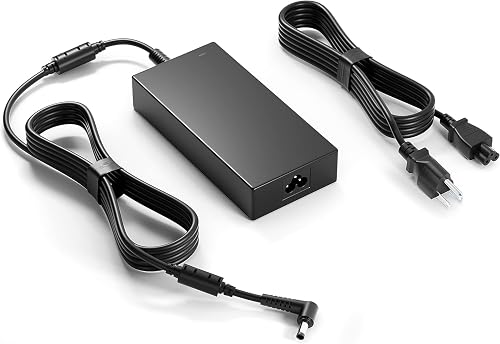 | Best High Power | Wattage: 180W | Input Range: 100V-240V, 50-60Hz | Connector Size: 5.5 x 2.5mm + 4.5 x 3.0mm adapter | VIEW LATEST PRICE | Read Our Analysis |
| 180W MSI Laptop Charger Adapter | 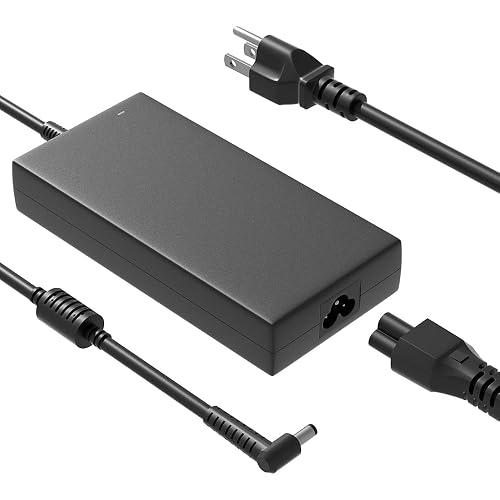 | Broad Compatibility | Wattage: 180W | Input Range: 100-240V, 50-60Hz | Connector Size: 5.5 x 2.5mm | VIEW LATEST PRICE | Read Our Analysis |
| MSI Laptop Charger Adapter (180W/150W/120W) |  | Best for New Models | Wattage: 180W | Input Range: 100V-240V, 50-60Hz | Connector Size: 4.5 x 3.0mm | VIEW LATEST PRICE | Read Our Analysis |
| MSI Thin Laptop AC Adapter Charger (120W) | 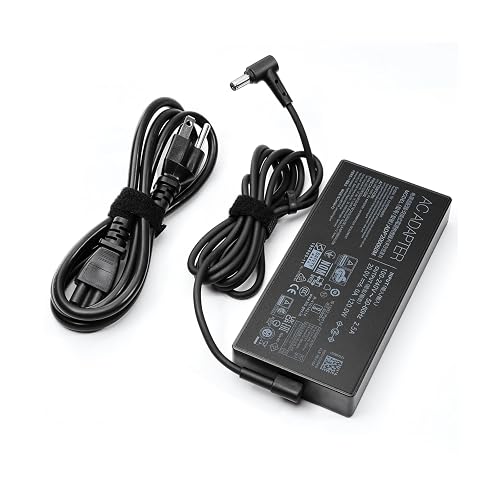 | Best 120W Option | Wattage: 120W | Input Range: 240V, 50-60Hz | Connector Size: 4.5 x 3.0mm | VIEW LATEST PRICE | Read Our Analysis |
| HNHTKJ Charger for MSI Gaming Laptop | 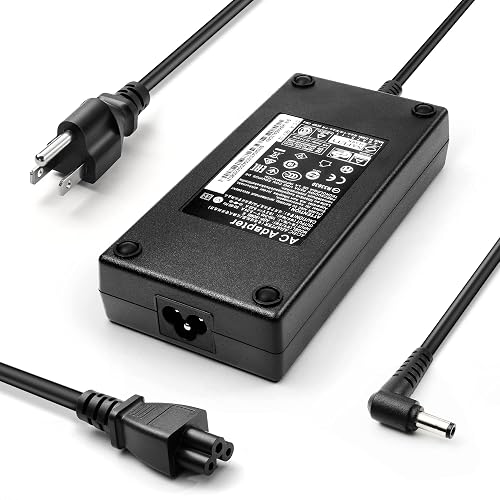 | Long-Cable Pick | Wattage: 180W | Input Range: 100-240V, 50-60Hz | Connector Size: 5.5 x 2.5mm or 4.5 x 3.0mm | VIEW LATEST PRICE | Read Our Analysis |
| HNHTKJ 180W Charger for MSI Katana/GF/Pulse Laptops | 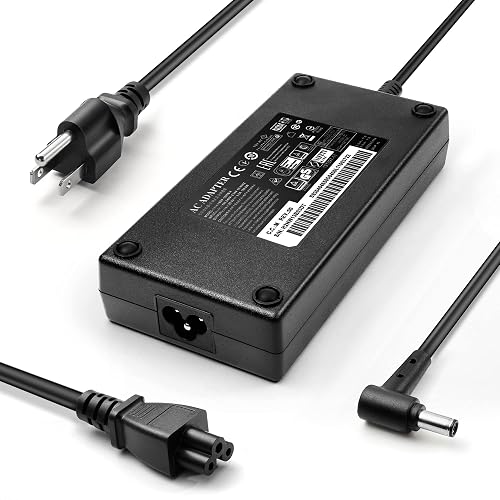 | Best for MSI Gaming | Wattage: 180W | Input Range: 100-240V, 50-60Hz | Connector Size: 4.5 x 3.0mm | VIEW LATEST PRICE | Read Our Analysis |
More Details on Our Top Picks
90W Universal Laptop Charger with 15 Tips
If you need one charger that can cover a lot of ground, the GreBed 90W Universal Laptop Charger with 15 tips is a smart pick. You get a corded 90W adapter, a power cord, and smart chip voltage control, so your laptop receives the correct power without fuss. It is compatible with many Lenovo, HP, Dell, ASUS, Acer, Samsung, Sony, and Fujitsu models, including Chromebooks, Inspiron, and Pavilion laptops. The black unit uses a solid copper cable for extra durability, and its Type B plug fits North American outlets. Check the connector diagram first, and you will be ready.
- Wattage:90W
- Input Range:100-240V, 50-60Hz
- Connector Size:Barrel tips, 15 included
- Plug Type:Type B, 3-pin
- Warranty:1 year
- Color:Black
- Additional Feature:15 connector tips
- Additional Feature:Smart chip voltage adjustment
- Additional Feature:Universal brand compatibility
MSI Gaming Laptop Charger 180W AC Power Adapter
The MSI Gaming Laptop Charger 180W AC Power Adapter is a smart choice when your MSI laptop needs strong, steady power without guesswork. It supplies 19.5V at 9.23A, so your Stealth Thin, GF, or GS series can charge with confidence. The adapter accepts a 100V to 240V input range, which is helpful when you plug in at different locations. The round 5.5 x 2.5 mm tip fits most models, and the included 4.5 x 3.0 mm adapter adds extra flexibility. With FCC and CE certification and a 1-year warranty, you get reliable performance and peace of mind.
- Wattage:180W
- Input Range:100V-240V, 50-60Hz
- Connector Size:5.5 x 2.5mm + 4.5 x 3.0mm adapter
- Plug Type:Type B, 3-pin
- Warranty:1 year
- Color:Black
- Additional Feature:FCC and CE certified
- Additional Feature:Multiple protection design
- Additional Feature:5.5 to 4.5 adapter
180W MSI Laptop Charger Adapter
With the 180W MSI laptop charger adapter, you get a strong match for many popular MSI gaming and creator laptops, especially models that require 180W power and a 5.5mm x 2.5mm round tip. You can use it with GF, GS, GL, GE, GP, and Creator series machines, provided your laptop does not need more than 180W. It accepts 100-240V input and delivers 19.5V at 9.23A for steady charging. Its built-in chip helps manage heat, and safety guards protect against overcurrent, short circuits, and overheating. It is compact, durable, and travel-friendly, so you can pack it with ease.
- Wattage:180W
- Input Range:100-240V, 50-60Hz
- Connector Size:5.5 x 2.5mm
- Plug Type:Type B, 3-pin
- Warranty:Not specified
- Color:Not specified
- Additional Feature:Heat-resistant materials
- Additional Feature:Built-in chip adjustment
- Additional Feature:Works with 150W devices
MSI Laptop Charger Adapter (180W/150W/120W)
This MSI laptop charger adapter is a reliable choice when you need steady power for a high-demand laptop without worrying about the wrong wattage. It accepts 100V to 240V input, so you can plug in with confidence in many locations. It delivers 20V and up to 9A, with support for 180W, 150W, and 120W levels. You get a 4.5mm by 3.0mm connector that matches many MSI models. It is compatible with Stealth, Creator, Katana, Thin, Pulse, Crosshair, Sword, and Cyborg series. FCC and CE certifications provide additional assurance. The bundle includes the charger and AC cable.
- Wattage:180W
- Input Range:100V-240V, 50-60Hz
- Connector Size:4.5 x 3.0mm
- Plug Type:Not specified
- Warranty:Not specified
- Color:Not specified
- Additional Feature:Supports three power levels
- Additional Feature:Multiple MSI series
- Additional Feature:CE and FCC certified
MSI Thin Laptop AC Adapter Charger (120W)
Need a solid replacement for your MSI Thin setup? This 120W AC adapter provides 20V at 6A, letting you confidently power MSI Thin GF63, GV15 Thin 11SC, and many MS-16R models. It connects to 240V, 50 to 60Hz outlets and uses a 4.5 x 3.0mm tip with a 2-pin connector. The unit has a sturdy black ABS body, a Type B 3-pin North American plug, and a portable wall-mount design. Safety features include short circuit, overcurrent, overvoltage, and overheating protection.
- Wattage:120W
- Input Range:240V, 50-60Hz
- Connector Size:4.5 x 3.0mm
- Plug Type:Type B, 3-pin
- Warranty:1 year
- Color:Black
- Additional Feature:UL specification met
- Additional Feature:Overvoltage protection
- Additional Feature:Not for 19.5V models
HNHTKJ Charger for MSI Gaming Laptop
If you need a reliable replacement that meets MSI gaming demands, the HNHTKJ Charger for MSI Gaming Laptop is a strong choice for users who require a 180W power supply with broad model support. It delivers 19.5V and 9.23A output so your laptop can draw steady power during long matches. It supports 180W, 150W, and 120W configurations, which helps you match the right power level. Tip options, 5.5 x 2.5mm and 4.5 x 3.0mm, add flexibility. The 10-foot cable and global 100 to 240V input make travel easier and less stressful.
- Wattage:180W
- Input Range:100-240V, 50-60Hz
- Connector Size:5.5 x 2.5mm or 4.5 x 3.0mm
- Plug Type:Not specified
- Warranty:Not specified
- Color:Not specified
- Additional Feature:10-foot cable length
- Additional Feature:Global use support
- Additional Feature:6-foot charger cable
HNHTKJ 180W Charger for MSI Katana/GF/Pulse Laptops
The HNHTKJ 180W charger is a solid choice for MSI laptop users who need reliable power for gaming, creative work, or heavy daily use, especially if you own a Katana, GF, or Pulse model. It delivers 20V at 9A and supports a wide 100 to 240V AC range, so it is easier to travel with. The 4.5 x 3.0 mm tip fits many MSI machines, including GF66, GF76, GL66, GL76, and others. The 10-foot cable helps keep your setup from feeling cramped, and the included cord makes charging simple.
- Wattage:180W
- Input Range:100-240V, 50-60Hz
- Connector Size:4.5 x 3.0mm
- Plug Type:Not specified
- Warranty:Not specified
- Color:Not specified
- Additional Feature:Global use support
- Additional Feature:10-foot cable length
- Additional Feature:Compatible part numbers included
Factors to Consider When Choosing Laptop Chargers for MSI
When choosing a charger for your MSI laptop, begin by matching the wattage and voltage, because an incorrect match can cause slow charging or no charging at all. Also verify the connector size, amperage, and exact MSI model so the plug fits correctly and the power is delivered safely. Choose a charger with recognized safety certifications for added peace of mind when your laptop is under heavy use.
Wattage Compatibility
Getting the wattage right is one of the simplest ways to keep your MSI laptop happy and running strong. Match the charger to your laptop’s required power, because a lower-wattage adapter can charge slowly, drain the battery while you work, or even fail under heavy load. If the charger has a higher wattage, that is usually fine as long as the voltage and connector match, since your laptop only pulls what it needs. For many MSI gaming models, 120W, 150W, and 180W are common. Some high-performance systems need 19.5V at 9.23A for 180W. Still, do not exceed your laptop’s supported limit, and check voltage too. If your MSI supports more than one adapter class, compare both specs before you buy.
Connector Size Match
How well does a charger fit if the tip is just a little off? You may get power trouble before you even start working. MSI chargers need the connector size to match exactly. Common tips include 5.5 × 2.5 mm and 4.5 × 3.0 mm, and they are not interchangeable by guesswork. A 5.5 × 2.5 mm round tip will not fit a laptop that needs 4.5 × 3.0 mm unless an adapter supports it. So check your laptop’s barrel dimensions first, including the outer and inner diameter. Some chargers use one fixed tip, while others include swappable connectors for several MSI models. Even with the right wattage, the wrong tip can make the charger useless, which is a frustrating surprise nobody wants.
Voltage And Amperage
Start with voltage, because it is the part that keeps your MSI laptop safe and steady. Match the charger output to your laptop required voltage exactly, or stay within its accepted range. MSI chargers in this range often use 19.5 V or 20 V, and that is where you should focus. Next, check amperage. Your charger current should meet or exceed the laptop current requirement, for example 9.23 A for an 180 W unit or 6 A for a 120 W one. Lower amperage can leave your laptop short of power, which can reduce performance or slow charging. Then confirm the wattage using watts = volts × amps, and make sure the adapter AC input is 100–240 V at 50–60 Hz so it can handle your wall power cleanly.
MSI Model Fit
Now that voltage and amperage are clear, you can narrow the choice to a charger that truly fits your MSI laptop, not just one that looks close on paper. Check the connector first, because MSI models may use a 5.5 x 2.5 mm tip or a 4.5 x 3.0 mm tip, and the wrong barrel simply will not seat right. Then match your exact series, since a charger for GF63, GS65, or GS75 may not suit a Katana, Pulse, Sword, Crosshair, or Thin. You should also confirm the part number when you can, for example A17-180P4B, A18-150P1A, or ADP-120VH D. Finally, do not go underpowered. Many gaming MSI laptops need 180W, while thinner ones may run on 120W.
Safety Certifications
When choosing a charger for your MSI laptop, safety certifications should be one of the first things you check, because they indicate the adapter has passed real testing for electrical safety. Look for FCC, CE, or UL marks, as they show the charger meets recognized standards. This is especially important for 90W, 120W, 150W, or 180W chargers, since higher power can produce more heat and stress. Also check for protections against overcurrent, short circuit, overvoltage, and overheating. Those safeguards help keep your laptop and your room safer. Finally, confirm the input rating matches your region, for example 100 to 240V AC, 50 to 60Hz, so the charger will operate smoothly and safely.
Cable Length Needs
Across the room and all the way to your desk, cable length can determine whether charging is easy or awkward. Measure the distance from the wall outlet to your MSI laptop before you buy. Some chargers provide about 10 feet total, with a 6-foot charger cable and a 4-foot power cable, which works well for most desks. If you like to work on a couch or in a hotel room, a longer cable gives you more freedom and helps the connector stay relaxed. If you travel frequently, a shorter setup packs more easily, but it still needs enough reach. Also check the plug position, because a long power brick with a short cord can still feel tight. For daily use, choose a length that lets your laptop sit naturally.
Build Material Quality
Build material quality matters more than many people think, because a charger takes a real beating in daily life. Choose an MSI charger with a tough ABS shell or solid copper cables, as they withstand bending, plugging, and packing better. Also look for heat-resistant and flame-retardant materials, because they improve safety during long gaming sessions or heavy workloads. Check the cord itself. A thicker, well-insulated cable with reinforced stress points resists wire damage for longer. Value protective circuitry and temperature-aware chips, since they reduce stress from overcurrent, short circuits, and heat spikes. That way you get a charger that feels sturdy and keeps working when your laptop is pushed hard, without unpleasant surprises.
Portability And Design
A sturdy MSI charger is not just about strength, because its shape and size can make daily life much easier. When you travel or move between rooms, a lighter charger feels far less annoying; compact models around 0.73 kg slip into a bag or briefcase with less fuss. Simpler builds usually beat multi-tip or multi-voltage units for portability, especially if you use the charger for office trips. A wall-mount design also helps by trimming adapter bulk in your luggage. If you need desk reach, a total cable length of about 10 feet gives you room to work, though shorter cords pack more easily. Finally, choose ABS or flame-retardant materials, since they withstand repeated handling better and keep your gear ready.
Frequently Asked Questions
Can I Use a Charger With a Higher Wattage Than My MSI Laptop Needs?
Yes, you can use a higher-wattage charger, your MSI will only draw the power it needs. It is generally safe provided the voltage and connector match exactly.
How Can I Tell if My MSI Charger Cable Is Starting to Fail?
You may have a failing MSI charger cable if charging intermittently cuts out, the cord feels hot, the insulation is frayed, the connector is bent, or the connection is loose. If the laptop only charges when you wiggle the cable, stop using it and replace the charger promptly.
Are Third-Party MSI Chargers Safe for Long-Term Daily Use?
Yes, you can use a quality third-party charger daily, but only if you verify MSI’s voltage, wattage, connector, and safety certifications. Otherwise, you risk heat, instability, and hidden damage developing over time.
What Should I Do if My MSI Laptop Battery Still Drains While Charging?
Check the charger’s wattage, reconnect the plug firmly, and close heavy apps. Update the BIOS and battery drivers, then test another outlet or charger. If the battery still drains while charging, you will likely need professional service.
Do MSI Laptop Chargers Work With International Plug Adapters?
Yes, you can use MSI laptop chargers with international plug adapters if the charger supports the local voltage. You will still need the correct wall plug shape, and you should check wattage and power compatibility first.




