


Choosing the right charger for your Toshiba can feel small until the wrong one leaves you stuck with a dead battery and a long wait.
In 2026, you have solid choices, from 90W universal adapters with multiple tips to Toshiba branded 65W replacements that fit like they should.
The key is matching voltage, wattage, and plug size so your laptop stays safe and powered, and the best picks each solve a different need, which makes the next details worth your time.


More Details on Our Top Picks
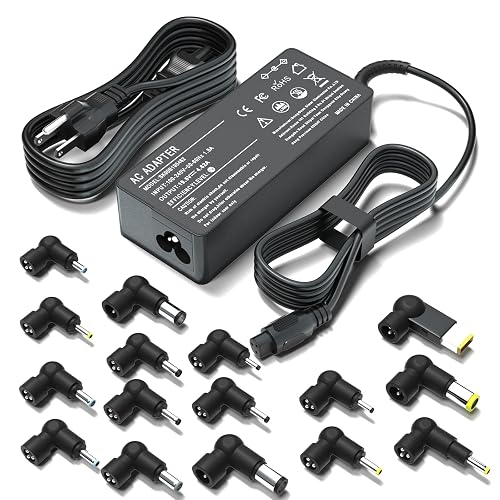
90W Universal Laptop Charger with 16 Connectors
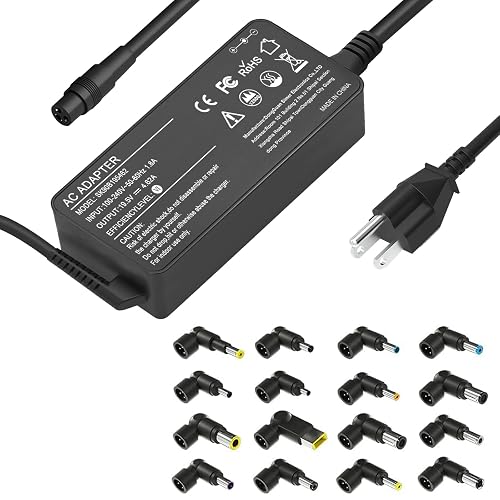
If you need a simple, flexible charger for many Toshiba models that still require reliable power, the ELECBRAIN 90W universal laptop charger is a strong choice. You get one adapter with 16 connector tips, so you can match numerous Toshiba Satellite and Chromebook models without hunting for a rare brick. It adjusts voltage automatically, and it works with 100 to 240V input, which helps when you travel. Because it supports up to 90W, use it only with laptops rated at 90W or less. Also, check the tip image before you buy.
- Wattage:90W
- Input Voltage:100–240V
- Output Voltage:15V–20V
- Connector Type:16 tips
- Power Plug:US cord
- Brand Fit:Multi-brand
- Additional Feature:16 connector tips
- Additional Feature:Automatic voltage adjustment
- Additional Feature:Worldwide 100–240V input
Futurebatt AC Adapter for Toshiba Satellite Laptops
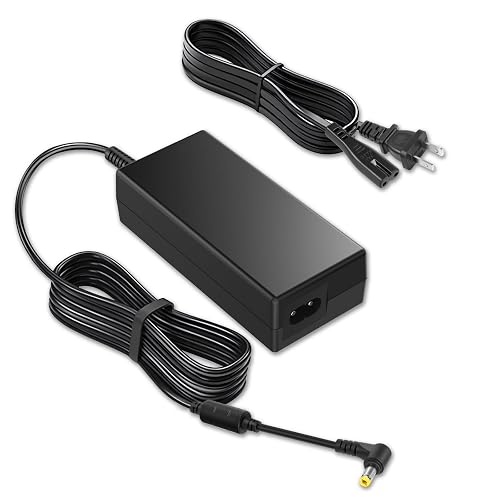
The Futurebatt AC Adapter for Toshiba Satellite laptops is a reliable 65W replacement that fits many popular Toshiba models, removing the guesswork. It provides 19V and 3.42A through a 5.5 x 2.5 mm connector, so you can power your laptop with confidence. It offers broad fitment for Satellite C, L, P, S, U, A, and NB series. A free power cord is included for quick setup. The adapter comes with a 12-month warranty and responsive support for added peace of mind.
- Wattage:65W
- Input Voltage:100–240V
- Output Voltage:19V
- Connector Type:5.5 x 2.5mm
- Power Plug:Type A, 2-pin
- Brand Fit:Toshiba
- Additional Feature:12-month replacement warranty
- Additional Feature:1 free power cord
- Additional Feature:0.23 kg weight
XOUBZ 90W Universal Laptop Charger with 16 Tips
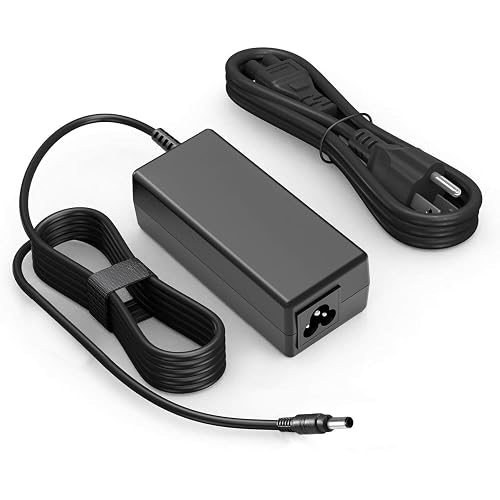
XOUBZ 90W Universal Laptop Charger with 16 Tips is a smart pick for Toshiba users who want one charger that can do more than just cover a single model. It provides up to 90W output, and also supports 65W and 45W devices, so it fits many Toshiba notebook and Chromebook models. It accepts 100 to 240V input and supports fast charging. The 16 tips let you switch between brands like Lenovo, Dell, HP, ASUS, and Acer, which means less clutter, fewer worries, and easier charging wherever you go.
- Wattage:90W
- Input Voltage:100–240V
- Output Voltage:15V–20V
- Connector Type:16 tips
- Power Plug:10FT AC cable
- Brand Fit:Multi-brand
- Additional Feature:Fast charging support
- Additional Feature:10FT AC cable
- Additional Feature:1-year support
Toshiba 65W Laptop Charger PA3714U-1ACA with Power Cord
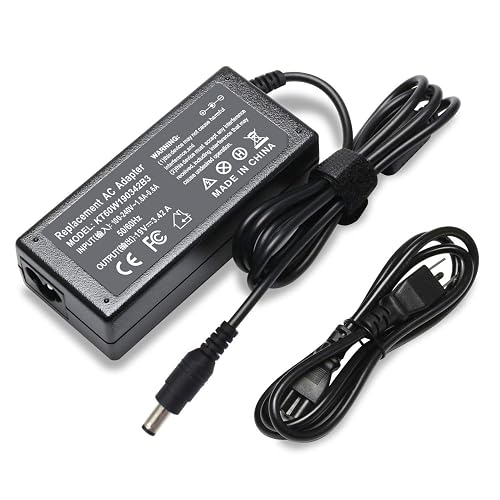
Toshiba’s 65W charger, part number PA3714U-1ACA, is a solid choice if you need a dependable replacement that is simple, safe, and ready to work right out of the box. It provides 19.5V output at 3.42A and uses a 5.5 × 2.5mm barrel plug that fits many Toshiba Satellite, Portege, and Radius models. It accepts 100 to 240V input, so you can use it at home or while traveling. The package includes the adapter and power cord, and short circuit protection adds extra peace of mind.
- Wattage:65W
- Input Voltage:100–240V
- Output Voltage:19.5V
- Connector Type:5.5 x 2.5mm
- Power Plug:Type B, 3-pin
- Brand Fit:Toshiba
- Additional Feature:Short circuit protection
- Additional Feature:60-day return policy
- Additional Feature:12-month warranty
Toshiba Satellite 65W AC Adapter Charger
Need a reliable replacement for your old Toshiba charger? This Toshiba Satellite 65W AC Adapter Charger provides a steady 19V, 3.42A output for everyday use. It is compatible with Satellite, Portege, Mini NB, and Radius models, and with many C55 and C855D versions. The 5.5 by 2.5 mm connector fits securely, and the corded design keeps charging simple at home or at work. It is brand new, black, and built with a durable plastic housing. With short circuit protection and CE, FCC, and RoHS certification, you get safer power and peace of mind.
- Wattage:65W
- Input Voltage:100–240V
- Output Voltage:19V
- Connector Type:5.5 x 2.5mm
- Power Plug:Type A, 2-pin
- Brand Fit:Toshiba
- Additional Feature:CE/FCC/RoHS certified
- Additional Feature:Short circuit protection
- Additional Feature:Rigorous quality control
90W Universal Laptop Charger AC Adapter with 15 Tips
The 90W Universal Laptop Charger AC Adapter with 15 Tips is a practical choice if you want one charger that can serve a wide range of laptops without the risk of buying the wrong one. It provides 90W fast charging, a smart chip that adjusts voltage, and a corded design that remains portable. With 15 tips, you can match many Toshiba-style ports, and also fit Lenovo, HP, Dell, ASUS, Acer, and more. Before you plug it in, check your model with Ctrl+F, compare the tip diagram, and confirm your device requires 90W or less.
- Wattage:90W
- Input Voltage:100–240V
- Output Voltage:18.5V–20V
- Connector Type:15 tips
- Power Plug:Type B, 3-pin
- Brand Fit:Multi-brand
- Additional Feature:15 connector tips
- Additional Feature:Smart chip adjustment
- Additional Feature:1-year warranty
90W Universal Laptop Charger for Major Brands
If you use more than one laptop at home, at work, or while traveling, this 90W universal laptop charger can simplify your setup. It fits Toshiba and major brands such as HP, Dell, Lenovo, Acer, Asus, and more. The kit includes 16 precision tips, covering over 1,000 models so you do not need a different power brick for each device. The charger automatically matches voltage, which helps maintain stable power and protect the battery. At just 5 ounces and with a 10-foot cord plus a travel-friendly plug, it is easy to pack and use anywhere.
- Wattage:90W
- Input Voltage:100–240V
- Output Voltage:15V–20V
- Connector Type:16 tips
- Power Plug:2-pin plug
- Brand Fit:Multi-brand
- Additional Feature:Over-voltage protection
- Additional Feature:Over-heat protection
- Additional Feature:10 ft cable
Factors to Consider When Choosing Laptop Chargers for Toshiba
When choosing a Toshiba laptop charger, match the wattage and voltage so your laptop receives the expected power. Also check the connector size, model number compatibility, and input voltage range, because even a small mismatch can cause charging problems. Keep these details in mind to avoid frustration and select a charger that works reliably from the first use.
Wattage Match
Getting the wattage right matters more than many people think, because your Toshiba laptop needs a charger that can keep up with its power demand without strain. You should match the charger’s wattage to your laptop’s required rating, which is often 65W. If your model needs 65W, a lower adapter can charge slowly, drain the battery while you work, or even fail under load. A 65W charger usually delivers 19V at 3.42A, so the power output has to fit your laptop’s needs. Universal chargers up to 90W can work, but only when your Toshiba asks for 90W or less. Still, do not trust wattage alone. You also need the right connector size, and the output must line up with your laptop’s power requirements.
Voltage Compatibility
Voltage matters as much as wattage, because your Toshiba charger must speak the same electrical language as your laptop. Match the charger’s output voltage to your Toshiba’s required voltage exactly, or stay within its accepted range, often 19V to 19.5V. That keeps charging smooth and helps you avoid stress on the system. If you buy a charger with automatic voltage adjustment, check the setting before you plug it in. A universal charger may list 15V to 20V, but that only works when your laptop’s specification fits inside that range. Toshiba-compatible adapters often show 19V at 3.42A for 65W, so verify voltage before you focus on wattage. Using the wrong voltage can stop charging or cause damage, so confirm your model’s specification first.
Connector Size
After you match the voltage, the next thing to check is the connector size, because a charger tip that does not fit right can turn a simple fix into a headache. Toshiba laptops often use a 5.5 × 2.5 mm barrel connector, so you need to match both the outer width and the inner pin size. Do not assume every Toshiba plug is the same, since some models use a different tip. If the connector feels loose, you may get stop and start charging. If it feels tight, it may not fit or could damage the port. Before you buy, compare the new tip with your original adapter or laptop port shape. If you are unsure, check the exact measurements first.
Model Number Fit
A Toshiba charger can look right and still miss the mark, so model number fit should be your first checkpoint. You need to match your laptop’s exact model, not just the family name. Satellite C55, L55, P755, and S855 machines can share a badge, but still need different specs. Check the part number on your old adapter or in the manual, for example PA3714U-1ACA, PA3917U-1ACA, or PA5178U-1ACA. Also make sure the charger list names your exact variant, such as C55-A, C55D, C55DT, C55T, C855D, L455D, or P55T. Even close matches, for example C850 versus C875, can differ. If your exact model is not listed, do not gamble on wattage or plug shape. Model-number fit keeps you from buying a charger that looks right but then refuses to work.
Input Voltage Range
How can you tell if a Toshiba charger will work well in your home or when you travel? Check the input voltage range first. Choose a charger that accepts 100 to 240 V AC, because that lets it run on standard power in many countries without stress. Also verify support for 50 to 60 Hz, since that gives you more flexibility with local grid frequency. If you see a narrow range, the adapter may fit only certain regions, which can make packing inconvenient. Remember, this rating covers the charger’s AC input, not the laptop’s DC output. For travel, a universal input range can save you from carrying a separate voltage converter and keep your setup simple.
Power Plug Type
The plug on a Toshiba charger matters as much as the voltage, because even a strong adapter will not help if the connector does not fit your laptop or your wall outlet. Check the plug type first so you match your Toshiba’s input port exactly. Some chargers use a 2-pin North American plug, while others use a 3-pin Type B plug, and both the wall side and the AC side need to line up. Even if voltage and wattage look right, the charger can still fail if the pin count, barrel shape, or size is off. Toshiba laptops often use a 5.5 × 2.5 mm barrel connector, so measure carefully. If you are unsure, compare the connector image and pin layout with your original charger or laptop port before you buy.
Safety Protections
When you pick a charger for your Toshiba laptop, safety features should be near the top of your list because they help protect both your device and your peace of mind. Look for built-in short-circuit, over-voltage, and over-heat protection, since these guards can stop damage before it starts. A smart chip or intelligent power detection can also match the right voltage, so your laptop will not get a mismatched power hit. Next, check that the output fits your model’s range, often 19V to 20V, and do not exceed your laptop’s wattage limit. Too much power can add heat and stress. Finally, choose chargers with safety certifications or strong quality control claims. That extra stamp of trust really matters.
Frequently Asked Questions
Can I Use a Higher-Wattage Charger on My Toshiba Laptop?
Yes, you can use a higher-wattage charger if it matches your Toshiba’s voltage and plug; the laptop will only draw the power it needs. Think of it as a wider fuel pipe supplying a thirsty engine, which is safe.
How Do I Identify My Toshiba Charger’s Connector Size?
You identify your Toshiba charger connector size by measuring the plug outer diameter and inner diameter, checking the label, and matching the measurements to your laptop port. If needed, compare the results with Toshiba specifications or a replacement listing.
Are Third-Party Toshiba Chargers Safe for Daily Use?
Yes. You can use third-party Toshiba chargers daily if you match voltage, amperage, and connector exactly; otherwise they are risky. Picture a steady rain of power, safe, calm, and warm when you choose reputable brands with protections.
Do Toshiba Chargers Work With International Voltage Standards?
Yes. You can use Toshiba chargers internationally if they support 100-240V input. You will also need the correct plug adapter, and you should check the charger label to confirm specifications and avoid damage abroad.
How Can I Tell if My Charger Is Causing Battery Issues?
You can tell your charger is causing battery issues if the laptop heats up, charges slowly, disconnects randomly, or the battery drains while plugged in. Try a different compatible charger; if the problems stop, your charger is likely faulty.




