


If your laptop runs hot during games, work, or travel, the right external cooling fan can make a real difference without adding much hassle.
In 2026, the best options blend strong airflow, low noise, and easy setup, so you can keep your machine cooler and more comfortable to use.
From slim pads to turbo fan designs and smart temperature controls, each pick solves a different need, and the small details often matter most when your laptop starts heating up at the worst moment.
| OImaster Laptop Cooler with Adjustable Stand (1691) | 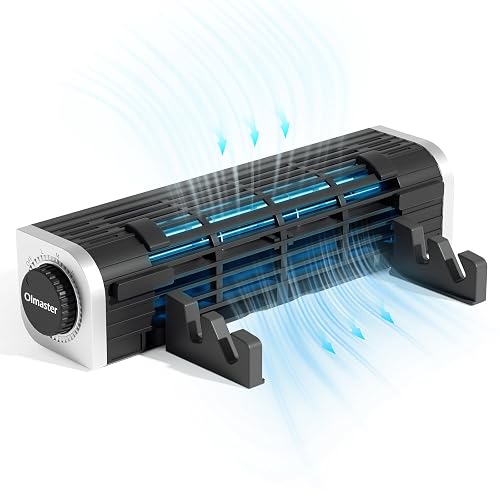 | Best Portable Pick | Cooling Method: Air cooling | Fan Count: 1 fan | Speed Control: 3 speeds | VIEW LATEST PRICE | Read Our Analysis |
| ELUTENG Dual USB Computer Cooling Fan 120mm Adjustable | 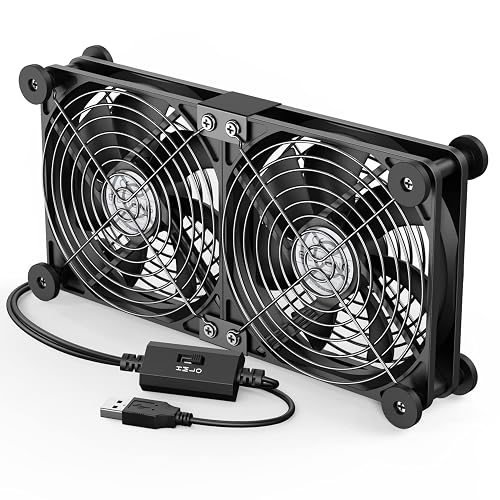 | Best Dual-Fan | Cooling Method: USB dual-fan air cooling | Fan Count: 2 fans | Speed Control: 3 speeds | VIEW LATEST PRICE | Read Our Analysis |
| KYOLLY Ultra Slim Laptop Cooling Pad | 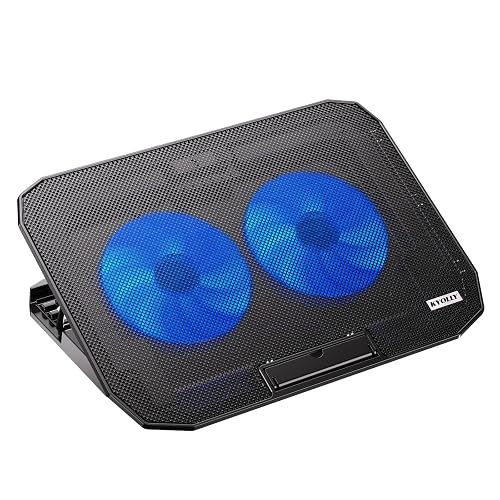 | Best Slim Design | Cooling Method: Fan-based air cooling | Fan Count: 2 fans | Speed Control: Adjustable speed | VIEW LATEST PRICE | Read Our Analysis |
| KLIM Tempest Laptop Cooler with Vacuum Fan | 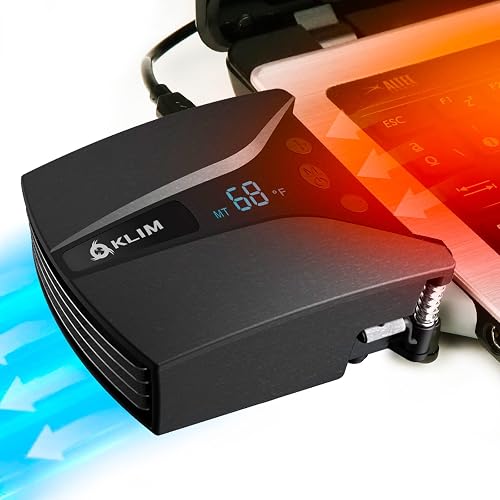 | Best Premium Cooler | Cooling Method: Vacuum air cooling | Fan Count: 1 fan | Speed Control: 13 speeds | VIEW LATEST PRICE | Read Our Analysis |
| llano V10 RGB Gaming Laptop Cooling Pad | 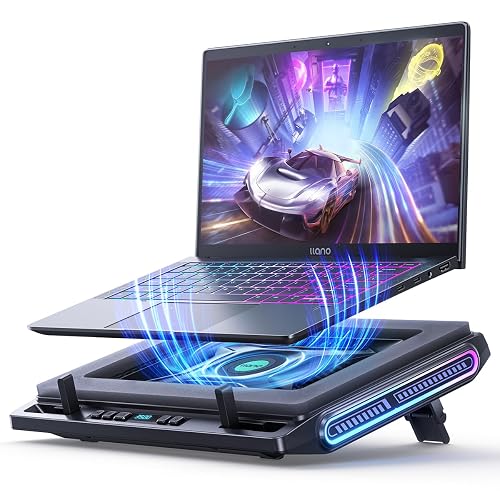 | Best RGB Option | Cooling Method: Air cooling | Fan Count: 1 external fan | Speed Control: 3 levels | VIEW LATEST PRICE | Read Our Analysis |
| IETS GT202UB Laptop Fan Cooler with Temperature Display | 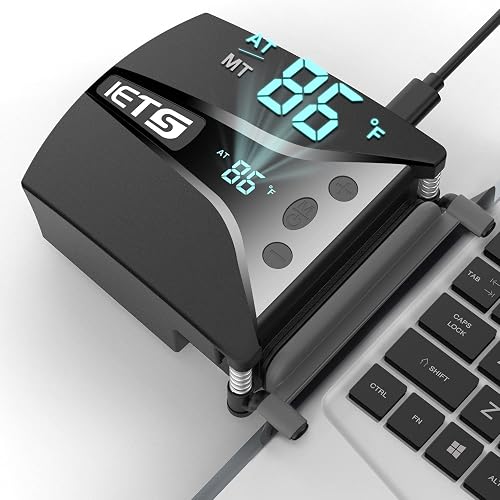 | Best Temperature Control | Cooling Method: Air cooling | Fan Count: 1 fan | Speed Control: 13 speeds | VIEW LATEST PRICE | Read Our Analysis |
| Razer Laptop Cooling Pad with Smart Fan Control | 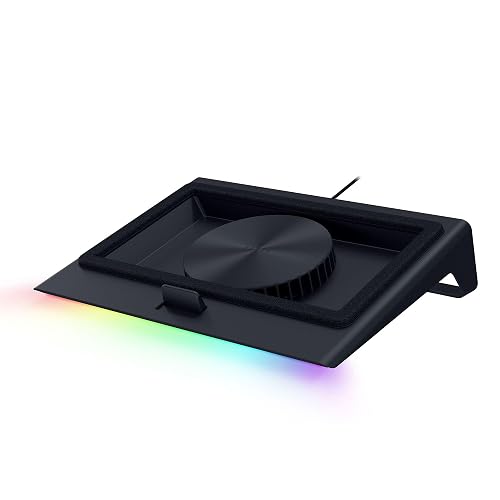 | Best Smart Cooling | Cooling Method: Air cooling | Fan Count: 1 fan | Speed Control: Custom curves | VIEW LATEST PRICE | Read Our Analysis |
More Details on Our Top Picks
OImaster Laptop Cooler with Adjustable Stand (1691)
If you want a cooler that does more than just push air around, the OImaster Laptop Cooler with Adjustable Stand 1691 is a smart pick for you. Its cross-flow turbine fan and ball bearing motor help move air fast, and you can feel the difference with up to 50% better heat release. You also get three speed modes, so you can choose a soft breeze or stronger wind. Because it runs ultra-quiet, it will not steal your focus. Its compact shape, adjustable stands, and USB power make it easy to use at home, at work, or on the road.
- Cooling Method:Air cooling
- Fan Count:1 fan
- Speed Control:3 speeds
- USB Power:USB powered
- Adjustable Design:Adjustable stand
- Portable Size:Compact
- Additional Feature:Cross-flow turbine fan
- Additional Feature:Dual device stands
- Additional Feature:Non-slip rubber pad
ELUTENG Dual USB Computer Cooling Fan 120mm Adjustable
The ELUTENG Dual USB Computer Cooling Fan 120mm Adjustable is a strong pick when you want steady cooling without extra fuss, especially for a laptop setup that needs quiet help during long work or game sessions. You get two 120mm fans, three speed levels, and easy USB power with plug and play convenience. With noise levels from 25.6 dB to 32.5 dB, it remains unobtrusive in a study or library. The hydraulic bearings increase durability, and metal grids plus rubber pads improve safety. You can place it flat or upright, and it is compatible with a wide range of USB devices.
- Cooling Method:USB dual-fan air cooling
- Fan Count:2 fans
- Speed Control:3 speeds
- USB Power:USB powered
- Adjustable Design:Horizontal/vertical
- Portable Size:Compact
- Additional Feature:Dual-row fan setup
- Additional Feature:Metal safety grids
- Additional Feature:24-hour continuous use
KYOLLY Ultra Slim Laptop Cooling Pad
KYOLLY’s Ultra Slim Laptop Cooling Pad is a smart pick for you, especially when your laptop runs hot during gaming, multitasking, or long work sessions. Its two powerful fans and metal mesh top push air through fast, so heat moves out before it slows you down. You also get an ultra-slim, lightweight build that is easy to carry anywhere. The five height settings help you type and view more comfortably, and anti-slip baffles keep your laptop steady. With quiet fan control, two USB ports, and support for up to 15.6-inch laptops, it fits home, office, and travel use nicely.
- Cooling Method:Fan-based air cooling
- Fan Count:2 fans
- Speed Control:Adjustable speed
- USB Power:USB powered
- Adjustable Design:5-level stand
- Portable Size:Ultra-slim
- Additional Feature:5-level height adjustment
- Additional Feature:Blue LED indicator
- Additional Feature:2 USB ports
KLIM Tempest Laptop Cooler with Vacuum Fan
KLIM Tempest Laptop Cooler with Vacuum Fan is a smart choice when your laptop runs hot during gaming, editing, or long work sessions and you need fast relief without a bulky setup. Its 4000 RPM motor pushes massive airflow through a single vacuum fan, so you can cut heat quickly. Temperature detection can automatically select the fan speed for you, or you can choose from 13 manual levels. It fits side or rear exhausts using sleeves, plates, hooks, and foam pads. At just 4.2 oz, it is compact and sturdy, and it is backed by a 5 year warranty.
- Cooling Method:Vacuum air cooling
- Fan Count:1 fan
- Speed Control:13 speeds
- USB Power:Corded power
- Adjustable Design:Fit-adjustable
- Portable Size:Palm-sized
- Additional Feature:Automatic temperature detection
- Additional Feature:13 manual speed levels
- Additional Feature:5-year warranty
llano V10 RGB Gaming Laptop Cooling Pad
If you game, edit, or work long hours on a laptop that runs hot, the llano V10 RGB Gaming Laptop Cooling Pad is built for you. Its 4.72 inch turbo fan and pure copper motor can spin up to 3500 RPM, dropping heat by as much as 38°C quickly. That helps reduce lag, throttling, and screen flicker. You also get 12 RGB modes, simple physical buttons, and memory recall. It fits 13 to 17.3 inch laptops, adds USB ports, and offers an adjustable stand with anti-slip baffles.
- Cooling Method:Air cooling
- Fan Count:1 external fan
- Speed Control:3 levels
- USB Power:USB-A/USB-C
- Adjustable Design:3-level stand
- Portable Size:Desktop-sized
- Additional Feature:12 RGB modes
- Additional Feature:Removable dust filter
- Additional Feature:Copper motor
IETS GT202UB Laptop Fan Cooler with Temperature Display
The IETS GT202UB Laptop Fan Cooler with Temperature Display is a smart choice if your gaming laptop runs hot and you want fast, steady cooling without guesswork. Its 2600 to 5000 RPM turbo blower and 13 speed levels push air forcefully, while the tight silicon shroud and low resistance duct focus airflow. The smart temperature display monitors outlet heat and selects fan speed automatically. With a retractable clip arm, dust-proof net, and compact ABS construction, it stays secure and tidy. You also get a two year warranty and lifetime maintenance.
- Cooling Method:Air cooling
- Fan Count:1 fan
- Speed Control:13 speeds
- USB Power:Not specified
- Adjustable Design:Retractable clip
- Portable Size:Compact
- Additional Feature:Temperature display
- Additional Feature:Retractable clip arm
- Additional Feature:Dust-proof net
Razer Laptop Cooling Pad with Smart Fan Control
Razer’s Laptop Cooling Pad with Smart Fan Control is a solid choice for users who want consistent cooling without constantly adjusting settings. It adjusts fan speed automatically, keeping your laptop ready from idle to full load. An airtight pressure chamber and foam seals help prevent cool air from escaping, and the 140 mm brushless fan can reach 3000 RPM to reduce CPU, GPU, and surface temperatures. It fits most 14-inch to 18-inch laptops and MacBooks. Razer Synapse lets you configure fan curves, noise levels, RGB lighting, and button remaps.
- Cooling Method:Air cooling
- Fan Count:1 fan
- Speed Control:Custom curves
- USB Power:USB hub
- Adjustable Design:Magnetic frames
- Portable Size:Desktop-sized
- Additional Feature:Airtight pressure chamber
- Additional Feature:Custom fan curves
- Additional Feature:RGB lighting control
Factors to Consider When Choosing Laptop External Cooling Fans
When choosing a laptop external cooling fan, start with cooling performance, since the main goal is to keep your laptop running smoothly under load. Next consider fan speed settings, noise levels, and compatibility so the fan cools effectively without becoming a loud mismatch for your device. Also evaluate portability and design, because the best choice is one you can use comfortably at home, at work, or on the go.
Cooling Performance
Strong cooling starts with strong airflow, so examine a fan’s RPM and output before you buy. Higher airflow usually pulls heat away more effectively, and most good models run anywhere from about 900 RPM to 5,000 RPM or more. Check the fan design as well. Dual-fan and turbo-fan units often move air faster than single-fan options, so they can tame hot spots sooner. Next, evaluate airflow paths. Metal mesh, airtight chambers, low-resistance ducts, and cross-flow turbine systems help push cool air directly to the areas where your laptop runs hottest. Finally, temperature-aware coolers can detect heat and react quickly, sometimes lowering laptop temperatures by up to 38°C in minutes. That level of relief helps a stressed machine perform better.
Fan Speed Options
Fan speed options matter as much as raw airflow, because the best cooler is the one that fits your day, not just your desktop. Look for multiple settings so you can switch from low to high as your workload changes. A wider range gives you better control when you want more cooling without guessing. If you game or run heavy apps, higher speeds around 1500 RPM or more can push extra air and help your laptop shed heat faster. Some coolers offer up to 13 levels, making small tweaks easy. If you prefer not to keep adjusting, choose a model with automatic speed control that reacts to laptop temperature. That way you get steady help without babysitting the fan.
Noise Levels
Quiet operation matters a lot, especially if you use your laptop in a library, study area, or office. You should look for fans with lower noise ratings, often around 25.6 dB to 32.5 dB, or models that promise virtually silent or ultra-quiet use. Next, check speed control. When you can lower the fan speed, you can cut sound without losing all cooling power. Also, pay attention to the motor; hydraulic or ball bearings often stay smoother, so the noise does not get rough over time. Finally, vibration control helps more than you might think. Rubber shock absorbers, anti-slip pads, and a balanced housing can stop rattles before they start. If you need all-day use, choose one built for stable, quiet running.
Compatibility Fit
A good fit matters just as much as raw cooling power, because an external laptop cooler only helps when it matches your machine’s shape, vent layout, and size. First, check your laptop’s exhaust position. Some coolers work best with side or rear vents, while others fit more models. Next, confirm the supported size range. A cooler for 15.6 inch laptops will not suit every 17 inch system. Then look for clips, hooks, foam pads, rubber sleeves, or magnetic frames. These features help the fan grip your laptop without wobble. If you use a gaming laptop, make sure the cooler seals tightly around the vents so airflow stays focused. Also check extra support for tablets or USB ports only if you will actually use those features.
Portability And Design
When you move your laptop cooler from room to room, portability and design matter just as much as airflow. You will want a compact, lightweight model that does not feel like extra baggage, especially if you travel frequently. Some coolers weigh only 4.2 oz; backpack-friendly picks are closer to 1.17 lb. Slim shapes, such as 3.94 x 3.23 x 1.57 in profiles, slide into tight spaces with ease. A vertical stand or adjustable base can lift your screen, improve your posture, and even double as a small desk fan. To keep everything steady, look for rubber pads, anti-slip baffles, foam inserts, and removable stabilizers. Features like five-level height adjustment, dual device stands, or palm-sized bodies make setup easier wherever you work.
Frequently Asked Questions
How Much Noise Do External Cooling Fans Typically Produce?
External cooling fans usually produce 20 to 40 decibels, about the level of a quiet room or soft rainfall. You will hear a gentle hum or whoosh; louder models can remain manageable if you keep speeds low.
Can External Fans Improve Battery Life While Gaming?
Yes, an external fan can provide a modest improvement in battery life by lowering temperatures, but the device will still consume power quickly. You will usually get more substantial gains by reducing graphics settings or frame rates.
Do Laptop Cooling Fans Work With Ultrabooks and Macbooks?
Yes, you can use laptop cooling fans with most ultrabooks and MacBooks, but benefits are limited because slim designs restrict airflow. Check vent placement, pad size, and noise levels before buying.
How Often Should Cooling Fan Filters Be Cleaned?
Clean cooling fan filters every 1 to 3 months, or sooner if you notice dust buildup. Regular cleaning maintains strong airflow, reduces noise, and lowers temperatures.
Are External Cooling Fans Safe for Long-Term Daily Use?
Yes. You can safely use external cooling fans daily if you keep them clean, avoid blocking vents, and choose a well-built model. They will lower temperatures, but you should not rely on them to fix underlying hardware problems.




