


If you want a laptop that keeps your notes neat and your backpack light, these seven top picks for 2026 give you a solid place to start.
You will find simple Chromebooks for fast class work, plus Windows models with more storage and stronger multitasking.
Because comfort matters as much as speed, we examine keyboards, battery life, screen clarity, and the small details that make long study sessions easier.
The right choice may surprise you.
| HP 2023 Chromebook Laptop 14 Inch Display | 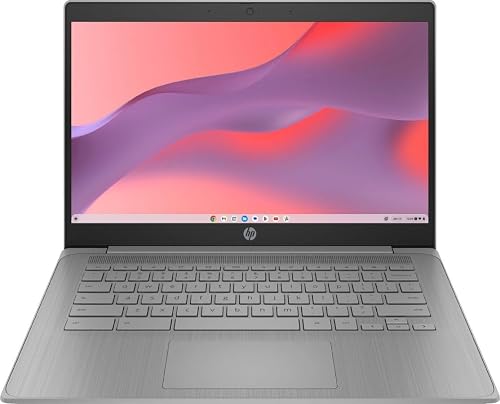 | Budget Chromebook | Screen Size: 14-inch | Operating System: Chrome OS | RAM: 4 GB | VIEW LATEST PRICE | Read Our Analysis |
| Acer Aspire Go 15 AI Ready Laptop (AG15-32P-39R2) | 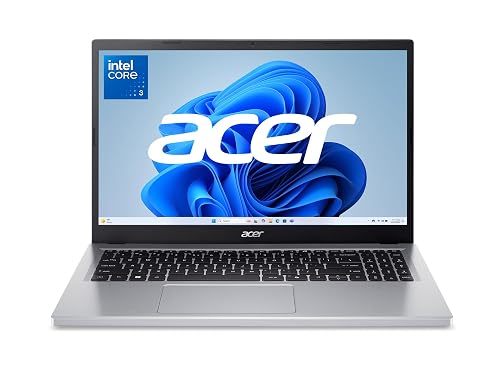 | Best AI-Ready | Screen Size: 15.6-inch | Operating System: Windows 11 Home in S mode | RAM: 8 GB | VIEW LATEST PRICE | Read Our Analysis |
| Samsung Galaxy Chromebook Go Laptop (XE340XDA-KA2US) | 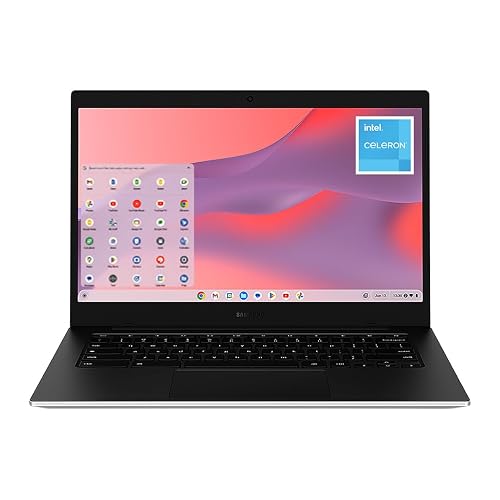 | Ultra Portable | Screen Size: 14-inch | Operating System: ChromeOS | RAM: 4 GB | VIEW LATEST PRICE | Read Our Analysis |
| VocBook 15 Windows 11 Laptop 16GB RAM 512GB SSD | 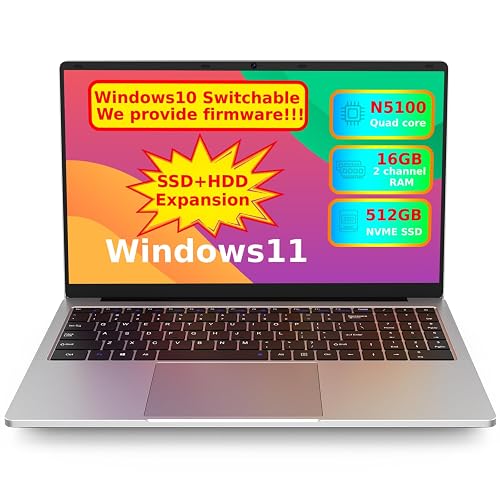 | Best Expandability | Screen Size: 15.6-inch | Operating System: Windows 11 Home | RAM: 16 GB | VIEW LATEST PRICE | Read Our Analysis |
| Dell 15 Laptop DC15250 with 15.6″ FHD Display |  | Best Overall | Screen Size: 15.6-inch | Operating System: Windows 11 Home | RAM: 8 GB | VIEW LATEST PRICE | Read Our Analysis |
| HP Stream 14″ Laptop with Copilot and 1.12TB Storage | 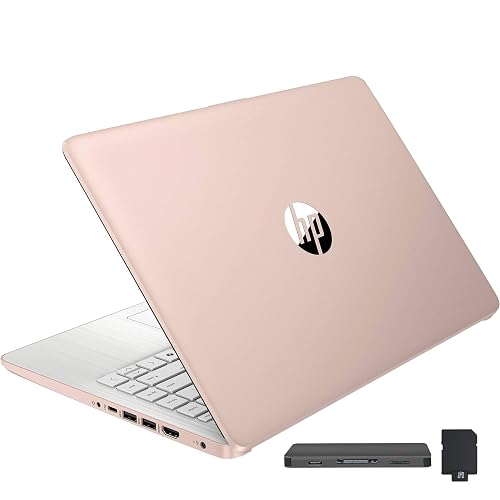 | Best Storage Bundle | Screen Size: 14-inch | Operating System: Windows 11 S | RAM: 4 GB | VIEW LATEST PRICE | Read Our Analysis |
| HP 14″ Ultra Light Laptop for Students |  | Best For Students | Screen Size: 14-inch | Operating System: Windows 11 Home in S mode | RAM: 4 GB | VIEW LATEST PRICE | Read Our Analysis |
More Details on Our Top Picks
HP 2023 Chromebook Laptop 14 Inch Display
If you want a note-taking laptop that is easy to carry and simple to use, the HP 2023 Chromebook Laptop stands out. It has a 14-inch display, a full-size backlit keyboard, and Chrome OS, so you can type in class, on the couch, or at a cafe with less fuss. Its Intel Celeron N4120 chip, 4 GB of RAM, and 64 GB of storage handle notes, tabs, and documents smoothly enough. At 3.35 pounds, it slips into your bag without drama. WiFi 5, Bluetooth 5.0, USB-C, USB-A, HDMI, and a webcam keep setup easy too.
- Screen Size:14-inch
- Operating System:Chrome OS
- RAM:4 GB
- Storage:64 GB eMMC
- Processor:Intel Celeron N4120
- Webcam:Yes
- Additional Feature:Backlit QWERTY keyboard
- Additional Feature:Chrome OS
- Additional Feature:3.35 lb weight
Acer Aspire Go 15 AI Ready Laptop (AG15-32P-39R2)
The Acer Aspire Go 15 AI Ready Laptop (AG15-32P-39R2) is a smart pick for note-taking when you want a roomy 15.6-inch Full HD screen, a comfortable full-size keyboard, and long battery life in one easy-to-carry laptop. You get clear text, 8 GB DDR5 memory, and enough speed from the Intel Core 3 N355 for classwork, typing, and browsing. Acer BluelightShield helps reduce eye strain during long study sessions. With Copilot support, AcerSense, and noise reduction, you can keep notes, calls, and tasks organized. At 3.81 pounds, it travels well too.
- Screen Size:15.6-inch
- Operating System:Windows 11 Home in S mode
- RAM:8 GB
- Storage:128 GB UFS
- Processor:Intel Core 3 N355
- Webcam:720p HD
- Additional Feature:Copilot key access
- Additional Feature:HDMI 2.1 port
- Additional Feature:Recycled plastic back cover
Samsung Galaxy Chromebook Go Laptop (XE340XDA-KA2US)
Samsung’s Galaxy Chromebook Go, model XE340XDA-KA2US, is a smart pick for students who want a light, easy note-taking laptop that will not weigh down their backpack or their day. It has a 14-inch touchscreen, a comfortable QWERTY keyboard, and a durable silver build that handles daily bumps with ease. The Intel Celeron processor, 4 GB of RAM, and 64 GB SSD keep notes, browser tabs, and Docs moving smoothly. ChromeOS provides Gmail, Docs, Photos, and YouTube, plus about 12 hours of battery life, so you can stay focused, connected, and relaxed through class.
- Screen Size:14-inch
- Operating System:ChromeOS
- RAM:4 GB
- Storage:64 GB SSD
- Processor:Intel Celeron N4500
- Webcam:Front camera listed
- Additional Feature:450 nits brightness
- Additional Feature:Capacitive touchscreen
- Additional Feature:4G cellular support
VocBook 15 Windows 11 Laptop 16GB RAM 512GB SSD
VocBook 15 Windows 11 Laptop, with 16GB RAM and a 512GB PCIe SSD, is a strong pick for students, remote workers, and anyone who needs a roomy note-taking setup without extra fuss. You get smooth multitasking, quick file access, and Windows 11 Home for familiar everyday use. The 15.6-inch FHD IPS screen looks sharp, and the blue light filter helps your eyes feel better during long classes. Battery life runs about 8 to 10 hours, and dual-band Wi-Fi plus a range of handy ports keep you moving without stress.
- Screen Size:15.6-inch
- Operating System:Windows 11 Home
- RAM:16 GB
- Storage:512 GB SSD
- Processor:Intel Celeron N5100
- Webcam:2.0MP front camera
- Additional Feature:Expandable to 4TB SSD
- Additional Feature:RJ45 Ethernet port
- Additional Feature:Internal fan cooling
Dell 15 Laptop DC15250 with 15.6″ FHD Display
The Dell 15 DC15250 with a 15.6-inch FHD display is a smart choice for note-taking, offering a roomy, stable design that reduces eye strain during long study sessions. You get 1080p clarity, a 120 Hz panel, and a matte anti-glare finish, so your notes stay readable in bright rooms. The Intel Core 3 processor, 8 GB of RAM, and a 512 GB SSD keep tasks moving smoothly. An ergonomic keyboard with a numeric keypad helps you type faster. At 4.19 pounds, it remains easy to carry.
- Screen Size:15.6-inch
- Operating System:Windows 11 Home
- RAM:8 GB
- Storage:512 GB SSD
- Processor:Intel Core 3 100U
- Webcam:Built-in HD camera
- Additional Feature:120Hz refresh rate
- Additional Feature:Numeric keypad
- Additional Feature:ExpressCharge support
HP Stream 14″ Laptop with Copilot and 1.12TB Storage
The HP Stream 14″ Laptop with Copilot and 1.12TB Storage is ideal for students and business users who need a light, simple machine for note taking and everyday tasks, especially if you want extra room for files without carrying a bulky laptop. It features a 14-inch HD anti-glare screen, so your notes stay easy to read in bright rooms. The Intel N150 chip and 4GB of RAM handle basic work smoothly. Wi-Fi 6, Bluetooth 5.4, and multiple USB ports keep you connected. The combination of a 1TB docking station and 128GB UFS storage provides plenty of space.
- Screen Size:14-inch
- Operating System:Windows 11 S
- RAM:4 GB
- Storage:1.12 TB total
- Processor:Intel N150
- Webcam:No
- Additional Feature:7-in-1 docking station
- Additional Feature:1TB storage included
- Additional Feature:Bluetooth 5.4
HP 14″ Ultra Light Laptop for Students
Weighing 3.2 pounds and offering up to 11.5 hours of battery life, this HP 14-inch ultra-light laptop suits students who need to take notes all day without hunting for an outlet. Slip it into a backpack, open the 14-inch anti-glare screen, and keep working in class or at home. The Intel Celeron N4120 and 4 GB of RAM handle note taking, Word, and online classes with steady speed. It includes 128 GB of storage, USB-C, HDMI, Wi-Fi 5, and Bluetooth 5 to keep your setup simple. A 720p webcam and Windows 11 Home in S mode support video calls.
- Screen Size:14-inch
- Operating System:Windows 11 Home in S mode
- RAM:4 GB
- Storage:128 GB total
- Processor:Intel Celeron N4120
- Webcam:720p webcam
- Additional Feature:11.5-hour battery
- Additional Feature:Supports two monitors
- Additional Feature:3-year SD warranty
Factors to Consider When Choosing Laptops for Note Taking
When choosing a laptop for note taking, pick a screen that is clear and easy on your eyes, and a keyboard that feels comfortable during long classes or meetings. You also need battery life that lasts through the day, plus a lightweight design, sufficient storage, and enough memory for your files and apps. Don’t forget connectivity and webcam quality, as they help you stay ready for online classes, collaborative work, and quick video check ins.
Screen Size And Clarity
A 14 to 15.6 inch screen generally hits the sweet spot for note taking, because you get enough room to split your screen without carrying a bulky laptop. That size makes your notes, slides, and browser tabs easier to manage side by side. Next, focus on clarity. A Full HD 1920 x 1080 display looks sharper than 1366 x 768, so text is easier on your eyes during long study sessions. IPS panels help as well, since they keep colors and contrast steady when you shift your view. If you study in bright rooms, choose an anti glare or matte finish to reduce reflections. Also aim for around 300 nits or more, so handwritten and typed notes remain clear even near windows.
Keyboard Comfort And Layout
Once you’ve chosen a clear screen, the keyboard becomes the part you’ll touch the most, so it should feel natural and easy on your hands. Look for a full-size layout with well-spaced keys, because that spacing helps you type longer notes with less fatigue. Chiclet or ergonomic keys can guide your fingers faster and cut down on slips, which matters when your lecturer won’t pause for you. Backlit keys also help in dim rooms, so you can keep your posture steady instead of hunting for letters. If a laptop has a numeric keypad, check whether it squeezes the main typing area. Also, make sure the key travel feels stable, and the touchpad responds smoothly, since you’ll switch between typing, scrolling, and selecting text all day.
Battery Life And Portability
Battery life and portability matter just as much as screen and keyboard comfort, because your laptop has to keep up with your day, not slow you down. For note taking, aim for 11 to 12.5 hours of battery life so you can get through classes without hunting for an outlet. If you move from room to room, a laptop around 3.2 to 3.35 pounds feels much easier to carry in a backpack. Slim models, about 0.63 to 0.72 inches thick, also slip into bags quickly and sit better on a desk during short study sessions. A 14 inch laptop often gives the best mix of comfort and portability. Fast charging helps you top up during short breaks, so you are ready for the next lecture.
Storage And Memory Needs
Now that your laptop can last through classes and study sessions, the next thing to check is how well it handles your notes, files, and apps. For light note taking, 4 GB of RAM and 64 GB to 128 GB of storage can work if you rely on cloud tools and keep small files on the device. If you save lots of PDFs, lecture recordings, or offline documents, step up to 8 GB of RAM and at least 256 GB of storage. You will notice smoother multitasking and faster file access. Also, SSD, UFS, and PCIe drives feel quicker than eMMC when you open notes or save work. Since some laptops cap RAM at 4 GB or 16 GB, choose enough now. Extra microSD or USB storage can help later.
Connectivity And Webcam Support
How often do you need your laptop to work smoothly with your notes, your class setup, and your gadgets? You will want Wi‑Fi 5 or Wi‑Fi 6 and Bluetooth 5.0 or later, because they keep your notes syncing and your earbuds, mouse, or keyboard working without drama. If you move between rooms, look for dual-band Wi‑Fi, too. Next, check the ports. A USB-C port and an HDMI port let you plug into chargers, displays, or projectors fast. Multiple USB-A ports, a headphone and microphone jack, and a card reader also save you from hunting for adapters. For online classes, a 720p webcam is usually sufficient, and a built-in microphone helps your voice come through clearly. That setup can make note taking much smoother.
Frequently Asked Questions
Which Stylus Works Best for Note-Taking Laptops?
You’ll usually get the best note-taking experience with the laptop’s own active stylus, such as the Surface Slim Pen or Lenovo Pen. It is accurate, low latency, and supports pressure well, so you allows natural handwriting.
How Important Is Battery Life for All-Day Lecture Notes?
It’s essential; you should have enough battery to last every lecture, study session, and commute without hunting for outlets. If you cannot charge between classes, aim for 10 or more hours so you remain productive all day.
Are Touchscreen Laptops Better for Handwritten Notes?
Yes, if you prefer writing by hand, touchscreen laptops can be better for handwritten notes. You will write naturally with a stylus, but you still need reliable palm rejection and good battery life.
Can Budget Laptops Handle Heavy Note-Taking Apps Smoothly?
Yes, you can run heavy note-taking apps on many budget laptops if you choose enough RAM, decent storage, and a modern processor. Expect slowdowns mainly with many tabs, large notebooks, or stylus-heavy workflows.
What Storage Size Is Enough for Notes and Files?
256GB is usually sufficient for notes and files. 512GB provides more breathing room. If you store many PDFs, recordings, or media, choose 1TB so you do not have to worry about space.




