

Choosing a Photoshop laptop in 2026 can feel like finding a sharp brush in a messy studio, but the right one makes your work flow fast and smooth. You need speed, memory, and a screen that shows true color, because lag and dull tones can drain your focus fast. From strong workstation picks to budget-friendly choices, the best options each solve a different creative pain point, and one of them may fit your routine far better than you expect.



More Details on Our Top Picks
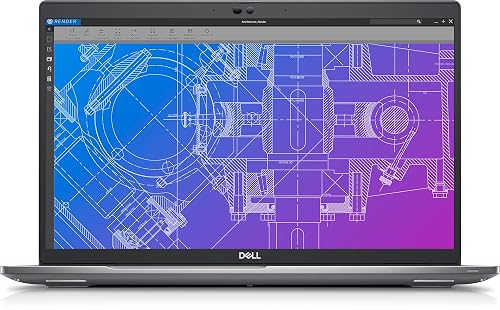
Dell Precision 3570 Workstation Laptop (Renewed)
If you want a Photoshop laptop that feels ready for heavy creative work, the Dell Precision 3570 Workstation Laptop is a strong pick. It is powered by a 12th Gen Intel Core i7-1265U with 10 cores, and includes 32GB of DDR5 memory for smooth multitasking. The 1TB SSD helps Photoshop open quickly and keeps large files readily accessible. Its 15.6-inch Full HD display delivers clear detail, and the Nvidia RTX A500 graphics card supports editing, effects, and light gaming. Windows 11 Pro, Wi-Fi, Bluetooth, and HDMI complete a practical setup for your creative desk.
- Processor:Intel Core i7-1265U
- RAM:32GB DDR5
- Storage:1TB SSD
- Display Size:15.6-inch
- Operating System:Windows 11 Pro
- Wireless:Wi‑Fi, Bluetooth
- Additional Feature:RTX A500 graphics
- Additional Feature:4GB GDDR6 VRAM
- Additional Feature:90-day limited warranty
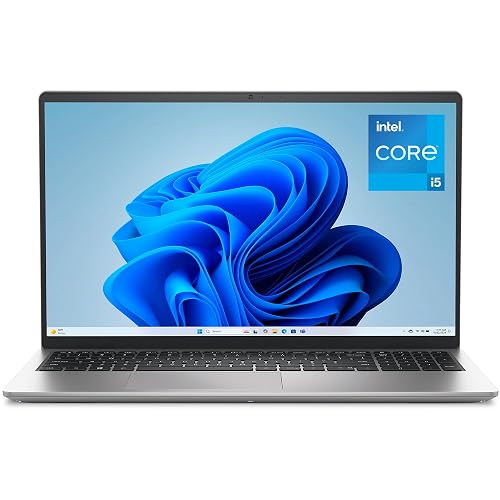
Dell 15 Laptop with i5 16GB RAM 512GB SSD
The Dell 15 Laptop with an Intel Core i5, 16GB of RAM, and a 512GB SSD is a smart pick for Photoshop users who want steady performance without paying for a high-end machine. You will get smooth everyday editing, quick app launches, and enough memory for layered work. Its 15.6-inch FHD 120Hz display helps images look crisp, and the matte screen reduces glare. Because it uses integrated Intel UHD Graphics, expect solid basic editing, not heavy professional effects. The backlit keyboard, Wi-Fi 6, and Express Charge add comfort, speed, and less waiting.
- Processor:Intel Core i5-1334U
- RAM:16GB DDR4
- Storage:512GB SSD
- Display Size:15.6-inch
- Operating System:Windows 11 Home
- Wireless:Wi‑Fi 6, Bluetooth 5.3
- Additional Feature:120Hz FHD display
- Additional Feature:Backlit numeric keypad
- Additional Feature:1-year onsite service
HP 15.6″ FHD Laptop with Copilot AI 16GB RAM
The HP 15.6″ FHD Laptop with Copilot AI and 16GB RAM is ideal for students, casual creators, and everyday Photoshop users who want a lighter editing setup without paying for a heavy-duty machine. It includes an Intel N100 processor, 16GB of RAM, and a 256GB SSD, so your tabs, classes, and editing tools stay open without constant lag. The 15.6-inch FHD anti-glare screen provides a clear workspace, while Wi-Fi 6, USB-C, HDMI, and Bluetooth 5.3 keep your peripherals connected. At 3.64 pounds, it is easy to carry.
- Processor:Intel N100
- RAM:16GB DDR4
- Storage:256GB SSD
- Display Size:15.6-inch
- Operating System:Windows 11 Home
- Wireless:Wi‑Fi 6, Bluetooth 5.3
- Additional Feature:Copilot AI support
- Additional Feature:HP True Vision camera
- Additional Feature:Quick charge
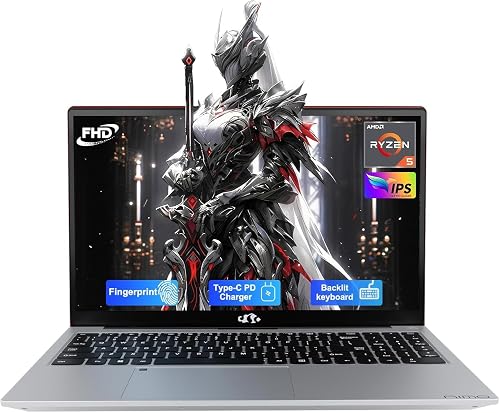
NIMO 15.6″ IPS FHD Laptop Ryzen 5 8GB/256GB SSD
Creators who need an affordable, straightforward Photoshop laptop with room to grow will find much to like in the NIMO 15.6″ IPS FHD model. It features an AMD Ryzen 5 processor, 8GB of DDR4 RAM, and a fast 256GB PCIe SSD, so edits open quickly and boot times stay short. The 15.6-inch IPS Full HD screen delivers clear detail, and the anti-glare finish reduces eye strain during long sessions. RAM is expandable to 64GB, allowing you to start small and upgrade later. Backlit keys, HDMI, Wi-Fi, and a battery life of up to nine hours make daily work easier.
- Processor:AMD Ryzen 5
- RAM:8GB DDR4
- Storage:256GB SSD
- Display Size:15.6-inch
- Operating System:Windows 11 Home
- Wireless:Wi‑Fi, Bluetooth
- Additional Feature:2-year manufacturer warranty
- Additional Feature:Fingerprint reader
- Additional Feature:180° hinge
HP Pavilion 15.6 Laptop for Work and Study
With its balanced mix of speed, screen quality, and everyday comfort, this HP Pavilion 15.6 laptop is a solid choice for school tasks, office work, and light Photoshop editing. It includes an Intel N100 processor with Turbo Boost up to 3.4 GHz, so tabs, documents, and apps remain responsive. The 15.6-inch Full HD anti-glare screen makes photos and content easy to view. Eight gigabytes of RAM and a 256 GB SSD keep boot and load times fast. Wi-Fi 6, USB-C, and a full keyboard simplify daily work, and a privacy shutter helps protect your camera.
- Processor:Intel N100
- RAM:8GB DDR4
- Storage:256GB SSD
- Display Size:15.6-inch
- Operating System:Windows 11 Home
- Wireless:Wi‑Fi 6, Bluetooth 5.3
- Additional Feature:Camera privacy shutter
- Additional Feature:Mic mute key
- Additional Feature:TPM firmware support
HP Essential Laptop for Home and Students
Need a dependable laptop that will not make schoolwork harder than it already is? You will appreciate the HP Essential. Its Intel N150 quad-core chip and 4GB RAM handle tabs, Office files, Zoom calls, and streaming without fuss. The 14-inch anti-glare display keeps PDFs and slides easy on your eyes during long nights. Plus, 128GB flash storage boots fast, and the 500GB external HDD gives you room for backups. With WiFi 6, HDMI, USB, and Windows 11 Home in S mode, you stay connected and ready. At 3.24 lbs, it travels easily.
- Processor:Intel N150
- RAM:4GB
- Storage:128GB flash
- Display Size:14-inch
- Operating System:Windows 11 Home in S mode
- Wireless:WiFi 6, Bluetooth 5.3
- Additional Feature:500GB external HDD
- Additional Feature:Office 365 included
- Additional Feature:Windows 11 S mode
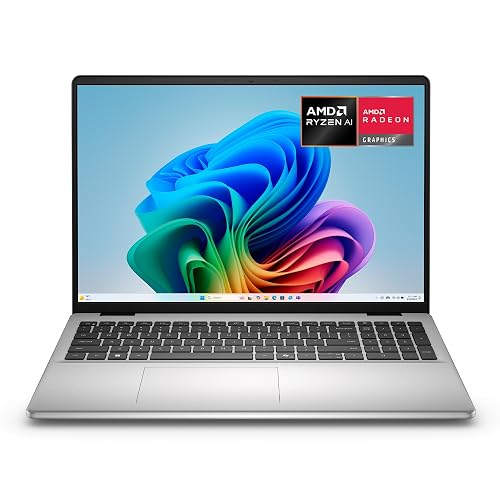
Dell 16 Laptop DC16256 Ryzen AI 7 350
The Dell 16 Laptop DC16256 Ryzen AI 7 350 is a strong pick if Photoshop work is a priority and you want a roomy screen that does not feel cramped. Its 16-inch 2K touchscreen uses a 16:10 layout, giving you more vertical space for panels and edits. The Ryzen AI 7 350, 32 GB of DDR5 RAM, and 1 TB SSD help you move through large files with less delay. The matte display, backlit keyboard, fingerprint reader, and Wi-Fi 6E make daily work feel smooth and secure.
- Processor:AMD Ryzen AI 7 350
- RAM:32GB DDR5
- Storage:1TB SSD
- Display Size:16-inch
- Operating System:Windows 11 Home
- Wireless:Wi‑Fi 6E, Bluetooth 5.3
- Additional Feature:2K touchscreen display
- Additional Feature:Copilot+ support
- Additional Feature:Fingerprint reader
Factors to Consider When Choosing Laptops for Photoshop
When you choose a laptop for Photoshop, you need strong processor performance so edits feel smooth and fast. You also want enough RAM, a sharp display, capable graphics, and fast storage so files load quickly and colors render accurately. These components work together; if one is weak, you will notice it immediately in your workflow.
Processor Performance
A strong processor can make Photoshop feel smooth instead of sluggish, and that difference matters more than you might expect. Look for a chip with multiple cores and fast boost speeds, because that combination helps you move through filters, layer edits, and exports with less waiting. A modern 12th or 13th generation processor usually gives you better responsiveness, especially when you open large PSD files or switch between apps. If you mostly do light edits, a quad core CPU can still handle simple retouching, but it will not feel as quick on bigger jobs. When you edit often, choose a processor that balances strong single core speed with enough cores. That way your brush strokes feel snappy, and background work does not drag your workflow down.
RAM Capacity
16GB of RAM is the practical starting point for Photoshop, and it gives you enough room to edit without your laptop gasping for air. You can handle basic retouching, and your workflow stays smooth. If you work with large files, many layers, or several apps at once, 32GB gives you far more breathing room. That extra memory helps when your projects grow messy, which they often do.
Also pay attention to speed. DDR4 at 3200 MHz works well, and DDR5 at 4800 MHz to 5600 MHz can feel snappier. If your budget is tight, 4GB or 8GB will feel cramped fast. Look for a laptop with upgradeable RAM, two slots, and support for around 32GB or more. That way you can start small and grow comfortably.
Display Quality
Once your laptop has enough memory, the next thing that can make or break your Photoshop work is the display. You want at least a 15.6-inch Full HD screen, because 1920 x 1080 gives you room for panels and image detail. Choose an IPS panel if you can, as it keeps colors steadier and the view stays clear when you tilt the lid. Check for a matte or anti-glare finish, which helps if sunlight sneaks in. Aim for 250 to 300 nits of brightness so your images remain easy to judge in different rooms. Finally, look for a wider color gamut, such as 45% NTSC or more, to show richer, more accurate color and make your edits less like guesswork.
Graphics Capability
Graphics capability can quietly change how fast and smooth Photoshop feels, especially when your work starts piling up with layers, filters, and big canvases. You want a laptop with a discrete GPU and its own graphics memory, because it handles GPU-enabled filters, canvas rotation, and many smart tools better than integrated graphics. If you edit large layered files or high-resolution images, aim for at least 4 GB of VRAM so previews stay smoother and movement stays responsive. Integrated graphics can still work for simple edits, but they may feel sluggish when you zoom often, stack many adjustments, or keep several documents open. Also, if you use a 1080p or larger screen, stronger graphics help Photoshop keep up. Pair GPU power with enough RAM for the best workflow.
Storage Speed
As you look past GPU power, storage speed can make just as much difference in how Photoshop feels day to day. Favor an SSD over a hard drive or basic flash storage; a PCIe NVMe M.2 drive boots faster, opens the app quicker, and pulls files in with less waiting. That matters when you are jumping between PSDs, RAW exports, and large layered edits. If you can, choose 512 GB or 1 TB, since extra room helps your scratch disk breathe and keeps several projects local. Also pay attention to sustained read and write speed, not just capacity. A fast but nearly full drive can still slow you down. For heavy work, pair speed with free space so Photoshop stays smooth.
Frequently Asked Questions
How Much RAM Do Photoshop Users Need in 2026?
You should have at least 16GB of RAM for Photoshop in 2026. For large files, many layers, and multitasking, 32GB is a more comfortable choice. If you work on huge projects or use resource intensive plugins, 64GB can provide additional headroom.
Is a Dedicated GPU Necessary for Photoshop Editing?
No, you do not need a dedicated GPU for basic Photoshop editing. However, a dedicated GPU provides smoother filters, faster zooming, and better handling of large files, and you will see improved performance with heavy layer projects and AI features.
Which Display Features Matter Most for Accurate Photo Editing?
Choose a high-resolution IPS or OLED panel with a wide color gamut and factory calibration. Ensure accurate sRGB or Adobe RGB coverage, strong contrast, and consistent brightness. Edit more reliably when the screen remains color-true across viewing angles.
How Important Is Battery Life for Photoshop on the Go?
Like Odysseus adrift, you will care a great deal about battery life when editing on the go. It keeps you productive between outlets, but color accuracy and performance still matter more, so do not sacrifice them for endurance.
Can Budget Laptops Handle Large Photoshop Files Well?
Budget laptops can open large Photoshop files, but you will experience slower load times, noticeable lag, and limited multitasking unless you choose sufficient RAM, a fast SSD, and a capable processor. Expect compromises during heavy edits.




