


If you travel often, you know how fast a bulky laptop can turn a smooth trip into a shoulder ache. In 2026, the best travel laptops give you light weight, strong battery life, and enough speed to handle work, streaming, and quick edits without fuss.
You will see why compact 2-in-1s, slim Windows models, and reliable Chromebooks stand out, and a few of them may surprise you.
| Dell Latitude 3190 2-in-1 Touchscreen Laptop (Renewed) | 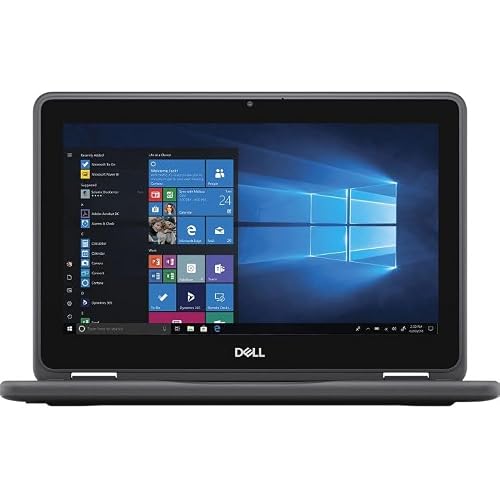 | Best Budget 2-in-1 | Screen Size: 11.6″ | Display Type: Touchscreen | Processor: Intel Celeron N5030 | VIEW LATEST PRICE | Read Our Analysis |
| ASUS Vivobook Go 15.6″ FHD Slim Laptop (E1504FA-AB34) | 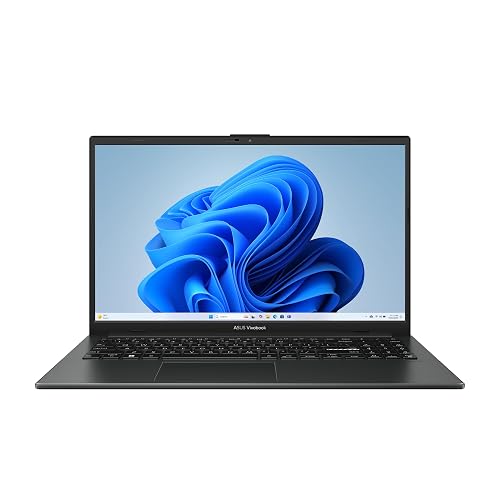 | Best Overall | Screen Size: 15.6″ | Display Type: FHD | Processor: AMD Ryzen 3 7320U | VIEW LATEST PRICE | Read Our Analysis |
| Samsung Galaxy Chromebook Go Laptop (XE340XDA-KA2US) | 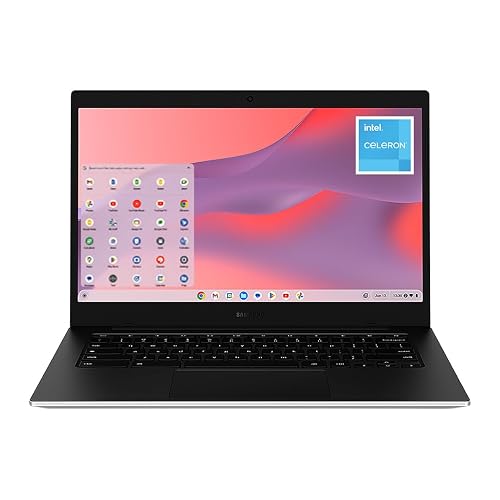 | Most Portable | Screen Size: 14″ | Display Type: Touchscreen | Processor: Intel Celeron N4500 | VIEW LATEST PRICE | Read Our Analysis |
| ASUS Chromebook CX1 15.6″ FHD (CX1500CKA-SS48F) | 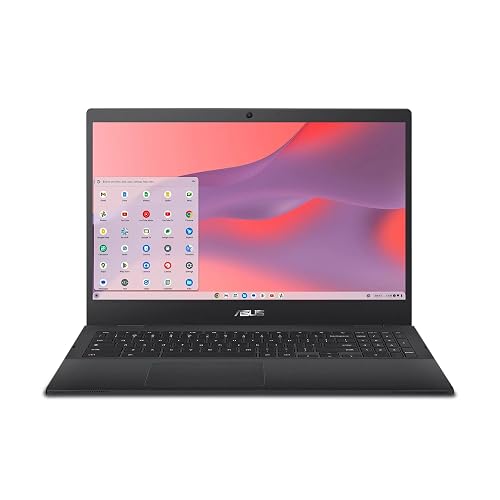 | Best Chromebook | Screen Size: 15.6″ | Display Type: FHD | Processor: Intel Celeron N4500 | VIEW LATEST PRICE | Read Our Analysis |
| ASUS Vivobook Go 15.6″ Slim Laptop (E1504FA-AS54) | 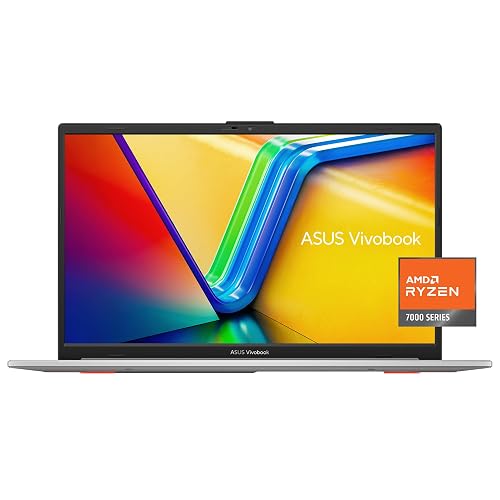 | Best Battery Life | Screen Size: 15.6″ | Display Type: NANOEDGE | Processor: AMD Ryzen 5 7520U | VIEW LATEST PRICE | Read Our Analysis |
| Dell 15 Laptop DC15250 with Intel Core 3 100U |  | Best Productivity Pick | Screen Size: 15.6″ | Display Type: FHD | Processor: Intel Core 3 100U | VIEW LATEST PRICE | Read Our Analysis |
| HP Portable 13.8″ HD IPS Laptop (Renewed) | 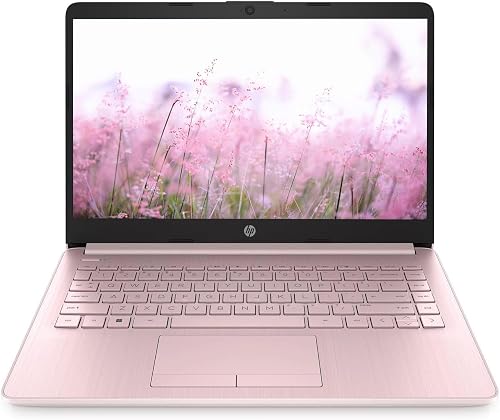 | Best Renewed Option | Screen Size: 13.8″ | Display Type: HD IPS | Processor: Intel Celeron N Processor | VIEW LATEST PRICE | Read Our Analysis |
More Details on Our Top Picks
Dell Latitude 3190 2-in-1 Touchscreen Laptop (Renewed)
If you want a travel laptop that feels light on stress but still covers the basics well, the Dell Latitude 3190 2-in-1 Touchscreen Laptop is a smart pick, especially for students or anyone who needs a simple, dependable machine on the go. You get an 11.6-inch HD touchscreen, stylus support, and a full-size keyboard, so you can type, tap, and sketch with ease. The Intel Celeron N5030, 4 GB of RAM, and a 128 GB SSD handle everyday work smoothly. At 4.39 pounds it stays easy to carry, and the 11-hour battery helps you keep moving.
- Screen Size:11.6″
- Display Type:Touchscreen
- Processor:Intel Celeron N5030
- RAM:4 GB
- Storage:128 GB SSD
- Wireless:Wi‑Fi 5
- Additional Feature:2-in-1 convertible
- Additional Feature:Stylus support
- Additional Feature:11-hour battery
ASUS Vivobook Go 15.6″ FHD Slim Laptop (E1504FA-AB34)
The ASUS Vivobook Go 15.6″ FHD Slim Laptop is a smart travel pick when you want a larger screen without carrying a heavy, overpriced machine. It features an AMD Ryzen 3 7320U chip, 8 GB of RAM, and a 256 GB SSD, so browsing, streaming, and light work remain smooth. The 15.6-inch Full HD display delivers clear visuals, while SonicMaster audio and the 720p IR camera improve call quality. With up to 11 hours of battery life, fast charging, WiFi 5, Bluetooth 5.1, and a sturdy 180-degree hinge, it is well suited to travel days.
- Screen Size:15.6″
- Display Type:FHD
- Processor:AMD Ryzen 3 7320U
- RAM:8 GB
- Storage:256 GB SSD
- Wireless:Wi‑Fi 5 / Bluetooth 5.1
- Additional Feature:720p HD IR camera
- Additional Feature:180° lay-flat hinge
- Additional Feature:Military-grade durability
Samsung Galaxy Chromebook Go Laptop (XE340XDA-KA2US)
The Samsung Galaxy Chromebook Go Laptop (XE340XDA-KA2US) suits travelers who want a light, low-stress device that is easy to carry and simple to use on the move. It has a 14-inch body and weighs just 3.2 pounds, so it slips into your bag without drama. The military-tough build helps protect it from bumps and drops. Its Intel Celeron processor, 4 GB of RAM, and 64 GB of storage handle web tasks and Google apps well. Plus, Wi-Fi 6, 4G, USB ports, HDMI, and up to 12 hours of battery life keep you connected.
- Screen Size:14″
- Display Type:Touchscreen
- Processor:Intel Celeron N4500
- RAM:4 GB
- Storage:64 GB SSD
- Wireless:Wi‑Fi 6 / Bluetooth 5.1
- Additional Feature:4G cellular support
- Additional Feature:450-nit brightness
- Additional Feature:Google AI Pro trial
ASUS Chromebook CX1 15.6″ FHD (CX1500CKA-SS48F)
ASUS Chromebook CX1 15.6″ FHD (CX1500CKA-SS48F) is a smart travel choice when you want a roomy screen without a bulky machine. It features a 15.6 inch FHD NanoEdge display, so movies and documents look clear on the go. Weighing 3.97 pounds, it remains easy to pack. The 180 degree lay flat hinge lets you share the screen anywhere. Wi Fi 6, Bluetooth 5.2, and four USB ports keep you connected. With up to 11 hours of battery life, it can handle long travel days.
- Screen Size:15.6″
- Display Type:FHD
- Processor:Intel Celeron N4500
- RAM:4 GB
- Storage:128 GB eMMC
- Wireless:Wi‑Fi 6 / Bluetooth 5.2
- Additional Feature:180° lay-flat hinge
- Additional Feature:MIL-STD 810H durability
- Additional Feature:Google Play Store access
ASUS Vivobook Go 15.6″ Slim Laptop (E1504FA-AS54)
If you want a travel laptop that feels light in your bag but still keeps up with your day, the ASUS Vivobook Go 15.6″ Slim Laptop (E1504FA-AS54) is built for that use. You get a roomy 15.6-inch NanoEdge display with slim bezels, so movies, maps, and documents look clean. The Ryzen 5 7520U keeps browsing and light gaming smooth. Eight gigabytes of memory and 512 GB of storage help you multitask and save files. Wi-Fi 5, Bluetooth 5.1, SonicMaster audio, and a microphone complete the travel-ready setup.
- Screen Size:15.6″
- Display Type:NANOEDGE
- Processor:AMD Ryzen 5 7520U
- RAM:8 GB
- Storage:512 GB
- Wireless:Wi‑Fi 5 / Bluetooth 5.1
- Additional Feature:60Hz refresh rate
- Additional Feature:250-nit brightness
- Additional Feature:SonicMaster audio
Dell 15 Laptop DC15250 with Intel Core 3 100U
The Dell 15 Laptop DC15250 with Intel Core 3 100U is a smart travel pick for students, remote workers, and anyone who wants a full-size laptop without feeling weighed down. You get a 15.6-inch FHD screen, 8 GB RAM, and a 512 GB SSD, so your apps open fast and your files stay close. The 4.2-pound Carbon Black design fits into most bags with ease. The 120 Hz matte display, ComfortView, and anti-glare finish help reduce eye strain. Wi-Fi 6, Bluetooth 5.3, Express Charge, and on-site service keep you moving.
- Screen Size:15.6″
- Display Type:FHD
- Processor:Intel Core 3 100U
- RAM:8 GB
- Storage:512 GB SSD
- Wireless:Wi‑Fi 6 / Bluetooth 5.3
- Additional Feature:120Hz refresh display
- Additional Feature:Express Charge support
- Additional Feature:Onsite service included
HP Portable 13.8″ HD IPS Laptop (Renewed)
HP’s Portable 13.8″ HD IPS Laptop is a smart pick for travelers who want a compact, easy-to-carry PC without sacrificing the basics needed on the road. It features a 2024 clamshell design, 4 GB of RAM, and a 64 GB SSD, so it handles email, streaming, and school tasks with calm ease. The 13.8-inch BrightView HD IPS screen keeps text clear, although the 720p resolution is modest. With Wi-Fi 6, Bluetooth, USB-C, HDMI, and a webcam, you stay connected. Weighing 3.75 pounds, it is light enough to slip into your day and keep moving.
- Screen Size:13.8″
- Display Type:HD IPS
- Processor:Intel Celeron N Processor
- RAM:4 GB
- Storage:64 GB SSD
- Wireless:Wi‑Fi 6/6E / Bluetooth / Ethernet
- Additional Feature:Ethernet/RJ45 port
- Additional Feature:Integrated webcam
- Additional Feature:Automatic backup software
Factors to Consider When Choosing Laptops for Travel
When choosing a travel laptop, prioritize weight and portability, since you will carry it far more than you will notice on a desk. Also look for strong battery life, a screen size that feels comfortable without being bulky, and durability that can handle bumps along the way. Don’t forget the right connectivity options, because a good travel laptop should keep you ready for work, streaming, and those surprise moments when a café’s Wi‑Fi acts up.
Weight and Portability
A travel laptop should feel like a helpful companion, not extra luggage you resent by day two. When you pack often, every ounce matters. Aim for a model near 3.2 pounds instead of one closer to 5.5 pounds, because that difference shows up fast in your shoulder and in your carry-on. A thin body, around 0.63 to 0.75 inches, slides into bags more easily and leaves room for chargers or a notebook. You will also notice how screen size changes the experience. An 11.6 to 13.8 inch laptop stays easy to carry, while a 15.6 inch model gives you more room but less freedom. If you move through planes, trains, and cafés, a slim convertible can save space and feel much easier to use. Balance lightness with strength.
Battery Life
Once you have trimmed weight and size, battery life becomes the factor that determines how free your laptop feels on the road. Aim for about 11 to 12 hours, and you can usually get through a full workday plus transit without hunting for an outlet. In compact laptops, 42 Wh to 42.3 Wh batteries often help extend unplugged time. Choose a lower power processor and efficient integrated graphics, since they use less energy during browsing, writing, and video playback. Still, trust real use more than the label. Bright screens and constant wireless use can drain power faster than advertised. Fast charging matters too, because a short layover can provide several more hours before your next stop.
Screen Size
Screen size can make or break your travel laptop experience, because it affects both comfort and convenience. When you pack often, smaller screens around 11.6 to 13.8 inches fit better in tight bags and are easier to use on planes, trains, and café tables. For a balanced choice, a 14-inch display usually provides enough space for reading, browsing, and multitasking without adding too much bulk. Larger 15.6-inch screens give you more room to work and can reduce eye strain during long sessions, but they also take up more space. Also check resolution. A 1366 x 768 screen can work on compact models, while 1920 x 1080 looks sharper and provides more usable workspace.
Durability Standards
When you travel often, durability should sit near the top of your checklist, because your laptop will face more bumps, bag pressure, and quick moves than it would at home. Look for models that meet MIL-STD 810H, since that testing covers shock, vibration, altitude, and heat. A military-grade rating does not make a laptop indestructible, but it does give you more confidence during flights, train rides, and crowded commutes. You should also check the hinge and chassis. A secure 180° lay-flat hinge and reinforced frame usually hold up better over time. Even slim laptops can feel sturdy when makers use smart materials. For travel, the best choice blends light weight, compact size, and strong build quality, so your device stays easier to carry and is less likely to suffer from daily knocks.
Connectivity Options
Even the toughest travel laptop can feel frustrating if it cannot stay connected, so after durability, connectivity should be high on your list. Pick Wi-Fi 6 or newer, because it gives you faster, steadier service in hotels, airports, and busy cafés than Wi-Fi 5. Next, check for Bluetooth 5.1 or 5.2 so you can pair headphones, a mouse, or a keyboard without carrying extra dongles. You should also look for two to four USB ports, with both USB-A and USB-C, since that mix makes it easier to plug in phones, drives, and other gear. HDMI output helps when you need a hotel TV, projector, or monitor. Finally, if you often work in weak signal areas, built-in cellular or an Ethernet port can save the day.
Performance Needs
A good travel laptop should keep up with your day without making you wait, so focus on performance that feels smooth rather than flashy. You do not need a beast, but you do need enough power for browsing, documents, and video calls. A dual-core or quad-core CPU with boost speeds around 2.4 GHz to 4.7 GHz usually handles that well. If you juggle tabs and apps, 8 GB of RAM is noticeably steadier than 4 GB. Choose 256 GB to 512 GB of SSD storage so your files, apps, and offline media fit without stress. Integrated graphics are fine for streaming and light gaming; stronger graphics only help if you create or play more seriously. Aim for 11 to 12 hours of battery life.
Frequently Asked Questions
Which Laptop Has the Best Battery Life for Long Flights?
The MacBook Air typically offers the best battery life for long flights, allowing you to skip outlets and stay powered for an entire day. It is lightweight and provides reliable standby performance.
Are These Travel Laptops Compatible With International Power Outlets?
Yes, you can use them abroad if you bring the right plug adapter and their charger supports 100 to 240 V input. You should still check each laptop’s power brick and the outlet type before traveling.
Which Model Is Safest for Storing Sensitive Travel Documents?
Choose a model that includes a TPM chip, a fingerprint reader, and support for full-disk encryption. This lets you lock documents securely and access them quickly without exposing sensitive files.
Do Any of These Laptops Support eSIM or Mobile Hotspot Use?
Yes, some do, but usually only through your phone or a built-in WWAN option. You would most often use hotspot tethering. True eSIM support is rarer on laptops, although it is becoming more common.
Which Laptop Is Easiest to Repair While Traveling?
Framework laptops are the easiest to repair while traveling because you can swap parts with basic tools. If something fails, you can replace storage, memory, or ports quickly, making it less likely you will get stranded.




