


If you want a monitor that does more than show a sharp picture, you are in the right place. Some built-in speakers can handle daily work, late-night shows, and casual gaming without sounding tiny or harsh. In the picks below you will see how USB-C convenience, IPS clarity, curved gaming panels, and better-than-expected audio can work together in a small desk setup. The best part is that a few of these screens hide useful audio features you might not notice at first.
| SANSUI 27″ Curved 120Hz USB-C Monitor with Speakers | 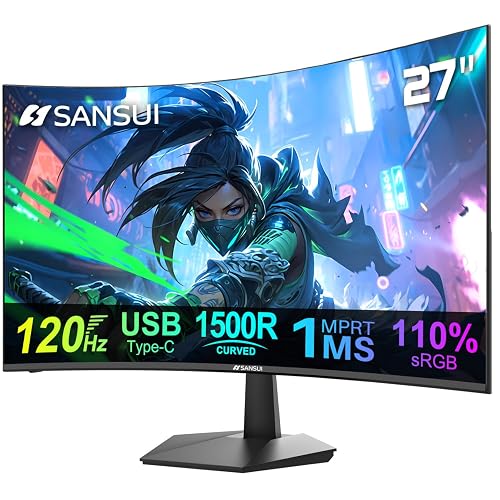 | Best Overall | Screen Size: 27 inch | Resolution: 1920 x 1080 | Built-in Speakers: Yes | VIEW LATEST PRICE | Read Our Analysis |
| Amazon Basics 24-inch Full HD IPS Monitor | 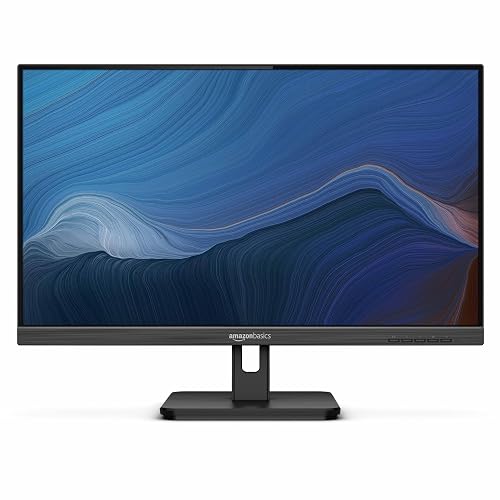 | Best Value | Screen Size: 24 inch | Resolution: 1920 x 1080 | Built-in Speakers: Yes | VIEW LATEST PRICE | Read Our Analysis |
| Amazon Basics 27 Inch FHD 1080P Monitor |  | Best 27-Inch | Screen Size: 27 inch | Resolution: 1920 x 1080 | Built-in Speakers: Yes | VIEW LATEST PRICE | Read Our Analysis |
| Sceptre 22-Inch Gaming Monitor FHD 1080p 144Hz (E225W-FW144) | 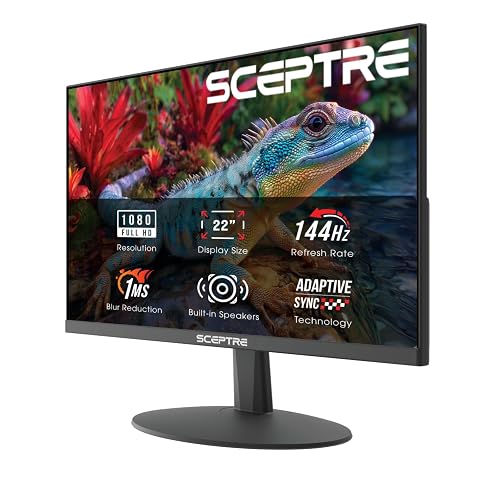 | Best Budget Gaming | Screen Size: 22 inch | Resolution: FHD 1080p | Built-in Speakers: Yes | VIEW LATEST PRICE | Read Our Analysis |
| SANSUI 24 Inch Curved Gaming Monitor (ES-G24C1) |  | Best Curved Display | Screen Size: 24 inch | Resolution: FHD 1080p | Built-in Speakers: Yes | VIEW LATEST PRICE | Read Our Analysis |
| Cirqon Computer Speakers for Desktop PC USB/USB-C Adapter | 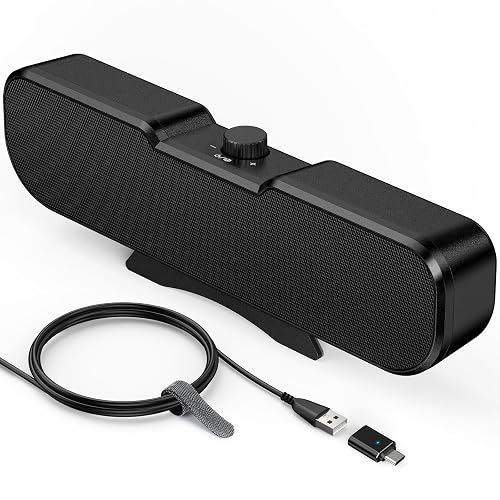 | Best Accessory Speakers | Screen Size: N/A | Resolution: N/A | Built-in Speakers: Yes | VIEW LATEST PRICE | Read Our Analysis |
| MSI PRO MP251W E2 24.5-inch 120Hz IPS Monitor | 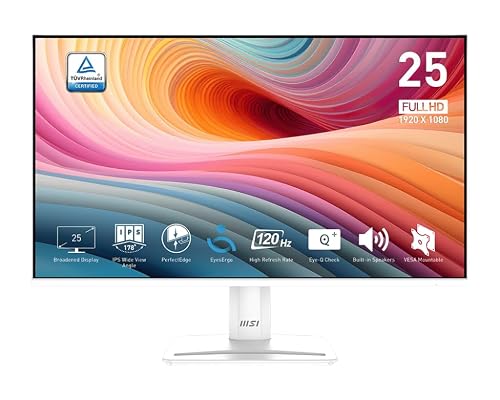 | Best for Productivity | Screen Size: 24.5 inch | Resolution: 1920 x 1080 | Built-in Speakers: Yes | VIEW LATEST PRICE | Read Our Analysis |
More Details on Our Top Picks
SANSUI 27″ Curved 120Hz USB-C Monitor with Speakers
The SANSUI 27″ Curved 120Hz USB-C Monitor with Speakers is a solid choice if you want a screen that feels smooth, sounds adequate, and keeps your desk setup simple. It offers a 27-inch curved 1080p display with 120Hz, 1ms MPRT, and Adaptive Sync, so motion remains clean in games and everyday tasks. The matte panel, 300-nit brightness, and 4000:1 contrast ratio help maintain a steady image. USB-C, HDMI, DisplayPort, and a 3.5mm jack make connections straightforward. Its 2W speakers will not fill a room, but they reduce the need for external speakers.
- Screen Size:27 inch
- Resolution:1920 x 1080
- Built-in Speakers:Yes
- VESA Mount:100 x 100 mm
- Refresh Rate:120 Hz
- HDMI Input:HDMI 1.4
- Additional Feature:1500R curved panel
- Additional Feature:USB-C connectivity
- Additional Feature:4000:1 contrast ratio
Amazon Basics 24-inch Full HD IPS Monitor
Amazon Basics 24-inch Full HD IPS Monitor is a straightforward screen that delivers solid performance without unnecessary complexity. It provides sharp 1920 x 1080 resolution, a wide 178-degree viewing angle, and a 75 Hz refresh rate that keeps work and light gaming smooth. Because the IPS panel remains clear from the side, you will not see color shifts during meetings or webinars. Built-in speakers provide convenient audio, and HDMI, DisplayPort, VGA, and USB ports give you flexible connectivity. The adjustable stand helps you sit comfortably throughout the day.
- Screen Size:24 inch
- Resolution:1920 x 1080
- Built-in Speakers:Yes
- VESA Mount:100 x 100 mm
- Refresh Rate:75 Hz
- HDMI Input:HDMI 1.4
- Additional Feature:IPS flat panel
- Additional Feature:USB 3.2 ports
- Additional Feature:Energy Star certified
Amazon Basics 27 Inch FHD 1080P Monitor
Need a monitor that sounds as good as it looks? The Amazon Basics 27 Inch FHD 1080p Monitor provides a roomy 27-inch IPS panel with crisp 1920 x 1080 detail and wide 170-degree viewing. It includes built-in speakers to keep desk clutter low and make your setup feel simpler. The display runs up to 100 Hz with a 4 ms response time, which helps motion appear smooth. Four USB 2.0 ports and plug-and-play support make setup straightforward. If you want a black, VESA-ready screen that feels practical and friendly, this one fits nicely.
- Screen Size:27 inch
- Resolution:1920 x 1080
- Built-in Speakers:Yes
- VESA Mount:VESA compatible
- Refresh Rate:Up to 100 Hz
- HDMI Input:Not specified
- Additional Feature:Up to 100Hz
- Additional Feature:4ms response time
- Additional Feature:Glossy screen finish
Sceptre 22-Inch Gaming Monitor FHD 1080p 144Hz (E225W-FW144)
Built for players and everyday users who want smooth motion without crowding their desk, the Sceptre 22-Inch Gaming Monitor, FHD 1080p 144Hz (E225W-FW144) provides a compact screen with fast performance and built-in speakers in one clean package. You get sharp 1080p detail, and the 144Hz refresh rate keeps movement feeling quick and fluid. HDMI and DisplayPort make setup easy. The slim bezel is ideal for a dual-monitor layout, and Blue-Light Shift helps reduce eye strain during long sessions so you can stay focused and comfortable.
- Screen Size:22 inch
- Resolution:FHD 1080p
- Built-in Speakers:Yes
- VESA Mount:Not specified
- Refresh Rate:Up to 144Hz
- HDMI Input:HDMI
- Additional Feature:144Hz refresh rate
- Additional Feature:Blue-Light Shift
- Additional Feature:Near-seamless bezel
SANSUI 24 Inch Curved Gaming Monitor (ES-G24C1)
The SANSUI 24 Inch Curved Gaming Monitor (ES-G24C1) is ideal if you want smooth gaming, clear detail, and extra comfort in a compact screen. Its 1500R curve enhances immersion, and the 24-inch FHD panel keeps images sharp. You get up to 180 Hz, 1 ms MPRT, FreeSync, and HDR support, so fast scenes remain steady and vivid. The Fast VA panel delivers rich contrast, and built-in 2 W speakers provide convenient audio. Additionally, blue light reduction, flicker-free technology, and a metal stand make long sessions easier on your eyes.
- Screen Size:24 inch
- Resolution:FHD 1080p
- Built-in Speakers:Yes
- VESA Mount:75 x 75 mm
- Refresh Rate:Up to 180Hz
- HDMI Input:HDMI 1.4
- Additional Feature:1500R curvature
- Additional Feature:Fast VA panel
- Additional Feature:130% sRGB
Cirqon Computer Speakers for Desktop PC USB/USB-C Adapter
Cirqon Computer Speakers for Desktop PC, USB/USB-C Adapter are a practical choice if you want straightforward sound that just works, especially on a desk where space is limited and clutter becomes a problem. You can clip them to the top, bottom, or sides of your monitor, and the strong non-slip clamp holds screens from 0.1 to 0.98 inches thick. If you prefer, you can use the stand alone. A single USB cable handles power and audio, and the USB-C adapter increases compatibility. The knob is easy to reach, and the clear sound remains clean at full volume.
- Screen Size:N/A
- Resolution:N/A
- Built-in Speakers:Yes
- VESA Mount:N/A
- Refresh Rate:N/A
- HDMI Input:N/A
- Additional Feature:Non-slip clamp
- Additional Feature:Single volume knob
- Additional Feature:USB-C adapter
MSI PRO MP251W E2 24.5-inch 120Hz IPS Monitor
MSI’s PRO MP251W E2 is a smart pick if you want a monitor that is easy on the eyes, sounds decent without extra clutter, and keeps up with fast daily use. It has a 24.5-inch IPS screen, Full HD detail, and wide 178-degree viewing so the image stays clear from most angles. The 120 Hz refresh rate, 1 ms response time, and Adaptive-Sync help motion feel smooth. Built-in speakers, HDR Ready support, TÜV eye care, and MSI Eye-Q Check add comfort. HDMI, VGA, and DisplayPort inputs make setup simple, and the white slim-bezel design looks clean.
- Screen Size:24.5 inch
- Resolution:1920 x 1080
- Built-in Speakers:Yes
- VESA Mount:VESA mountable
- Refresh Rate:120 Hz
- HDMI Input:HDMI
- Additional Feature:TÜV certified display
- Additional Feature:MSI Eye-Q Check
- Additional Feature:4-side slim bezel
Factors to Consider When Choosing Monitors With Speakers
When choosing a monitor with speakers, prioritize speaker quality; clear sound makes everyday use noticeably better. Next, check screen size, panel type, and refresh rate so the display matches how you work, watch, or play. Also review connectivity options, because the right ports simplify setup and prevent hassles later.
Speaker Quality
Speaker quality can make or break your experience with monitors that have built-in sound, so look past the screen and pay close attention to the specifications. First, check the wattage and total output power. More power usually means more room-filling sound, but only if it matches your space. Next, examine the driver count and layout. Two drivers in stereo often provide better left and right separation than a single mono speaker. Then, review the frequency range, since a wider range can deliver richer bass and cleaner highs. Built-in amplifiers and EQ presets can also shape the sound in useful ways. Finally, read user reviews for distortion at higher volumes and confirm the presence of handy outputs such as 3.5 mm, optical, or USB passthrough.
Screen Size
Size can quietly change how your monitor speakers feel in daily use. If you choose a 27 inch screen or larger, you get more room for work and streaming, and the built-in sound can better support videos in a shared space. Smaller 22 to 24 inch monitors fit tight desks well, and they can sound fine when you sit close for calls or quick clips. Still, they usually will not give you deep bass or wide room sound. Keep your viewing distance in mind too. At 20 to 30 inches, modest speakers often do the job. If you sit farther back, a bigger screen or extra audio helps. Also check desk space, weight, and mount support before you buy.
Panel Type
Panel type affects both a monitor’s appearance and how its built-in speakers perform in daily use, so pay attention before you buy. If you want steady image quality from edge to edge, IPS is a smart pick because its wide viewing angles and accurate colors remain reliable when more than one person watches. VA panels deliver stronger contrast and deeper blacks, making movies and games feel richer through onboard audio. If speed matters most, TN keeps input lag low for competitive play, while the speakers are suitable for casual sound. OLED and mini-LED improve image quality further, but they typically cost more. Choose a matte finish for less glare, or a glossy finish for extra visual pop.
Refresh Rate
A monitor’s refresh rate affects how smooth motion appears, and you will notice the difference quickly once the screen starts moving. If you game or watch fast-paced video, 120 Hz, 144 Hz, or 180 Hz can reduce blur and make motion look cleaner than 60 Hz. For office work, web browsing, or video calls, 60 to 75 Hz is usually sufficient and more economical.
Match the refresh rate to your GPU output so the display can actually use it. Enable Adaptive Sync, such as FreeSync or G-Sync Compatible, to help prevent tearing when frame rates fluctuate. Also check response time, since 1 to 4 ms can minimize ghosting. Finally, verify that your cable, port, and hardware support the monitor’s native resolution and refresh rate.
Connectivity Options
What ports does your monitor actually need? Start by matching the monitor’s inputs to your devices. HDMI works well for PCs and consoles; DisplayPort often suits desktop setups. USB-C can handle video, audio, and power in one cable, which feels neat when your desk already looks busy. If you still use older gear, VGA may matter too, though it is less common now.
Next, check how sound leaves the monitor. Some models offer a 3.5 mm audio jack, and others support USB audio for headphones or external speakers. Also verify whether HDMI or DisplayPort carries sound by default, because adapters and docks can change that. Finally, look at audio controls and supported formats, so you can adjust volume easily and get the playback style you want.
Ergonomic Adjustments
If you spend hours at your desk, ergonomics matters as much as sound. Start with a stand that tilts, at least -5° to 15°, so you can ease neck strain and keep your head neutral. Next, check the height range. You want the screen top at or slightly below eye level, with the center about 15 to 30 degrees below horizontal. If you use an arm or wall mount, choose VESA support, usually 75×75 or 100×100 mm, and match the monitor’s weight and pattern so it holds steady without sagging. Also look for swivel and pivot if you switch tasks often, since that little turn can save your shoulders from twisting.
Brightness And Contrast
When you choose a monitor with built-in speakers, brightness and contrast shape both what you see and how smoothly you enjoy sound-driven content. Aim for 250 to 300 nits for normal rooms, and pick 350 nits or more if sunlight floods your desk. That keeps images clear, so you do not keep raising volume just to follow the scene. Next, check contrast. A 1000:1 ratio or higher helps faces, text, and dialogue stand out. For movies and games, VA panels with 2000:1 to 4000:1 often give deeper blacks and better dark-scene detail. If you want HDR, look for 600 nits or more. Also, matte screens cut glare, while glossy ones require extra brightness.
Warranty Coverage
A solid warranty can save you a lot of stress later, so check coverage before you buy a monitor with speakers. Compare coverage length, whether it is a 30-day return, a 90-day warranty, a one-year limited plan, or lifetime support. Read the fine print to learn if it covers parts, labor, and the built-in speakers, and what it excludes, such as shipping damage, accidents, or user modifications. Look for easy return or replacement options, because a short money-back window can make a bad fit much more difficult. Ask how service works, since mail-in repairs and shipping fees can add hassle. Finally, keep your receipt, serial number, and registration ready, and verify any regional limits before you buy.
Frequently Asked Questions
Do Built-In Monitor Speakers Support Bluetooth Audio?
Usually not. You will get Bluetooth audio only if your monitor includes Bluetooth hardware or supports wireless audio passthrough. Otherwise, connect a separate Bluetooth receiver or use a cable-based input.
Can These Monitors Deliver Decent Sound for Video Calls?
Yes. Built-in monitor speakers can provide clear voices for video calls, especially when you sit close to the screen. Do not expect deep bass or rich, music-quality sound from most monitors.
Are Monitor Speakers Enough for Casual Gaming Audio?
Yes. For casual gaming, monitor speakers are often sufficient, though they will not deliver deep bass, punch, or the full immersive detail of dedicated gaming speakers or a good headset. You will hear dialogue and effects clearly, but you may miss low-end impact and spatial cues.
Do All Listed Monitors Include a Headphone Jack?
No, not every listed monitor has a headphone jack. Check each model’s ports, because some include a jack while others do not, depending on the manufacturer and feature set.
How Much Desk Space Can Monitors With Speakers Save?
You can save a lot of desk space, similar to clearing a cluttered countertop. Built-in speakers remove separate audio gear, freeing room for a keyboard, a notebook, or even a second monitor.




