


If you want a printer that won’t waste your time, these seven monochrome laser picks deliver speed, sharp text, and a setup that feels easy from day one.
You’ll find compact models for tight desks, faster multifunction units for busy homes, and larger options for heavier jobs, all with duplex printing and useful mobile features.
The key is matching your workload to the right mix of speed, tray capacity, and print quality, because the best fit is not always the biggest one.
| Canon imageCLASS LBP122dw Wireless Monochrome Laser Printer | 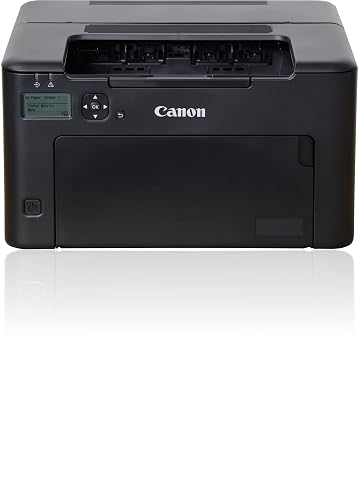 | Best Compact Pick | Print type: Monochrome laser | Print speed: 30 ppm | Duplex printing: Auto duplex | VIEW LATEST PRICE | Read Our Analysis |
| HP LaserJet M209d Black and White Printer | 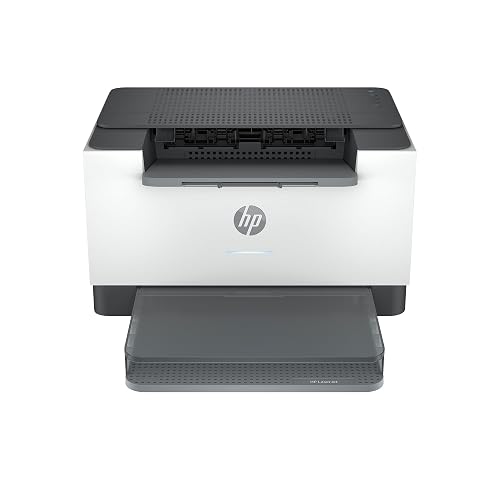 | Best Budget Pick | Print type: Monochrome laser | Print speed: 30 ppm | Duplex printing: Auto duplex | VIEW LATEST PRICE | Read Our Analysis |
| HP LaserJet Pro 3001dw Wireless Black & White Printer | 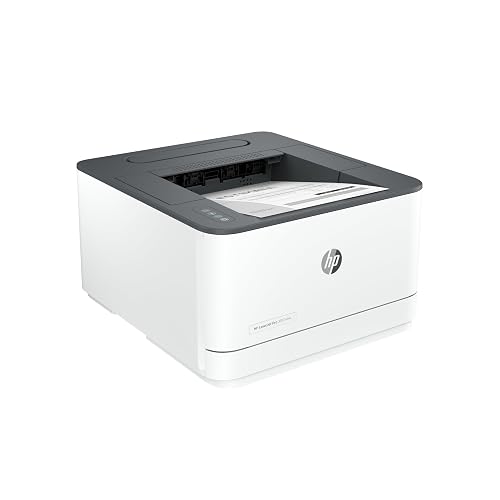 | Best Overall | Print type: Monochrome laser | Print speed: 35 ppm | Duplex printing: Auto duplex | VIEW LATEST PRICE | Read Our Analysis |
| HP LaserJet Pro MFP 3101fdw All-in-One Printer (3G628F) | 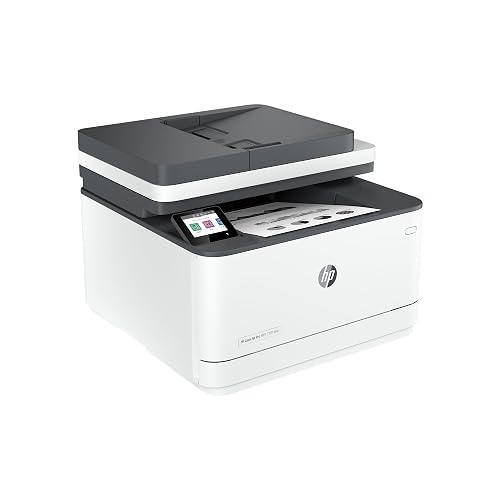 | Best All-in-One | Print type: Black & white laser | Print speed: 35 ppm | Duplex printing: Auto 2-sided | VIEW LATEST PRICE | Read Our Analysis |
| HP LaserJet Pro MFP 3101sdw Wireless Laser Printer | 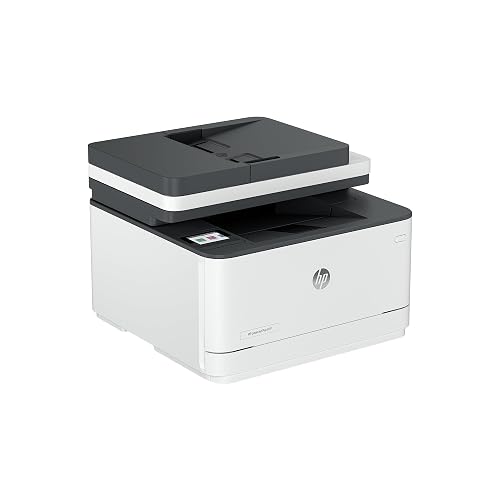 | Best for Small Teams | Print type: Black & white laser | Print speed: 35 ppm | Duplex printing: Auto 2-sided | VIEW LATEST PRICE | Read Our Analysis |
| Canon imageCLASS MF273dw Wireless Laser Multifunction Printer | 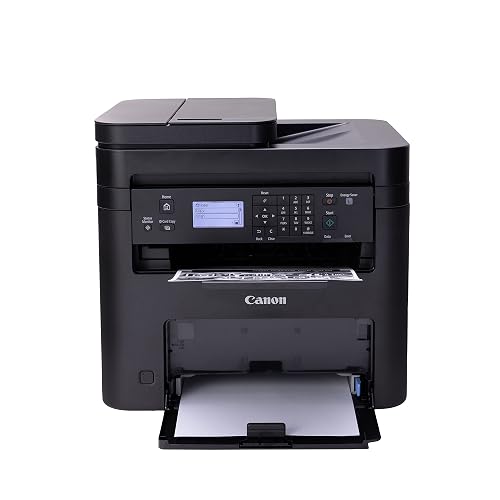 | Best Home Office | Print type: Monochrome laser | Print speed: 30 ppm | Duplex printing: Auto duplex | VIEW LATEST PRICE | Read Our Analysis |
| HP LaserJet Pro 4001n Black & White Printer | 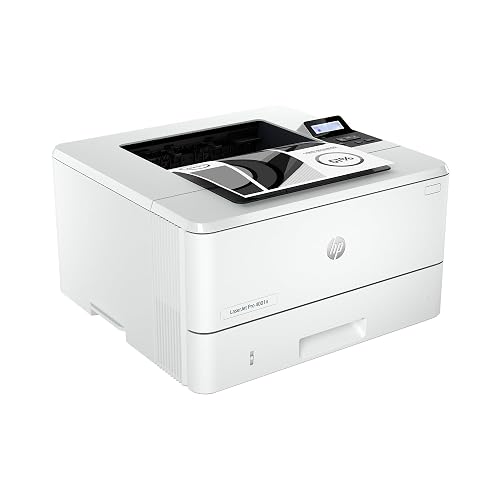 | Fastest Print Speed | Print type: Black & white laser | Print speed: 42 ppm | Duplex printing: Not specified | VIEW LATEST PRICE | Read Our Analysis |
More Details on Our Top Picks
Canon imageCLASS LBP122dw Wireless Monochrome Laser Printer
If you need a printer that keeps things simple and fast, the Canon imageCLASS LBP122dw Wireless Monochrome Laser Printer is a strong fit for your home, home office, or schoolwork setup. You get sharp black and white prints, quick first pages, and speeds up to 30 ppm. Automatic duplex printing saves paper. Wi-Fi, Ethernet, and USB make setup easy. You can print from your phone with Canon PRINT, and the 150 sheet tray helps you stay ready. Its compact black design also fits tight spaces neatly.
- Print type:Monochrome laser
- Print speed:30 ppm
- Duplex printing:Auto duplex
- Connectivity:Wi‑Fi, USB, Ethernet
- Paper capacity:150 sheets
- Functions:Print only
- Additional Feature:LCD display
- Additional Feature:Canon PRINT app
- Additional Feature:Starter 071 toner
HP LaserJet M209d Black and White Printer
The HP LaserJet M209d black and white printer is a practical choice for anyone who wants fast, no-fuss printing without sacrificing desk space. It delivers 30 pages per minute, sharp 600 x 600 dpi output, and automatic duplex printing to reduce paper use. Its compact white body fits neatly in a home office or small business setup, and the 150-sheet tray keeps jobs moving. Because it uses USB 2.0 only, setup remains simple. You also get quiet, energy-efficient operation and consistent laser quality for reports, forms, and everyday documents.
- Print type:Monochrome laser
- Print speed:30 ppm
- Duplex printing:Auto duplex
- Connectivity:USB only
- Paper capacity:150 sheets
- Functions:Print only
- Additional Feature:USB cable included
- Additional Feature:Touch control
- Additional Feature:Quiet operation
HP LaserJet Pro 3001dw Wireless Black & White Printer
The HP LaserJet Pro 3001dw provides fast, reliable black-and-white printing for small teams that need dependable office output without extra hassle. It delivers up to 35 pages per minute, with the first page in about 6.6 seconds, and crisp 1200 x 1200 dpi resolution. It prints on both sides automatically, helping you save paper without extra steps. With support for Wi-Fi, Ethernet, USB, Bluetooth, AirPrint, and mobile devices, staying connected is simple. HP Wolf Pro Security, Smart Admin, and Instant Ink help you manage work with less stress every day.
- Print type:Monochrome laser
- Print speed:35 ppm
- Duplex printing:Auto duplex
- Connectivity:Wi‑Fi, Bluetooth, Ethernet, USB
- Paper capacity:250 sheets
- Functions:Print only
- Additional Feature:HP Wolf Pro Security
- Additional Feature:Bluetooth connectivity
- Additional Feature:Alexa compatible
HP LaserJet Pro MFP 3101fdw All-in-One Printer (3G628F)
Built for busy small offices, the HP LaserJet Pro MFP 3101fdw All-in-One Printer (3G628F) gives you print, scan, copy, and fax tools in one compact black-and-white machine, so you can handle daily work without juggling extra devices. You can print up to 35 pages per minute, and the auto document feeder, plus auto two-sided printing, help you move faster with less fuss. It fits teams of up to seven people, and intelligent Wi-Fi picks the best connection. You also get Ethernet, Bluetooth, mobile printing, and HP Wolf Pro Security to help protect your data.
- Print type:Black & white laser
- Print speed:35 ppm
- Duplex printing:Auto 2-sided
- Connectivity:Wi‑Fi, Bluetooth, Ethernet
- Paper capacity:Not specified
- Functions:Print, scan, copy, fax
- Additional Feature:Print, scan, copy
- Additional Feature:Fax function
- Additional Feature:Auto document feeder
HP LaserJet Pro MFP 3101sdw Wireless Laser Printer
Ready for a busy office that needs fast, sharp black-and-white printing without the fuss, the HP LaserJet Pro MFP 3101sdw is a smart fit for small teams and growing businesses that want one dependable machine to print, scan, copy, and stay connected all day. You get up to 35 pages per minute, a quick 7 second first page, and crisp 1200 x 1200 dpi output. Its 50 sheet feeder, automatic duplexing, and 250 sheet tray help you keep moving. Wi-Fi, Ethernet, AirPrint, and Mopria make setup simple, while the LED display and app control keep daily tasks easy and steady.
- Print type:Black & white laser
- Print speed:35 ppm
- Duplex printing:Auto 2-sided
- Connectivity:Wi‑Fi, Ethernet, USB
- Paper capacity:250 sheets
- Functions:Print, scan, copy
- Additional Feature:50-sheet ADF
- Additional Feature:999-copy capacity
- Additional Feature:LED display
Canon imageCLASS MF273dw Wireless Laser Multifunction Printer
The Canon imageCLASS MF273dw is a smart fit if you want a no-fuss monochrome workhorse that can print, copy, and scan without crowding your desk. You get up to 30 pages per minute, fast first pages in about 5.3 seconds, and sharp 2400 x 600 dpi output. Its automatic duplexing saves paper, and the 150-sheet tray handles daily jobs smoothly. Because it supports Wi-Fi, Wi-Fi Direct, USB, and remote control, you can print with less hassle. The sheetfed scanner and ADF let you copy stacks quickly, and Canon backs the printer with a 1-year limited warranty.
- Print type:Monochrome laser
- Print speed:30 ppm
- Duplex printing:Auto duplex
- Connectivity:Wi‑Fi, Wi‑Fi Direct, USB
- Paper capacity:150 sheets
- Functions:Print, scan, copy
- Additional Feature:Wi‑Fi Direct
- Additional Feature:Sheetfed scanner
- Additional Feature:Energy Star certified
HP LaserJet Pro 4001n Black & White Printer
If your small team needs a dependable monochrome workhorse, the HP LaserJet Pro 4001n Black & White Printer fits the job. You get sharp black and white reports and fast output, reaching 42 pages per minute for single-sided jobs. Because it uses Ethernet and USB only, setup stays simple in a shared office. It also works with Microsoft, Mac, AirPrint, Android, and Chromebook devices, so you can print from almost anywhere. HP Wolf Pro Security helps protect your data, and firmware updates keep safeguards current and cartridges genuine.
- Print type:Black & white laser
- Print speed:42 ppm
- Duplex printing:Not specified
- Connectivity:Ethernet, USB
- Paper capacity:Not specified
- Functions:Print only
- Additional Feature:Up to 10 users
- Additional Feature:HP Wolf Pro Security
- Additional Feature:Ethernet/USB only
Factors to Consider When Choosing Monochrome Laser Printers
When choosing a monochrome laser printer, begin with print speed and print resolution, as they determine how fast and how sharp your pages will be. Also check duplex printing, connectivity options, and paper capacity, since those features make daily work smoother. The right combination depends on your typical printing habits, so a careful selection can save time, paper, and reduce frustration.
Print Speed
A printer’s speed can save you a lot of waiting, but only if you look at the right numbers. Check pages per minute, or ppm, because it tells you how many single-sided pages the printer can make in ideal conditions. For big print runs, a higher ppm helps you move work faster. If you only print short jobs, first-page-out time matters more, since you do not want to stare at a silent box. Automatic duplex printing can speed up two-sided documents and cut paper use. Match that speed to the duty cycle and monthly volume so the printer stays dependable. Remember that networks, file type, and settings can slow real-world output a bit.
Print Resolution
Print speed matters, but sharpness determines how polished your pages look, so resolution deserves attention next. You will see it listed in dpi, and that number indicates how finely the printer places toner. For everyday office pages, 600 x 600 dpi often works well. If you need cleaner small text or neater line art, 1200 x 1200 dpi can help. Higher numbers do not always look better on normal reports, because the improvement can diminish quickly. Your printer’s toner size and engine precision also matter, since they affect how faithfully it places each dot. If you print drafts, lower dpi can save toner and time. For legal papers or client reports, check sample pages, because smoothing features can make lower native dpi appear sharper as well.
Duplex Printing
Duplex printing can quietly save you a lot of time and paper, especially if your office uses stacks of reports, invoices, or handouts every day. When you choose a monochrome laser printer, look for true automatic duplexing, because it flips pages for you without any manual reinserting. That internal step can cut paper use by up to 50%, and it helps you build better habits with almost no effort. Still, duplex jobs can print a bit slower, since the printer has to turn each sheet. Check that the tray sizes and paper path can handle legal-size pages and steady two-sided runs. If you set duplex as the default, you will save money and paper right away, and you will not have to remember it later.
Connectivity Options
Which connection will make your printer easiest to use every day? Start with the way you print most often. If you work alone, USB 2.0 gives you a simple direct link to one PC. For shared spaces, Ethernet usually feels steadier, and strong Wi-Fi helps you place the printer where it fits best. When you print from your phone or tablet, check for AirPrint, Mopria, or the brand’s app, so you can tap and go without fuss. If your network is busy or you want more privacy, Wi-Fi Direct lets you print without joining the office network. Also look for USB host ports, remote setup tools, and cloud access, because these features can make daily use smoother and less annoying.
Paper Capacity
After you check how your printer connects, the next thing to evaluate is paper capacity, because it determines how often you will need to refill and clear trays during the day. For a small office, a 150 to 250 sheet input tray often works well. If you print frequently, look for 500 or more sheets or an expandable feeder. Also check the output tray, since a small capacity there can slow you down just as much. Many home units hold about 150 to 250 sheets, while office models typically carry larger capacities. Make sure the printer supports your paper types, from envelopes to labels, and the largest media size you use. Match tray capacity to your monthly duty cycle so you are not babysitting the machine all day.
Security Features
Security matters just as much as print speed, because a fast printer can still become a weak spot in your office if it cannot protect your files. Choose a model with secure boot and firmware safeguards, so hackers cannot slip in bad code. Next, check for TLS, SSL, IPsec, and WPA3 or WPA2, because your data should stay private while it travels. Use PIN release, pull printing, or login support through LDAP or Active Directory, since these tools stop strangers from grabbing your pages. Then look for drive encryption and automatic wiping, so stored jobs do not linger. Finally, pick a printer with logs, remote control, and policy settings, because centralized oversight helps you keep every device safe without extra stress.
Frequently Asked Questions
How Often Do Monochrome Laser Printers Need Maintenance?
You typically need maintenance every few months, mainly replacing toner, cleaning paper paths, and checking rollers. If you print heavily, you may need to service it more often. These printers are generally low maintenance.
Can Monochrome Laser Printers Print on Cardstock Reliably?
Yes, you can print cardstock reliably if you choose a printer with a straight paper path and support for heavier media; do not assume all models do. Check the manual, load one sheet, and test first.
Are Toner Refills Cheaper Than Replacing Printer Drums?
Usually you will spend less on toner refills than on replacing printer drums. Check your printer’s yield and drum life, though, because some models bundle them differently and that can change your long-term cost.
Do These Printers Support Mobile Printing Apps?
Yes, many do, so you can print from your phone with ease. Why wait at your desk? You will often get AirPrint, Mopria, or vendor apps, allowing you to send documents wirelessly in seconds.
Which Models Handle High Monthly Print Volumes Best?
You’ll get the best high-volume performance from enterprise-grade models with large duty cycles, expanded paper trays, and high-yield toner. Choose Brother MFC-L6915DW, HP LaserJet Enterprise M611, or Lexmark MS823dn for heavy workloads.




