


If you want a gaming PC that feels fast now and still makes sense later, the right CPU and motherboard pair matters more than flashy extras. Options range from the ASUS TUF B760-PLUS WiFi and MSI B550 Gaming Plus to stronger bundles such as the Ryzen 7 9700X with B850, or the Ultra 7 265K combo.
Each choice fits a different type of gamer. The real trick is matching power, memory support, and upgrade room without wasting money, and that is where the best picks start to separate themselves.


More Details on Our Top Picks
ASUS TUF GAMING B760-PLUS WIFI Motherboard
The ASUS TUF GAMING B760-PLUS WIFI is a strong pick if you want a gaming motherboard that feels built for the long haul and does not make setup a headache. It comes in ATX size and supports LGA 1700 sockets, with compatibility for 14th, 13th, and 12th Gen Intel Core processors. DDR5 memory support, four DIMM slots, and up to 128 GB of capacity let you upgrade later. Robust 12+1+1 power stages, PCIe 5.0, three M.2 slots, Realtek 2.5 Gb Ethernet, WiFi 6, and a USB4 header keep your build fast and ready.
- Platform:Intel LGA1700
- Form Factor:ATX
- Memory Type:DDR5
- Memory Slots:4 slots
- Max Memory:128 GB
- Wireless:Wi‑Fi 6
- Additional Feature:PCIe 5.0 slot
- Additional Feature:Realtek 2.5Gb Ethernet
- Additional Feature:Two-way AI Noise-Cancelation
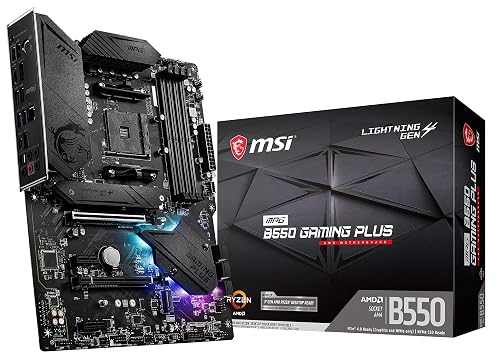
MSI MPG B550 Gaming Plus Motherboard (AM4)
MSI’s MPG B550 Gaming Plus motherboard is a solid choice if you want a strong AM4 foundation for a Ryzen gaming build without paying for extras you may never use. It supports Ryzen 5000 processors, DDR4 memory up to 128 GB, and PCIe 4.0 for faster graphics and storage. The Lightning Gen 4 M.2 slot, with M.2 Shield Frozr, helps keep your SSD cool. Extended heatsinks and a 2 oz copper PCB support steady performance. The board also includes HDMI, DisplayPort, Mystic Light, and a 3-year warranty, delivering good value.
- Platform:AMD AM4
- Form Factor:ATX
- Memory Type:DDR4
- Memory Slots:4 slots
- Max Memory:128 GB
- Wireless:No Wi‑Fi listed
- Additional Feature:Lightning Gen 4 M.2
- Additional Feature:M.2 Shield Frozr
- Additional Feature:Mystic Light RGB
Micro Center Ryzen 5 5500 with ASUS TUF Motherboard
Micro Center’s Ryzen 5 5500 paired with the ASUS TUF Gaming A520M-PLUS WiFi is a smart choice for gamers who want strong 1080p performance without breaking the bank. It offers 6 cores, 12 threads, and a 4.2 GHz boost, so games run smoothly when paired with a discrete GPU. The included Wraith Stealth cooler gets you up and running quickly. The ASUS TUF board provides WiFi, four DIMM slots, M.2 storage, SATA support, and BIOS FlashBack. It also delivers solid protection, effective cooling, and straightforward room for future upgrades.
- Platform:AMD AM4
- Form Factor:MicroATX
- Memory Type:DDR4
- Memory Slots:4 slots
- Max Memory:128 GB
- Wireless:802.11ac Wi‑Fi
- Additional Feature:Wraith Stealth cooler
- Additional Feature:BIOS FlashBack button
- Additional Feature:Aura Sync RGB
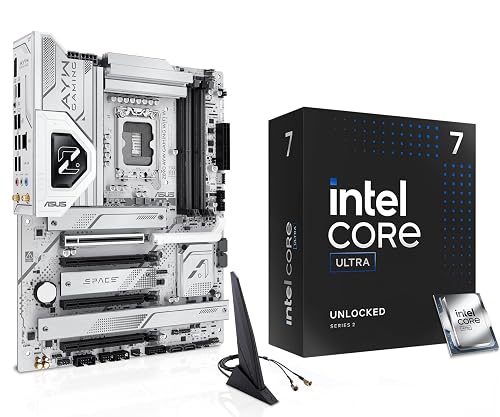
Micro Center CPU Motherboard Combo with Ultra7 265K
Built for gamers who want strong speed without a messy build, the Micro Center CPU Motherboard Combo with the Ultra 7 265K provides a ready path into a serious Intel gaming setup. You get 20 cores, up to 5.5 GHz boost, and a Z890 board with LGA1851 support. That means your PC stays fast in games and handles multitasking smoothly. DDR5 slots, PCIe 5.0 M.2 support, Wi-Fi 6, and USB-C fast charging keep the build modern, tidy, and ready for upgrades.
- Platform:Intel LGA1851
- Form Factor:ATX
- Memory Type:DDR5
- Memory Slots:4 slots
- Max Memory:128 GB
- Wireless:Wi‑Fi 6
- Additional Feature:PCIe Slot Q-Release
- Additional Feature:USB4 header support
- Additional Feature:USB-C 20Gbps
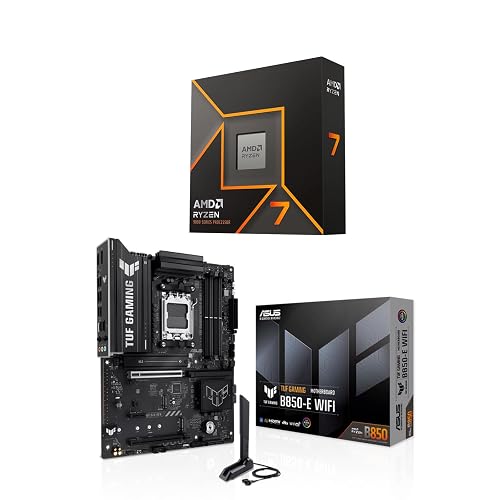
AMD Ryzen 7 9700X CPU with ASUS TUF B850-PLUS Motherboard
If you want a gaming setup that feels fast, stable, and ready for future upgrades, the AMD Ryzen 7 9700X paired with the ASUS TUF Gaming B850-PLUS WiFi is a very smart match. You get 8 cores, 16 threads, and boost speeds up to 5.5 GHz, so your games can stay smooth and responsive. The 65W chip runs efficiently, and the overclockable design lets you tune performance. The AM5 board adds strong 14+2+1 power delivery, Wi-Fi 7, DDR5 support, PCIe 5.0 storage, and easy DIY features.
- Platform:AMD AM5
- Form Factor:ATX
- Memory Type:DDR5
- Memory Slots:4 slots
- Max Memory:256 GB
- Wireless:Wi‑Fi 7
- Additional Feature:Wi-Fi 7
- Additional Feature:PCIe 5.0 M.2
- Additional Feature:Bluetooth v5.4
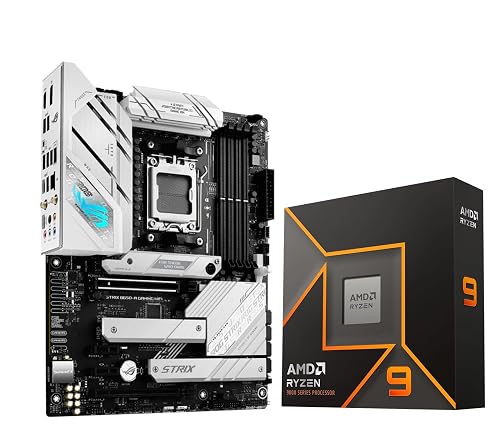
Micro Center Ryzen 9 9900X CPU Bundle
The Ryzen 9 9900X bundle is a smart pick for gamers who want strong speed, clear upgrade paths, and less guesswork in one purchase. You get a 12-core, 24-thread chip that boosts to 5.6 GHz, plus an ASUS ROG Strix B650-A board with Wi-Fi 6E and AM5 support. That means you can drop in Ryzen 7000 or 9000 CPUs later without drama. With DDR5, PCIe 5.0 M.2 storage, and solid power delivery, your build feels fast, stable, and ready for long gaming sessions. Cooler not included, so plan for one.
- Platform:AMD AM5
- Form Factor:ATX
- Memory Type:DDR5
- Memory Slots:2 slots
- Max Memory:192 GB
- Wireless:Wi‑Fi 6E
- Additional Feature:PCIe 5.0 M.2
- Additional Feature:Wi-Fi 6E
- Additional Feature:HDMI 2.1
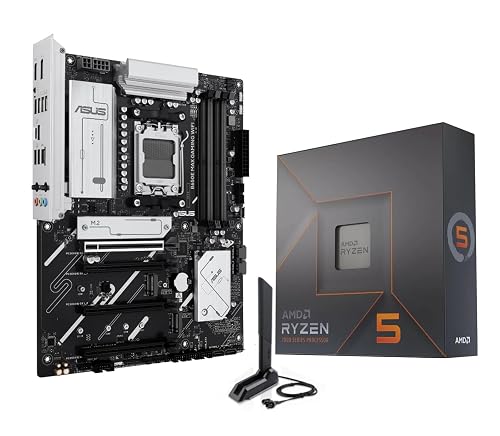
AMD Ryzen 5 7600X CPU Bundle with ASUS B650E Motherboard
This AMD Ryzen 5 7600X and ASUS B650E bundle is a strong choice for gamers who want high performance without a complicated setup. You get a 6-core, 12-thread processor that boosts to 5.3 GHz, and an AM5 motherboard with Wi-Fi 6E and PCIe 5.0 support. That combination delivers fast gaming now and keeps upgrade options open for later. No cooler is included, so you will need to add one. The bundle is well suited to clean builds, straightforward BIOS setup, and reliable power delivery.
- Platform:AMD AM5
- Form Factor:ATX
- Memory Type:DDR5
- Memory Slots:4 slots
- Max Memory:256 GB
- Wireless:Wi‑Fi 6E
- Additional Feature:PCIe 5.0 support
- Additional Feature:BIOS FlashBack
- Additional Feature:Q-Antenna included
Factors to Consider When Choosing a Motherboard and CPU for Gaming
When choosing a motherboard and CPU for gaming, match the CPU core count to the types of games you play and the level of performance you want. Also check socket compatibility, chipset features, memory support, and expansion slots, so the parts work together without unpleasant surprises. This approach delivers smooth performance now and leaves room for future upgrades.
CPU Core Count
Core count can make or break your gaming build, but you do not need to chase the biggest number on the box. For modern AAA games, 6 to 8 strong cores usually give you great speed and enough room for Windows, voice chat, and a browser tab or two. If you mostly play competitive esports, 4 to 6 fast cores can still push very high frame rates when clock speed stays strong. More cores matter more when you stream, record, or edit while you play, because those tasks benefit from extra threads. After a point, additional cores barely raise FPS, so your money is better spent on a CPU with solid single-core performance and strong IPC that fits how you actually game today.
Socket Compatibility
A great gaming build can stumble fast if the CPU and motherboard do not speak the same language, so socket compatibility should be one of your first checks. You need an exact socket match, such as LGA or AM-style, because even close-looking sockets can be physically and electrically different. Next, confirm BIOS and chipset support for your CPU generation, since a board may need a firmware update before it will boot. Then check power delivery and CPU power connectors, for example 8-pin or 8+4-pin, so the board can handle the chip’s TDP and any overclocking plans. If you want future upgrades, choose a socket with wider family support. Also verify iGPU support and matching display ports if you need onboard video.
Chipset Features
Chipset features can make or break a gaming build, so look past the CPU name and examine what the motherboard actually provides. Verify that the chipset natively supports your processor family, and confirm compatibility with the PCIe 4.0 or 5.0 devices you plan to use. Then review lane count and I/O. More SATA, USB, and PCIe lanes let you add drives, headsets, and capture cards without messy workarounds. If you want fast storage, choose a chipset with extra M.2 slots or RAID support. Also check onboard Ethernet, Wi-Fi headers, and audio codecs, since they affect ping and voice chat quality. Finally, ensure the chipset and board cooling can handle the power requirements of your CPU, especially if you plan to push clocks higher.
Memory Support
When you choose a motherboard and CPU for gaming, memory support is one of the first things to check because the wrong match can quietly limit your whole build. Make sure the CPU and board use the same RAM type, either DDR4 or DDR5, since they will not mix. Then check how much memory the board can hold and how many DIMM slots it provides. For smooth gaming and multitasking, 32 GB to 64 GB is a sensible target. Next, look at supported speeds and XMP or EXPO profiles, because faster kits can improve frame times. Also, use matched sticks in dual or quad channel configurations, not a single stick. Finally, review the QVL and BIOS support to ensure your RAM works as promised.
Expansion Slots
Expansion slots can make or break a gaming build, so look past CPU speed and check what the motherboard can actually handle. You need the right PCIe x16 slot for your GPU. If you plan on using two cards, choose a board with extra x16 or x8 slots that have enough lanes to keep both cards fed. Also check for PCIe 4.0 or 5.0 support, since newer versions provide more headroom for future upgrades. Inspect the smaller x1 and x4 slots for capture cards, audio devices, or network adapters. If you use large coolers or bulky GPUs, pick a board with reinforced slots and generous spacing. Finally, be aware of shared lanes, because some slots can disable others when certain devices are installed.
Storage Options
A fast storage setup can make your gaming PC feel much snappier, because the drive you choose affects how quickly your system boots, loads maps, and installs updates. Put at least one NVMe PCIe M.2 SSD, ideally PCIe 4.0 or better, in your build for Windows and your favorite games. You will get faster load times and smoother patch installs than with SATA. Also check that your motherboard provides enough M.2 slots and SATA III ports for future drives, so you do not hit a wall later. Before you buy, confirm whether any M.2 slot shares lanes with SATA or PCIe, since that can disable a port. Finally, balance speed and capacity by pairing a 500 GB to 1 TB NVMe drive with larger SATA SSDs or HDDs for extra library space.
Cooling Design
Cooling design often gets ignored until your CPU starts running hot in the middle of a long match. You can avoid that problem by choosing a motherboard with strong VRMs, quality MOSFETs, and a sturdy PCB, because these components help keep power steady and temperatures lower. Also look for large heatsinks and heat pipes on the VRMs, chipset, and M.2 slots, since they pull heat away during extended sessions. Next, check for enough PWM or hybrid fan headers so you can tune airflow with fan curves. Make sure the layout leaves a clear path from CPU to GPU, and provides room for additional fans or a radiator. Finally, match your cooler to your CPU’s TDP, especially if you want quiet, stable gaming.
Connectivity Ports
Right alongside performance, connectivity ports can make or break how smooth your gaming setup feels day to day. Check the rear and front USB count first, and make sure you have at least one fast USB 3.2 Gen 2×2 or USB4 port and Thunderbolt support if you use speedy drives or docking stations. A front-panel USB Type C header helps keep your case modern without awkward adapters. Next, look at M.2 slots and confirm they support PCIe 4.0 or 5.0 NVMe speeds for your SSDs. Then verify networking with 2.5 GbE, 1 GbE, and Wi-Fi 6 or 6E, plus antenna support. Finally, confirm useful extras such as S/PDIF, audio jacks, fan headers, ARGB connectors, and a Thunderbolt or USB4 header.
Frequently Asked Questions
Do I Need Wi-Fi on My Gaming Motherboard?
No, you do not need Wi-Fi on your gaming motherboard if you will use Ethernet. Choose Wi-Fi only if you need wireless convenience, travel often, or cannot run a cable easily.
How Much RAM Is Enough for Modern Gaming?
For modern gaming you will usually want 16GB; that is the sturdy bridge over today’s frame-dropping river. If you stream, mod, or multitask heavily, 32GB gives you extra breathing room and keeps stutters away.
Will My Old GPU Work With a New Motherboard?
Yes, your old GPU will usually work with a new motherboard if it uses a standard PCIe x16 slot. Check power connectors, case clearance, and BIOS compatibility. Update drivers after installation.
Is Overclocking Worth It for Gaming Performance?
Yes, sometimes. It is usually a small boost, not a dramatic improvement. You can squeeze extra frames if you have adequate cooling and headroom, but you also risk higher temperatures, more noise, and potential instability for modest gains.
Can I Reuse My Current Power Supply?
You can reuse it if it is high quality, provides sufficient wattage, and includes the correct connectors for your new components. Check the CPU and GPU power draw first. Do not risk using an aging unit.




