


When your aim slips by a hair and the match slips away, the wrong controller can feel like a flat tire on a fast car. You need gear that responds cleanly, fits your hands well, and keeps up when the action gets messy.
In this guide you will find seven strong PC controllers, from wired speed picks to wireless all-rounders, plus the key features that separate a solid pad from one you can trust in every match.
| SCUF ENVISION Wired V2 PC Gaming Controller | 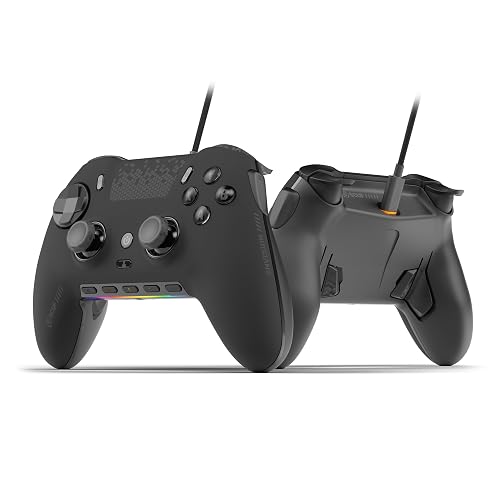 | Best for Customization | Connectivity: Wired USB-C | Compatibility: Windows PC | Thumbsticks: Hall effect | VIEW LATEST PRICE | Read Our Analysis |
| GameSir G7 Pro Wireless Gaming Controller (Zenless Zone Zero Edition) | 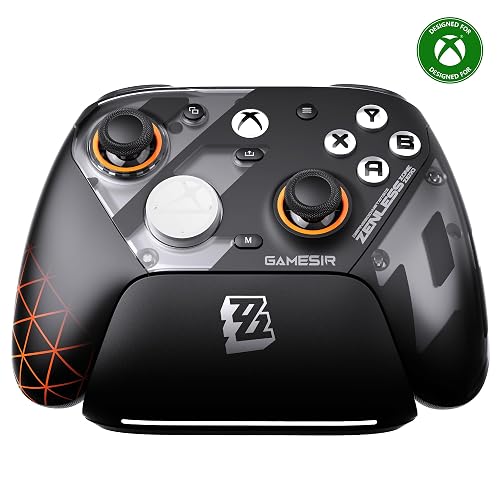 | Best Limited Edition | Connectivity: 2.4G wireless / USB | Compatibility: Xbox / PC / Android | Thumbsticks: TMR magnetic | VIEW LATEST PRICE | Read Our Analysis |
| Xbox Wireless Gaming Controller with USB-C Cable | 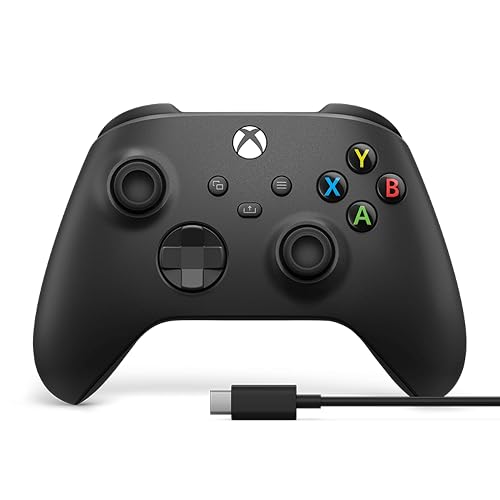 | Best Xbox Controller | Connectivity: Wireless / USB-C | Compatibility: Xbox / Windows / Android / iOS | Thumbsticks: Standard analog | VIEW LATEST PRICE | Read Our Analysis |
| Razer Wolverine V3 Pro Wireless Xbox Gaming Controller | 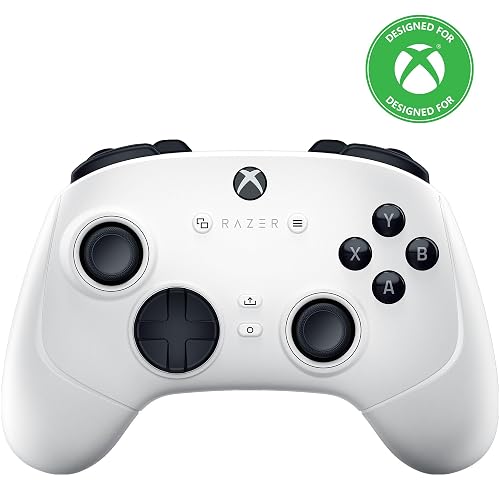 | Best Esports Pick | Connectivity: Hyperspeed wireless / wired | Compatibility: Xbox / PC | Thumbsticks: Hall-effect precision | VIEW LATEST PRICE | Read Our Analysis |
| SCUF VALOR PRO Wired Xbox Controller with Paddles | 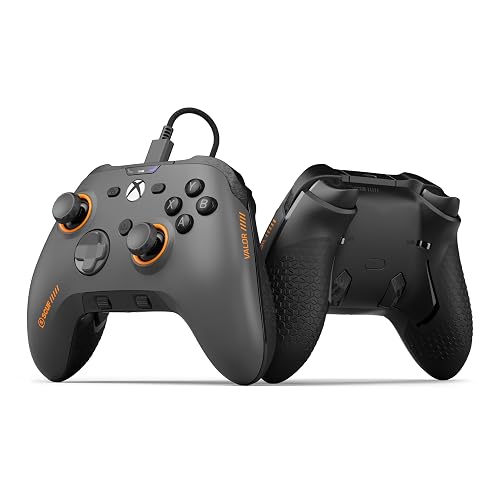 | Best Wired Xbox | Connectivity: Wired | Compatibility: Xbox / PC | Thumbsticks: Hall effect | VIEW LATEST PRICE | Read Our Analysis |
| EasySMX X05Pro Wireless Gaming Controller for PC Switch & Phone | 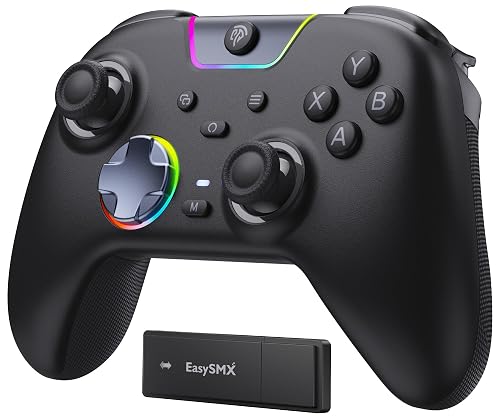 | Best Multi-Platform | Connectivity: Bluetooth / 2.4G / USB-C | Compatibility: PC / Switch / Phone | Thumbsticks: Hall effect | VIEW LATEST PRICE | Read Our Analysis |
| Razer Wolverine V3 Pro 8K Wireless Gaming Controller | 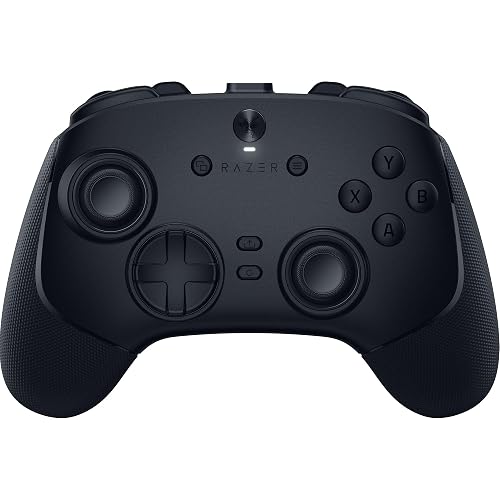 | Best Performance Pick | Connectivity: 8K wireless / wired | Compatibility: PC / Xbox | Thumbsticks: TMR magnetic | VIEW LATEST PRICE | Read Our Analysis |
More Details on Our Top Picks
SCUF ENVISION Wired V2 PC Gaming Controller
If you want a PC controller that feels built for speed, control, and long play sessions, the SCUF ENVISION Wired V2 stands out. You get anti-drift Hall effect thumbsticks, so your aim stays steady longer. The OMRON buttons and D-pad click sharply, which makes every press feel certain. Four rear paddles, five G-Keys, and two SAX buttons give you lots of control without losing thumb grip. It connects by USB-C and works with Windows, so setup stays simple. iCUE lets you tune macros, RGB, and response curves, and three onboard profiles keep your favorite settings ready.
- Connectivity:Wired USB-C
- Compatibility:Windows PC
- Thumbsticks:Hall effect
- Remappable Inputs:11+ inputs
- Trigger Style:Adjustable response
- Customization:iCUE / RGB / profiles
- Additional Feature:OMRON mechanical switches
- Additional Feature:RGB light strip
- Additional Feature:Three on-board profiles
GameSir G7 Pro Wireless Gaming Controller (Zenless Zone Zero Edition)
The GameSir G7 Pro Wireless Gaming Controller, Zenless Zone Zero Edition, is a strong choice for players who want fast response, low drift, and an immediately distinctive look. It offers official support for Xbox Series X|S, Xbox One, Windows PC, and Android, plus stable 2.4G wireless on Xbox and PC. On PC, wired or wireless play reaches 1000 Hz for precise input. TMR Mag-Res sticks and Hall Effect triggers maintain consistent movement. The swappable faceplate, extra D-pads, remappable buttons, and Nexus app let you customize the controller to your preferences.
- Connectivity:2.4G wireless / USB
- Compatibility:Xbox / PC / Android
- Thumbsticks:TMR magnetic
- Remappable Inputs:4 remappable buttons
- Trigger Style:Hall effect / micro-trigger
- Customization:Nexus app / faceplates
- Additional Feature:1000Hz polling rate
- Additional Feature:Smart charging station
- Additional Feature:Swappable faceplate
Xbox Wireless Gaming Controller with USB-C Cable
Xbox Wireless Gaming Controller with USB-C Cable is a smart pick for PC players who want a controller that feels familiar right away and works without a fuss. You get Microsoft’s Carbon Black pad with a 9-foot USB-C cable, so you can plug in and play on Windows 10 or 11. The sculpted grips, textured triggers, and hybrid D-pad help you stay comfortable in long matches. The Share button and 3.5 mm jack make captures and chat easy. If you want wireless freedom as well, the controller supports Xbox Wireless and Bluetooth.
- Connectivity:Wireless / USB-C
- Compatibility:Xbox / Windows / Android / iOS
- Thumbsticks:Standard analog
- Remappable Inputs:Button mapping support
- Trigger Style:Standard triggers
- Customization:Xbox Accessories app
- Additional Feature:Share button
- Additional Feature:3.5mm audio jack
- Additional Feature:Up to 40 hours
Razer Wolverine V3 Pro Wireless Xbox Gaming Controller
Razer’s Wolverine V3 Pro Wireless Xbox Gaming Controller stands out for players who want speed, control, and a more locked-in grip without giving up comfort. You get six remappable buttons, including four mouse-click back buttons and two claw-grip bumpers, so your hands stay ready. The Mecha-Tactile buttons feel quick yet soft enough for long sessions, and the floating D-pad keeps inputs clean. The Pro HyperTriggers switch from instant fire to fine analog control. Hall-effect thumbsticks, Hyperspeed Wireless, tournament mode, a carrying case, and a 10 ft cable make the controller feel serious and easy to trust.
- Connectivity:Hyperspeed wireless / wired
- Compatibility:Xbox / PC
- Thumbsticks:Hall-effect precision
- Remappable Inputs:6 remappable buttons
- Trigger Style:Pro HyperTriggers
- Customization:Thumbsticks / case
- Additional Feature:Pro HyperTriggers
- Additional Feature:8-way floating D-pad
- Additional Feature:Carrying case included
SCUF VALOR PRO Wired Xbox Controller with Paddles
SCUF VALOR PRO Wired Xbox Controller with Paddles is a smart pick if you want faster play and tighter control without giving up comfort. You get four rear paddles that can handle up to 16 actions, so your hands stay on the sticks. Instant Triggers cut trigger travel, and Hall Effect thumbsticks help you aim with more precision. The grip feels secure, and the wider bumpers make quick moves easier. You can tweak audio on the fly, save three setups, and swap faceplates or thumbsticks. It works with Xbox Series X, Xbox Series S, Xbox One, and Windows PC.
- Connectivity:Wired
- Compatibility:Xbox / PC
- Thumbsticks:Hall effect
- Remappable Inputs:4 rear paddles
- Trigger Style:Instant triggers
- Customization:Faceplates / profiles
- Additional Feature:Instant Triggers
- Additional Feature:Performance grip
- Additional Feature:Audio control system
EasySMX X05Pro Wireless Gaming Controller for PC Switch & Phone
If you want one controller that can jump between your PC, Switch, and phone without feeling clunky, the EasySMX X05Pro is built for you. It offers Bluetooth, 2.4G wireless, and USB-C wired play, so switching devices stays simple. Its Hall effect joysticks keep movement precise, and the upgraded 8-way D-pad makes diagonals feel smooth. Quiet silicone buttons and dual-stage triggers keep your hands comfortable during long sessions. You also get programmable top buttons, strong rumble, RGB lighting, and a grippy, sweat-resistant finish that helps you stay in control.
- Connectivity:Bluetooth / 2.4G / USB-C
- Compatibility:PC / Switch / Phone
- Thumbsticks:Hall effect
- Remappable Inputs:Programmable buttons
- Trigger Style:Dual-stage impulse
- Customization:App-based / RGB
- Additional Feature:Silicone-damper buttons
- Additional Feature:2+2 rumble motors
- Additional Feature:Adjustable trigger lock
Razer Wolverine V3 Pro 8K Wireless Gaming Controller
The Razer Wolverine V3 Pro 8K Wireless Gaming Controller is a strong pick for competitive PC players who want speed, control, and comfort in one pad. You get true 8000 Hz HyperPolling in wired or wireless mode, so your inputs feel sharp and instant. The TMR thumbsticks fight drift and let you tune sensitivity, and swappable caps help you match your grip. The mouse-click back buttons, claw bumpers, HyperTriggers, and mecha-tactile buttons provide fast, precise control. You also get four onboard profiles, 36-hour battery life, a braided cable, and a carrying case.
- Connectivity:8K wireless / wired
- Compatibility:PC / Xbox
- Thumbsticks:TMR magnetic
- Remappable Inputs:6 remappable buttons
- Trigger Style:Pro HyperTriggers
- Customization:Onboard profiles / case
- Additional Feature:8000 Hz HyperPolling
- Additional Feature:Up to 36-hour battery
- Additional Feature:Lightest wireless esports controller
Factors to Consider When Choosing Pc Gaming Controllers
When choosing a PC gaming controller, first check compatibility with your platform to ensure it works as expected. Next, decide between wired or wireless play, evaluate the precision of the thumbsticks, and determine how much button customization you need for your games. Also pay close attention to comfort, as a good grip and a shape that fits your hands can make long sessions much easier.
Compatibility And Platforms
Just as important as comfort and button feel, controller compatibility can save you a lot of frustration later. Check how it connects first: USB-C, Bluetooth, or a proprietary dongle. Your PC needs the same port or an adapter, and the correct driver setup as well. Next, confirm it works smoothly with your version of Windows or other desktop operating system. That matters because remapping, vibration, and fast polling often require companion software. If you play competitively, compare latency and polling rate in both wired and wireless modes; 1000 Hz feels snappier than 125 Hz. Also make sure custom buttons, profiles, and macros actually function on PC, not just in the box. Finally, if you switch between Android, Steam Deck, or macOS, check which features remain available.
Wired Or Wireless
Now that you know how compatibility can make or break your setup, consider how you want your controller to connect to your PC. If you play ranked matches or attend LAN events, a wired pad usually provides lower latency and steadier polling, often around 500 to 1000 Hz. That makes your inputs feel crisp and dependable. If you want more freedom, wireless can be more comfortable, especially on a couch or a tidy desk. Remember that Bluetooth and 2.4 GHz links can behave differently in busy rooms. Also, wireless requires charging or battery swaps, which can interrupt a long session. Wired avoids that, but the cable and connector can wear out. Choose the connection that best fits your play style and routine.
Thumbstick Precision
Thumbstick precision can make or break how a controller feels in your hands, so pay close attention before you buy. Choose Hall effect or magnetic TMR sticks, because they resist drift and remain accurate longer than older potentiometer parts. Next, check sensor resolution. Higher readings, such as 11 bit or more, provide finer control and smoother aim, which helps when you need tiny corrections. Look for software that lets you adjust deadzones and response curves, since it can reduce center jitter or sharpen low end movement. Low friction bearings or anti friction rings help the stick move cleanly instead of wobbling. Finally, pick a stick height and cap style that fits your grip, because better leverage makes every flick feel steadier and more natural.
Button Customization
A great controller should let you shape every button to fit the way you play, because the right layout can make fast games feel calm instead of chaotic. Look for remappable inputs and onboard profile storage so you can swap layouts without fuss. Then check how many programmable buttons you get, including paddles, side keys, and extra faces, because bigger games often need more commands. After that, see whether the controller uses software for macros, deadzone tweaks, or stick curve changes, and make sure it still works offline if you prefer. Also choose sturdy switches, like mechanical or optical ones, with a strong actuation rating, since your remapped buttons will get plenty of use.
Ergonomics And Grip
If button mapping helps your hands work smarter, ergonomics decides whether they still feel good after the third match in a row. You want a controller that fits your hand, not one you have to wrestle. Look for contoured grips and textured surfaces, because they spread pressure across your palm and fingers and help cut fatigue. Size matters too. If your hands are smaller, a lighter pad around 200 to 300 g can ease strain. If your hands are larger, a heavier, well balanced model may feel steadier. Also check thumbstick placement and height, since offset or symmetrical layouts can change how naturally you move. Finally, short travel triggers, easy bumpers, and swappable grips or caps let you fine tune comfort fast.
Battery And Charging
Battery life can make or break a long gaming session, so check this before you buy. Compare built-in rechargeable packs with replaceable AA or AAA batteries. Rechargeables are easier because you just plug in; swap-in batteries can save you when a match runs late. Next, evaluate capacity or runtime claims. A controller with a higher mAh rating or 20 to 40 plus hours of play will keep you in the game longer. Charging matters too. USB-C fast charging and dock stations cut wait time, while older micro-USB ports can feel painfully slow. Also check for passthrough play, auto-sleep, and battery indicators. Wireless modes usually drain more power than wired use.
Frequently Asked Questions
Which Controller Offers the Lowest Input Latency for Competitive PC Gaming?
The Xbox Elite Series 2 typically delivers the lowest input latency when connected via USB, so you will get the most responsive performance. If you need every millisecond, plug it in and disable wireless to keep inputs immediate.
Are These Controllers Compatible With Steam and Epic Games Launcher?
Yes. Most controllers work with Steam and the Epic Games Launcher on Windows. Typically you plug in or pair the controller and it will function. If it does not, update or install the appropriate driver.
Which Model Provides the Best Grip for Long Gaming Sessions?
You’ll usually get the best grip from the Xbox Elite Series 2, thanks to its textured rubberized handles and adjustable components. For marathon sessions it remains comfortable and feels secure even when your hands sweat.
Do Any of These Controllers Support Gyro Aiming on PC?
Yes, some do, including the DualSense and the Nintendo Switch Pro Controller, if you use Steam Input or compatible games. You can get gyro aiming on PC, but support is not universal, so check each controller first.
Which Controller Is Easiest to Remap Without Extra Software?
Xbox’s controller is the easiest; you can remap many PC games right in Steam or Windows without extra software. You will spend less time configuring and more time playing.




