


A mic arm might seem like extra gear, but it can make your gaming desk feel calmer and function better.
With the right model, you reduce cable clutter, cut desk noise, and keep the microphone exactly where you need it.
The picks ahead show which arms stay steady, which hide cables effectively, and which fit your setup without drama, so you can find the one that feels made for your space.
| Aokeo AK-55 Low Profile Adjustable Mic Boom Arm |  | Best Low-Profile | Mount Type: Flat base | Thread Size: 3/8″ and 5/8″ adapters | Max Load: 2 kg | VIEW LATEST PRICE | Read Our Analysis |
| TONOR RGB Adjustable Mic Boom Arm (T90) | 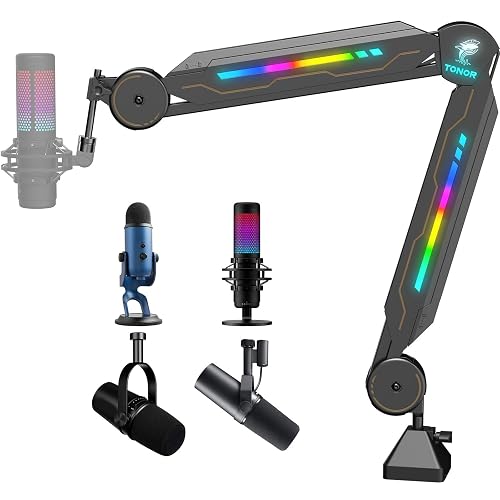 | RGB Pick | Mount Type: Clamp base | Thread Size: 5/8″ screw adapter | Max Load: 2 kg | VIEW LATEST PRICE | Read Our Analysis |
| ZealSound USB Gaming Microphone with RGB and Stand |  | Best USB Mic | Mount Type: Boom arm stand | Thread Size: USB mic, no thread listed | Max Load: N/A | VIEW LATEST PRICE | Read Our Analysis |
| FIFINE Heavy Duty Adjustable Microphone Boom Arm (BM63) | 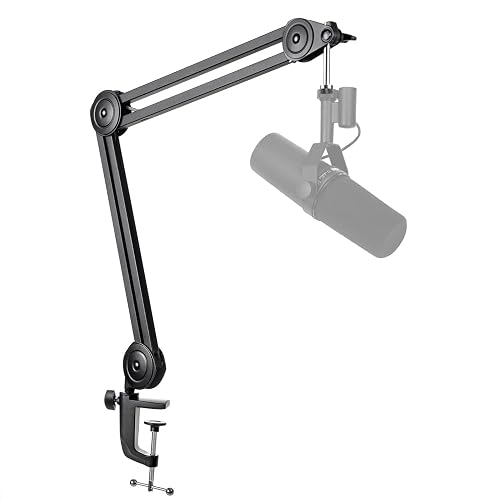 | Heavy-Duty Pick | Mount Type: Desk clamp | Thread Size: 3/8″ and 5/8″ | Max Load: 2 kg | VIEW LATEST PRICE | Read Our Analysis |
| IXTECH RGB Adjustable Low Profile Microphone Boom Arm | 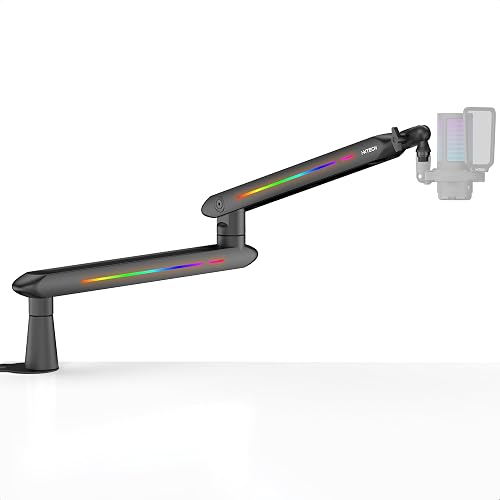 | Most Feature-Rich | Mount Type: C-clamp mount | Thread Size: 3/8″ to 5/8″ adapters | Max Load: 2 kg | VIEW LATEST PRICE | Read Our Analysis |
| Elgato Wave Mic Arm LP White | 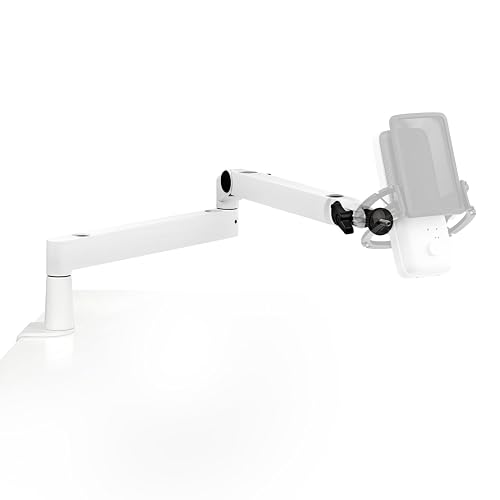 | Premium Low-Profile | Mount Type: Desk clamp | Thread Size: 3/8″ and 5/8″ | Max Load: 2 kg | VIEW LATEST PRICE | Read Our Analysis |
| Gaming USB Condenser Microphone for PC and Streaming | 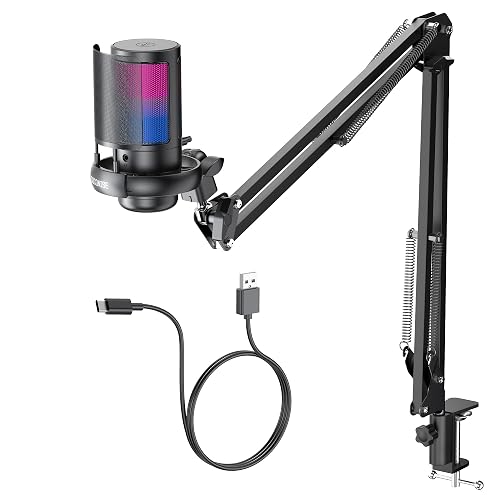 | Best Budget Mic | Mount Type: Weighted base | Thread Size: USB mic, no thread listed | Max Load: N/A | VIEW LATEST PRICE | Read Our Analysis |
More Details on Our Top Picks
Aokeo AK-55 Low Profile Adjustable Mic Boom Arm
If you want a mic arm that stays out of your way but still feels rock solid, the Aokeo AK-55 Low Profile Adjustable Mic Boom Arm is a smart pick for your PC gaming setup. It has a low profile steel body that keeps your screen view open and your desk looking clean. It fits many mics, including Blue Yeti, HyperX QuadCast, and Elgato Wave, and it comes with adapters for 3/8 inch to 1/4 inch and 3/8 inch to 5/8 inch. Both arms rotate 360 degrees, and the mic arm swings 180 degrees. It grips tables up to 7 cm thick.
- Mount Type:Flat base
- Thread Size:3/8″ and 5/8″ adapters
- Max Load:2 kg
- Rotation:360° arms
- Cable Management:Hidden cable routing
- Warranty:1 year
- Additional Feature:Low-profile design
- Additional Feature:360° dual rotation
- Additional Feature:Hidden cable routing
TONOR RGB Adjustable Mic Boom Arm (T90)
The TONOR RGB Adjustable Mic Boom Arm T90 is a smart pick for gamers, streamers, podcasters, and YouTubers who want their setup to look sharp and work smoothly. It offers 11 RGB light modes that you can cycle with a short tap, and you can turn the lights off with a three second press. The arm rotates 360 degrees and extends 180 degrees, with a built in cable channel for tidy routing. It fits most 5/8 inch microphones, supports up to 2 kilograms, and installs in about 30 seconds. Built from sturdy alloy steel and backed by two year support, it is ready for long sessions.
- Mount Type:Clamp base
- Thread Size:5/8″ screw adapter
- Max Load:2 kg
- Rotation:360° rotation
- Cable Management:Built-in cable channel
- Warranty:2 years
- Additional Feature:11 RGB modes
- Additional Feature:30-second setup
- Additional Feature:Alloy steel body
ZealSound USB Gaming Microphone with RGB and Stand
ZealSound’s USB Gaming Microphone with RGB and stand is a smart pick for streamers, gamers, and remote workers who want clear voice pickup without a messy setup. It uses a cardioid capsule, so your voice stays front and center while room noise fades back. The 24-bit, 192 kHz audio helps your tone sound rich and detailed. A gain knob, mute button, and zero-latency monitoring make setup easy. The RGB ring adds style, and the included boom arm, shock mount, and pop filter keep your desk neat and ready.
- Mount Type:Boom arm stand
- Thread Size:USB mic, no thread listed
- Max Load:N/A
- Rotation:360° rotation
- Cable Management:N/A
- Warranty:365 days
- Additional Feature:24-bit 192 kHz
- Additional Feature:Zero-latency monitoring
- Additional Feature:Built-in shock mount
FIFINE Heavy Duty Adjustable Microphone Boom Arm (BM63)
FIFINE’s Heavy Duty Adjustable Microphone Boom Arm BM63 is a smart pick for gamers who want a steadier mic setup without sacrificing desk space. It features a metal scissor arm with a painted finish and feels solid at about 900 grams. The arm supports most 5/8 inch microphones, including FIFINE K658, K688, and A8. The clamp fits desks up to 2 inches thick, so you can mount it quickly. You can extend it vertically, swing it wide, and fold it away. That reduces vibration, keeps your mic close, and leaves room for your keyboard, snacks, and other gear.
- Mount Type:Desk clamp
- Thread Size:3/8″ and 5/8″
- Max Load:2 kg
- Rotation:Wide-angle joints
- Cable Management:Velcro ties
- Warranty:90 days
- Additional Feature:Heavy-duty scissor arm
- Additional Feature:Foldable storage design
- Additional Feature:135° horizontal extension
IXTECH RGB Adjustable Low Profile Microphone Boom Arm
IXTECH’s RGB Adjustable Low Profile Microphone Boom Arm is a smart pick if you want your mic close, your screen clear, and your desk a lot less messy. The low-profile arm stays below your monitor line, keeping your view open. You can swing it 250 degrees up and down, plus 360 degrees around, to position your mic quickly and precisely. The C-clamp grips securely with rubber padding, and integrated cable channels hide cords neatly. With 20 RGB effects, 3/8 and 5/8 adapters, and compatibility with mics such as the Yeti and SM7B, it offers a flexible, polished solution.
- Mount Type:C-clamp mount
- Thread Size:3/8″ to 5/8″ adapters
- Max Load:2 kg
- Rotation:360° rotation
- Cable Management:Built-in cable channels
- Warranty:12 months
- Additional Feature:20 RGB effects
- Additional Feature:250° vertical adjustment
- Additional Feature:Rubber-padded clamp
Elgato Wave Mic Arm LP White
The Elgato Wave Mic Arm LP White is a strong pick if you want a clean, low-profile arm that keeps your desk open while placing your mic exactly where you need it. You get an all-metal build with anti-torsion support, so it feels steady during long streams or calls. Its 740 mm reach and 360 degree base rotation help you position it with ease. The matte white finish looks crisp. Hidden cable channels and magnetic covers keep clutter down, and it supports up to 2 kg. Adapters for 3/8 and 5/8 mounts are included.
- Mount Type:Desk clamp
- Thread Size:3/8″ and 5/8″
- Max Load:2 kg
- Rotation:360° rotation
- Cable Management:Magnetic cable covers
- Warranty:2 years
- Additional Feature:Matte white finish
- Additional Feature:Magnetic cable covers
- Additional Feature:Anti-torsion design
Gaming USB Condenser Microphone for PC and Streaming
Built for streamers, gamers, and podcasters who want cleaner voice pickup without a lot of fuss, this gaming USB condenser microphone for PC delivers a strong mix of ease and control. It features a cardioid 25 mm condenser that locks onto your voice and reduces side noise. Touch mute, a volume knob, and RGB lights keep setup simple. The metal pop filter, shock mount, and weighted base steady every session. You can monitor through the 3.5 mm jack, and the USB cable is compatible with PC, laptop, PS4, and PS5.
- Mount Type:Weighted base
- Thread Size:USB mic, no thread listed
- Max Load:N/A
- Rotation:N/A
- Cable Management:N/A
- Warranty:1 year
- Additional Feature:Touch mute sensor
- Additional Feature:Detachable pop filter
- Additional Feature:Weighted carbon base
Factors to Consider When Choosing Pc Gaming Microphone Arms
When choosing a PC gaming microphone arm, start with weight capacity so it can hold your mic without sagging or slipping. Next check the mounting style, adjustability range, cable management, and build materials to ensure the arm fits your desk, matches your setup, and suits daily use. The right arm should feel steady, move smoothly, and keep your space neat without forcing you to fight it each time you stream or record.
Weight Capacity
A mic arm that is too weak can turn a solid gaming setup into a slow sink into sag and wobble, so weight capacity should be one of your first checks. Add the mic, shock mount, pop filter, inline filter, and cable weight together, then pick an arm rated 20 to 30 percent above that total. Most desktop boom arms support around 0.7 to 2.0 kg, but heavier dynamic mics and large condenser rigs need a stronger match. If you exceed the limit, the arm can bend, lose tension, and drift out of place. Also, if you like long reach or steep angles, choose a higher rating, because leverage grows quickly as the arm extends and you want steady, no drama positioning.
Mounting Style
Mounting style matters just as much as arm strength, because the wrong base can make even a great mic arm feel awkward, shaky, or plain annoying to use. You can pick a clamp if your desk edge is solid and thick enough, usually up to about 60 mm. That choice gives you a tight hold, quick setup, and easy removal when you rearrange your space. If you do not have an edge to grab, a pedestal or weighted base can sit on the desk, but it needs enough surface area to stay steady. Also check how the mount handles cable routing, since clamps often hide cords better. Most important, match the mount to your mic and arm load so nothing sags or marks your desk.
Adjustability Range
Once your mic arm is mounted securely, check how far and how freely it can move. You want enough horizontal reach to swing the mic across your desk, then tuck it out of view when you are done. Many solid arms provide 12 to 30 inches of reach, which is usually sufficient for a roomy setup. Next, assess vertical travel and tilt. A good arm should raise, lower, and angle easily so you can stay comfortable whether you sit low or stand tall. Rotation matters as well. With 360 degree base and elbow movement, you can shift sides without hassle. Also make sure the joints hold firm; if the tension feels weak the arm may sag. Finally, confirm it fits your desk height and monitor clearance.
Cable Management
Under the arm and behind the scenes, cable management can make a big difference in how your mic setup looks and functions. Look for arms with built-in cable channels or hollow paths; these hide wires and reduce desk clutter quickly. Use clips or Velcro straps to guide the cable along the arm so it will not tug when you move the mic. That steady routing also protects connectors from excess wear. Leave 5 to 10 cm of slack at each pivot point, because the arm may swing 180 to 360 degrees. If you use USB or XLR, routing the cable through the arm can also reduce handling noise. At the clamp or base, anchors or grommets prevent pinching and keep the cable safe.
Build Materials
If your cable is already neat and out of the way, the next thing to check is what the arm is actually made of. Steel or aluminum alloy usually provides the best mix of stiffness and durability, so your mic will not sag after a few weeks. A powder-coated or painted finish also helps because it fights corrosion and gives the joints better grip. Plastic or ABS parts can keep the price down, but they may flex more and wear out sooner, especially at the joints. Heavier arms, often around 1 kg, usually feel steadier on the desk and transmit less vibration to your mic. Reinforced tubing and all-metal scissor designs add even more stability, so typing and quick moves will not shake your audio.
Frequently Asked Questions
Can Microphone Arms Fit Ultra-Wide Monitor Setups?
Yes. You can fit microphone arms with ultra-wide monitor setups if you choose longer, adjustable mounts and position them carefully. Clamp or wall-mount the arm to clear your screen, keep access easy, and avoid clutter.
Do Boom Arms Reduce Desk Vibration From Keyboard Typing?
Yes, a boom arm can reduce desk vibration from keyboard typing because it isolates the microphone from the desktop. You may still hear some noise unless you use a shock mount and tighten the arm properly.
How Much Weight Can a Gaming Mic Arm Safely Hold?
Typically, you can safely hold 1 to 4 pounds, but check your arm’s rating first. Leave a margin of safety, because overloading it can damage stability quickly and strain the joints.
Are Low-Profile Arms Better for Dual-Monitor Desks?
Yes, you will often prefer low-profile arms for dual-monitor desks because they stay out of your sightline and free up space. They can limit reach, though, so check clamp clearance and swing range first.
Can I Mount a Boom Arm on a Glass Desk?
Yes, you can, but you must handle the delicate surface carefully. Use a reinforced clamp, a spreader plate, and verify the glass thickness. Otherwise you risk cracks, slips, and a very unhappy desk.




