


Most people do not realize how much a monitor can change everything you see, from tiny text edges to fast game motion.
When you choose the right screen, you get sharper detail, richer color, and less eye strain after long hours.
These seven picks include smooth 240 Hz gaming panels, vivid OLED models, and ultrawide work displays.
They can make your setup feel smarter, easier to use, and more satisfying.


More Details on Our Top Picks
Samsung Odyssey G4 25″ FHD Gaming Monitor (LS25BG402ENXGO)
If you want a fast gaming monitor that is still easy to live with every day, the Samsung Odyssey G4 25-inch is a strong pick. It offers a sharp 1080p IPS panel, 240 Hz refresh, and 1 ms response time, so motion remains crisp and clean. The 178 degree viewing angle keeps the picture steady, while HDR10 and 400 nits add extra punch. You can tilt, swivel, and raise it to fit your desk. It also supports G-SYNC, FreeSync Premium, and Auto Source Switch+, so setup is simple and gameplay is smooth.
- Screen Size:25-inch
- Resolution:FHD 1920 x 1080
- Aspect Ratio:16:9
- Refresh Rate:240 Hz
- Panel Type:IPS
- VESA Mount:Compatible
- Additional Feature:240Hz refresh rate
- Additional Feature:1ms GTG response
- Additional Feature:G-SYNC compatible
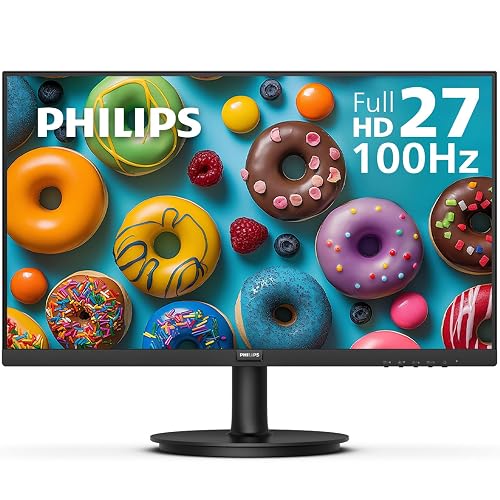
Philips 27″ Full HD 100Hz Monitor (271V8LB)
The Philips 27″ Full HD 100Hz Monitor (271V8LB) is a smart pick for anyone who wants a roomy screen, smooth motion, and a clean setup without paying for extra frills. It features a 27-inch VA panel with Full HD detail, strong 3000:1 contrast, and wide 178-degree viewing. Because it runs at 100Hz with a 4 ms response time and Adaptive-Sync, games and videos feel steadier. LowBlue Mode, flicker-free technology, and EasyRead reduce eye strain. Its frameless design, HDMI and VGA ports, and VESA mounting support make daily use simple.
- Screen Size:27-inch
- Resolution:FHD 1920 x 1080
- Aspect Ratio:16:9
- Refresh Rate:100 Hz
- Panel Type:VA
- VESA Mount:Compatible
- Additional Feature:Frameless three-sided design
- Additional Feature:LowBlue Mode
- Additional Feature:EasyRead mode
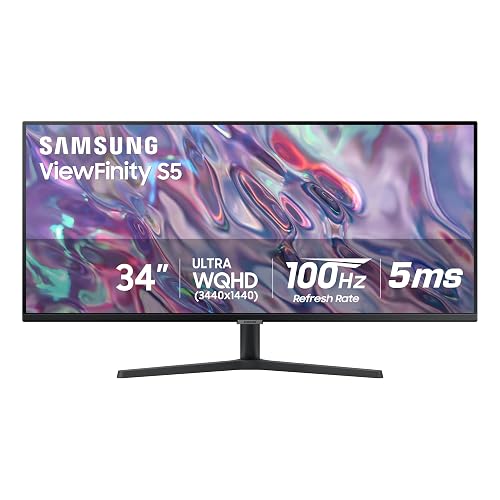
Samsung ViewFinity S50GC Ultra-WQHD Monitor (LS34C502GANXZA)
Samsung’s ViewFinity S50GC Ultra-WQHD Monitor is a smart pick if you want one wide screen that handles work, play, and creative tasks without feeling cramped. Its 34-inch, 21:9 panel gives you room to spread out windows, while the 3440 x 1440 resolution keeps text and images sharp. You also get HDR10, more than 1 billion colors, and a 3000:1 contrast ratio for richer detail. The 100 Hz refresh rate, FreeSync support, and 5 ms response time help motion stay smooth. Eye Care features and PBP or PIP make long sessions easier.
- Screen Size:34-inch
- Resolution:Ultra-WQHD 3440 x 1440
- Aspect Ratio:21:9
- Refresh Rate:100 Hz
- Panel Type:VA
- VESA Mount:Compatible
- Additional Feature:PBP multitasking
- Additional Feature:PIP second source
- Additional Feature:Intelligent Eye Care
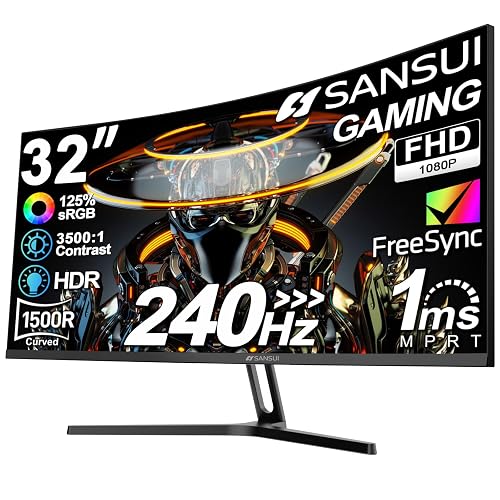
SANSUI 32 Inch Curved 240Hz Gaming Monitor
SANSUI’s 32-inch curved 240Hz gaming monitor is a strong pick for players who want fast motion, deep contrast, and a more wrapped-around view without paying for a huge screen. You get Full HD clarity, a 1500R curve, and a 1 ms MPRT response, so aiming feels sharp and smooth. The 3500:1 contrast and HDR make dark scenes look richer, while 300 nits keep bright details clear. FreeSync, anti-flicker, and low blue light reduce eye strain during long sessions. With HDMI, DisplayPort 1.4, and VESA support, it fits your setup easily.
- Screen Size:32-inch
- Resolution:FHD 1920 x 1080
- Aspect Ratio:16:9
- Refresh Rate:240 Hz
- Panel Type:LED LCD
- VESA Mount:Compatible
- Additional Feature:1500R curved screen
- Additional Feature:1ms MPRT
- Additional Feature:3500:1 contrast
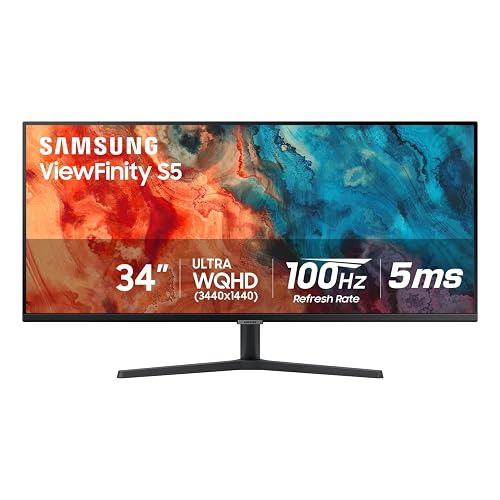
Samsung ViewFinity S50GC Ultrawide QHD Monitor (LS34C50DGANXZA)
If you want a wide, work-ready screen that gives you room to edit, compare, and multitask without feeling cramped, the Samsung ViewFinity S50GC Ultrawide QHD Monitor is a strong fit. It features a 34-inch 21:9 panel with sharp 3440 x 1440 resolution and a matte finish that reduces glare. The monitor supports HDR10, over 1 billion colors, and a 3000:1 contrast ratio, so photos and videos appear richer. With a 100Hz refresh rate, FreeSync, PBP and PIP modes, plus eye-care tools, you can work longer with less strain.
- Screen Size:34-inch
- Resolution:Ultra-WQHD 3440 x 1440
- Aspect Ratio:21:9
- Refresh Rate:100 Hz
- Panel Type:LCD
- VESA Mount:Compatible
- Additional Feature:Ambient light sensor
- Additional Feature:Adaptive Sync
- Additional Feature:Over 1 billion colors
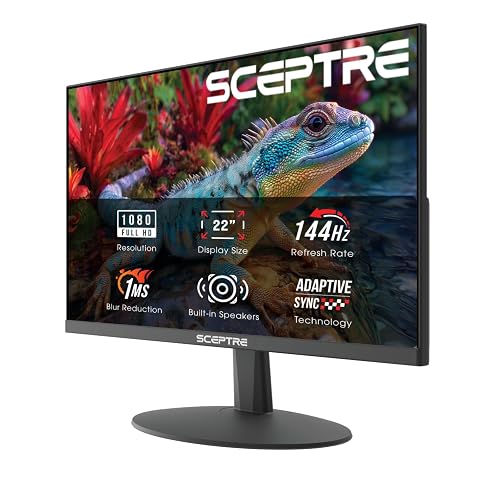
Sceptre 22-Inch Gaming Monitor FHD 1080p (E225W-FW144)
The Sceptre 22-Inch Gaming Monitor, FHD 1080p (E225W-FW144), is a smart pick if you want a compact screen that still feels fast, clean, and easy on the eyes. Its 144Hz refresh rate keeps motion smooth, so games and scrolling feel crisp. You also get HDMI and DisplayPort inputs, which makes setup simple. The nearly bezel free design helps when you use more than one monitor. Blue-Light Shift can ease eye strain, and the built in speakers reduce desk clutter. For work or play, it fits neatly and performs reliably.
- Screen Size:22-inch
- Resolution:FHD 1080p
- Aspect Ratio:16:9
- Refresh Rate:144 Hz
- Panel Type:Not specified
- VESA Mount:Not specified
- Additional Feature:Built-in speakers
- Additional Feature:Blue-Light Shift
- Additional Feature:Nearly bezel-free design
ASUS ROG Swift 32″ 4K OLED Gaming Monitor (PG32UCDM)
ASUS ROG Swift 32″ 4K OLED Gaming Monitor (PG32UCDM) makes a strong case for gamers and creators who want speed, color, and a big-screen view in one package. You get a 32-inch 4K UHD QD-OLED panel with 99% DCI-P3, true 10-bit color, and Delta E under 2, so your games and edits look rich and accurate. It also hits 240 Hz with a 0.03 ms response time, which keeps motion smooth. G-SYNC support helps too. ASUS adds a custom heatsink, graphene film, OLED care tools, 90W USB-C, and a free Adobe Creative Cloud trial.
- Screen Size:32-inch
- Resolution:4K UHD 3840 x 2160
- Aspect Ratio:16:9
- Refresh Rate:240 Hz
- Panel Type:QD-OLED
- VESA Mount:Not specified
- Additional Feature:QD-OLED panel
- Additional Feature:0.03ms response
- Additional Feature:90W USB-C
Factors to Consider When Choosing Pc Monitors
When choosing a PC monitor, start with the basics that determine daily experience: screen size, resolution, refresh rate, panel type, and response time. A larger screen can improve comfort, but the appropriate resolution keeps images sharp. A higher refresh rate makes motion appear smoother. Match panel type and response time to how you use the PC so the monitor feels responsive, delivers clear visuals, and is easy on the eyes.
Screen Size
Screen size can make or break your monitor setup, so think beyond the number on the box and imagine how you will actually use it. If you mostly work in a single window, a 21 to 25 inch screen can feel neat and efficient. If you juggle apps, code, or editing, 27 to 34 inches gives you more room without constant switching. Match the panel to your desk and viewing distance. At a normal 20 to 30 inch sit back, 24 to 27 inches often feels easiest on your eyes. Bigger or curved screens require deeper desks, and sometimes a VESA mount helps you sit better. Gamers and creators tend to prefer larger displays, while office work may benefit from two smaller ones.
Resolution
Resolution is where your monitor starts to feel either crisp and easy or a little fuzzy and cramped, so match it to how you actually use the screen. If you sit close to a 22 to 27 inch display, FHD can still work well. Once you move to a 34 inch ultrawide or a larger panel, QHD, Ultra WQHD, or 4K usually keeps text and details from looking blocky. Higher resolution also gives you more room for windows, which makes multitasking feel calmer and less crowded. Remember that more pixels demand more from your graphics card, and 4K can be a big jump. Also check that your monitor, cable, and GPU support the resolution you want.
Refresh Rate
Refresh rate tells you how often your monitor redraws the image each second, and it affects how smooth the screen appears. You’ll see it measured in Hertz, or Hz, with common options such as 60 Hz, 100 Hz to 144 Hz, and even 240 Hz. If you mostly work, stream, or browse, 60 Hz to 75 Hz is usually sufficient. If you play fast games or move windows quickly, 120 Hz, 144 Hz, or 240 Hz can look much smoother and reduce motion blur. Your GPU and applications must keep up to deliver the full benefit. When frame rates vary, adaptive sync technologies like FreeSync or G-SYNC help prevent tearing and stutter. For sharper responsiveness and lower input lag, higher refresh rates are worthwhile.
Panel Type
Now that you know how refresh rate affects motion, consider the panel type, because it determines how your monitor looks in everyday use. If you edit photos or video, IPS is often the best choice. It provides wide 178° viewing angles and strong color accuracy, so images remain steady and rich. If you watch movies or work in dim rooms, VA can feel more dramatic, since its high contrast makes blacks appear deeper. If you want fast gaming on a tighter budget, TN still delivers speed, but colors and side views are weaker. OLED and QD OLED go further with true blacks and exceptional contrast, though you should be aware of the risk of image retention. Choose the panel that fits your primary use, not just the specs.
Response Time
Response time matters because it shows how quickly a pixel can change from one color to another, and that speed has a big effect on how clean motion looks on your screen. If you play fast games or watch quick action, you will want lower numbers, usually 1 to 5 ms, so you see less blur, ghosting, and trailing. Still, do not trust a single label on the box. Response time tests can use GTG or MPRT, and those results do not always match. Check independent reviews that name the test method. Also, a high refresh rate makes low response time matter even more, because slow pixels can smear between frames. On OLED and advanced LCD screens, you may notice snappier motion and less delay overall.
Connectivity Options
Along with the screen size and panel type, connectivity can make or break how smooth your monitor feels in daily use. Match the ports to your PC and gear, so HDMI, DisplayPort, or USB-C all work as expected. If you game or edit at 144 Hz or 4K, choose DisplayPort 1.4 or HDMI 2.1 so you do not hit a bandwidth wall. If you want a clean desk, look for USB-C with DisplayPort Alt Mode, power delivery, and a USB hub. That way one cable can charge your laptop and run your accessories. If you use two screens, check for DisplayPort MST or extra downstream ports. Also confirm FreeSync or G-SYNC support on the exact port and cable.
Ergonomics
When you spend hours at your desk, a monitor that fits your body can make a huge difference in how you feel by the end of the day. Pick one with height, tilt, swivel, and, if possible, pivot so you can place the screen center at eye level and keep your neck relaxed. Next, match the screen size and resolution to your desk space. A 24 to 27 inch display at 1080p to 1440p usually lets you sit back comfortably instead of creeping forward. Also choose a matte screen with adjustable brightness to cut glare, and check for low blue light modes for gentler viewing. Finally, make sure it supports VESA mounts and has a sturdy stand or arm rating.
Eye Care Features
Eye care features matter more than many people think, especially if you stare at a monitor for work, school, or late-night gaming. Look for low blue light or Eye Saver modes, since they cut harsh short-wavelength light and help your eyes feel less tired. Choose a flicker-free screen with DC dimming, because it can reduce headaches and visual fatigue. Brightness matters too; a monitor with strong typical brightness and an ambient light sensor can stay comfortable as your room changes. Matte or anti-glare finishes keep reflections down, so you will not keep squinting at your own lamp as if it were part of the UI. Finally, pick a larger screen or an ultrawide model with good pixel density, so text stays clear and your eyes move less.
Frequently Asked Questions
Which Monitor Is Best for Console Gaming?
You should choose a 4K 120Hz IPS monitor with HDMI 2.1, low input lag, and HDR support. It will make your console games look sharp, smooth, and responsive without costing too much.
Do Ultrawide Monitors Help With Productivity?
Yes, you will often work faster, it is like opening a wider desk for your ideas. You can spread windows, compare documents, and reduce switching. You will still need matching desk space and strong app support.
Is OLED Worth the Higher Price?
Yes, if you value perfect blacks, vivid colors, and strong contrast, OLED is worth it. You will notice the upgrade immediately. If you mainly work in bright rooms or prioritize lower cost, you may prefer IPS instead.
What Size Monitor Suits Small Desks?
For small desks, a 24- to 27-inch monitor works best, fitting like a tailored jacket. You can keep viewing comfortable, save space, and still enjoy crisp, practical screen real estate.
Can These Monitors Reduce Eye Strain?
Yes. Choose a monitor with flicker-free backlighting, adjustable brightness, and a blue light filter to reduce eye strain. Match the screen height to your eye level, maintain an appropriate viewing distance, and take regular breaks.




