


If you want faster load times and more room for your game library, the right PS5 SSD can make a big difference. You have solid options here, from budget-friendly 1TB drives to roomy 2TB models with heatsinks that fit the PS5 bay without drama. Next, I will show you which models deliver the best mix of speed, cooling, and value so you can identify the deal that actually feels worth it.
| fanxiang 1TB NVMe SSD for PS5 Storage Expansion |  | Budget PS5 Pick | Capacity: 1TB | Form Factor: M.2 2280 | Interface: PCIe Gen4 x4 | VIEW LATEST PRICE | Read Our Analysis |
| MOVE SPEED 2TB PS5 SSD with Heatsink | 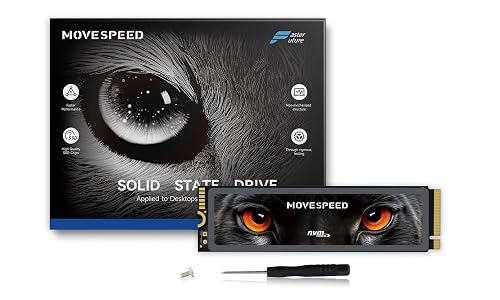 | Best High-Performance | Capacity: 2TB | Form Factor: M.2 2280 | Interface: PCIe 4.0 x4 | VIEW LATEST PRICE | Read Our Analysis |
| Corsair MP600 Elite 1TB NVMe SSD for PS5 | 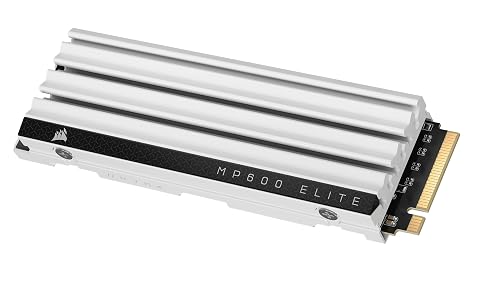 | Premium Choice | Capacity: 1TB | Form Factor: M.2 2280 | Interface: PCIe Gen4 x4 | VIEW LATEST PRICE | Read Our Analysis |
| SIX 1TB NVMe M.2 PCIe 4.0 SSD with Heatsink | 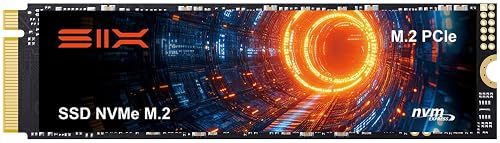 | Best Value | Capacity: 1TB | Form Factor: M.2 2280 | Interface: PCIe Gen4 x4 | VIEW LATEST PRICE | Read Our Analysis |
| Fikwot FX660 1TB M.2 NVMe SSD | 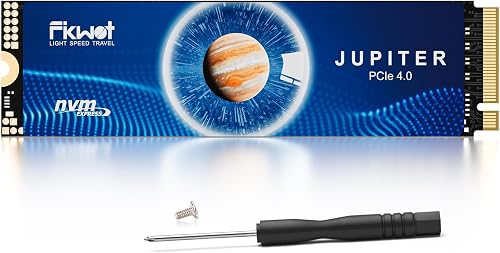 | Budget-Friendly Pick | Capacity: 1TB | Form Factor: M.2 2280 | Interface: PCIe Gen4 x4 | VIEW LATEST PRICE | Read Our Analysis |
| Acer Predator GM7 1TB PCIe Gen 4 SSD | 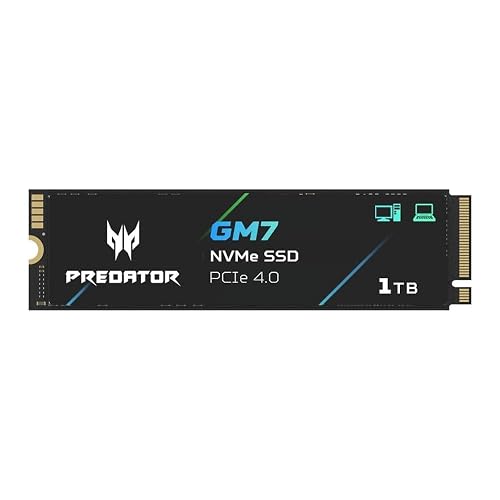 | Best For Creators | Capacity: 1TB | Form Factor: M.2 2280 | Interface: PCIe Gen4 x4 | VIEW LATEST PRICE | Read Our Analysis |
| Seagate Game Drive PS5 NVMe SSD 1TB (ZP1000GP3A1011) | 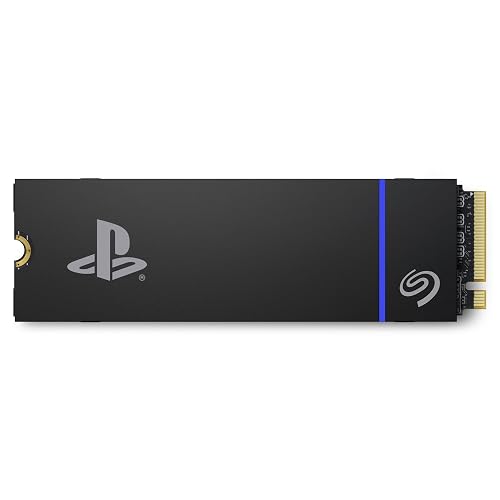 | Official PS5 Pick | Capacity: 1TB | Form Factor: M.2 | Interface: PCIe Gen4 x4 | VIEW LATEST PRICE | Read Our Analysis |
More Details on Our Top Picks
fanxiang 1TB NVMe SSD for PS5 Storage Expansion
If you want a PS5 SSD that feels like a real upgrade rather than just extra storage, the fanxiang S880E is a strong choice. It provides 1TB of PCIe Gen 4 x4 performance, so your games load quickly and stay ready. The drive fits the PS5 M.2 2280 slot, and its 3D NAND construction helps it withstand heavy play. A graphite-coated copper layer and aluminum foil improve thermal control. Because it is backward compatible and backed by five years of service, you can expand your console with less worry and more confidence.
- Capacity:1TB
- Form Factor:M.2 2280
- Interface:PCIe Gen4 x4
- PS5 Compatible:Yes
- Heatsink:Thermal sticker
- Warranty:5-year
- Additional Feature:7000 MB/s read speed
- Additional Feature:Hardware encryption support
- Additional Feature:Graphite-copper cooling layer
MOVE SPEED 2TB PS5 SSD with Heatsink
The MOVE SPEED 2TB PS5 SSD with heatsink is a smart pick if you want fast, roomy storage that feels built for the PS5 from the start. It delivers PCIe 4.0 speeds, with reads up to 7450 MB/s and writes up to 6500 MB/s. Games load quickly and run smoothly. The 2TB capacity provides ample space for large installs, saves, and updates. It uses TLC 3D NAND and the Maxio MAP1602 controller for consistent performance. The separate heatsink reduces heat by about 10°C, and the five-year warranty provides added peace of mind.
- Capacity:2TB
- Form Factor:M.2 2280
- Interface:PCIe 4.0 x4
- PS5 Compatible:Yes
- Heatsink:Included
- Warranty:5-year
- Additional Feature:7450 MB/s read speed
- Additional Feature:6500 MB/s write speed
- Additional Feature:80-hour stress testing
Corsair MP600 Elite 1TB NVMe SSD for PS5
Corsair’s MP600 Elite 1TB NVMe SSD is a strong pick for PS5 owners who want fast load times without adding a bulky accessory. It delivers PCIe Gen4 x4 performance, with reads up to 7,000 MB/s and writes up to 6,500 MB/s, so games can launch and stream smoothly. Its low-profile aluminum heatsink fits the PS5 M.2 slot and helps keep temperatures down during long sessions. With high-density 3D TLC NAND and a 1TB capacity, you can store more games and spend less time waiting.
- Capacity:1TB
- Form Factor:M.2 2280
- Interface:PCIe Gen4 x4
- PS5 Compatible:Yes
- Heatsink:Pre-installed
- Warranty:5-year
- Additional Feature:7000 MB/s read speed
- Additional Feature:6500 MB/s write speed
- Additional Feature:Low-profile aluminum heatsink
SIX 1TB NVMe M.2 PCIe 4.0 SSD with Heatsink
SIX’s 1TB X7400 NVMe M.2 PCIe 4.0 SSD with heatsink is ideal when you want fast PS5 storage without a lot of fuss. The slim M.2 2280 drive slides into your console, laptop, or desktop with ease. Its PCIe 4.0 x4 interface can reach up to 7,350 MB/s, so games, boots, and file transfers feel quick. The included heatsink, screw, and screwdriver make installation clean and simple. You also get a 5-year warranty for added peace of mind.
- Capacity:1TB
- Form Factor:M.2 2280
- Interface:PCIe Gen4 x4
- PS5 Compatible:Yes
- Heatsink:Included
- Warranty:5-year
- Additional Feature:7350 MB/s read speed
- Additional Feature:40% faster claim
- Additional Feature:Content creation focused
Fikwot FX660 1TB M.2 NVMe SSD
Built for players who want faster PS5 load times without spending big, the Fikwot FX660 1TB M.2 NVMe SSD delivers a solid mix of speed, cooling, and broad device support. It is a PCIe Gen4.0 x4 drive with NVMe 1.4, offering read speeds up to 4800 MB/s and write speeds up to 2900 MB/s. That translates to quicker game launches and faster file transfers. A graphene sticker helps dissipate heat, and Auto-Adaptive Temperature Regulation maintains stable operating temperatures. The drive is compatible with PCs, laptops, and PS5 systems, and it includes screws, tools, and a 5-year warranty.
- Capacity:1TB
- Form Factor:M.2 2280
- Interface:PCIe Gen4 x4
- PS5 Compatible:Yes
- Heatsink:Graphene sticker
- Warranty:5-year
- Additional Feature:NVMe 1.4 protocol
- Additional Feature:Dynamic SLC cache
- Additional Feature:Auto-adaptive temperature regulation
Acer Predator GM7 1TB PCIe Gen 4 SSD
The Acer Predator GM7 1TB SSD is a sensible choice if you want PS5 storage that feels fast, stays cool, and does not demand a large price increase. It delivers PCIe Gen4 x4 performance, with up to 7400 MB/s read and 6500 MB/s write, so games load quickly and feel responsive. With TLC NAND, HMB, and SLC cache, it balances peak speed and consistent performance during sustained use. Its power-efficient controller and thermal control help it manage long sessions. Biwin software provides cloning and drive management tools, making setup straightforward.
- Capacity:1TB
- Form Factor:M.2 2280
- Interface:PCIe Gen4 x4
- PS5 Compatible:Yes
- Heatsink:Not specified
- Warranty:5-year
- Additional Feature:7400 MB/s read speed
- Additional Feature:Biwin Intelligence software
- Additional Feature:Lower power usage
Seagate Game Drive PS5 NVMe SSD 1TB (ZP1000GP3A1011)
If you want a PS5 SSD that feels like a safe, smart upgrade, the Seagate Game Drive PS5 NVMe SSD 1TB is a strong pick for you. You get official PlayStation 5 licensing, so you can trust the fit and setup. Because it uses PCIe Gen4 x4 and NVMe 1.4, you can expect fast game loads and smooth transfers. The included heatsink helps keep things cool, which matters during long sessions. It installs internally with a screwdriver, works with PS5 Digital and Standard Editions, and comes backed by a 5 year warranty.
- Capacity:1TB
- Form Factor:M.2
- Interface:PCIe Gen4 x4
- PS5 Compatible:Yes
- Heatsink:Included
- Warranty:5-year
- Additional Feature:Officially licensed PS5
- Additional Feature:7300 MB/s read speed
- Additional Feature:Custom heatsink included
Factors to Consider When Choosing PS5 SSD Deals January 2026
When shopping for PS5 SSD deals in January 2026, first confirm PS5 compatibility, because not every drive fits or performs well in the console. Compare read and write speeds, check for a solid heatsink or adequate cooling, and weigh capacity against value so you do not pay for space you will not use. Finally, ensure warranty and support provide real peace of mind; a good deal should feel safe, not risky.
PS5 Compatibility
For PS5 SSD deals, compatibility should be your first checkpoint, because a great price will not help if the drive cannot run properly in your console. You need an M.2 2280 NVMe drive with PCIe Gen4 x4 support, since that is the PS5 required expansion format. Next, check Sony minimum 5,500 MB/s sequential read rating so games can launch and load without issues. Also confirm the total thickness, including any heatsink, fits the PS5 slot clearance. A low profile heatsink often makes installation easier and safer. Then make sure the SSD uses NVMe 1.4 or 2.0 and has solid thermal control, so it will not slow down during long sessions. Finally, review Sony official guidance and firmware notes before you buy.
Read And Write Speeds
Speed matters more than most people think, because a PS5 SSD deal can look amazing on paper and still feel slow in real use. For your PS5, choose PCIe Gen4 NVMe drives with sequential read speeds of at least 5,500 MB/s, and preferably 7,000 MB/s or more. That helps games stream fast and reduces load times. Check write speeds as well, because installs, patches, and captures require strong multithousand MB/s performance. A drive with fast reads but weak writes can leave you waiting during updates, which is nobody’s idea of fun. Also compare sustained benchmarks, not just peak bursts, since controller design, NAND type, cache, and firmware all shape real speed. If a deal hides slow sustained performance, skip it.
Heatsink And Cooling
Read and write numbers matter, but they only help if the drive can stay cool inside your PS5. You need an M.2 SSD with a low-profile heatsink or another solid thermal fix, otherwise the drive may slow down during long play. Look for graphite or copper pads, aluminum or composite heatsinks, or even a thin graphene layer, as these can cut controller heat by about 8 to 12°C under load. Also check that the SSD plus heatsink fits under the PS5 M.2 cover, since tight clearance matters for airflow and a clean install. If a drive uses a removable heatsink, make sure it still presses firmly on the controller and NAND. Good contact keeps heat moving and helps you game longer without worry.
Capacity And Value
Although a larger PS5 SSD can seem pricey at first, the real benefit is how much stress it can prevent later. Start with at least 1 TB, because modern games can consume 50 to 150 GB each. If you maintain a large library, 2 TB gives you room to breathe. Next, check cost per gigabyte, since that indicates which deal gives you more space for your money. Larger drives often win on this metric, but discounts can change the math quickly. Also think ahead; if you play many large titles or want a single drive for both PS5 and PC storage, paying more now can spare you from buying again soon. Finally, compare price with speed so you get value without sacrificing the load times you care about.
Warranty And Support
Once you have chosen the right size and price, the next thing to check is how well the drive is backed if something goes wrong. Favor NVMe SSDs with a three to five year warranty, as that generally indicates solid NAND and controller quality. Read the fine print for heat or speed issues. You want clear repair or replacement coverage, not just a small refund. Look for lifetime help or 24/7 support and simple RMA steps, since a fast swap keeps your PS5 gaming instead of waiting. Verify registration, proof of purchase, and any rules about heatsinks or PS5 use. Finally, review paid repairs, extended coverage, and trade in options so surprise costs do not sneak up on you later.
Frequently Asked Questions
How Much Free PS5 Storage Should I Keep for Smooth Gameplay?
Keep at least 50 GB free on your PS5, like leaving breathing room in a packed stadium. You will help games load smoothly, reduce hiccups, and prevent updates from squeezing your storage too tight.
Do All PS5 SSDS Require a Built-In Heatsink?
No, a built-in heatsink is not required for every PS5 SSD. You can install a bare drive if you add a compatible heatsink yourself. Sony recommends adequate cooling to maintain stable performance and protect the console.
Can I Move PS5 Games Between the SSD and Console Storage?
Yes, you can move PS5 games between the internal SSD and console storage. Think of it like shuffling cards: transfer games in Settings to free up space quickly. You cannot play PS5 games from external USB storage.
Will a PS5 SSD Work in Other Gaming PCS or Laptops?
Yes. If you install it properly and your PC or laptop supports the SSD’s interface, you can use it there. You will likely need to reformat it, and some PS5 specific heatsinks may need adjustment.
How Often Do PS5 SSD Prices Drop During Major Sales Events?
Like clockwork, you’ll see PS5 SSD prices dip during major sales events several times a year, especially Black Friday, Prime Day, and holiday sales. You can often snag 15 to 30 percent off if you watch closely.




