


Picture your PS5 booting like a race car hitting clean pavement.
If you are tired of slow installs and cramped storage, the right SSD can change your whole game night.
Here, you will find seven solid upgrades with fast PCIe Gen4x4 speeds, strong cooling, and enough room for big titles, so you can keep more games ready and waiting without the usual lag.
| BIWIN Black Opal NV7400 1TB NVMe SSD |  | Fastest Speeds | Capacity: 1TB | Interface: PCIe Gen4x4 | Form Factor: M.2 2280 | VIEW LATEST PRICE | Read Our Analysis |
| MOVE SPEED 2TB SSD for PS5 with Heatsink | 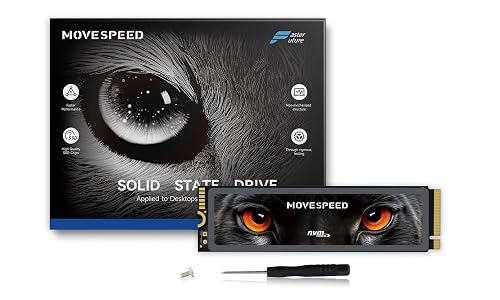 | Best PS5 Option | Capacity: 2TB | Interface: PCIe Gen4x4 | Form Factor: M.2 2280 | VIEW LATEST PRICE | Read Our Analysis |
| SIX 1TB NVMe M.2 PCIe 4.0 SSD with Heatsink | 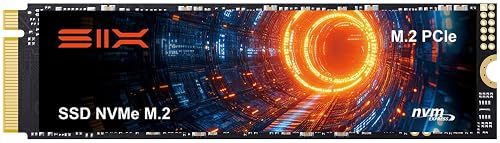 | Best For Gamers | Capacity: 1TB | Interface: PCIe Gen4x4 | Form Factor: M.2 2280 | VIEW LATEST PRICE | Read Our Analysis |
| fanxiang 1TB NVMe SSD for PS5 with Heatsink | 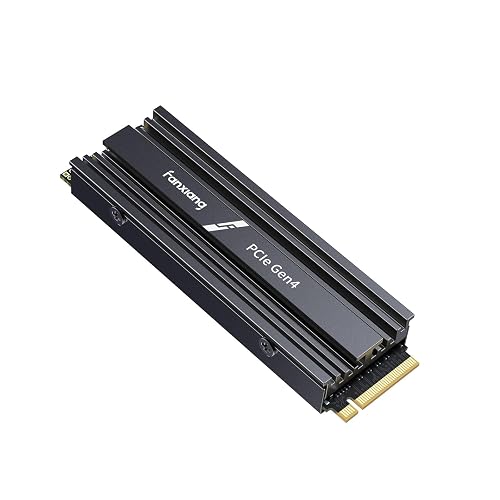 | Best Reviewed | Capacity: 1TB | Interface: PCIe Gen4x4 | Form Factor: M.2 2280 | VIEW LATEST PRICE | Read Our Analysis |
| Fikwot FX660 1TB PCIe Gen 4×4 NVMe SSD | 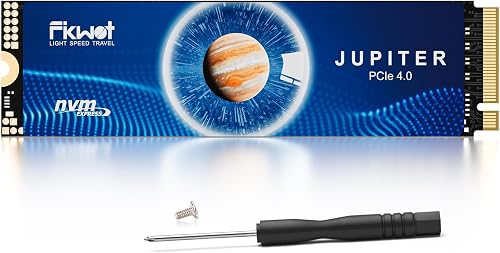 | Budget Performance | Capacity: 1TB | Interface: PCIe Gen4x4 | Form Factor: M.2 2280 | VIEW LATEST PRICE | Read Our Analysis |
| Fikwot FX660 2TB PCIe Gen 4×4 NVMe SSD | 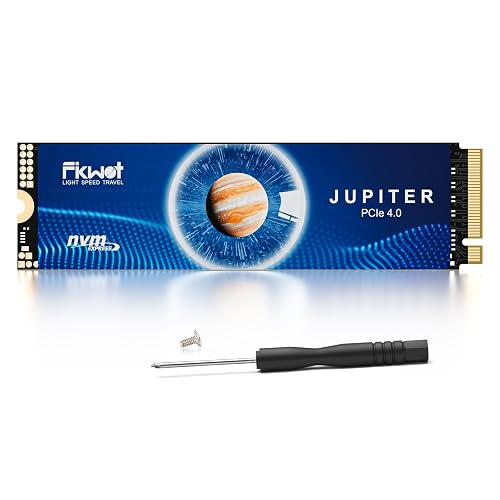 | High-Capacity Pick | Capacity: 2TB | Interface: PCIe Gen4x4 | Form Factor: M.2 2280 | VIEW LATEST PRICE | Read Our Analysis |
| INLAND 2TB Performance Plus NVMe Gaming SSD | 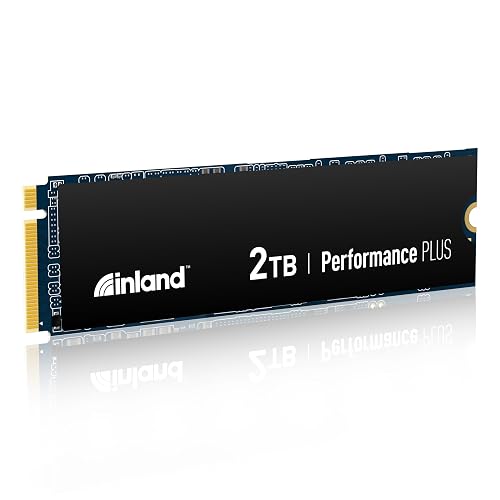 | Best Premium Option | Capacity: 2TB | Interface: PCIe Gen4x4 | Form Factor: M.2 2280 | VIEW LATEST PRICE | Read Our Analysis |
More Details on Our Top Picks
BIWIN Black Opal NV7400 1TB NVMe SSD
The BIWIN Black Opal NV7400 1TB NVMe SSD is a strong pick if you want PS5 storage that feels fast, stays cool, and handles long gaming sessions without fuss. You get up to 7,450 MB/s read and 6,500 MB/s write speeds, so your games can load in a flash. It uses PCIe Gen4x4, 3D TLC NAND, and a compact M.2 2280 design. Its graphene-aluminum heat sink helps keep temperatures in check. You also get HMB, Smart Cache, and Biwin software for easy tuning, migration, and updates.
- Capacity:1TB
- Interface:PCIe Gen4x4
- Form Factor:M.2 2280
- PS5 Support:Compatible
- NAND Type:3D TLC NAND
- Heatsink:Included
- Additional Feature:7450 MB/s read speed
- Additional Feature:1000K IOPS performance
- Additional Feature:Biwin Intelligence software
MOVE SPEED 2TB SSD for PS5 with Heatsink
If you want a PS5 upgrade that feels fast right out of the box, the MOVE SPEED HB7450 2TB SSD with heatsink is built for you. You get PCIe 4.0 NVMe speed, with up to 7450 MB/s read and 6500 MB/s write performance. Its M.2 2280 size fits PS5, and it also works in desktops and laptops. The included graphene heatsink helps cut heat and reduce throttling, so your games stay smooth. You also get screws, a screwdriver, and a five-year warranty, which makes setup feel easy and reassuring.
- Capacity:2TB
- Interface:PCIe Gen4x4
- Form Factor:M.2 2280
- PS5 Support:Compatible
- NAND Type:TLC 3D NAND
- Heatsink:Included
- Additional Feature:Maxio MAP1602 controller
- Additional Feature:5-year warranty
- Additional Feature:80-hour testing regimen
SIX 1TB NVMe M.2 PCIe 4.0 SSD with Heatsink
SIX’s 1TB NVMe M.2 PCIe 4.0 SSD with heatsink is a strong choice for PS5 owners who want faster loading, smoother gameplay, and more space for large game libraries. It delivers PCIe Gen4x4 performance with sequential read speeds up to 7350 MB/s, so games load quickly and remain responsive. The M.2 2280 form factor is compatible with PS5 storage expansion. The included heatsink, screw, and screwdriver simplify installation, and a 5-year warranty provides added peace of mind.
- Capacity:1TB
- Interface:PCIe Gen4x4
- Form Factor:M.2 2280
- PS5 Support:Compatible
- NAND Type:Not specified
- Heatsink:Included
- Additional Feature:7350 MB/s read speed
- Additional Feature:40% faster performance
- Additional Feature:5-year limited warranty
fanxiang 1TB NVMe SSD for PS5 with Heatsink
Built for PS5 players who want a fast, roomy upgrade without the guesswork, the fanxiang S880ER 1TB NVMe SSD with heatsink is a strong pick. It pairs a PS5-friendly M.2 2280 design with PCIe Gen 4 x4 speeds and a built-in cooling solution. You get up to 7000 MB/s read and 3900 MB/s write speeds, so games load faster and feel smoother. The 3D NAND drive also supports DirectStorage, which improves modern game performance. Its unique heatsink keeps temperatures down during long sessions, so you can play with less worry and more available storage.
- Capacity:1TB
- Interface:PCIe Gen4x4
- Form Factor:M.2 2280
- PS5 Support:Compatible
- NAND Type:3D NAND flash
- Heatsink:Included
- Additional Feature:7000 MB/s read speed
- Additional Feature:Hardware encryption
- Additional Feature:Lifetime technical support
Fikwot FX660 1TB PCIe Gen 4×4 NVMe SSD
The Fikwot FX660 1TB PCIe Gen 4×4 NVMe SSD is a strong choice if you want a PS5 upgrade that is fast, easy to install, and practical for everyday use. It uses an M.2 2280 PCIe 4.0 x4 design with NVMe 1.4, providing up to 4800 MB/s read speed and 2900 MB/s write speed. That results in shorter wait times and smoother game installs. A graphene sticker helps control heat, and power management keeps temperatures and power draw under control. The package also includes screws, a screwdriver, and a 5 year warranty.
- Capacity:1TB
- Interface:PCIe Gen4x4
- Form Factor:M.2 2280
- PS5 Support:Compatible
- NAND Type:Not specified
- Heatsink:Included
- Additional Feature:Dynamic SLC cache
- Additional Feature:Auto-Adaptive Temperature Regulation
- Additional Feature:Power Efficiency Management
Fikwot FX660 2TB PCIe Gen 4×4 NVMe SSD
If you want a PS5 SSD upgrade that feels fast without getting fussy, the Fikwot FX660 2TB PCIe Gen 4×4 NVMe SSD is a smart pick for you. You get 2TB of room, so your game library can grow without constant cleanup. It reaches up to 5200 MB/s read and 4700 MB/s write, which helps your PS5 load big titles quickly. The M.2 2280 size fits neatly, and the graphene sticker helps manage heat. With dynamic SLC cache, smart power control, and a 5 year warranty, it keeps things simple and steady.
- Capacity:2TB
- Interface:PCIe Gen4x4
- Form Factor:M.2 2280
- PS5 Support:Compatible
- NAND Type:Not specified
- Heatsink:Included
- Additional Feature:Dynamic SLC cache
- Additional Feature:Auto-Adaptive Temperature Regulation
- Additional Feature:Power Efficiency Management
INLAND 2TB Performance Plus NVMe Gaming SSD
INLAND’s 2TB Performance Plus NVMe Gaming SSD is a smart pick for PS5 players who want fast load times without fuss. You get PCIe 4.0 speed up to 7,100 MB/s read and 6,500 MB/s write, so games open quickly and feel snappy. Its 176-layer TLC NAND, E18 controller, and 2GB DRAM cache help keep performance steady when you jump between big titles. You also get strong endurance, shock resistance, and a 6 year limited warranty. Since it is an internal M.2 2280 drive, installation stays simple.
- Capacity:2TB
- Interface:PCIe Gen4x4
- Form Factor:M.2 2280
- PS5 Support:Compatible
- NAND Type:3D TLC NAND
- Heatsink:Not included
- Additional Feature:2GB DRAM cache
- Additional Feature:1.6 million MTBF
- Additional Feature:1400 TBW endurance
Factors to Consider When Choosing PS5 SSD Upgrades
When choosing a PS5 SSD upgrade, start with storage capacity so you have enough room for your favorite games without feeling cramped. You should also prioritize fast read and write speeds, a solid heatsink design, and full PS5 compatibility so everything runs smoothly and stays cool. Do not skip warranty coverage, because reliable warranty terms provide extra peace of mind if anything goes wrong.
Storage Capacity
Storage capacity often makes the biggest difference in how satisfied you will be with a PS5 SSD upgrade. Your PS5 can use an M.2 NVMe drive with at least 250 GB, but that is only a bare minimum. For real gaming, 1 TB or more usually works better because many AAA games exceed 100 GB each. If you keep five large games installed, plus system files, you may need around 600 GB just to have breathing room.
If you play both PS5 and PS4 titles, allow extra space, since PS5 games typically require more room. A 20 to 30 percent buffer helps you avoid constant deleting and reinstalling. For the best long-term value, a 2 TB drive or larger often reduces stress later. Also remember that usable space is always somewhat lower than the label indicates.
Read Write Speed
Start with speed, because the PS5 does not just want any NVMe drive, it wants one that can keep up. You need an M.2 PCIe Gen4x4 SSD with at least 5,500 MB/s sequential read speed, since that helps the console stream game assets without ugly texture pop-ins. Next, look at write speed too, because faster writes can cut down install, save, and patch times. Do not stop at peak numbers. Check sustained throughput and high random IOPS, because real gameplay leans on steady performance under load. Also, choose a drive with a modern Gen4 controller and TLC or 3D NAND, since those parts usually keep speeds more consistent. If a review shows strong performance when hot, that is a good sign your load times will stay quick.
Heatsink Design
A good heatsink can make your PS5 SSD feel a lot less stressed, and that matters more than many people think. You want a low-profile M.2 design that uses graphene or aluminum, because those materials pull heat away fast. A thin heatsink, around 1 mm, can drop controller and NAND temperatures by 8 to 12°C under load, which helps stop thermal throttling during long play sessions. You should also check for good surface area, since more contact helps dump PCIe Gen4 heat during heavy reads and writes. Just as important, the SSD needs solid thermal pads or another compliant interface, otherwise the cooling will not work well. With the right design, you keep speeds steady and avoid annoying slowdowns when transfers drag on.
PS5 Compatibility
When you choose a PS5 SSD, compatibility is the part that can save you from a lot of stress later, because the console is pickier than it first looks. You need an M.2 NVMe PCIe Gen4x4 drive in the 2230 to 2280 size range, with enough room for the slot and heatsink. Also, aim for a sustained read speed of at least 5,500 MB/s, since slower drives can hurt loading and streaming. Next, check that the SSD uses NVMe and offers 250 GB to 4 TB, which matches Sony’s limits. If the drive sits too tall, use a proper heatsink, so it stays cool and steady. Finally, keep your PS5 firmware and system software updated, because Sony does tweak support over time.
Warranty Coverage
Warranty coverage matters more than most people think, because a fast PS5 SSD still needs to survive real use, not just look good on a spec sheet. Check how long the warranty lasts; many consumer drives are covered for three to six years. Also confirm whether you must register the drive or if coverage begins on the purchase date. Read the fine print on what is protected. Good plans usually cover defects, controller failure, and NAND wear, but they may exclude damage from bad installation or a hard drop. Look at TBW and MTBF numbers, because higher endurance often means better protection for heavy game installs. Finally, learn the RMA steps, shipping cost rules, and proof of purchase requirements so claims do not become a chore.
Power Efficiency
Even with a strong warranty, your PS5 SSD still has to run smoothly day after day, so power efficiency should remain high on your checklist. Choose a drive with low active power draw and smart power control, because that helps cut heat and keeps your console calmer during long sessions. Look for PMIC, APST, or ASPM support, since these features let the SSD manage power better when load times stack up. HMB and dynamic SLC cache can also trim peak energy use by reducing repeated NAND work. Then check for good cooling, such as a heatsink or graphene layer, because lower temperatures let the drive stay efficient under pressure. Finally, make sure the controller and firmware support deeper low power states, so your PS5 is not wasting energy when the drive sits idle.
Frequently Asked Questions
Do PS5 SSD Upgrades Improve Game Download Speeds Too?
No, a PS5 SSD upgrade will not increase your download speeds. Your internet connection determines how fast data downloads; the SSD improves game load times and file transfer speeds once the data is stored locally.
Can I Install a PS5 SSD Without Any Technical Experience?
Yes, you can install a PS5 SSD without technical experience if you follow Sony’s steps carefully. You will need a screwdriver, a compatible drive, and patience. It is straightforward; however, double-check the fit and formatting.
Will Adding an SSD Affect My PS5 Warranty?
Installing an SSD by itself will not usually void your PS5 warranty, but you should check Sony’s warranty terms first. If you damage the console during installation, you could still lose warranty coverage.
How Do I Move Games From Internal Storage to the New SSD?
Go to Settings, then Storage, and choose Console Storage. Select Games and Apps, pick the titles you want, then choose Move to M.2 SSD Storage. The console will transfer them quickly, and it may restart if needed.
Can One SSD Be Used in Both PS5 and PC?
Yes, you can, if you format it for each device and the drive’s interface is compatible. You will likely need to reformat when switching, so back up your data first; otherwise you will lose files unexpectedly.




