


You do not need the newest Ryzen chip to get a meaningful boost.
The right upgrade can smooth games, speed up productivity, and reduce wait times without wasting your budget.
This guide shows which Ryzen choices make sense for gaming, multitasking, older AM4 builds, and compact desktops, and explains why some models offer better value than others.
Best of all, one of these options may fit your setup far better than you expect.




More Details on Our Top Picks
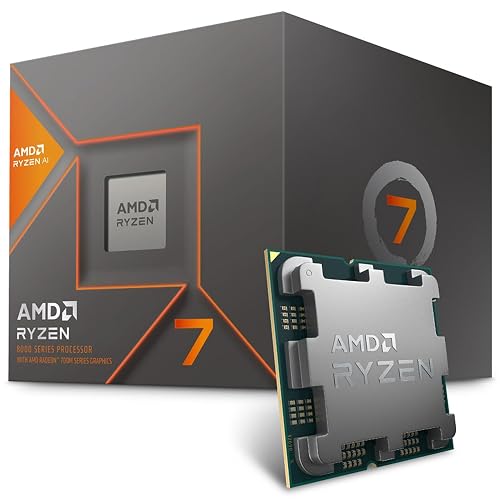
AMD Ryzen 7 8700G 8-Core 16-Thread Desktop Processor
If you want a Ryzen CPU that can do a lot without making your build feel complicated, the AMD Ryzen 7 8700G stands out. It offers 8 cores and 16 threads on Zen 4, so everyday tasks, gaming, and multitasking feel smooth. Its 5.1 GHz boost helps when you need quick bursts of speed, and the overclockable design gives you room to tune it. Because it runs on AM5 and supports DDR5, you are also setting yourself up for future upgrades. The included Wraith Spire cooler keeps the package simple.
- Socket:AM5
- Core Count:8 cores
- Thread Count:16 threads
- Boost Clock:5.1 GHz
- Overclocking:Unlocked
- Included Cooler:Wraith Spire
- Additional Feature:Zen 4 architecture
- Additional Feature:DDR5 memory support
- Additional Feature:Integrated graphics performance
AMD Ryzen™ 9 5900XT 16-Core 32-Thread Unlocked Desktop Processor
The AMD Ryzen 9 5900XT is a smart pick for builders who want serious desktop power without moving off the trusted AM4 platform. You get 16 cores and 32 threads, so your PC can juggle gaming, streaming, and creative work with ease. With Zen 3, a 4.8 GHz max boost, and 72 MB cache, it feels quick when tasks pile up. It also supports DDR4-3200 and PCIe 4.0, so your parts stay useful. Since it is unlocked, you can overclock it. Just remember, the cooler is not included.
- Socket:AM4
- Core Count:16 cores
- Thread Count:32 threads
- Boost Clock:4.8 GHz
- Overclocking:Unlocked
- Included Cooler:None
- Additional Feature:Zen 3 architecture
- Additional Feature:PCIe 4.0 support
- Additional Feature:72 MB cache
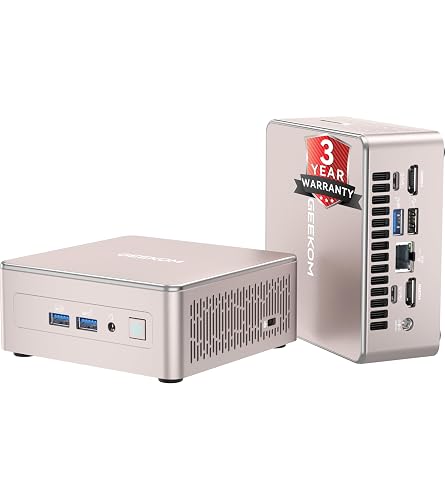
GEEKOM A5 Mini PC with Ryzen 5 7430U
GEEKOM’s A5 Mini PC with the Ryzen 5 7430U is a smart pick if you want a compact desktop that works hard without taking over your space. It features a Ryzen 5 chip with clock speeds from 3.5 GHz to 4.3 GHz, 16 GB of DDR4 memory, and a 512 GB NVMe SSD for fast everyday performance. Radeon Vega 7 graphics support light gaming and basic editing. RAM is expandable to 96 GB and storage can grow to 4 TB. With Wi-Fi 6, Windows 11 Pro, support for four 4K displays, and a durable pink chassis, it is ready for real work.
- Socket:BGA
- Core Count:6 cores
- Thread Count:12 threads
- Boost Clock:4.3 GHz
- Overclocking:Not stated
- Included Cooler:Big fan
- Additional Feature:Windows 11 Pro
- Additional Feature:Wi‑Fi 6
- Additional Feature:Up to four displays
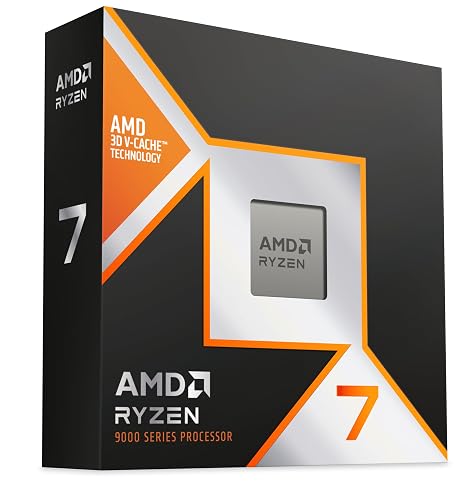
AMD Ryzen 9 9900X3D 12-Core Processor
The AMD Ryzen 9 9900X3D is an excellent choice if you need a single CPU that handles fast gaming, serious content creation, and smooth streaming without becoming overworked. It offers 12 cores and 24 threads, allowing your PC to juggle heavy tasks with ease. Its second-generation 3D V-Cache and 140 MB total cache improve game responsiveness and keep frame pacing steady. With a 4.4 GHz base clock, a 120 watt TDP, and Socket AM5 support, it fits well in a high-performance desktop build. If you want a balance of power and efficiency, this chip is a smart upgrade.
- Socket:AM5
- Core Count:12 cores
- Thread Count:24 threads
- Boost Clock:4.4 GHz
- Overclocking:Not stated
- Included Cooler:None
- Additional Feature:3D V-Cache technology
- Additional Feature:140 MB cache
- Additional Feature:120W power draw
AMD Ryzen™ 7 9850X3D Desktop Processor
Built for serious gamers who want top-tier speed without the usual trade-offs, the AMD Ryzen 7 9850X3D Desktop Processor stands out as a strong pick in the Best Ryzen CPUs lineup. It offers 8 cores and 16 threads, so games and background tasks can run smoothly together. It boosts up to 4.7 GHz, and 104 MB of total cache helps keep frame times steady. With the AM5 socket and 140 W TDP, it fits a modern gaming build. AMD backs it with a 3 year warranty, and you can count on solid support.
- Socket:AM5
- Core Count:8 cores
- Thread Count:16 threads
- Boost Clock:up to 4.7 GHz
- Overclocking:Not stated
- Included Cooler:None
- Additional Feature:3D V-Cache technology
- Additional Feature:104 MB cache
- Additional Feature:140W TDP
Micro Center Ryzen 5 5500 with ASUS TUF Motherboard
The Micro Center Ryzen 5 5500 with ASUS TUF motherboard bundle is a smart pick if you want a fast, affordable AM4 setup that feels ready to go right out of the box. It offers 6 cores, 12 threads, and a 4.2 GHz boost, so your games and daily work run smoothly. The Wraith Stealth cooler keeps installation simple, and the ASUS TUF A520M-PLUS adds Wi-Fi, dual-channel DDR4, M.2 storage, and BIOS FlashBack. Because the platform requires a discrete GPU, you can build a clean, capable PC without paying for extras you will not use.
- Socket:AM4
- Core Count:6 cores
- Thread Count:12 threads
- Boost Clock:4.2 GHz
- Overclocking:Unlocked
- Included Cooler:Wraith Stealth
- Additional Feature:ASUS TUF motherboard
- Additional Feature:Wi‑Fi built in
- Additional Feature:128GB max RAM
AMD Ryzen 7 5700 Processor with Cooler
The Ryzen 7 5700 offers a balanced option for users who want strong performance without extra heat or noise. It has 8 cores and 16 threads, so games, streams, and everyday tasks remain smooth. A 3.7 GHz base clock and 4.6 GHz boost provide fast response when you need quick bursts. AMD includes a Wraith Stealth or Wraith Spire cooler, which simplifies building and reduces concern about cooling. The 65 W TDP keeps power consumption modest. The AM4 socket and unlocked multiplier support straightforward upgrades, giving you room to grow later.
- Socket:AM4
- Core Count:8 cores
- Thread Count:16 threads
- Boost Clock:up to 4.6 GHz
- Overclocking:Unlocked
- Included Cooler:Wraith Stealth / Wraith Spire
- Additional Feature:20 MB cache
- Additional Feature:3-year warranty
- Additional Feature:Wraith Stealth included
Factors to Consider When Choosing a Ryzen CPU Right Now
When choosing a Ryzen CPU now, begin with the core count you actually need, because that determines how well your PC handles games, productivity, and multitasking. Also evaluate gaming performance, socket compatibility, and memory support, since a fast chip offers little advantage if it does not fit your motherboard or work well with your RAM. Finally, consider cooling requirements, because an appropriate cooler maintains system stability and prevents heat-related issues later.
Core Count Needs
A smart core count choice can make your Ryzen CPU feel fast and calm, not just powerful. For everyday use, you usually do not need a monster chip. If you browse, write, stream music, or watch videos, 4 to 6 cores with multithreading should feel smooth and remain efficient. When you move into heavier habits, such as gaming while chatting or recording, 6 to 8 cores give you more breathing room and fewer hiccups from background tasks. If you edit video, render 3D scenes, or compile code, 12 to 16 or more cores can save you a lot of waiting. Still, do not chase cores alone. Strong single-thread speed matters too, and more cores can mean more heat, higher power draw, and a louder cooler.
Gaming Performance
Gaming performance in a Ryzen CPU is more than just raw speed, so you should evaluate a few key areas before you buy. In many games, strong single-thread boost clocks and IPC matter most because they drive frame rates, especially when the CPU is the bottleneck. Higher boost speeds, often in the 4.5 to 5.1 GHz range, can raise your average and minimum FPS. At the same time, larger caches, such as a big L3 or stacked cache, can smooth frame times in cache-heavy titles. Check memory support as well, since fast DDR5 or high-speed DDR4 can deliver noticeable gains. Finally, good thermal headroom helps the chip sustain boost clocks longer, so gaming remains steady even when the system is under load.
Socket Compatibility
Once you’ve narrowed Ryzen choices by gaming performance, socket compatibility is the next thing you need to get right, because even the fastest chip won’t help if it cannot fit or work with your board. First match the socket, such as AM4 or AM5, so the CPU lines up physically and electrically. Then check your motherboard’s chipset and BIOS support, since a board can share the right socket and still need a firmware update. If you are planning ahead, a newer socket can give you more upgrade room and support for newer platform features later. Also watch the power and cooling demands, because high-wattage Ryzen chips can push weaker boards hard. If you are reusing an old board, confirm the memory type it expects.
Memory Support
Memory support can make a bigger difference in Ryzen performance than many people expect, because your CPU and RAM need to work as a team. Check whether the platform uses DDR4 or DDR5, since DDR5 provides more bandwidth and a longer upgrade path, while DDR4 often costs less and still feels snappy. Verify the rated memory speed, because some kits require XMP, EXPO, or motherboard tuning to reach their advertised numbers. Also examine maximum capacity and channel configuration, since dual-channel or quad-channel systems handle heavy multitasking better. Compare latency, because tighter timings can improve responsiveness in applications. Finally, confirm the BIOS support list and DIMM slot rules, so your kit runs at its best, not just its most dramatic.
Cooling Requirements
Cooling matters more than many Ryzen buyers expect, because a fast chip can only stay fast if you are keeping it in a safe temperature range. Match your cooler’s TDP rating to the CPU’s real load, not just the label on the box, since Ryzen chips can pull more power during boost. For strong sustained performance, choose a beefier air cooler or a 240 mm to 360 mm AIO so heat moves out quickly. Also check case clearance, RAM height, and radiator fit before you buy. Make sure your case airflow helps the cooler with solid intake and exhaust fans. Finally, use quality thermal paste, mount the cooler firmly, and monitor package temperatures after setup so your Ryzen stays comfortable under pressure.
Overclocking Headroom
When you start sizing up Ryzen overclocking headroom, don’t just chase the biggest core count or the highest boost number on the box. More cores usually mean more heat, so you will often get less per-core lift unless your cooling is strong. Next, check the chip lottery, since two CPUs with the same label can handle very different voltage and clock settings, and you need stress tests like Prime95 or OCCT along with close temperature monitoring. Then look at voltage, because small Vcore increases can quickly raise power use and heat. Also, a solid motherboard VRM matters, since it keeps clocks stable under heavy loads. Finally, keep at least 15 to 20°C of thermal headroom for safer daily use.
Integrated Graphics
Integrated graphics can be a quiet lifesaver, especially if you do not want to buy a separate GPU right away. Check whether your Ryzen chip has an APU, since that provides display support, light gaming, and smooth video playback without extra hardware. Then evaluate the iGPU generation, compute units, and clock speed, because those numbers determine frame rates in esports and 1080p play. Next, confirm the display ports, multi monitor support, 4K60 output, and HEVC or AV1 encoding if you edit or stream. After that, match it with fast DDR memory, since the iGPU uses system RAM. Finally, ensure your cooling and power headroom can keep performance steady during longer graphics sessions.
Frequently Asked Questions
Which Ryzen CPU Offers the Best Value for Gaming and Productivity?
You’ll get the best value from the Ryzen 7 7800X3D for gaming, and the Ryzen 9 7900 delivers stronger productivity with a modest power draw. If you want one balanced pick, choose the 7900.
Do I Need a New Motherboard for the Latest Ryzen Processors?
Usually, yes. You will likely need a new motherboard for the latest Ryzen processors, although a BIOS update can enable support on some AM4 boards. Check your socket and chipset first to avoid costly surprises.
How Much Cooler Performance Do High-End Ryzen Chips Require?
You will need strong cooling for high-end Ryzen chips, at minimum a quality 240 mm AIO or a premium air cooler. These CPUs can boost hard and run hot, so good case airflow and proper thermal paste application are important.
Are Ryzen APUS Good Enough for Light Gaming Without a GPU?
Yes. You can game lightly without a GPU if you choose a Ryzen APU with strong integrated graphics. You will handle esports, indie titles, and older games well, but do not expect high settings.
Which Ryzen CPU Is Best for Upgrading an Older AM4 System?
Pick the Ryzen 7 5700X3D for the best AM4 upgrade. It delivers excellent gaming gains, remains efficient, and will fit most older boards after a BIOS update. If you multitask heavily, consider the 5900X instead.




