

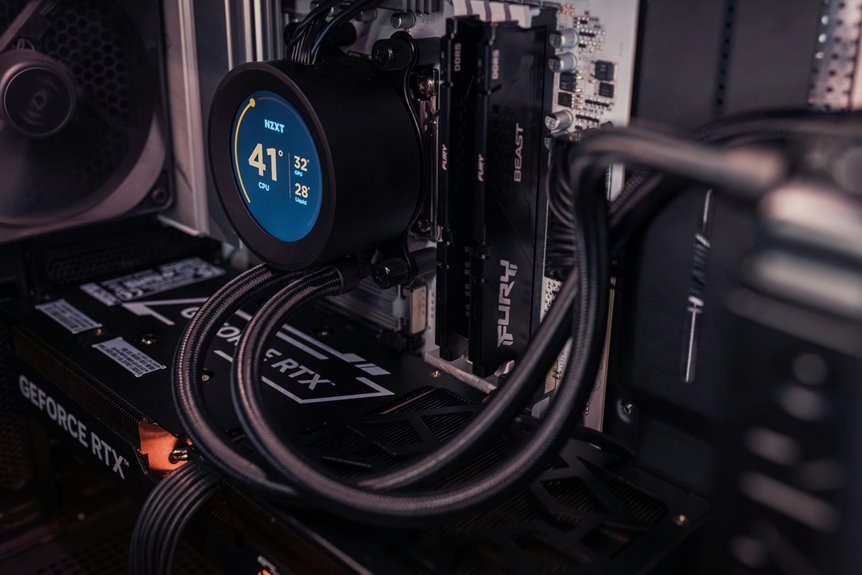

A CPU bottleneck happens as your processor can’t feed your graphics card fast enough, so game performance drops. That often leads to lower FPS, stutter, and uneven frame pacing during action-heavy scenes. Your GPU can sit underused while the CPU handles AI, physics, and multiplayer data. This article explains why that happens and how it affects the way games feel.
What Is a CPU Bottleneck in Gaming?
As your CPU becomes the busiest part of your gaming PC, it can hold everything else back, and that’s what a CPU bottleneck means in gaming. You’re not doing anything wrong. It simply means one part of your system can’t keep pace with the rest, so the whole team feels it.
Your CPU manages key jobs before your graphics card can shine. It handles processor game logic, AI behavior, physics, and other behind the scenes tasks. When those jobs pile up, the GPU waits instead of working at full strength. That break in CPU workload balance creates a mismatch between parts. In other words, your processor becomes the traffic jam in a system that should feel smooth and connected.
Once you spot that imbalance, you understand why your build feels out of sync during play.
How a CPU Bottleneck Lowers FPS
When your CPU hits its limit, it can’t feed your GPU fast enough, so your FPS drops.
You also feel uneven frame delivery, which turns smooth motion into stutter and sudden hiccups. That’s why even when your GPU looks ready, your game can still feel slow and frustrating.
CPU Limits Frame Rates
Although your graphics card may look like the star of the show, your frame rate often depends on how fast the CPU can keep feeding it work. When your processor falls behind, your GPU waits instead of rendering more frames. That delay cuts FPS, even if your graphics card has power left.
You feel this most in games packed with AI, physics, world simulation, or heavy netcode. In those moments, single core saturation can choke the pipeline, so your system can’t prepare draw calls fast enough. That creates frame pacing limits and keeps your frame rate below what your GPU could actually deliver.
You’re not doing anything wrong. Your hardware just isn’t balanced for that workload. Once you understand that, you’re part of the group that can spot the real limit and plan smarter upgrades.
Uneven Frame Delivery
That frame rate cap is only part of the problem, because a CPU bottleneck also makes frames arrive at uneven times. You don’t just lose speed. You lose rhythm. One frame shows up quickly, then the next one lags, so motion feels shaky even while the FPS counter seems acceptable.
As your CPU struggles with game logic, AI, physics, or netcode, it can’t feed the GPU in a steady flow. That breaks smooth frame pacing patterns and creates visible hitching during turns, fights, and busy scenes.
You might notice odd microstutter timing when exploring cities, crossing level boundaries, or joining online matches. That’s why your game can feel off, not just slow.
Should you’ve felt that choppy disconnect, you’re not imagining it. You’re seeing your system fall out of sync, and every player in your shoes notices it too.
Why a CPU Bottleneck Causes Stutter
Because your CPU controls the steady flow of game logic, AI, physics, and draw calls, a bottleneck there often shows up as stutter instead of just a lower FPS number. You feel it as frames arrive late, not evenly, so movement stops feeling connected and smooth.
That happens because your CPU must finish many small jobs in order. Whenever one task runs long, the next frame waits.
In busy scenes, background thread contention can slow scheduling, while asset streaming delays can interrupt world data delivery. Your GPU may sit ready, but it can’t render what the CPU hasn’t prepared yet.
That’s why camera turns, combat spikes, and crowded hubs often feel rough. You’re not imagining it. Stutter is your system losing rhythm, and whenever rhythm breaks, the whole game feels less welcoming to play.
How to Tell If Your CPU Is Bottlenecking
How can you tell while your CPU is the part holding your game back? You’ll usually notice shaky FPS, random stutter, and frame dips during busy moments. Then, check performance monitoring signs and hardware utilization clues with an overlay.
| What you see | CPU clue | What it means |
|---|---|---|
| Low FPS | CPU near 100% | Processor is overloaded |
| GPU under 80% | CPU maxed | GPU waits for data |
| Frametime spikes | CPU threads jump | Gameplay feels uneven |
| Hot CPU | Fans ramp up | Heavy processor strain |
| Sluggish menus | CPU stays busy | System feels held back |
If you’re seeing this pattern, you’re not imagining it, and you’re definitely not alone. In many games, your CPU handles logic, AI, and physics first. While it can’t keep up, your whole play session feels less smooth.
How Resolution Affects CPU Bottlenecks
Why does resolution change the way a CPU bottleneck feels? Whenever you lower resolution, your GPU has less pixel load to handle, so it finishes frames faster and waits on your CPU more often. That makes limits from game logic, physics, and draw calls stand out. You might feel this as stubborn FPS caps or uneven pacing.
- Lower resolutions reduce pixel load and expose CPU limits more clearly.
- Higher resolutions shift more work to the GPU, hiding some CPU strain.
- Resolution scaling can move the bottleneck back and forth between parts.
- Your settings might look better, yet smoothness still depends on CPU headroom.
Which Games Expose CPU Bottlenecks Most?
You’ll notice CPU bottlenecks most in high-FPS competitive shooters, where your processor must keep up with rapid input, player movement, and constant frame updates.
You’ll also see them in large-scale simulation games, because your CPU has to manage AI, physics, pathfinding, and countless background calculations at once.
In both cases, should your CPU falls behind, you’ll feel stutter, uneven FPS, and a less responsive game even when your GPU isn’t fully stressed.
High-FPS Competitive Shooters
When you play high-FPS competitive shooters, CPU bottlenecks often show up faster than in many other games because these titles push for very high frame rates while also asking the processor to handle constant player updates, hit detection, physics, and netcode at the same time.
That means you can feel the problem, not just see it. If your CPU falls behind, your squad notices:
- sudden FPS dips during fights
- higher input latency when tracking targets
- uneven aim smoothing that hurts precision
- stutter that breaks your rhythm
Because these games reward fast reactions, even small frametime spikes can make you feel disconnected from the action.
Your GPU may wait while your CPU struggles, so lowering graphics won’t always help.
If you want gameplay to feel crisp and team-ready, a stronger CPU often matters more than expected.
Large-Scale Simulation Games
Although flashy graphics get most of the attention, large-scale simulation games are often the clearest way to spot a CPU bottleneck because they pile huge amounts of work onto the processor every second.
As you build a busy city, manage a giant colony, or run a packed transport network, your CPU tracks thousands of decisions at once.
That’s why games like Cities: Skylines, Dwarf Fortress, RimWorld, and Factorio can humble a system fast.
As traffic system scaling grows, your processor handles pathfinding, schedules, and economic rules nonstop.
At the same time, agent simulation load rises as every citizen, vehicle, worker, or creature follows its own logic.
You feel it as stutter, uneven frame pacing, and slowdowns during expansion.
Should this happen to you, you’re not alone.
It’s a common wall for simulation fans everywhere.
When a CPU Upgrade Fixes a Bottleneck
Your CPU stays pinned near 100% while your GPU sits well below full use, a CPU upgrade can fix the bottleneck because the processor simply can’t keep up with game logic, AI, physics, and draw call work. That’s the clearest sign of upgrade necessity, especially when you want your whole setup to feel like it belongs together through smart component balancing.
- You gain steadier FPS in busy scenes.
- You cut stutter during combat and travel.
- You help your GPU stretch its legs.
- You improve system responsiveness throughout.
That matters most in CPU-heavy games, where fast decisions happen every second. As you install a stronger processor, you give your graphics card room to work at full speed. You also lower strain on the old chip, which can ease heat and keep gameplay smoother for everyone.
How to Reduce a CPU Bottleneck Fast
Since a CPU bottleneck hits hardest when your processor stays maxed out and your GPU waits for work, the fastest fix is to lower the settings that add CPU load, close background apps, and cap your frame rate to something your system can hold steadily.
From there, focus on game settings optimization that eases pressure on game logic, AI, physics, and draw calls. Lower crowd density, view distance, traffic, and simulation detail first, because those often hit the CPU hardest.
Next, use background process reduction by shutting down browsers, launchers, overlays, recording tools, and update services you don’t need. That frees resources right away. If heat is part of the problem, clean dust and use a balanced power plan so your CPU can maintain stable clocks. Small changes add up, and you’re not stuck with choppy play.
Frequently Asked Questions
Can a CPU Bottleneck Damage My Processor Over Time?
A CPU bottleneck can reduce processor longevity if high temperatures and heavy utilization continue for long periods. In that situation, heat output and power draw often increase, so better cooling and more balanced hardware can help limit strain.
Does RAM Speed Affect CPU Bottlenecks in Games?
Yes, RAM speed can influence CPU bottlenecks in games. Faster memory latency and greater dual channel bandwidth can help the processor deliver data more efficiently, which matters most in CPU intensive games where frame rates depend on quick data access.
Can Background Apps Worsen a CPU Bottleneck?
Yes, background apps can make a CPU bottleneck worse because they use processing power, take time away from your game, and can cause more stuttering. Closing unnecessary programs often helps gameplay feel smoother by letting your system focus on the game.
Will an SSD Fix Stuttering Caused by a CPU Bottleneck?
No, an SSD by itself will not resolve stuttering caused by a CPU bottleneck. It can reduce load times and improve asset streaming, but smoother gameplay requires a more capable CPU.
Do Monitors Hide or Reveal CPU Bottleneck Issues?
Yes, your monitor can either expose or mask CPU bottlenecks. Higher refresh rates make CPU limits easier to spot because frame drops and uneven pacing become more visible. Lower resolutions also make CPU bottlenecks stand out, since the graphics card has less work and the processor becomes the limiting factor more often. In many gaming setups, a 60Hz display can make stutter and inconsistent frame pacing less obvious.




