

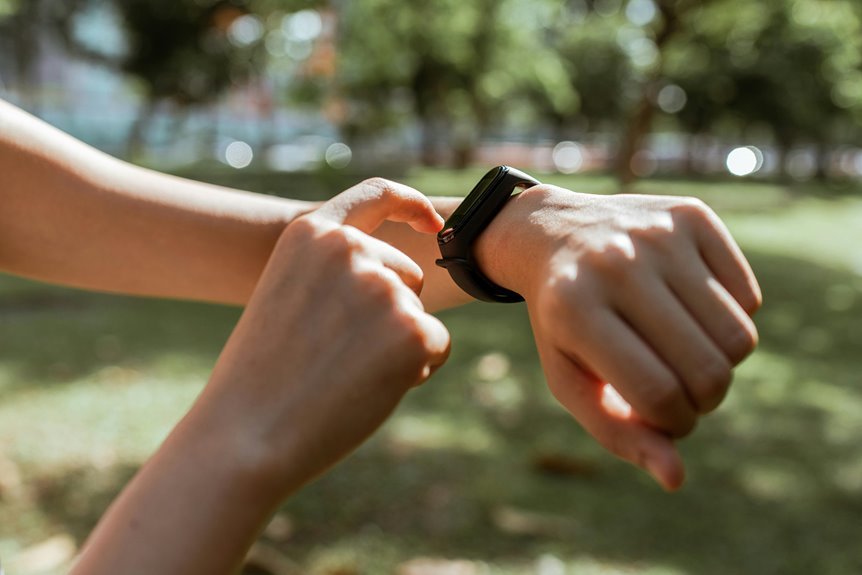

Fitness trackers can give different step counts, and that’s normal. They estimate steps from movement, so wrist position, walking style, and arm motion all affect the total. Daily habits like pushing a stroller or carrying bags can throw the numbers off. A few simple adjustments can help you get step counts that feel much closer to reality.
How Do Fitness Trackers Count Steps?
How do fitness trackers know once you’ve taken a step? They rely on a motion sensor, usually an accelerometer, to notice the small changes your body makes while you walk. At the moment your arm, hip, or pocket moves in a repeating pattern, the device turns that movement into digital signals.
From there, step detection software looks for rhythm, force, and timing that match human walking. It filters out random bumps, then counts each movement pattern that fits a step.
That means your tracker isn’t guessing. It’s following rules built from real walking data, so you can feel confident joining friends, family, or your fitness group in shared goals.
Some devices also use gyroscopes to read direction changes, which helps them recognize movement patterns more clearly and support your daily progress with steady feedback.
How Accurate Are Fitness Tracker Step Counts?
Just how accurate are fitness tracker step counts in real life? For most people, they’re pretty solid when you walk at a normal or brisk pace. You can often expect over 90% accuracy, and sometimes 95% or more during steady movement.
That’s encouraging, because it means your daily numbers usually reflect real effort and keep you connected to your goals.
To visualize it, envision your day:
- You stroll with friends, and step detection stays strong at regular speeds.
- You pick up the pace, your rhythm smooths out, and cadence variability matters less.
- You jog to catch the bus, and clear motion signals help your tracker count better.
Still, accuracy isn’t perfect across every moment. In controlled walking, devices tend to perform better than they do during mixed daily movement.
What Causes Fitness Trackers to Miscount Steps?
Your tracker can miscount steps whenever your arms move in ways that look like walking, even though you aren’t taking real steps.
It can also get confused whenever you wear it on your wrist, keep your phone in a bag, or place the device where it can’t read motion clearly.
And in case you walk slowly, shuffle, or use a gait that doesn’t match a steady stride, you’ll often see your step total drift off.
Arm Motion Variability
Because wrist trackers depend so much on motion, changes in your arm swing can throw off the step count fast. Whenever your movement gets uneven, the device might read sensor noise or motion artifacts instead of true steps. That means you can feel like you’re doing everything right, yet the numbers don’t match your effort.
You see this most during everyday moments, especially whenever your arms move without a steady walking rhythm:
- You carry coffee, and one arm stays quiet while the other swings like a metronome.
- You chat with friends, talking with your hands while your feet barely move.
- You fold laundry, type, or eat, and the tracker mistakes those bursts for walking.
Sensor Placement Errors
While the sensors inside a fitness tracker can be smart, the spot where you wear the device often decides whether the step count stays close to reality or drifts off course. In case your tracker sits on your wrist, it can mistake hand motions for steps and make you feel more active than you were.
That’s why placement matters so much in everyday life. You’ll usually get better hip accuracy because that location moves more like your body’s true step rhythm.
Phone placement matters too. A phone in your pocket often tracks steps better than a phone tossed in a bag, where motion gets muffled or delayed.
Whenever you wear your device the same way each day, you give it a fair shot to count your effort honestly, and that helps you trust the progress you’re building.
Walking Style Differences
Even although you wear your tracker in the best spot, the way you walk can still change what it counts.
In case your pace is slow, shuffling, or uneven, your device might miss steps because the motion looks too soft or irregular. You’re not doing anything wrong. Your body just moves in its own way, and that matters.
- Envision a gentle shuffle through a hallway, where short steps barely trigger the sensor.
- Visualize a limp or gait abnormalities, where one side moves differently and breaks the usual rhythm.
- Consider stride variability during a tired walk with friends, as each step lands a little differently.
Trackers work best with smooth, steady patterns. So in case your walking style changes with fatigue, pain, or support aids, your count might drift away from what you actually did.
Where Should You Wear a Fitness Tracker?
Where you wear your fitness tracker can change your step count more than you could believe. In case you wear it on your wrist, everyday arm movements can add extra steps, while a clip or pocket placement usually tracks walking more accurately.
You can also improve results through wearing it on your non-dominant hand and making sure it fits snugly, so it moves with you instead of against you.
Wrist Vs. Clip Placement
Because placement changes how your tracker reads motion, where you wear it matters just as much as the brand you buy. In case you want step counts that feel fair and dependable, clip placement usually beats the wrist.
A clip near your hip mirrors body movement more directly, so free living accuracy tends to improve. Wrist trackers can count arm motion from cooking, talking, or folding laundry, which might add steps you didn’t earn.
- Imagine a hip clip moving with each stride like a steady metronome.
- Envision a wrist tracker bouncing while you chat with friends over coffee.
- Visualize your non dominant side staying calmer during everyday tasks.
That doesn’t mean wrist wear is wrong. It’s convenient, social, and easy to keep on all day. But should accuracy matter most, clip placement keeps you closer to your true count.
Dominant Hand Effects
While wrist placement is convenient, the hand you choose can change your step count more than most people expect. Should you wear your tracker on your dominant arm, everyday motions like texting, cooking, or carrying bags can add steps you never took. That extra movement creates a handedness bias, so your totals might look better than they really are.
To stay closer to your true number, many people wear a tracker on the non-dominant wrist. That choice usually reduces random arm action and helps the device focus on actual walking patterns. In other words, you give the sensor a cleaner signal to read.
In case your numbers seem oddly high, your dominant arm could be the reason. You’re not doing anything wrong. You’re simply seeing how normal daily habits can shape what your tracker records each day.
Proper Fit Matters
The wrist you choose matters, and so does how and where the tracker sits on your body. In case you want step counts that feel fair, wear it snug on your non-dominant wrist, about a finger above your wrist bone.
Good strap tension helps sensors read motion clearly, while too much band looseness lets the tracker bounce and guess.
- Imagine the band sliding during a grocery run and adding steps you never took.
- Visualize it hugging your wrist during a brisk walk and catching each swing cleanly.
- Envision a phone buried in a bag versus resting in your pocket, closer to your hip.
That small fit choice helps you feel in sync with your progress. And once your tracker sits right, your numbers feel more like your real effort, not random noise each day.
How Does Your Walking Style Affect Step Count?
How you walk can change your step count more than you could anticipate. Your tracker looks for rhythm, impact, and motion patterns, so your personal stride matters.
In case you walk very slowly, shuffle, or pause often, the device might miss steps because the signal seems weak or uneven. That’s why gait abnormalities and cadence variability can lower accuracy, even during times you’re doing your best.
As your pace becomes steadier, your tracker usually performs better. A smooth, natural arm swing also helps, while stiff arms or holding them still can reduce detection on wrist devices.
Provided your movement feels different from day to day, your totals could shift too. You’re not doing anything wrong. Your body moves in its own way, and grasping that helps you trust the numbers without feeling left out.
Which Workouts Confuse Step Tracking Most?
Which workouts throw your tracker off the most? You’re not alone should your numbers look strange after certain sessions. Trackers read repeated motion best, so workouts with mixed movement often confuse them and make you question your progress.
- During strength training, your wrist might flick while your feet stay planted, like gripping dumbbells or pressing overhead, so extra steps can appear.
- In cycling, rowing, or pushing a sled, you work hard as a team player in the gym, yet your tracker might miss effort because there’s little natural arm swing.
- Swimming workouts add another challenge. Water changes motion patterns, and some devices can’t read strokes well, so step totals might stall.
That mismatch can feel frustrating, but it doesn’t mean you’re falling behind. Your effort still counts with your community.
Why Does a Fitness Tracker Count Steps While Driving?
Your fitness tracker can count steps while you’re driving because its motion sensors might mistake car vibrations for the repeated movement of walking.
Road bumps, rough pavement, and stop-and-go traffic can make those false signals even stronger, so your step total climbs whenever you haven’t taken a step.
Where you wear the tracker matters too, because a device on your wrist often picks up more extra motion than one placed closer to your hip.
Motion Sensors Misread Vibrations
Although it feels strange, your fitness tracker can count steps while you’re driving because its motion sensors don’t truly know the difference between walking and repeated vibration.
Whenever your car hums, your wrist or pocket can receive tiny pulses that resemble the rhythm of footsteps. That’s called vibration interference, and it can fool even good devices.
To envision it, visualize this:
- Your tracker feels a steady buzz, like quick taps on your arm.
- Its accelerometer reads those taps as a familiar walking pattern.
- Weak sensor calibration lets that pattern slip into your daily total.
Road Conditions Affect Counts
During the period the road gets rough, the false step problem often gets worse because bumps, potholes, and uneven pavement send repeated jolts through your car and into your body. Your tracker reads those sharp motions like parts of a walking pattern, even though you’re sitting with everyone else on the ride.
That effect often grows on uneven terrain, where constant shaking creates a rhythm your device can mistake for footsteps. Even small changes in surface texture matter. Gravel, cracked streets, speed bumps, and patched asphalt can all produce quick bursts of motion that resemble step signals.
Wearing Position Matters
Because placement changes what the sensors feel, where you wear your tracker can make a big difference if you’re driving. A wrist tracker often mistakes steering, bumps, and small arm motions for steps, while hip placement usually stays closer to true walking patterns. If your phone rides loose in a bag, counts can drift even more.
- Imagine your wrist bouncing on the wheel as the car hums over rough pavement.
- Visualize a phone snug in your pocket, moving less like a waving arm.
- Envision thick sleeves causing clothing interference, adding tiny shakes the tracker reads as steps.
That doesn’t mean you’re doing anything wrong. You aren’t alone. Your setup matters, and even device syncing can briefly affect totals.
Wearing it on your non-dominant wrist might help reduce extra counts during everyday driving trips.
How Does Arm Movement Change Step Count?
Why can your tracker log steps even though you haven’t really walked anywhere? Your wrist tracker reads motion, not intent. So whenever you stir a pot, fold laundry, clap, or talk with your hands, it might count a phantom step. That’s common, and you’re not doing anything wrong.
Arm movement matters because most wrist devices look for swinging patterns that resemble walking. In case your arm swings a lot, your total can climb.
Should you keep one hand still on a stroller, cart, or desk, steps might go missing. Hand dominance can matter too, since your dominant hand often moves more during daily tasks. That’s why a lot of brands suggest wearing the tracker on your non-dominant wrist. You’ll get numbers that feel more like your real day, and that helps you trust your progress.
Why Do Two Fitness Trackers Show Different Totals?
That same motion issue helps explain another common frustration: two fitness trackers can give you two different step totals on the same day. You’re not doing anything wrong.
Each brand uses its own sensors and algorithm differences to decide what counts as a step, so your numbers can split like friends choosing different routes home.
- One tracker might read your wrist like a drummer keeping time, while another ignores small swings.
- A phone in your pocket could track your stride better than a watch during errands, carts, or desk time.
- Battery impact matters too, because lower power modes might sample motion less often and miss brief bursts.
How Can You Improve Step Count Accuracy?
How can you get a step count you can trust a little more? Start with device calibration in your app, since your height, weight, and usual pace help your tracker read movement better.
Then check placement. In case you use a phone, keep it in your pocket, not a bag. Should you wear a wrist tracker, try your non-dominant arm to reduce extra counts from busy gestures.
Next, walk at a steady, natural pace whenever you want the cleanest numbers. Very slow strolling can miss steps, while normal or brisk walking is easier for trackers to detect.
You can also review stride adjustment settings in the event your device offers them. That helps match your steps to the way you move.
And in case your days include lots of desk work or cooking, give yourself grace. Little quirks happen to everyone.
What Can Step Count Accuracy Really Tell You?
What does step count accuracy really tell you? It shows how closely your tracker reflects your real movement, not your worth.
When your pace is normal or brisk, counts are usually strong. When you shuffle, push a cart, type, or swing your arms, the number can drift. That matters because data interpretation shapes your choices and your psychological impact.
- Imagine a calm walk with steady arm swing, where your tracker stays in step with you.
- Visualize a slow hallway shuffle, where soft signals fade and steps go missing.
- Envision a busy kitchen, where chopping, reaching, and laughter can create phantom steps.
Frequently Asked Questions
Do Fitness Trackers Count Pushing a Stroller Accurately?
Not always. When both hands stay on the stroller handle, wrist based trackers often miss steps. Accuracy changes with how hard you push, the stroller design, and where the device sits. A tracker worn at the hip or kept in a pocket usually records movement more accurately.
Can Medications or Fatigue Change Step Count Accuracy?
Yes, medication effects and fatigue can change your tracker’s accuracy by altering your gait, arm swing, and walking speed. If you move more slowly or with an uneven pattern, your device may miss steps or count extra ones. Many people notice this when their movement changes.
Do Shoe Type or Insoles Affect Recorded Steps?
Yes. Different shoes or insoles can change your posture, foot strike, and stride length. That can affect how a device detects steps, especially when you walk slowly or have an irregular gait.
How Do Weather or Cold Temperatures Impact Tracker Sensors?
Cold weather can affect your tracker because low temperatures may change how the accelerometer responds and how the sensors stay calibrated. You may notice slower response times, missed light steps, or battery related issues, especially during longer periods outside with your group.
Can Children’s Shorter Strides Reduce Fitness Tracker Accuracy?
Yes. Children’s shorter strides can lower fitness tracker accuracy because changing stride length and still developing walking patterns can confuse the sensors. Results are often more accurate when children walk faster and wear the device closer to the hip.




