
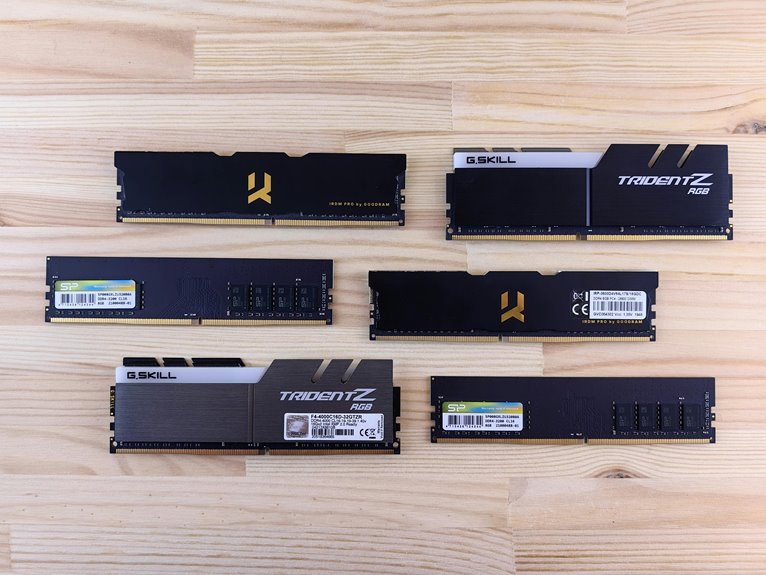

RAM capacity usually matters more for everyday performance than RAM speed. Too little memory causes stutters, slow loading, and trouble switching between apps or games. Faster RAM can boost results in some CPU-heavy tasks, though the gains are often smaller. The sweet spot is enough capacity for your workload, then speed as a nice extra.
RAM Speed vs Capacity: The Short Answer
When you want the short answer, RAM capacity matters more than RAM speed for most gaming PCs. If you want your setup to feel smooth and dependable, give it enough memory initially. More capacity lets your PC hold more game data at once, which helps system responsiveness and keeps gameplay steady when things get busy.
That matters even more whenever you’re part of the crowd that games with Discord, a browser, or music open. If your RAM fills up, your PC leans on slower storage, and that’s whenever stutter, lag, and annoying pauses show up. You’ll see it in application loading, alt-tabbing, and open-world games.
How RAM Speed Affects Performance
While RAM speed usually comes after capacity, it still shapes how quickly your system moves data between the CPU, GPU, and memory during play. Whenever you choose faster RAM, you can cut memory latency and feed the processor more smoothly, which helps in CPU-bound games and esports titles where your community chases every frame.
- Faster RAM can raise frame rates in lower-resolution, CPU-heavy games.
- It helps integrated graphics by easing bandwidth limits and enhancing shared memory performance.
- It improves responsiveness, so aiming, movement, and scene changes feel tighter.
That said, speed works best as a fine-tuner. You’ll notice the biggest gains whenever your CPU does most of the work or whenever your system uses integrated graphics.
For many players, sweet spots like DDR4-3200 or DDR5-5600 to 6000 keep you in the club without overspending.
When More RAM Matters More
Because smooth gameplay starts with having enough room for your game and background apps, RAM capacity usually matters more than raw speed in day-to-day gaming. When you have enough memory, your system keeps game files ready instead of leaning on slower storage. That means fewer hitches, shorter pauses, and a setup that feels reliable when you play with your usual apps open.
This matters even more whenever background app pressure builds from browsers, voice chat, launchers, and music. Whenever you hit system memory limits, your PC starts juggling data, and that’s whenever stutter sneaks in. You don’t need the fastest kit to feel like your setup belongs in the group. You need enough RAM to give your game space to breathe, keep multitasking smooth, and help your whole gaming routine feel steady and welcoming.
RAM Speed vs Capacity for Gaming
While you game, RAM capacity usually matters foremost because modern titles need enough memory to avoid stutter and slowdowns.
Once you’ve got enough RAM, speed can help raise frame rates in CPU-heavy games and competitive shooters where quick response really counts.
Should you’re balancing budget and performance, you’ll usually get better results via buying more RAM foremost and then choosing a solid speed that fits your system.
Capacity For Modern Games
Should you want smooth gameplay in modern games, RAM capacity has to come first. When your system has enough memory, it can hold more open world assets, support texture streaming, and avoid those annoying pauses that make you feel left behind while everyone else plays on.
Here’s what enough capacity helps you handle:
- Large maps that load huge environments and detailed objects at once
- Background apps like voice chat, browsers, and launchers while you game
- Fewer stutters when games pull new data instead of hitting slower storage
That’s why most players feel a bigger difference from moving to 16GB or 32GB than from chasing higher RAM specs. If you want your setup to feel ready for today’s games, give it the memory headroom your gaming circle expects and appreciates every session.
Speed And Frame Rates
Shift your focus from raw capacity to frame rate tuning, and RAM speed starts to matter in a more specific way. When you chase smoother play, faster memory can lift FPS in CPU-bound games and tighten frame latency, helping your inputs feel more connected to the action.
| Scenario | RAM Speed Effect | What You Feel |
|---|---|---|
| Esports at 1080p | Strong benchmark scaling | Quicker reactions |
| Open-world GPU-bound | Small gains | Similar smoothness |
| Integrated graphics | Big uplift | Clearer, steadier play |
That matters most when you play competitive titles and want to keep up with your squad. In those moments, higher RAM speed helps the CPU feed frames faster, especially at lower resolutions. You won’t always see huge gains, but you might feel cleaner pacing and fewer tiny hiccups during tense fights.
Balancing Budget And Performance
Because most gaming builds have a fixed budget, the smartest move is to buy enough RAM capacity first and treat speed as the bonus. That keeps your system smooth, your games stable, and your wallet in the community with other smart builders. Good budget allocation means covering 16GB first, or 32GB if you game and multitask.
- Choose capacity before chasing premium MHz numbers
- Expect the best value at DDR4-3200 or DDR5-5600 to 6000
- Save faster kits for esports, CPU-bound games, or integrated graphics
That balance helps you avoid painful price tradeoffs. Unless you buy fast RAM but not enough of it, your PC can stutter while games and background apps fight for space.
Once you cover capacity first, speed becomes a fine-tuning upgrade, not a costly mistake. That’s how you build with confidence and fit right in.
More RAM vs Faster RAM for Multitasking
Whenever you multitask, more RAM usually helps far more than faster RAM.
Should you keep a game, browser tabs, chat, music, and other background apps open, extra capacity gives your whole setup room to breathe. That matters because once memory pressure rises, your PC starts leaning on slower storage, and that’s while stutter, delays, and annoying pauses creep in.
Faster RAM can polish responsiveness a bit, but it can’t save you should you simply don’t have enough space for everything you’re running.
In everyday multitasking, capacity is what keeps your system calm, steady, and ready for the way you actually use it. Should you want your PC to feel like it belongs in your routine, choose enough RAM firstly, then chase speed only after you’ve covered that base well.
RAM Speed vs Capacity for Content Creation
While you create content, your editing workload usually pushes RAM capacity initially because large files, timelines, and assets fill memory fast. At the same time, should you run editing apps, browser tabs, plugins, and background tools together, you need enough RAM to keep everything smooth and responsive.
Once you’ve covered capacity, faster RAM can help preview speed and timeline feel, especially while your CPU has to keep up with heavy project work.
Editing Workload Demands
For editing work, RAM capacity usually comes first, since your system needs enough space to hold large video files, timelines, preview data, and background apps all at once. Should you don’t have enough, your editor slows down fast, even before render speed becomes a factor. That’s why creators in your circle often see bigger gains from more memory than from chasing higher MHz.
- More capacity helps you load longer projects smoothly.
- It keeps large assets ready while you cut, trim, and arrange.
- It supports a steadier export queue once projects stack up.
Once capacity covers your workload, faster RAM can help certain tasks move along. Still, speed can’t rescue a system that runs out of space mid-edit.
Should you want a setup that feels reliable and community-tested, start with enough RAM first. Then fine-tune speed later.
Multitasking and Preview Speed
That same idea carries into multitasking and preview speed, because content creation rarely happens in a clean, single-app workflow.
You’re usually editing, checking references, uploading drafts, and keeping chats open with your team. In that real-world setup, RAM capacity protects your flow initial. Should you run short, previews stutter, browser responsiveness drops, and even simple thumbnail loading starts to feel annoyingly slow.
Then speed helps refine that experience.
Faster RAM can make timeline scrubbing, live previews, and asset switching feel tighter, especially in CPU-heavy apps. Still, speed can’t rescue a system that’s already out of memory. That’s why creators in the know usually secure enough capacity before chasing higher frequencies. Upon your system has room to breathe, your tools stay responsive, your previews stay smoother, and your whole workspace feels more dependable.
Recommended RAM Capacity and Speed by Use Case
Because the best RAM choice depends on how you play, it helps to match capacity and speed to your real use case instead of chasing the fastest kit on the shelf.
When you want smoother gaming and a setup that feels like it belongs in your world, start here:
- For most gamers, 16GB is the sweet spot. Pair it with DDR4-3200 or DDR5-5600 to 6000 for strong value and steady performance.
- Whenever you stream, mod heavily, or keep lots of apps open, aim for 32GB. Extra capacity helps more than tiny speed jumps, especially beyond basic multitasking.
- For integrated graphics, mobile systems, or workstation memory needs, faster RAM matters more. Choose the highest stable speed your platform supports, since shared memory bandwidth affects results.
This way, you build for how you actually use your system, not for specs alone.
Which RAM Upgrade Should Come First?
When you’re deciding which RAM upgrade should come initial, start with capacity before speed in almost every gaming build. If your system runs short on memory, games stutter, apps slow down, and your PC leans on storage. That’s why capacity deserves top upgrade priority. Moving from 8GB to 16GB, or 16GB to 32GB, usually helps more than buying faster sticks.
Then, once you’ve got enough room for your games, browser, chat, and music, speed becomes the smart next step. This matters most in CPU-bound esports games, lower-resolution play, and integrated graphics systems that share system memory.
For budget planning, aim for solid capacity first, then choose a speed sweet spot like DDR4-3200 or DDR5-5600 to 6000. That path helps you feel confident, included, and ready to play smoothly together.
Frequently Asked Questions
Can Mixing Different RAM Brands Cause Compatibility or Stability Problems?
Yes, mixing RAM brands can lead to compatibility issues or system instability. Problems become more likely when the modules differ in capacity, speed, timings, or voltage. Using sticks with matching specifications reduces the risk, but a matched kit offers the most reliable results because the modules are tested to work together.
Does Dual-Channel Matter More Than RAM Speed for Gaming Performance?
In most games, dual channel memory improves frame rates more than small increases in RAM speed. The key detail is this: after dual channel is enabled, faster RAM can still provide a measurable advantage in CPU limited titles.
How Do RAM Timings Affect Performance Compared With Higher MHZ?
Higher MHz usually improves bandwidth, while tighter timings lower latency and can make memory access feel quicker. For most PC builds, the best choice is balanced RAM specifications, since very high frequency or extremely tight timings usually make only a small difference in gaming.
Can XMP or EXPO Profiles Void My System Warranty?
XMP or EXPO can affect warranty coverage, but the outcome depends on the policies for your CPU, motherboard, and memory. Review the warranty terms for each part first. Many enthusiast focused brands generally permit XMP or EXPO use, though the exact coverage can vary.
Will Upgrading RAM Improve Boot Times and General System Responsiveness?
If your system is running low on memory, adding RAM can reduce boot delays a bit and make everyday tasks feel quicker, especially with less than 16GB installed. If you already have enough RAM, an SSD or faster drive will usually make a bigger difference, while extra memory helps maintain smooth performance during multitasking.




