

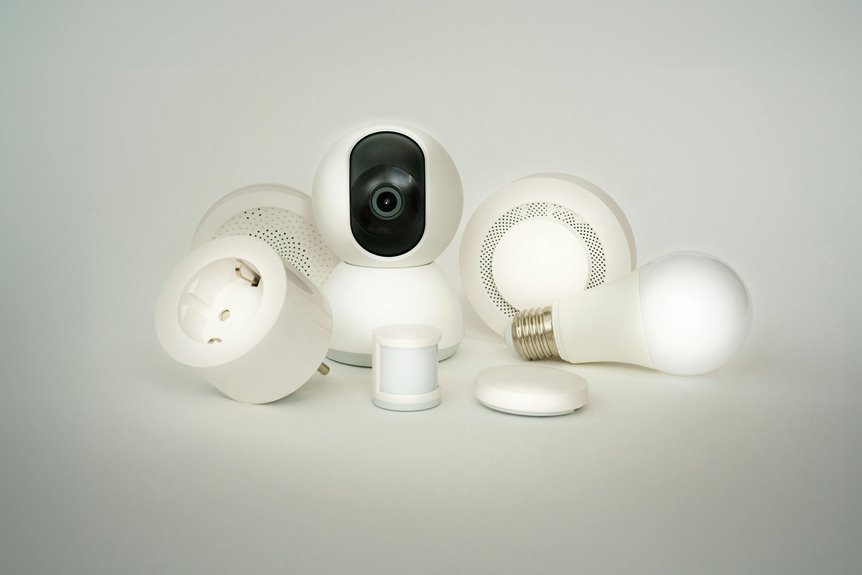

Smart home devices can boost comfort, yet they can also give hackers an easy way in. The usual targets are cameras, doorbells, speakers, and routers with weak security. Old firmware and simple passwords leave private data and daily routines exposed. A few smart setup steps can help keep your gadgets, home, and personal space safer.
Understand Why Smart Device Security Matters
Why does smart device security matter so much? Because your home should feel safe, connected, and truly yours. Whenever smart locks, cameras, speakers, and TVs collect daily details, weak protection can expose more than data. It can shake your trust and sense of comfort. That’s why user awareness matters. Once you understand what your devices can access, you make choices that protect your space and the people in it.
Just as convenience brings your devices together, it also links their risks. One weak point can affect your privacy concerns, personal accounts, and shared routines.
Good security helps you stay in control, protect family moments, and enjoy smart living without feeling watched. You deserve a connected home that supports your life, respects your boundaries, and keeps your community feeling secure too.
Learn How Smart Devices Get Hacked
You could believe your smart devices are safe, but hackers often get in through weak passwords, old firmware, and poorly secured Wi-Fi.
Should you reuse simple logins or skip updates, you make it much easier for someone to take control of your cameras, locks, or speakers. That sounds unsettling, but once you see how these attacks happen, you can spot the risks and start blocking them.
Weak Password Exploits
Because many smart home devices ship with default passwords or weak login settings, hackers often get in through the simplest door initially. In case you keep default credentials, you make their job easy. They test common logins, break into cameras, locks, speakers, and hubs, and then move through your connected home quietly.
That risk grows once password fatigue hits. You could reuse one simple password across devices and apps just to keep up. Then one leaked login can open several doors at once.
In a connected home, that can feel personal, and it is. Attackers might watch camera feeds, open doors, or tamper with settings without warning. To stay safer, you should create long, unique passwords for every device, change defaults right away, and turn on two-factor authentication any time it’s offered.
Unpatched Firmware Risks
Even though your passwords are strong, old firmware can still leave a smart device wide open. Whenever you skip updates, you keep legacy vulnerabilities that hackers already understand. That means your camera, lock, speaker, or thermostat might still trust bad commands, leak private data, or get quietly hijacked while everything looks normal.
That risk grows whenever brands release delayed patches or stop supporting older models. You deserve devices that protect your home, not gadgets that make you feel left out of safe, modern residing.
Attackers often scan for outdated firmware because it’s easier than breaking strong logins. So whenever you install updates quickly, you close known holes, block common exploits, and help every connected device fit into a safer, more trusted home setup for everyone around you each day.
Insecure Network Access
While strong passwords help, insecure network access can still let hackers slip into your smart home through the router, mobile app, cloud account, or a single weak device. In case one gadget uses unsecured protocols, attackers might spy on traffic, steal logins, or hop across your network like they belong there.
That risk grows whenever every device shares the same Wi-Fi. A hacked camera, thermostat, or speaker can open paths to phones, laptops, and even banking details.
You can protect your space through putting smart devices on a guest network, updating router security, and checking app permissions often. Just as crucial, secure your cloud accounts and phone, because they act like front doors too.
Once you tighten network access, you help your whole home feel safer, calmer, and more in control together.
Identify the Riskiest Devices at Home
You should initially look at the weakest connected entry points in your home, because one poorly protected device can open the door to everything else.
Then pay close attention to always-on devices like cameras, speakers, and hubs, since they stay active and give attackers more chances to get in.
You also need to watch data-hungry gadgets, because the more they collect and share, the more of your privacy you could lose.
Weakest Connected Entry Points
Because every smart device shares your home network, the weakest entry points are usually the ones that are always on, rarely updated, and protected through weak or default passwords. Once one of these devices slips, your whole connected home can feel exposed, not safe.
Watch for these common gaps:
- Devices still using default credentials that attackers can guess in seconds.
- Apps or gadgets relying on unsecured protocols, which let outsiders intercept data.
- Products with old firmware, since known flaws stay open until you install updates.
- Companion apps with weak login protection or broad permissions on your phone.
These entry points matter because one weak link can open paths to cameras, locks, or accounts. By spotting them at an early stage, you help protect the connected space you and your family count on every single day.
High-Risk Always-On Devices
Since some smart devices never really sleep, they often become the riskiest spots in your home network. Cameras, video doorbells, smart speakers, hubs, and baby monitors stay alert day and night. That constant connection creates more chances for intruders to slip in through weak passwords, old firmware, or unprotected apps.
Because these devices handle continuous monitoring, they can expose both your routines and your private spaces. A hacked camera or speaker doesn’t just glitch. It can let outsiders watch, listen, or move deeper into your network.
Smart hubs raise the stakes even more because they connect your whole setup like a team captain with a bad lock. You protect your home best whenever you treat always-on devices as priority risks and check them initially for updates, access settings, and background vulnerabilities regularly.
Data-Hungry Smart Gadgets
While always-on devices create constant openings, data-hungry gadgets create a different kind of risk through collecting, storing, and sharing large amounts of personal information every day.
In your home, these devices often seem helpful, friendly, and part of modern life, yet they can quietly weaken data privacy whenever companies or hackers access more than you expect.
- Smart speakers record voice clips, habits, and requests.
- Security cameras store video, faces, and daily routines.
- Smart TVs track viewing choices, app use, and location.
- Fitness watches collect sleep, heart rate, and movement patterns.
Because these gadgets gather so much, you need usage transparency before trusting them. Check what each device saves, where it sends data, and who can view it.
That way, your connected home feels smart, safe, and truly yours.
Secure Smart Devices During Setup
Before you start using a smart home device, take a few minutes to lock it down during setup, because that initial step often decides how safe it will stay later.
During device initialization, slow down and review every screen. Turn off features you don’t need, especially remote access, voice buying, and broad data sharing. Default settings often favor convenience, not safety, so adjust privacy controls, app permissions, and sharing options before the device joins your daily routine.
Next, install the latest firmware right away, since many devices ship with outdated software and known flaws. In the event the device lets you choose encryption, alerts, or auto-updates, enable them. Also check what account access the companion app requests on your phone.
Taking these steps helps you build a home that feels connected, protected, and ready for everyone you care about.
Use Strong Passwords and MFA
Even even though your device has the latest updates, weak passwords can still leave the front door wide open. You protect your home best whenever every gadget has a unique, hard-to-guess login and extra verification.
- Change default passwords right away, because shared factory codes make you an easy target.
- Use password management tools to create and store long, unique passwords for each device and app.
- Turn on MFA anytime it’s offered. Strong authentication methods, like app codes or biometrics, add backup in case a password leaks.
- Review account logins often, and remove old users or unused apps that no longer belong in your setup.
These steps help you feel confident, included, and in control. Whenever your devices recognize only you, your smart home feels safer, more personal, and truly yours every day.
Secure Your Wi-Fi for Smart Devices
How secure is the Wi-Fi that connects every smart device in your home? Your network is your home’s digital front door, so lock it well. Change your router’s default name and password, use WPA3 encryption provided it’s available, and place smart gadgets on a guest network. That way, in the event one device gets compromised, your main phones and laptops stay safer.
Next, protect how your home runs every day. Turn off features you don’t use, like remote admin, and review which apps can access your router. Put your router in a central spot, then enable bandwidth prioritization so security cameras and smart locks stay responsive whenever everyone is online.
You want your connected home to feel welcoming, not exposed. With a few smart Wi-Fi habits, you help everyone under your roof feel safer, connected, and in control.
Keep Your Smart Devices Updated
While smart devices make daily life easier, they also need steady care to stay safe. Updates patch known flaws, fix bugs, and help your devices stay part of a safer home.
Whenever you ignore update notifications, you leave doors open for attacks that target old firmware.
- Turn on automatic updates so fixes install fast, even whenever life gets busy.
- Check update notifications in each device app, because some brands still need your approval.
- Update companion apps too, since weak apps can expose your whole smart home circle.
- Restart devices after updates in case asked, so security patches work fully.
Lock Down Cameras, Locks, and Sensors
Because cameras, locks, and sensors protect the most personal parts of your home, they deserve stronger settings than the default ones they come with. Change factory passwords right away, turn on two-factor sign-ins whenever available, and limit who can view feeds or control entries. That helps your household feel safer and more connected.
Next, check privacy and alert settings closely. Turn off features you don’t use, review motion zones, and set notifications for unusual activity or camera tampering.
For smart locks, install trusted app updates and watch lock firmware notices so known flaws don’t stay open. Secure sensors matter too, since a weak window or door sensor can quietly expose your whole setup. At the time you tighten these device settings, you build a home everyone in your circle can trust every day together.
Create a Smart Home Security Checklist
After you secure cameras, locks, and sensors, the next smart step is to build a simple security checklist you can return to again and again. It keeps your home team prepared, calm, and connected once risks show up.
- Change default passwords, turn on 2FA, and review app permissions every month.
- Update device firmware, router settings, and backup options, because old software invites trouble.
- Test emergency protocols, including who gets alerts, how doors release, and at what point to call for help.
- Check physical safeguards like window locks, hub placement, and backup power for key devices.
This checklist helps you protect privacy, reduce weak spots, and stay confident together. Whenever everyone in your home knows the routine, smart security feels less stressful and more like a shared habit that keeps your space safe, welcoming, and under your control.
Frequently Asked Questions
How Long Should I Keep Smart Home Devices Before Replacing Them?
Plan to replace smart home devices after about five to seven years, or earlier if software updates become rare, security support ends, or the device starts working less reliably. This helps reduce household risk and keeps your system closer to current connected home security practices.
Can Smart Home Insurance Cover Losses From Device Hacking Incidents?
Some smart home insurance policies cover losses linked to device hacking, while others limit or exclude that protection. Check the exact policy language, covered events, and claim requirements so you understand what help may be available after an incident.
What Legal Rights Do Consumers Have After a Smart Device Breach?
After a smart device breach, you may have the right to receive prompt notice of the incident, ask what personal information was exposed, request deletion or correction of inaccurate data, and file a claim if poor security practices caused you harm. You may also be able to seek a refund, join a legal complaint, or report the company to a consumer protection or data privacy regulator.
Are Refurbished Smart Devices Safe to Use in a Home?
Refurbished smart devices can be safe in a home if you check that each device is genuine, install the latest firmware, perform a full factory reset, and replace all default passwords with strong new ones. These steps reduce the chance of unauthorized access and help protect your home network.
How Do I Safely Dispose of Old Smart Home Devices?
Safely dispose of old smart home devices by wiping stored data, signing out of linked accounts, restoring factory settings, and removing batteries. Take them to a certified electronics recycling program to reduce privacy risks and keep hazardous materials out of local waste streams.




