
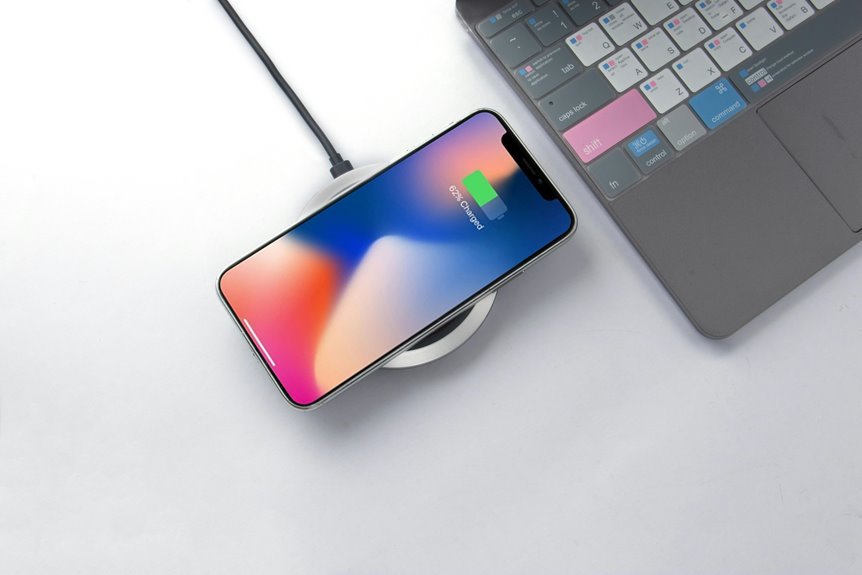

Wireless charging speed depends on more than the number on the charger. Coil alignment, phone cases, and heat all affect how much power reaches your battery. Your phone’s charging standard and current battery level also limit charging speed. That’s why a high-watt charger can still feel slow, while a lower-watt one can work better than expected.
How Wireless Charging Speed Works
Whenever you set your phone on a wireless charger, power moves through magnetic fields instead of a cable, and that process is what shapes charging speed. You’re part of a world that runs on energy transfer basics, where a pad sends power through a coil and your phone receives it with another coil.
From there, wireless charging physics decides how smoothly that handoff happens. Whenever the coils line up well, more power reaches your battery and less turns into heat. Should your phone sit off-center, or a thick case adds distance, some energy slips away.
That’s why placement matters so much. Your charger also depends on steady input power from its adapter before it can pass energy along. Together, alignment, distance, heat, and power loss explain why wireless charging feels simple, yet works through careful teamwork.
What Speed Your Phone Can Actually Reach
Your phone won’t always hit the top speed printed on the charger, because its own charging limit sets the ceiling.
In real use, things like coil alignment, adapter power, heat, phone activity, and even your case can slow things down.
Phone Charging Limits
Even though you buy a fast wireless charger, your phone sets the real speed limit. Your device decides how much power it can accept, even though the pad can send more. Should your phone supports 7.5W, 10W, or 15W wireless charging, that cap stays in place. You’re not missing out. You’re using the speed your phone was built to handle safely.
That limit protects the group you rely on most: your battery, your daily routine, and your phone’s long life. Manufacturers build in battery safety limits and device thermal thresholds to control heat and stress. Your phone also follows its own charging logic, so it might accept less power as the battery fills. In simple terms, the charger offers power, but your phone gives the final yes.
Real-World Speed Factors
Although the charger’s rating matters, the speed you actually see depends on a chain of real-world factors working together at the same time. Your phone joins that chain too, so you’re not doing anything wrong if charging feels slower than the box promised.
If your phone sits slightly off-center, power transfer drops and heat rises. If your power adapter can’t feed the pad enough input, top speed never appears. Then ambient temperature steps in. Too hot or too cold, and your phone protects the battery by slowing down.
At the same time, background activity like streaming, routing, syncing, or updates uses part of the incoming power. Cases, metal objects, and even small gaps add more loss. When everything lines up, though, your phone charges faster, steadier, and more like the experience you expected.
How Charging Standards Affect Speed
When you look at wireless charging speed, the charging standard matters more than most people expect because it sets the rules for how much power can move from the pad to your phone. Should you want charging that feels smooth and dependable, standards shape that experience. The story of Qi standard evolution shows how newer rules allow higher wattage, better alignment support, and steadier power delivery.
- Imagine an older pad as a slow hallway with narrow doors.
- Imagine a newer standard as wider doors letting more energy through.
- Imagine charger certification levels as trusted badges on team jerseys.
- Imagine uncertified gear as a shaky bridge nobody fully trusts.
These standards also guide safety checks, communication, and efficiency, so your charger and pad work like a coordinated group instead of a messy handoff every night.
How Phone Compatibility Limits Speed
Because your phone sets a hard limit on how much wireless power it can accept, the charger alone doesn’t decide how fast you’ll reach a full battery. Your model, software, device chipset support, and battery protocol limits all shape the speed you actually get, so you’re not doing anything wrong.
| Factor | What it controls | Your result |
|---|---|---|
| Phone model | Max wireless input | Caps charging speed |
| Chipset support | Power negotiation | Enables or blocks faster modes |
| Battery protocol limits | Safety rules | Reduces peak intake |
| Software tuning | Heat and battery care | Slows speed when needed |
That’s why two people in the same group can use the same pad and see different results. Provided your phone accepts only 10W, it won’t join higher-speed wireless tiers, even on advanced chargers today.
Why Charger Wattage Isn’t Enough
Even though a wireless charger says 15W, 30W, or more on the box, that number alone doesn’t guarantee fast charging for your phone. You can buy a powerful pad and still feel left out as charging drags. That happens because wattage is only one part of the team.
- Visualize your phone resting slightly off-center, like a puzzle piece not quite locked in.
- Envision heat building under the case, quietly telling charging speed to slow down.
- See a power rating mismatch, where your phone accepts less than the charger promises.
- Consider energy fading in the air, while an adapter bottleneck keeps the pad from performing.
How Power Adapters Affect Wireless Charging
That rated speed on the box still depends on one quiet partner: the power adapter feeding the wireless charger. If your pad is rated for 15W, but your adapter only sends 10W, you won’t get top speed. The charger can only work with the power it receives.
That’s why adapter compatibility matters so much. Your wireless pad, cable, and wall plug need power supply matching to work as a team. Many chargers need an 18W or stronger adapter to reach their promised output.
If you use an older plug, charging slows, even when your phone supports faster wireless power. You’re not doing anything wrong. This catches a lot of people.
When you pair the right adapter with your charger, your setup finally works together, and you get the smooth, reliable charging experience you expected.
Why Coil Alignment Matters
If your phone’s coil doesn’t line up well with the charger’s coil, the magnetic field overlap weakens and charging slows down.
You’ll get better results when you place your phone squarely on the pad and keep it as close as possible.
Even a small gap or off-center position can waste energy, create extra heat, and make charging less reliable.
Magnetic Field Overlap
One small shift can make a big difference in wireless charging speed. Inside your charger and phone, magnetic waves need strong field coupling to move energy cleanly. As soon as the coils share better magnetic overlap efficiency, more power reaches your battery and less escapes as heat. That means you stay connected to the fast, reliable charging experience everyone wants.
- Envision two circles lining up and locking into the same invisible path.
- Visualize energy flowing smoothly, like teammates passing a ball without a miss.
- Notice how a weak overlap scatters power and makes charging feel slow.
- See a tight overlap creating a calm, steady transfer your phone can trust.
As soon as that overlap improves, your charger works with your phone, not against it, and you feel like everything simply fits right together.
Charging Pad Positioning
Better magnetic overlap sets the stage, but pad positioning is what keeps that connection strong while your phone charges. Whenever you set your phone down, you want it centered where the charger expects it. If it sits off to one side, the coils won’t line up well, and charging can slow, stop, or create extra heat. That’s frustrating, especially whenever you’re counting on a quick top-up.
That’s why charging pad placement matters so much in daily use.
A thoughtful pad surface design helps guide your phone into the right spot, so you don’t have to guess every time. Newer pads might also use magnets to help you land in place. Whenever your phone rests correctly, you get steadier power and a more reliable routine that simply feels easier, smoother, and more reassuring each day.
Distance And Efficiency
Because wireless charging works through magnetic fields, even a small gap between your phone and the pad can cut efficiency and slow the charge. Whenever your phone sits outside the best transfer range, you get signal loss, extra heat, and less power reaching the battery. That’s why alignment matters so much.
Picture it like this:
- Your phone snaps into place and charging feels smooth and steady.
- It sits crooked, and power leaks away before it helps.
- A thick case lifts it up, widening the gap.
- A metal object nearby disrupts the field like static.
Whenever you place your phone close and centered, you help the coils work together as a team. Newer magnetic systems make that easier, so you feel confident your device belongs exactly where it should, every time.
How Thick Cases Slow Charging
Although wireless charging feels simple, a thick case can quietly slow it down through getting in the way of the magnetic connection between your phone and the charging pad. When case material thickness increases, your phone sits farther from the charger, and that added charging distance weakens power transfer. You may still connect, but your device often charges more slowly and less consistently.
That matters because wireless charging works best when your phone and pad stay close and properly aligned. A bulky case can shift that sweet spot, especially if the back is uneven or heavily layered. If you’ve ever wondered why your friends get quicker top-ups, your case might be the quiet reason. Choosing a slimmer case helps you stay in step with everyone else and gives your charger a better chance to work as designed every day.
Why Heat Slows Wireless Charging
A thick case can slow charging by adding distance, and heat can slow it even more via forcing your phone and charger to protect themselves.
Whenever temperatures rise, your device uses thermal throttling to reduce power, so charging slows to guard the battery. You’ve probably felt this after gaming, streaming, or leaving your phone in the sun. Wireless charging already loses some energy as heat, so extra warmth builds fast. That’s why your charging circle needs cool, steady conditions to stay in sync.
- Envision your phone taking a careful breath instead of sprinting.
- Visualize the charger easing back like a friend watching out for you.
- See trapped warmth under a case like a blanket on a summer day.
- Keep in mind the cold weather impact too, because batteries move slower while they’re chilled outside.
Why Charging Slows Near Full
As your battery gets close to full, your phone deliberately slows wireless charging to protect the battery and control heat. This battery tapering helps you keep better long term battery health, so your device stays reliable for your daily routine. You’re not being left behind. Your phone is using charge protection to reduce stress as voltage rises and the battery fills.
| Battery level | What your phone does | Why it matters |
|---|---|---|
| 0 to 50% | Accepts more power | Faster initial charging |
| 50 to 80% | Balances speed and heat | Safer steady charging |
| 80 to 95% | Starts battery tapering | Lowers battery strain |
| 95 to 100% | Greatly reduces power | Protects lifespan and warmth |
When Wired Charging Is Still Faster
Even though wireless charging works well, wired charging still wins on raw speed because it sends power more directly and wastes less energy along the way. In a speed comparison, that direct path matters as soon as your battery is low and your day feels packed. You get more usable power sooner, so you stay connected with everyone who counts.
- You plug in, and the battery climbs like an elevator.
- You set a phone on a pad, and power trickles like a steady stream.
- You grab quick, emergency top ups before heading out the door.
- You feel less heat buildup, which helps power move with fewer slowdowns.
That’s why your group chat, maps, and music usually come back faster with a cable, especially at the time every minute matters most.
How to Speed Up Wireless Charging
You can speed up wireless charging by using a higher-watt charger that your phone actually supports.
Just as significant, you need to place your phone squarely on the pad, because better coil alignment helps power transfer faster and with less heat.
Should charging feels slow, don’t worry, a stronger charger and better positioning often make a real difference.
Use Higher-Watt Chargers
If your wireless charging feels painfully slow, switching to a higher-watt charger can make a real difference. You give your phone a real power lift when you move beyond basic 5W pads and choose a charger built for fast charging. Standard Qi models often reach 5W to 15W, while newer Qi2 options can deliver up to 30W. That means less waiting and more time feeling connected, ready, and in sync with your day.
- Visualize a weak trickle turning into a steady stream of energy.
- Envision your battery climbing instead of crawling.
- See your morning routine moving faster with fewer charging pauses.
- Consider your charger finally keeping up with your life.
Just make sure your phone supports the higher wattage, or you won’t get the full speed.
Improve Coil Alignment
Why does one tiny shift make such a big difference? Wireless charging works best when your phone’s receiver coil lines up with the charger’s transmitter coil. Even a small miss weakens energy transfer, adds heat, and slows charging. That’s why coil centering matters so much.
When you improve pad placement, you help your device feel right at home on the charger. Keep the phone flat, remove thick cases, and check that nothing sits between the surfaces. If your charger uses magnets, let them guide position for better contact and steadier power.
| Placement | Charging Effect |
|---|---|
| Centered phone | Faster, cooler charging |
| Off-center phone | Slower charging, more heat |
A quick glance before you walk away can save time. You and your tech work better together when everything lines up just right, every time.
Frequently Asked Questions
Can Wireless Charging Damage Credit Cards or Hotel Key Cards?
Wireless charging is generally safe near cards, but do not place a credit card or hotel key card between your phone and the charger. The magnetic field can interfere with the card, particularly hotel keys that use a magnetic stripe.
Is Wireless Charging Safe for Medical Implants Like Pacemakers?
Wireless charging is often safe for people with pacemakers, but the safest choice depends on your specific implant model and your cardiologist’s advice. Review the instructions from your pacemaker manufacturer, keep phones and charging pads several inches from the implant site, and speak with your doctor if you have any concerns about possible interference.
Can I Use Wireless Charging While Traveling Internationally?
Yes, you can use wireless charging abroad if your charger supports the local voltage and you bring a plug adapter that fits the outlet. It will work as long as your charger and phone use compatible wireless charging standards.
Do Wireless Chargers Make Noise During Operation?
Yes, a wireless charger can produce a faint coil hum or fan sound while charging. This is common, particularly with higher power models or chargers that use active cooling. If the sound becomes loud, uneven, or the charger gets noticeably hot, check the device position on the pad.
How Long Do Wireless Charging Pads Typically Last?
A wireless charging pad usually lasts 2 to 5 years, and well made models can keep working beyond that range. Its service life improves when it stays cool, free of dust, properly aligned, and matched with the right device each day.




