


Raw frame rates look impressive, but smooth 1440p 144Hz gaming depends just as much on VRAM, cooling, and upscaling support. If you want a GPU that stays fast in today’s AAA titles without wasting your budget, you need to compare more than benchmark charts. Some cards handle maximum settings with ease, while others offer better value, smaller designs, or stronger long term practicality. Those differences matter more than many buyers expect.
| GIGABYTE Radeon RX 9060 XT Gaming OC 16G |  | Best AMD Value | GPU Model: Radeon RX 9060 XT | Memory Size: 16 GB | Memory Type: GDDR6 | VIEW LATEST PRICE | Read Our Analysis |
| PNY GeForce RTX 5070 Epic-X ARGB Graphics Card |  | Best RTX Value | GPU Model: GeForce RTX 5070 | Memory Size: 12 GB | Memory Type: GDDR7 | VIEW LATEST PRICE | Read Our Analysis |
| ASUS Prime GeForce RTX 5070 Graphics Card |  | SFF-Friendly Pick | GPU Model: GeForce RTX 5070 | Memory Size: 12 GB | Memory Type: GDDR7 | VIEW LATEST PRICE | Read Our Analysis |
| ASUS TUF GeForce RTX 5070 Ti Graphics Card |  | Best Premium Pick | GPU Model: GeForce RTX 5070 Ti | Memory Size: 16 GB | Memory Type: GDDR7 | VIEW LATEST PRICE | Read Our Analysis |
| ASUS Dual GeForce RTX 5060 OC 8GB |  | Budget-Friendly Pick | GPU Model: GeForce RTX 5060 | Memory Size: 8 GB | Memory Type: GDDR7 | VIEW LATEST PRICE | Read Our Analysis |
| GIGABYTE GeForce RTX 5070 AERO OC Graphics Card |  | Stylish RTX Pick | GPU Model: GeForce RTX 5070 | Memory Size: 12 GB | Memory Type: GDDR7 | VIEW LATEST PRICE | Read Our Analysis |
| PNY GeForce RTX 5070 Ti Graphics Card |  | Creator-Friendly Pick | GPU Model: GeForce RTX 5070 Ti | Memory Size: 16 GB | Memory Type: GDDR7 | VIEW LATEST PRICE | Read Our Analysis |
| GIGABYTE Radeon RX 9070 XT Gaming OC 16G | 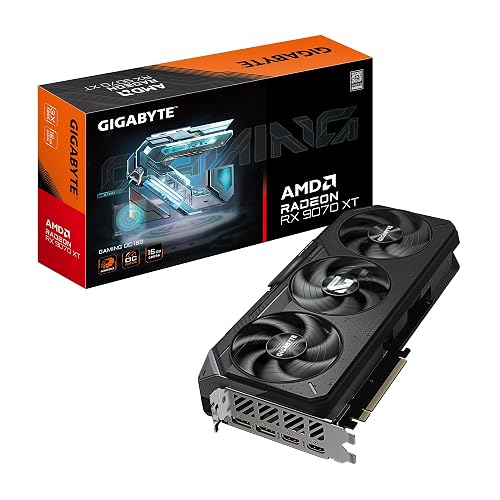 | Best AMD Overall | GPU Model: Radeon RX 9070 XT | Memory Size: 16 GB | Memory Type: GDDR6 | VIEW LATEST PRICE | Read Our Analysis |
| GIGABYTE GeForce RTX 5060 WINDFORCE OC 8G | 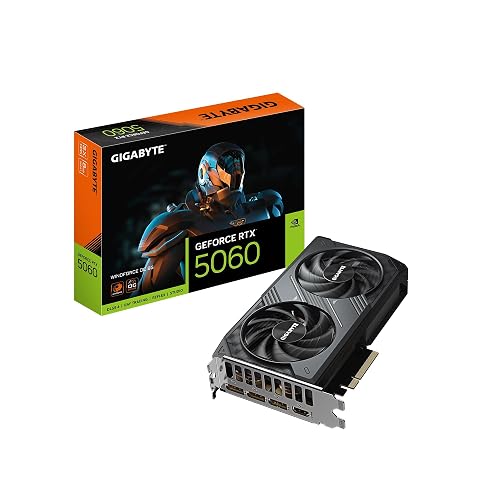 | Best Compact Value | GPU Model: GeForce RTX 5060 | Memory Size: 8 GB | Memory Type: GDDR7 | VIEW LATEST PRICE | Read Our Analysis |
| Sapphire Nitro+ Radeon RX 9070 XT Graphics Card | 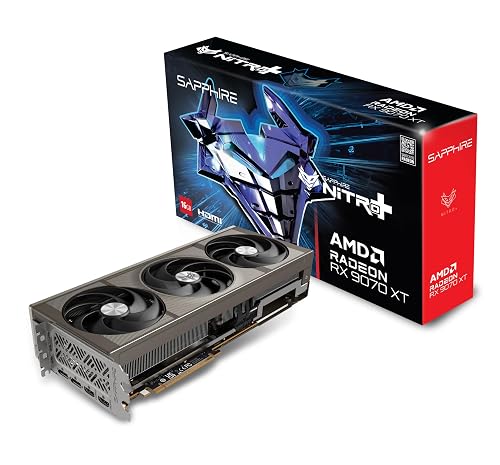 | Enthusiast AMD Pick | GPU Model: Radeon RX 9070 XT | Memory Size: 16 GB | Memory Type: GDDR6 | VIEW LATEST PRICE | Read Our Analysis |
More Details on Our Top Picks
GIGABYTE Radeon RX 9060 XT Gaming OC 16G
For a 2026-ready GPU for high-refresh 1440p gaming and solid 4K performance, the GIGABYTE Radeon RX 9060 XT Gaming OC 16G stands out with 16GB of GDDR6 memory, a 2700 MHz GPU clock, and PCIe 5.0 support.
It features AMD’s RDNA 4 architecture, a 20000 MHz memory clock, and DisplayPort and HDMI outputs for modern monitors and TVs. The WINDFORCE cooling system, Hawk Fan, and server-grade thermal conductive gel help maintain stable temperatures during long sessions. It supports output up to 7680 x 4320, includes RGB lighting, and comes with a 3-year warranty. Reviews average 4.7 out of 5 stars.
- GPU Model:Radeon RX 9060 XT
- Memory Size:16 GB
- Memory Type:GDDR6
- GPU Clock:2700 MHz
- Cooling Fans:Hawk fan / WINDFORCE
- Max Resolution:7680 x 4320
- Additional Feature:RDNA 4 architecture
- Additional Feature:WINDFORCE cooling system
- Additional Feature:RGB lighting
PNY GeForce RTX 5070 Epic-X ARGB Graphics Card
PNY’s GeForce RTX 5070 Epic-X ARGB OC Triple Fan is a strong fit if you want a 2026-ready mid-to-high-end GPU that delivers solid 1440p gaming, AI-enhanced performance, and creator-focused features without moving into a much higher power tier.
It features NVIDIA’s Blackwell architecture, 6,144 CUDA cores, 12GB of GDDR7 on a 192-bit bus, and up to 672 GB/s of bandwidth, making high-refresh 1440p gaming feel effortless. DLSS 4, Reflex, and fourth-generation ray tracing help improve frame rates, reduce latency, and enhance image quality. You also get Studio drivers and RTX acceleration in creative applications. A 250W TDP, 2.4-slot cooler, PCIe 5.0 support, and four-display output complete the package.
- GPU Model:GeForce RTX 5070
- Memory Size:12 GB
- Memory Type:GDDR7
- GPU Clock:2325 MHz
- Cooling Fans:3 fans
- Max Resolution:7680 x 4320
- Additional Feature:DLSS 4 support
- Additional Feature:192-bit memory bus
- Additional Feature:SFF-Ready design
ASUS Prime GeForce RTX 5070 Graphics Card
Need a compact, SFF-friendly GPU for a 2026 build? The ASUS Prime GeForce RTX 5070 fits nicely with its 2.5-slot, 12 x 5-inch design and SFF-Ready layout. You get NVIDIA Blackwell architecture, DLSS 4, 12GB of GDDR7, and a 2542 MHz GPU clock, making 1440p 144Hz gaming feel easy.
You also benefit from three Axial-tech fans, a phase-change thermal pad, and side-panel ventilation support, which help keep temperatures lower. PCIe 5.0, three DisplayPort 2.1b outputs, and HDMI 2.1b prepare you for modern displays up to 8K. ASUS backs it with a three-year warranty for extra peace of mind.
- GPU Model:GeForce RTX 5070
- Memory Size:12 GB
- Memory Type:GDDR7
- GPU Clock:2542 MHz
- Cooling Fans:3 Axial-tech fans
- Max Resolution:7680 x 4320
- Additional Feature:SFF-Ready design
- Additional Feature:Phase-change thermal pad
- Additional Feature:Axial-tech fan design
ASUS TUF GeForce RTX 5070 Ti Graphics Card
ASUS’s TUF GeForce RTX 5070 Ti 16GB GDDR7 OC Edition is a strong choice for gamers and creators who want durable cooling, solid 4K-ready performance, and next-generation display support in a premium desktop GPU for 2026. Built on NVIDIA’s Blackwell architecture, it delivers DLSS 4, 16GB of GDDR7 memory, and boost speeds up to 2610 MHz in OC mode.
It also features a 3.125-slot cooler with a large fin array, three Axial-tech fans, and a phase-change thermal pad for consistent thermal performance. Military-grade components, PCB coating, and Auto-Extreme manufacturing help improve long-term durability. PCIe 5.0, three DisplayPort 2.1a ports, and two HDMI 2.1b outputs complete the package.
- GPU Model:GeForce RTX 5070 Ti
- Memory Size:16 GB
- Memory Type:GDDR7
- GPU Clock:2610 MHz
- Cooling Fans:3 Axial-tech fans
- Max Resolution:7680 x 4320
- Additional Feature:Military-grade components
- Additional Feature:Protective PCB coating
- Additional Feature:GPU Tweak III
ASUS Dual GeForce RTX 5060 OC 8GB
As you’re building a compact gaming PC and still want current generation features, the ASUS Dual GeForce RTX 5060 OC 8GB is a smart fit. It gives you NVIDIA’s Blackwell architecture, 8GB of GDDR7, PCIe 5.0 support, and DLSS 4, delivering strong 1440p performance with modern upscaling and frame generation features.
This OC Edition boosts up to 2565 MHz, uses two Axial tech fans, and runs quieter with 0dB Technology under lighter loads. Its 2.5 slot, 9 inch design also makes installation easier in smaller cases. You also get three DisplayPort 2.1b outputs, one HDMI 2.1b port, 8K support, 623 AI TOPS, and a 3 year warranty.
- GPU Model:GeForce RTX 5060
- Memory Size:8 GB
- Memory Type:GDDR7
- GPU Clock:2565 MHz
- Cooling Fans:2 Axial-tech fans
- Max Resolution:7680 x 4320
- Additional Feature:623 AI TOPS
- Additional Feature:0dB Technology
- Additional Feature:SFF-Ready design
GIGABYTE GeForce RTX 5070 AERO OC Graphics Card
For creators, gamers, and white-build enthusiasts who want next-gen features without moving to a flagship tier, the GIGABYTE GeForce RTX 5070 AERO OC 12G is a strong 2026 choice. It features NVIDIA’s Blackwell framework, DLSS 4, improved RT Cores, and Tensor Cores, delivering fast 1440p performance, stronger ray tracing, and useful AI acceleration for games and creative applications.
Its 12GB of GDDR7 memory on a 192-bit bus supports demanding textures and modern workloads with ease. A 2600 MHz clock, PCIe 5.0 support, HDMI and DisplayPort outputs, WINDFORCE triple-fan cooling, 8K capability, and a 3-year warranty complete the package.
- GPU Model:GeForce RTX 5070
- Memory Size:12 GB
- Memory Type:GDDR7
- GPU Clock:2600 MHz
- Cooling Fans:3 fans / WINDFORCE
- Max Resolution:7680 x 4320
- Additional Feature:WINDFORCE cooling system
- Additional Feature:192-bit memory bus
- Additional Feature:AI acceleration
PNY GeForce RTX 5070 Ti Graphics Card
Need a GPU that balances high-end gaming, AI-enhanced creation, and future-ready connectivity? The PNY GeForce RTX 5070 Ti Epic-X ARGB Triple Fan delivers 16GB of GDDR7 memory, a 256-bit interface, and Blackwell architecture for strong 1440p 144Hz performance. It also includes DLSS 4, Reflex, fifth-generation Tensor Cores, and fourth-generation ray tracing cores for smoother, more intelligent gameplay.
Its triple-fan cooler and 2.98-slot design help maintain stable thermals, while PCIe 5.0, HDMI, and DisplayPort 2.1 support modern displays up to 8K. NVIDIA Studio drivers add value for creating, streaming, or editing, and the card is backed by a 3-year warranty.
- GPU Model:GeForce RTX 5070 Ti
- Memory Size:16 GB
- Memory Type:GDDR7
- GPU Clock:2295 MHz
- Cooling Fans:Triple-fan
- Max Resolution:7680 x 4320
- Additional Feature:256-bit memory bus
- Additional Feature:DLSS 4 support
- Additional Feature:NVIDIA Studio drivers
GIGABYTE Radeon RX 9070 XT Gaming OC 16G
GIGABYTE’s Radeon RX 9070 XT Gaming OC 16G stands out as a strong pick for 2026 gamers and creators who want high-end 4K performance, a factory-overclocked GPU clock up to 3060 MHz, and a roomy 16 GB of GDDR6 memory. You’ll get smooth 1440p 144Hz gameplay, plus support for up to 7680 x 4320 output through DisplayPort.
Its PCIe 5.0 x16 interface keeps your desktop build current, while the WINDFORCE Cooling System, Hawk Fan, and server-grade thermal conductive gel help keep temperatures under control during heavy workloads. You also get RGB lighting, a manageable 11.34 x 5.2-inch size, and a reassuring 3-year warranty.
- GPU Model:Radeon RX 9070 XT
- Memory Size:16 GB
- Memory Type:GDDR6
- GPU Clock:3060 MHz
- Cooling Fans:Hawk fan / WINDFORCE
- Max Resolution:7680 x 4320
- Additional Feature:WINDFORCE cooling system
- Additional Feature:Hawk Fan design
- Additional Feature:RGB lighting
GIGABYTE GeForce RTX 5060 WINDFORCE OC 8G
Gamers and mainstream PC builders who want next-generation features without moving into oversized, high-end territory should take a close look at the GIGABYTE GeForce RTX 5060 WINDFORCE OC 8G. It features NVIDIA’s Blackwell architecture, DLSS 4, RT Cores, Tensor Cores, and AI acceleration for smoother gaming and creative workloads at 1440p.
This card combines 8GB of GDDR7 on a 128-bit bus with a 2512 MHz GPU clock and 28000 MHz memory speed, delivering strong bandwidth for modern titles. Its dual-fan WINDFORCE cooler helps keep the compact 7.83-inch card easy to manage in smaller desktop builds. You also get HDMI, DisplayPort, PCIe 5.0 support, 8K output, and a 3-year warranty.
- GPU Model:GeForce RTX 5060
- Memory Size:8 GB
- Memory Type:GDDR7
- GPU Clock:2512 MHz
- Cooling Fans:2 fans / WINDFORCE
- Max Resolution:7680 x 4320
- Additional Feature:WINDFORCE cooling system
- Additional Feature:128-bit memory bus
- Additional Feature:DLSS 4 support
Sapphire Nitro+ Radeon RX 9070 XT Graphics Card
Sapphire’s Nitro+ Radeon RX 9070 XT is a strong choice if you want a premium 2026 GPU for high refresh 1440p gaming or smooth 4K performance while staying with AMD. It features a factory overclocked 3.06GHz core, 16GB of GDDR6 memory, and a 256 bit memory bus that helps demanding games remain responsive at higher settings.
This Sapphire Gaming OC card uses a triple fan cooler, connects over PCIe x16, and includes two HDMI and two DisplayPort outputs for flexible monitor setups. It supports resolutions up to 3840×2160, weighs 2.6kg, and comes with a two year warranty. User feedback is strong as well.
- GPU Model:Radeon RX 9070 XT
- Memory Size:16 GB
- Memory Type:GDDR6
- GPU Clock:3060 MHz
- Cooling Fans:3 fans
- Max Resolution:3840 x 2160
- Additional Feature:256-bit memory bus
- Additional Feature:Dual HDMI outputs
- Additional Feature:Gaming OC edition
Factors to Consider When Choosing 1440p 144hz Graphics Cards GPUs
When choosing a GPU for 1440p at 144Hz, start with the appropriate performance tier and enough VRAM for the games you play. Check cooling and noise levels so the system maintains strong performance without becoming too loud under load. Also confirm that the card is compatible with your power supply, uses the correct connectors, and fits your case without clearance problems.
GPU Performance Class
A GPU’s performance class is one of the most important factors when choosing a card for 1440p at 144 Hz, because this target depends on consistently high frame rates, not just sufficient VRAM on paper. At this resolution and refresh rate, the priority should be a GPU that can maintain strong performance in modern games, not one that only reaches occasional peaks.
In most cases, mid-to-high performance class cards offer the best balance of raster performance, ray tracing capability, and power efficiency. If you want to use higher settings or enable ray tracing, you will usually need a stronger class than a GPU designed primarily for 1080p. A higher-tier card also improves 1% lows, which helps gameplay feel smoother and more consistent. That additional headroom becomes more valuable as future games place heavier demands on 1440p performance.
VRAM Capacity Needs
Although raw GPU speed matters most for 1440p at 144 Hz, VRAM capacity still plays an important role in how smoothly a card handles modern settings and future games. You can still manage with 8 GB in many esports titles and lighter games, but it leaves less headroom for ultra textures, ray tracing, and newer releases.
For a better balance, 12 GB is the safer minimum for 1440p at 144 Hz. It supports higher quality texture packs and helps reduce stutter when games exceed available memory. For stronger long term value, 16 GB gives you more breathing room in modern AAA games, especially at high settings, with mods, in larger open worlds, with frame generation, anti aliasing, or creative apps running in the background while you game.
Cooling And Noise
Because 1440p at 144 Hz can keep a GPU under sustained load for long periods, cooling and noise deserve as much attention as raw performance. Look for cards with larger heatsinks and multiple fans, since triple fan and 2.5 slot to 3.125 slot designs usually dissipate heat more effectively and run quieter during extended sessions. Higher quality thermal materials, including phase change pads and high conductivity gels, also improve heat transfer and help the GPU maintain more consistent peak clocks.
Features such as zero RPM fan modes and refined fan blade designs can further reduce noise during desktop use or lighter gaming. If you are considering a card rated around 250 W or more, cooling quality becomes even more important, because weaker coolers require higher, louder fan speeds. Also make sure your case has strong airflow, so warm air does not recirculate around the card.
Power And Connectors
Power and connector requirements can make or break a 1440p 144 Hz build, so check a card’s board power against your power supply’s available headroom before buying. Many faster 1440p 144 Hz GPUs can pull 250 W or more under load, and a tight PSU budget can cause instability. It is smart to leave extra wattage for transient spikes during intense gaming sessions.
Verify the exact connector setup before you order. Some newer cards use a 16 pin plug, while others still need dual or triple 8 pin leads. Make sure your power supply has enough separate PCIe cables for the card’s native connectors or adapter, because daisy chaining can be risky on higher draw models. Also confirm that there is enough clearance around the plug so cable routing is not overly cramped.
Case Size Fit
Before you buy, measure your case against the GPU’s actual dimensions, since 1440p 144 Hz cards can range from about 7.8 inches to well over 13 inches long. In smaller cases, that difference can determine whether installation is easy or impossible. You should also check thickness, because many performance cards use 2.4 slot to 3.125 slot coolers that can block nearby expansion slots.
Do not stop at length and slot count. Verify that your case can accommodate the card’s full height and width, especially when the cooler extends roughly 4.6 to 5.5 inches from the PCIe area. Leave extra space for the power connector and cable bend so cables do not press against the side panel. If you are building in a compact or SFF case, choose an SFF ready or compact model.
Display Outputs Support
After you’ve confirmed the card will physically fit, check its display outputs to make sure it can actually run your monitor at 1440p and 144 Hz. You’ll want at least one high-refresh connection, ideally DisplayPort 1.4, DisplayPort 2.1, or HDMI 2.1, because the monitor and cable also affect whether 1440p at 144 Hz works properly.
If your monitor supports DisplayPort, prioritize cards with multiple DisplayPort outputs. Many 1440p 144 Hz panels deliver full refresh rate support and adaptive sync more reliably over DisplayPort. You should also count the total number of outputs if you plan to run multiple displays, since layouts vary between cards. Finally, confirm the GPU supports at least 2560 × 1440 maximum resolution, and preferably much higher, so the output hardware itself will not become a bottleneck later during upgrades.
Upscaling And Frame Generation
Even though a GPU may look powerful on paper, upscaling and frame generation often have a bigger impact on achieving a smooth 1440p 144 Hz experience. Upscaling improves performance by rendering below native resolution, then reconstructing a sharper 1440p image. In many games, that can help you hit your frame rate target more effectively than simply lowering graphics settings.
Frame generation inserts AI-created frames between rendered frames, which can make motion appear much smoother. You will get the best results when your base frame rate is already fairly high, because that helps keep latency and visual artifacts under control. These features matter most in demanding AAA games, especially when ray tracing or ultra settings are enabled. When comparing GPUs, do not look only at raster performance; check feature support as well. Together, these technologies can turn a merely capable card into one that delivers a consistently smoother experience.
Frequently Asked Questions
Can a 1440P 144HZ GPU Improve Video Editing Performance?
Yes, upgrading is like swapping a bicycle for a motorcycle. You can edit faster. A stronger 1440p 144Hz GPU accelerates effects, playback, and exports. In Premiere Pro, GPU acceleration can cut render times by 20 to 50%, depending on the codecs.
Do 1440P 144HZ Graphics Cards Require Anti-Sag Support Brackets?
Not always. You will need an anti-sag bracket when your graphics card is long, heavy, or mounted horizontally. Check for visible droop after installation. If you see sagging, add support to protect the PCIe slot.
How Often Should I Clean a GPU for Optimal Airflow?
Clean your GPU every three to six months, because dust gradually builds up and restricts airflow. If you have pets, smoke, or carpet, clean it monthly to help keep temperatures lower.
Are Extended Warranties Worth Buying for High-End Graphics Cards?
Usually, you should not buy extended warranties for high-end graphics cards unless the coverage includes accidental damage or a long term. You already get manufacturer protection, and retailer plans often cost too much for the limited extra value.
Can These GPUS Fit in Small Form Factor PC Cases?
Yes, some will fit and some will not. Like squeezing a couch through a doorway, you will need exact dimensions. Many high end GPUs are 300 to 360 mm long, so you should measure case clearance, width, thickness, and PSU cable space first.




