


If you are looking to upgrade storage without overcomplicating the choice, a 512GB SSD can give you a noticeable boost in speed, load times, and everyday responsiveness.
The best option depends on whether your system needs SATA or NVMe, and not every drive handles heat, warranty support, or sustained performance the same way.
The six models below cover the most practical picks, and a few of them may surprise you.
| Vansuny 512GB SATA III 2.5″ Internal SSD | 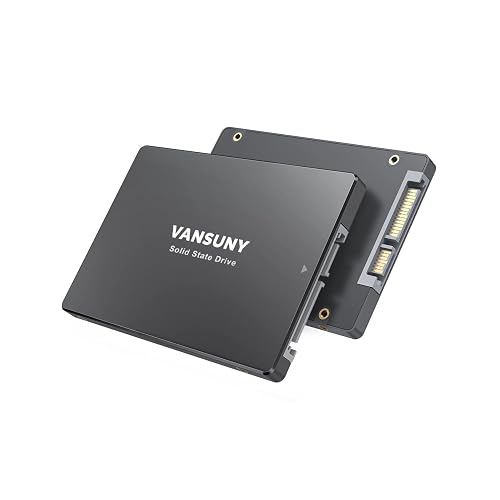 | Budget SATA Pick | Capacity: 512GB | SSD Type: Internal SSD | Interface: SATA III | VIEW LATEST PRICE | Read Our Analysis |
| JOIOT 512GB SATA III 2.5″ Internal SSD |  | Fast SATA Upgrade | Capacity: 512GB | SSD Type: Internal SSD | Interface: SATA III | VIEW LATEST PRICE | Read Our Analysis |
| Ediloca 512GB NVMe M.2 SSD (EN680E) | 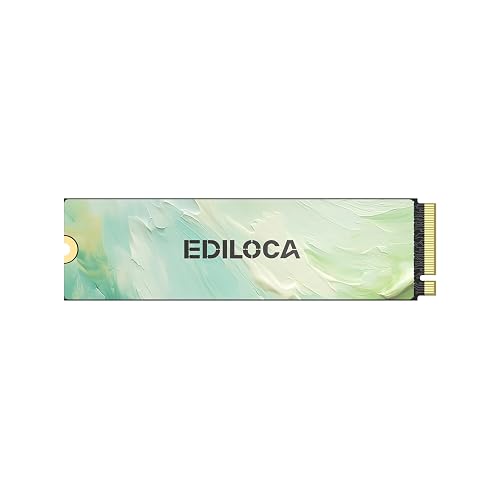 | Best NVMe Value | Capacity: 512GB | SSD Type: Internal SSD | Interface: NVMe PCIe 3.0 | VIEW LATEST PRICE | Read Our Analysis |
| SIX 512GB NVMe M.2 SSD with Heatsink | 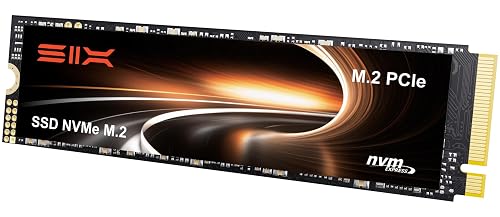 | Best PS5 Pick | Capacity: 512GB | SSD Type: Internal SSD | Interface: NVMe PCIe 4.0 | VIEW LATEST PRICE | Read Our Analysis |
| 512GB PCIe Gen3 NVMe M.2 SSD (GM328) | 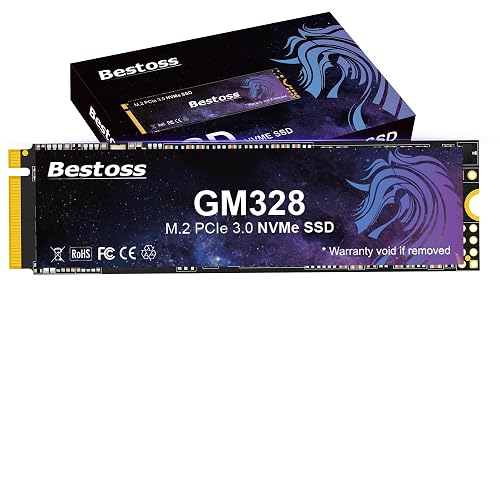 | Speed Champion | Capacity: 512GB | SSD Type: Internal SSD | Interface: NVMe PCIe 3.0 | VIEW LATEST PRICE | Read Our Analysis |
| Silicon Power 512GB A55 SATA III SSD | 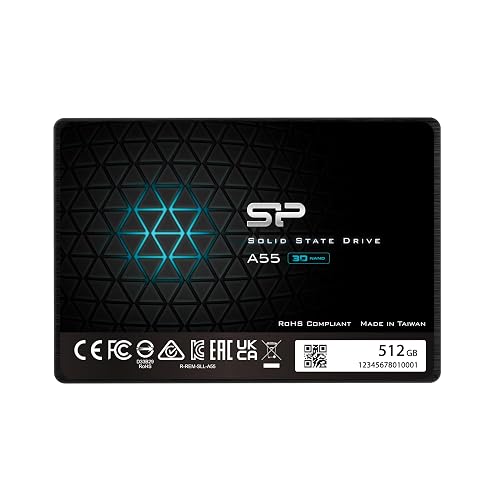 | Slim Laptop Pick | Capacity: 512GB | SSD Type: Internal SSD | Interface: SATA III | VIEW LATEST PRICE | Read Our Analysis |
More Details on Our Top Picks
Vansuny 512GB SATA III 2.5″ Internal SSD
If you want a straightforward upgrade for an older desktop, laptop, or PC, the Vansuny 512GB SATA III 2.5″ Internal SSD is a smart fit, especially if you need faster boot times, smoother multitasking, and reliable everyday storage. You get 512GB of 3D NAND flash in a slim 2.5-inch SATA III drive that installs internally and runs quietly. It can reach up to 500/450 MB/s read and write speeds, so you will move files faster and launch apps sooner. The shockproof ABS casing helps durability, and its low power draw suits work, gaming, and editing on Windows, Mac, or Linux.
- Capacity:512GB
- SSD Type:Internal SSD
- Interface:SATA III
- Form Factor:2.5-inch
- NAND Flash:3D NAND
- Warranty:1 year
- Additional Feature:Shockproof silent design
- Additional Feature:Premium ABS casing
- Additional Feature:Lower power usage
JOIOT 512GB SATA III 2.5″ Internal SSD
JOIOT’s 512GB SATA III 2.5″ Internal SSD is a solid choice for a straightforward laptop or PC upgrade, delivering faster everyday performance and dependable storage. It is a 2.5-inch SATA III 6Gb/s drive compatible with standard SATA 3.0 systems, so installation stays simple. With read speeds up to 550 MB/s and write speeds up to 450 MB/s, you will notice quicker boot times, faster app launches, and smoother game loading. Its 3D NAND TLC design improves durability, efficiency, and heat management. The drive also offers shock resistance and manufacturer support.
- Capacity:512GB
- SSD Type:Internal SSD
- Interface:SATA III
- Form Factor:2.5-inch
- NAND Flash:3D NAND TLC
- Warranty:Support available
- Additional Feature:TLC memory
- Additional Feature:Heat dissipation support
- Additional Feature:Longer rewrite life
Ediloca 512GB NVMe M.2 SSD (EN680E)
The Ediloca EN680E 512GB NVMe M.2 SSD is a smart pick if you want an affordable Gen3 drive that still delivers strong everyday speed, with up to 2050 MB/s read and 1300 MB/s write performance for faster boot times, quick file transfers, and smooth gaming. You also get NVMe 1.4, dynamic SLC cache, HMB, and TRIM support for responsive performance. Its 3D NAND, graphene cooling, and auto-adaptive thermal control help keep speeds steady under load. It works with most NVMe laptops and desktops, includes a toolkit, and is backed by a 3-year limited service.
- Capacity:512GB
- SSD Type:Internal SSD
- Interface:NVMe PCIe 3.0
- Form Factor:M.2 2280
- NAND Flash:3D NAND
- Warranty:3-year limited service
- Additional Feature:Dynamic SLC cache
- Additional Feature:Nano-coated graphene cooling
- Additional Feature:AES-256 encryption
SIX 512GB NVMe M.2 SSD with Heatsink
SIX’s 512GB NVMe M.2 SSD with heatsink is a strong pick if you want PCIe Gen4 speeds without moving to a larger capacity drive. It is a PCIe 4.0 x4 NVMe M.2 2280 drive with up to 7,100 MB/s read speeds, so boot times, game loads, and file transfers stay snappy. It works well in desktops, laptops, gaming consoles, and PS5 systems. The included heatsink helps manage heat, and the 5-year limited warranty adds peace of mind. It is built for gaming, work, and demanding creative tasks.
- Capacity:512GB
- SSD Type:Internal SSD
- Interface:NVMe PCIe 4.0
- Form Factor:M.2 2280
- NAND Flash:3D NAND
- Warranty:5-year limited warranty
- Additional Feature:PCIe Gen4x4 interface
- Additional Feature:Heatsink included
- Additional Feature:PS5 compatible
512GB PCIe Gen3 NVMe M.2 SSD (GM328)
Bestoss’s GM328 512GB PCIe Gen3 NVMe M.2 SSD is a strong pick if you want fast everyday storage for a desktop, laptop, or all-in-one PC without paying for PCIe 4.0 speeds you may not use. You get PCIe Gen3 x4 NVMe performance, up to 3,500 MB/s read and 2,300 MB/s write speeds, plus 3D TLC NAND, HMB, and dynamic SLC cache. That means quicker boot times, smoother multitasking, and faster game loads. It is plug-and-play, works with Windows and Linux, resists shock, and includes a 3-year warranty with lifetime support.
- Capacity:512GB
- SSD Type:Internal SSD
- Interface:NVMe PCIe 3.0
- Form Factor:M.2 2280
- NAND Flash:3D TLC NAND
- Warranty:3-year limited warranty
- Additional Feature:Dynamic SLC Cache
- Additional Feature:HMB support
- Additional Feature:Shock resistance
Silicon Power 512GB A55 SATA III SSD
If you want a fast, space-saving upgrade for a laptop or ultrabook, the Silicon Power 512GB A55 SATA III SSD is a strong fit. You get 512GB of internal storage in a slim 2.5-inch, 7mm design that slips easily into ultrabooks and ultra-slim notebooks. Its SATA III interface and 3D NAND flash with SLC Cache Technology deliver quicker bootups, high transfer speeds, and smoother everyday performance. You will also benefit from better endurance and a longer lifespan. Silicon Power backs it with a 3-year limited warranty and provides support through product registration on its official website.
- Capacity:512GB
- SSD Type:Internal SSD
- Interface:SATA III
- Form Factor:2.5-inch
- NAND Flash:3D NAND
- Warranty:3-year limited warranty
- Additional Feature:SLC Cache Technology
- Additional Feature:7mm slim design
- Additional Feature:Ultrabook compatible
Factors to Consider When Choosing 512GB SSDs
When choosing a 512GB SSD, first check interface compatibility and confirm the drive fits your system’s form factor. Compare read and write speeds, since these affect how quickly applications and files load, and evaluate endurance and reliability for long term use. Review the warranty and support, because they can make a significant difference if a problem occurs.
Interface Compatibility
Interface compatibility is the first thing you should check, because a 512GB SSD will not work unless it matches your device’s slot and standard. Match SATA III 6 Gb/s with a 2.5-inch bay, or choose PCIe Gen3 or Gen4 NVMe for an M.2 slot. Do not stop at the label; the form factor matters too, since a 2.5-inch SATA drive and an M.2 2280 NVMe drive use different connectors and mounting styles. If you are upgrading an older system, confirm backward compatibility so a newer NVMe drive can still run in a PCIe 3.0 slot. For consoles and other special devices, check their exact requirements. If the interface does not match, the drive will not fit or work properly.
Read And Write Speed
Read and write speed shape how fast your 512 GB SSD feels in daily use. Higher read rates help your system open files, load games, and boot quickly, and stronger write speeds make saving large files, installing software, and copying data smoother. You will usually see SATA models around 500/450 MB/s, while NVMe options can exceed 3,000/2,000 MB/s, so the gap can be large. Pay attention to sustained write speed too, especially if you move big backups or edit video, because some drives slow down once their cache fills. Higher peak numbers look good, but real world performance matters more. Choose a drive that matches your workload, and make sure its speed fits your device’s connection limits for the best result.
Form Factor Fit
A good 512GB SSD must fit your device as well as your storage needs. Match the form factor to the slot you already have: choose a 2.5-inch SATA drive for a SATA bay, or an M.2 2280 drive for an M.2 socket. Check the interface and keying as well, since an M.2 slot may support SATA, PCIe NVMe, or both; a 2.5-inch SSD requires SATA data and power connections. Measure the drive bay before you buy, because 2.5-inch models and M.2 sticks have different dimensions, and confirm clearance space for heatsinks or thicker cases. Finally, make sure your laptop, desktop, or console supports the drive type and mounting hardware you plan to use.
Endurance And Reliability
When you are choosing a 512GB SSD, endurance and reliability matter as much as speed. Look for 3D NAND and TLC-based drives, since they usually handle more rewrites and keep performance steadier over time. Features like SLC cache, HMB, and TRIM also help by smoothing out write bursts and reducing slowdowns during heavy use. If you push your drive hard, thermal management matters too. Graphene layers or heatsinks can help it stay cool and avoid throttling. SSDs are already tougher than hard drives because they have no moving parts, so they are better for daily laptop or desktop use. Longer warranties often indicate greater confidence in a drive’s long-term endurance, so a three to five year term is worth noting.
Warranty And Support
After you have checked endurance and reliability, warranty and support are the next items to compare for a 512GB SSD. Check the warranty length first, because coverage can range from one to five years and determines your protection against defects. Then verify whether the manufacturer provides technical support, for example global or lifetime assistance, since you may need troubleshooting after installation. Also inspect the package for useful extras, such as a manual, screws, a screwdriver, or an installation toolkit, which can simplify setup. Confirm whether registration is required to activate warranty service. Finally, review the return policy for eligible purchases, because it can provide additional backup beyond the standard warranty period.
Frequently Asked Questions
Which SSD Type Is Best for Gaming Laptops?
For gaming laptops, choose an NVMe PCIe SSD, typically an M.2 2280 drive. You will get faster load times, smoother game installs, and better responsiveness compared with SATA SSDs, and they are widely supported.
Do 512GB SSDS Work With Older Desktops?
Yes, 512GB SSDs often work with older desktops if you match the interface, SATA usually does. NVMe may need a compatible slot or an adapter. You will get faster boot times and quieter operation.
How Long Do 512GB SSDS Typically Last?
You can expect a 512GB SSD to last about 5 to 10 years, and often longer. Drive longevity depends mainly on usage, write volume, and drive quality, so light everyday use usually keeps it running well.
Can I Clone My Current Drive to a 512GB SSD?
Yes, you can if your current data fits. Like moving a library into a smaller shelf, you will clone only what fits. Back up first, use cloning software, and then set the SSD as the boot drive.
Are 512GB SSDS Enough for Video Editing Projects?
Yes. A 512GB SSD can handle smaller video editing projects, but it will fill quickly with raw footage and cache files. If you edit frequently or work in 4K, plan on external storage, or a larger internal drive.




