


If you’re building a gaming PC in 2026, the motherboard you choose can shape everything from speed to upgrade potential.
With AM5 and Intel options offering DDR5, PCIe 5.0, and stronger VRMs, the right board is not just about compatibility anymore.
Some models stand out for cooling, networking, and future-ready storage, but the best choice depends on how you plan to build, and one detail could change everything.
More Details on Our Top Picks
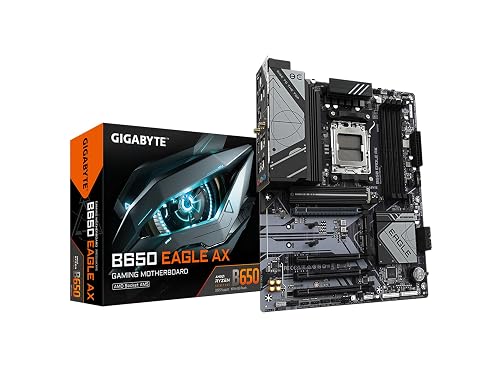
GIGABYTE B650 Eagle AX AM5 ATX Motherboard
If you are building a Ryzen 7000 gaming rig on AMD’s AM5 platform, the GIGABYTE B650 Eagle AX is a strong fit thanks to DDR5 support, a 12+2+2 phase digital VRM, and a triple M.2 layout that includes one PCIe 5.0 slot. You get an ATX board with an AM5 socket, four SMD DIMM slots, and support for AMD EXPO and Intel XMP kits. Its advanced thermal design, M.2 Thermal Guard, and stable power delivery help keep performance consistent. Add USB 3.2 Gen 2×2 Type C, Wi Fi 6E, and Realtek GbE LAN, and you have a capable gaming foundation.
- CPU Socket:AM5
- Chipset:B650
- Memory Type:DDR5
- Form Factor:ATX
- Wi‑Fi:Wi‑Fi 6E
- LAN Speed:GbE
- Additional Feature:12+2+2 phase VRM
- Additional Feature:PCIe 5.0 M.2
- Additional Feature:USB 3.2 Gen 2×2
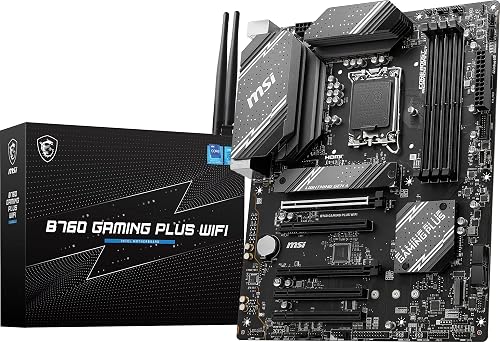
MSI B760 Gaming Plus WiFi Motherboard
The MSI B760 Gaming Plus WiFi motherboard is a strong pick if you want a reliable Intel-based gaming build with modern speed and connectivity. It uses an LGA 1700 socket and supports 12th, 13th, and 14th Gen Intel Core CPUs, plus Pentium Gold and Celeron chips. DDR5 memory runs in dual-channel mode and can reach 6800+ MHz OC. For storage and graphics, you get PCIe 4.0 and a Lightning Gen 4 x4 M.2 slot. MSI also provides an extended heatsink, 2.5G LAN, Wi-Fi 6E, USB 3.2 Gen2, HDMI, DisplayPort, and Bluetooth 5.3.
- CPU Socket:LGA 1700
- Chipset:B760
- Memory Type:DDR5
- Form Factor:ATX
- Wi‑Fi:Wi‑Fi 6E
- LAN Speed:2.5G
- Additional Feature:6800+ MHz OC
- Additional Feature:Extended heatsink design
- Additional Feature:Bluetooth 5.3
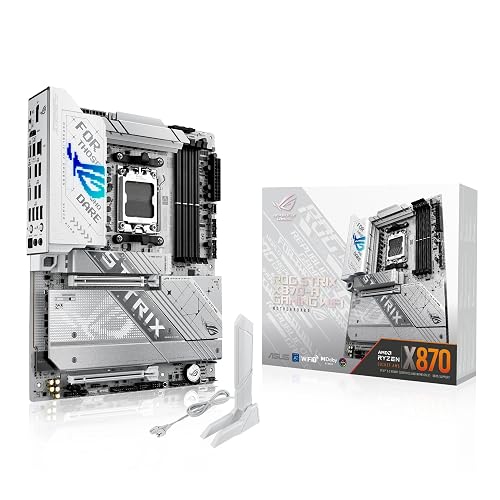
ASUS ROG Strix X870-A Gaming WiFi Motherboard
Built for gamers and power users who want plenty of headroom, the ASUS ROG Strix X870-A Gaming WiFi pairs an AMD X870 chipset with an AM5 socket and a strong 16+2+2 power design. You can run Ryzen 7000, 8000, or 9000 processors with confidence. The board includes 90A stages, dual ProCool II connectors, AI Overclocking, Dynamic OC Switcher, and AI Cooling II for precise tuning. Four DDR5 slots support up to 192GB. PCIe 5.0, four M.2 slots, WiFi 7, USB4, and AI Networking round out a fast, modern ATX board.
- CPU Socket:AM5
- Chipset:X870
- Memory Type:DDR5
- Form Factor:ATX
- Wi‑Fi:Wi‑Fi 7
- LAN Speed:Ethernet
- Additional Feature:16+2+2 power stages
- Additional Feature:WiFi 7
- Additional Feature:USB4 support
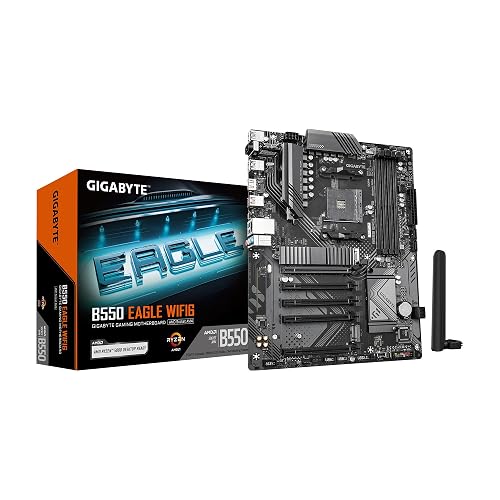
GIGABYTE B550 Eagle WiFi6 AM4 ATX Motherboard
GIGABYTE’s B550 Eagle WiFi6 AM4 ATX motherboard is a strong pick if you want a dependable AMD Ryzen gaming platform with modern wireless connectivity. It supports AM4 Ryzen 5000, 4000, and 3000 series CPUs and accommodates DDR4 memory across four DIMM slots for up to 128GB. The digital 10+3 phase VRM, premium components, and enlarged heatsinks help keep power stable and temperatures in check. PCIe 4.0 is supported, and you get two M.2 slots, WiFi 6, 1GbE LAN, USB-C, and eight USB ports for a practical build.
- CPU Socket:AM4
- Chipset:B550
- Memory Type:DDR4
- Form Factor:ATX
- Wi‑Fi:WiFi 6
- LAN Speed:1GbE
- Additional Feature:Digital twin 10+3 VRM
- Additional Feature:Advanced Thermal Armor
- Additional Feature:5 W/mk thermal pads
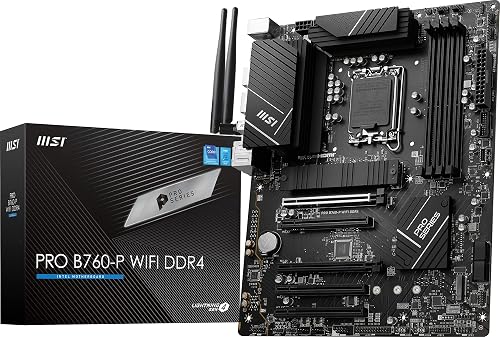
MSI PRO B760-P WiFi DDR4 Motherboard
If you want a reliable ATX gaming board that still supports DDR4, the MSI PRO B760-P WiFi DDR4 is a strong fit for you. It uses an LGA 1700 socket and supports Intel 14th, 13th, and 12th Gen CPUs, as well as Pentium Gold and Celeron chips. The 12+1 Duet Rail power design, Core Boost, and extended heatsinks help keep the system stable. You can install up to 128 GB across four DIMM slots, with support for 5333+ MHz overclocking. Connectivity includes Wi‑Fi 6E, Bluetooth 5.3, 2.5 Gbps LAN, PCIe 4.0, and M.2 storage, and the board is compatible with Windows 11.
- CPU Socket:LGA 1700
- Chipset:B760
- Memory Type:DDR4
- Form Factor:ATX
- Wi‑Fi:Wi‑Fi 6E
- LAN Speed:2.5Gbps
- Additional Feature:12+1 Duet Rail
- Additional Feature:5333+ MHz OC
- Additional Feature:M.2 Shield Frozr
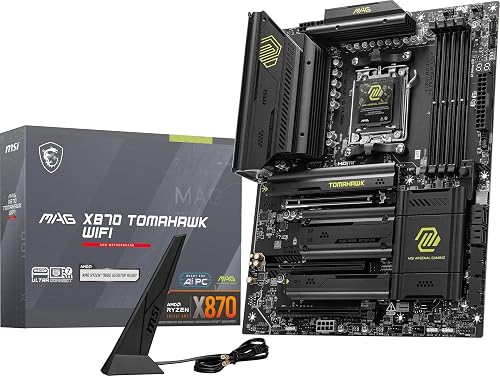
MSI MAG X870 Tomahawk WiFi Gaming Motherboard
The MSI MAG X870 Tomahawk WiFi is a strong pick if you are building a high-performance AMD gaming PC on the AM5 platform. It supports Ryzen 9000, 8000, or 7000 series CPUs, and offers DDR5, PCIe 5.0, and M.2 Gen5 support in an ATX layout. Its built-in USB 4 port delivers 40 Gbps speeds. HDMI, DisplayPort, Wi-Fi 7, Bluetooth 5.4, and 5 Gbps LAN keep you connected. Extended heatsinks and an enhanced power design help your processor run at full speed, and Audio Boost 5 sharpens immersion.
- CPU Socket:AM5
- Chipset:X870
- Memory Type:DDR5
- Form Factor:ATX
- Wi‑Fi:Wi‑Fi 7
- LAN Speed:5Gbps
- Additional Feature:USB4 port
- Additional Feature:Wi-Fi 7
- Additional Feature:Audio Boost 5
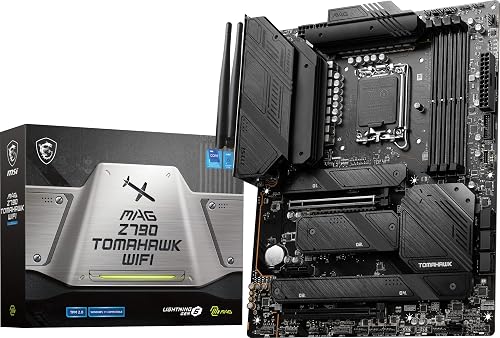
MSI MAG Z790 Tomahawk WiFi Motherboard
MSI’s MAG Z790 Tomahawk WiFi stands out for gamers who want a strong, future-ready Intel build without overcomplicating the setup. You can pair it with 12th, 13th, or 14th Gen Intel Core chips on the LGA 1700 socket, plus Pentium Gold or Celeron CPUs. DDR5 support reaches 7200+ MHz OC, and the 16+1+1 Duet Rail power system, dual 8-pin CPU power, Core Boost, and Memory Boost help you push performance. You also get PCIe 5.0, Gen 4 M.2, USB 3.2 Gen 2×2, Wi-Fi 6E, 2.5 Gbps LAN, Bluetooth 5.3, and solid cooling.
- CPU Socket:LGA 1700
- Chipset:Z790
- Memory Type:DDR5
- Form Factor:ATX
- Wi‑Fi:Wi‑Fi 6E
- LAN Speed:2.5Gbps
- Additional Feature:16+1+1 Duet Rail
- Additional Feature:7200+ MHz OC
- Additional Feature:M.2 Shield Frozr
Factors to Consider When Choosing Gaming Motherboards
When choosing a gaming motherboard, match the CPU socket to your processor and verify the chipset offers the performance and features you need. Also review memory support, expansion slot availability, and storage options to ensure the board can handle your current setup and future upgrades.
CPU Socket Compatibility
Before you look at features or aesthetics, make sure the motherboard socket matches your CPU platform exactly, whether that is AM5, AM4, or LGA 1700. If it does not, the processor will not fit or work at all. That match is your first filter in any gaming build. A socket also tells you which CPU generations you can use, so confirm the exact chip you want, not just the brand. For example, some AM5 boards support Ryzen 7000, 8000, or 9000 series, while some LGA 1700 boards support 12th, 13th, and 14th Gen Core processors. Even then, chipset and BIOS support can still block compatibility, so double check before you buy. Choosing the right socket also keeps upgrade paths open.
Chipset Feature Set
Once you’ve confirmed socket compatibility, the chipset becomes the next major filter because it shapes what the board can actually do. Treat it as the board’s feature roadmap. It determines which CPU generations you can run, which I/O options you get, and how much expansion headroom you will have. Higher-end chipsets usually bring PCIe 5.0, USB4, Wi Fi 7, and faster Gen5 M.2 storage, so you will notice the difference if you want top-tier connectivity. Midrange chipsets can still serve you well, especially if you value PCIe 4.0, multiple M.2 slots, and fast USB 3.2 ports. More advanced options also tend to improve LAN performance, increase USB counts, and add storage flexibility, giving you a stronger foundation for a future-proof gaming build.
Memory Support
Memory support is another critical factor, because your motherboard has to match both the memory generation and the performance level you want. You need to confirm whether your platform uses DDR4 or DDR5, since you cannot mix them. Most gaming boards give you four DIMM slots, which lets you run dual-channel memory and add more later. Check the board’s maximum capacity too; many models support 128 GB, while others reach 192 GB. You should also compare memory speeds and overclocking limits, because some boards handle DDR4 5333+ MHz OC or DDR5 7200+ MHz OC. If you want easier tuning, make sure the board supports AMD EXPO or Intel XMP, so you can enable high-speed profiles quickly without manual tweaking each time.
Expansion Slots
Expansion slots are a key part of any gaming motherboard, because they determine how much room you have for your GPU and future add-ons. Check how many PCIe slots the board offers, since some models give you only one full-length graphics slot, while others provide extra ports for expansion cards. For the best long-term headroom, look for PCIe 5.0 support; PCIe 4.0 still works well for most gaming builds. Make sure the main graphics slot uses x16 wiring and includes reinforcement for better bandwidth and support. If you plan to install a capture card, sound card, or networking card, confirm you will still have enough open slots after the GPU and M.2 layout.
Storage Options
After you have checked expansion room, review storage options, because a gaming motherboard needs enough fast and flexible drive support for both current games and future upgrades. Check how many M.2 slots and SATA ports the board offers, since extra connectors let you add more SSDs and hard drives without replacing what you already use. For the quickest NVMe performance, choose PCIe 4.0 or PCIe 5.0 M.2 support. For a balanced setup, aim for at least one PCIe 5.0 M.2 slot, plus additional PCIe 4.0 slots for today’s and tomorrow’s drives. Also confirm the board includes an M.2 heatsink or thermal guard, because fast SSDs can throttle when they get hot. If you still need bulk storage, make sure SATA 6Gb/s ports are available.
Power Delivery
Power delivery is the backbone of a gaming motherboard, because stable CPU power directly affects boost behavior, overclocking headroom, and long term system stability. You should look for robust VRM designs such as 12+2+2, 16+2+2, or 16+1+1, since more phases and quality power stages usually deliver cleaner current. Choose boards with alloy chokes, durable capacitors, and server grade materials for better efficiency and durability under heavy gaming loads. Dual CPU power connectors, like 8-pin plus 4-pin or dual 8-pin, can help when your CPU draws more power. Features such as Core Boost, memory power boosting, and dynamic overclocking also matter. Good power delivery keeps boosts steady, and helps your system stay reliable over time.
Cooling Design
Cooling design matters just as much as raw power delivery, because heat can quickly limit a gaming motherboard’s performance. Look for enlarged heatsinks, extended coverage, and high-conductivity thermal pads such as 7 W/mK or 5 W/mK, so the board can pull heat away from the VRMs efficiently. Strong VRM cooling matters even more when you are using a high-phase-count design under heavy CPU loads. Do not ignore M.2 cooling either; thermal guards or shield covers help prevent SSD throttling during long gaming sessions. Ensure good airflow support around the chipset, VRM area, and M.2 slots to keep temperatures stable. The best layouts balance heatsink size, pad quality, and component placement, so you get reliable cooling without blocking other expansion hardware.
Connectivity Features
Connectivity features can make or break a gaming motherboard, especially when you want fast, stable play and easy device support. Prioritize Wi-Fi 6E or Wi-Fi 7 for stronger speeds, lower latency, and steadier online sessions. If possible, choose at least 2.5 Gbps Ethernet, since wired LAN usually beats standard gigabit for responsiveness and reliability. Check the USB layout before you buy and make sure it includes enough high-speed ports, such as USB 3.2 Gen 2, USB 3.2 Gen 2×2 Type C, or USB4, for your peripherals and external drives. Also confirm the board has HDMI and DisplayPort if you might use integrated graphics. Finally, look for Bluetooth 5.3 or 5.4 for better headset, controller, and accessory connections.
Frequently Asked Questions
Which Motherboard Size Fits a Compact Gaming PC Build?
You should choose a Mini-ITX motherboard for a compact gaming PC build. It fits small cases, saves space, and can still handle powerful components. If you need more ports, consider a Micro-ATX board; it is larger.
Do Gaming Motherboards Need Built-In RGB Lighting Support?
No, you do not need built-in RGB support. Why pay for lights you will not use? You can add RGB strips, fans, or controllers later. Prioritize power delivery, cooling, and expansion over flashy onboard lighting.
Can I Use One Motherboard Across Multiple CPU Generations?
Yes, you can, provided the motherboard’s socket and chipset support those CPU generations. You will often need BIOS updates. Some older boards will not work with newer chips, so always check compatibility first.
How Important Is BIOS Update Support for Future Upgrades?
You need robust BIOS support, because it preserves your upgrade path and allows the system to accept newer CPUs without replacing the motherboard. Without such support, new chips may appear but your system will not recognize them.
Do Gaming Motherboards Affect Frame Rates in Games?
Usually you will not see higher frame rates from a motherboard alone. You will notice differences only if it enables better CPU boosting, faster RAM, or steadier power delivery. The main benefits come from the GPU and the processor.




