

If you want faster game launches and smoother asset streaming, you need an SSD that can actually keep pace with modern titles. In the list ahead you will find a mix of PCIe Gen4 and Gen5 drives, budget Gen3 picks, and even portable options, each with its own strengths.
Some are built for raw speed, while others focus on value, cooling, or PS5 support. The best choice may not be the one you expect.
| fanxiang S501Q 512GB NVMe M.2 SSD (3000MB/s) |  | Budget-Friendly Pick | Form Factor: M.2 2280 | Capacity: 512 GB | NVMe: PCIe 3.0 x4 NVMe | VIEW LATEST PRICE | Read Our Analysis |
| WD_Black SN8100 2TB NVMe SSD (WDS200T1X0M) |  | Performance Monster | Form Factor: M.2 2280 | Capacity: 2 TB | NVMe: PCIe Gen 5.0 x4 NVMe | VIEW LATEST PRICE | Read Our Analysis |
| Lexar ES3 1TB External SSD USB 3.2 Gen2 |  | Best External Option | Form Factor: External portable | Capacity: 1 TB | NVMe: USB 3.2 Gen2 SSD | VIEW LATEST PRICE | Read Our Analysis |
| SIX 1TB NVMe M.2 PCIe 4.0 SSD with Heatsink |  | Best For PS5 | Form Factor: M.2 2280 | Capacity: 1 TB | NVMe: PCIe Gen4x4 NVMe | VIEW LATEST PRICE | Read Our Analysis |
| fanxiang 1TB NVMe SSD for PS5 with Heatsink |  | Best For PS5 | Form Factor: M.2 2280 | Capacity: 1 TB | NVMe: PCIe Gen4 x4 NVMe 2.0 | VIEW LATEST PRICE | Read Our Analysis |
| 512GB PCIe Gen3 NVMe M.2 SSD (GM328) | 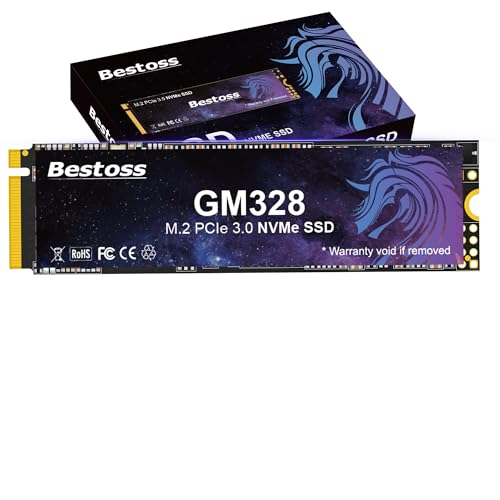 | Best Value | Form Factor: M.2 2280 | Capacity: 512 GB | NVMe: PCIe 3.0 x4 NVMe | VIEW LATEST PRICE | Read Our Analysis |
| Bestoss 1TB M.2 NVMe SSD (GM528) |  | Best PCIe 4.0 Pick | Form Factor: M.2 2280 | Capacity: 1 TB | NVMe: PCIe x4 NVMe | VIEW LATEST PRICE | Read Our Analysis |
More Details on Our Top Picks
fanxiang S501Q 512GB NVMe M.2 SSD (3000MB/s)
If you want a budget-friendly gaming SSD that still feels snappy, the fanxiang S501Q 512GB is a strong pick. It offers PCIe 3.0 x4 NVMe speeds up to 3000 MB/s read and 1300 MB/s write, plus intelligent SLC cache and 3D NAND for quick launches and smooth installs. The M.2 2280 design fits laptops, desktops, and all-in-ones with an M.2 slot. A graphene heat sticker helps control temps, and the drive is shock resistant with a mechanical-free build for added confidence. You also get 160 TBW endurance, a 3 year warranty, and installation tools included.
- Form Factor:M.2 2280
- Capacity:512 GB
- NVMe:PCIe 3.0 x4 NVMe
- Read Speed:3000 MB/s
- Warranty:3-year service
- Cooling:Graphene sticker
- Additional Feature:SLC cache technology
- Additional Feature:Shock resistant design
- Additional Feature:160 TBW endurance
WD_Black SN8100 2TB NVMe SSD (WDS200T1X0M)
The WD_Black SN8100 2TB NVMe SSD is a strong pick if you want top-tier PCIe Gen 5 speed in a gaming rig, offering up to 14,900 MB/s sequential reads, 14,000 MB/s sequential writes, and more than 2,300,000 IOPS. It is an M.2 2280 drive that handles large game installs, operating system files, and demanding edits with ease. It also consumes 7.5 W or less, running over 100% more efficiently than many PCIe Gen4 drives. With TLC 3D CBA NAND, SanDisk tools, and robust endurance options, it is built to keep up.
- Form Factor:M.2 2280
- Capacity:2 TB
- NVMe:PCIe Gen 5.0 x4 NVMe
- Read Speed:14,900 MB/s
- Warranty:Software support
- Cooling:Power efficient
- Additional Feature:PCIe Gen 5.0
- Additional Feature:2,300,000+ IOPS
- Additional Feature:SANDISK Dashboard support
Lexar ES3 1TB External SSD USB 3.2 Gen2
With up to 1,050 MB/s read speeds and a plug-and-play USB-C design, the Lexar ES3 1TB is a smart pick if you want a portable gaming SSD for fast game transfers and easy use across PS5, Xbox Series X|S, PC, and mobile devices. You get 1TB of NAND flash storage, up to 1,000 MB/s writes, and USB 3.2 Gen2 performance in a thin, 45 g silver drive. It is backward compatible with USB 3.0, includes a Type-C cable, and supports Lexar DataShield 256-bit AES encryption, plus a 3-year limited warranty.
- Form Factor:External portable
- Capacity:1 TB
- NVMe:USB 3.2 Gen2 SSD
- Read Speed:1050 MB/s
- Warranty:3-year limited
- Cooling:Compact design
- Additional Feature:USB Type-C cable
- Additional Feature:256-bit AES encryption
- Additional Feature:Pocket-friendly portable design
SIX 1TB NVMe M.2 PCIe 4.0 SSD with Heatsink
SIX’s X7400 1TB NVMe M.2 PCIe 4.0 SSD with heatsink is an excellent choice for gamers, content creators, and power users who want faster load times and reliable heavy-duty performance. It delivers PCIe Gen4x4 speeds up to 7350 MB/s, so boot times, file transfers, and game launches feel noticeably snappier. The drive uses the M.2 2280 form factor and is compatible with laptops, desktops, and PS5 storage expansion. The included heatsink and installation kit make setup straightforward, and the 5-year warranty provides added peace of mind.
- Form Factor:M.2 2280
- Capacity:1 TB
- NVMe:PCIe Gen4x4 NVMe
- Read Speed:7350 MB/s
- Warranty:5-year limited
- Cooling:Heatsink included
- Additional Feature:PS5 storage expansion
- Additional Feature:Installation kit included
- Additional Feature:5-year warranty
fanxiang 1TB NVMe SSD for PS5 with Heatsink
If you want a PS5-ready gaming SSD that maintains performance during long sessions, the fanxiang S880ER 1TB NVMe Internal Gaming SSD with Heatsink is a solid choice. It offers PCIe Gen 4 x4 and NVMe 2.0 performance, with speeds up to 7000 MB/s read and 3900 MB/s write. Games load quickly and large files transfer fast. The aluminum heatsink helps keep temperatures down for steady performance. The M.2 2280 drive is also compatible with desktops, laptops, and DirectStorage setups. You are backed by a 5-year warranty and lifetime technical support.
- Form Factor:M.2 2280
- Capacity:1 TB
- NVMe:PCIe Gen4 x4 NVMe 2.0
- Read Speed:7000 MB/s
- Warranty:5-year warranty
- Cooling:Aluminum heatsink
- Additional Feature:Aluminum heatsink enclosure
- Additional Feature:DirectStorage support
- Additional Feature:Lifetime technical support
512GB PCIe Gen3 NVMe M.2 SSD (GM328)
The Bestoss GM328 512GB PCIe Gen3 NVMe M.2 SSD is a smart pick if you want to breathe new life into an older gaming PC or budget build without overspending. You get PCIe 3.0 x4 NVMe speeds up to 3500 MB/s read and 2300 MB/s write, so your games, apps, and system boots feel much snappier than with a SATA drive. Its 3D TLC NAND, Dynamic SLC cache, TRIM, and SMART support help keep performance steady. It is plug-and-play, works with desktops, laptops, and all-in-one PCs, and includes screws and a screwdriver.
- Form Factor:M.2 2280
- Capacity:512 GB
- NVMe:PCIe 3.0 x4 NVMe
- Read Speed:3500 MB/s
- Warranty:3-year limited
- Cooling:Shock resistant
- Additional Feature:Dynamic SLC cache
- Additional Feature:TRIM support
- Additional Feature:Lifetime technical support
Bestoss 1TB M.2 NVMe SSD (GM528)
Bestoss’s GM528 is a strong pick if you want a budget-friendly 1TB NVMe SSD that can keep up with modern gaming without dragging down load times. You get a PCIe x4 M.2 2280 drive with NVMe support, up to 5000 MB/s read speeds, and 4200 MB/s sustained writes when you use PCIe 4.0. Its TLC 3D NAND and dynamic SLC cache help you load games fast and stay responsive. The graphene copper cooler supports heavier sessions, and TRIM, NCQ, and SMART add reliability. You can install it in laptops, desktops, or NAS systems.
- Form Factor:M.2 2280
- Capacity:1 TB
- NVMe:PCIe x4 NVMe
- Read Speed:5000 MB/s
- Warranty:3-year limited
- Cooling:Graphene-copper cooling
- Additional Feature:Graphene-copper cooling solution
- Additional Feature:PCIe 4.0 support
- Additional Feature:Each drive tested
Factors to Consider When Choosing Gaming SSDs
When choosing a gaming SSD, prioritize speed and load times because these determine how quickly your games launch and stream data. Also check the PCIe generation and capacity that match your system, since both affect performance and available storage. Finally, consider heat management, warranty, and endurance, as these factors help keep your SSD reliable over time.
Speed and Load Times
How fast does a gaming SSD really need to be? You will notice the difference most in sequential read speed, which shapes game load times and how quickly huge textures stream in. A fast NVMe drive with 5,000 to 7,000 MB/s reads can trim waits far more than a SATA SSD at 500 to 600 MB/s. Also watch random read and write IOPS, because games rely on them for asset streaming and texture decompression; higher counts help reduce pop-in and hitching. Do not ignore sustained writes either. If you install large games, update often, or record gameplay, a drive that collapses after its cache fills will slow you down. Good cooling matters too, since thermal throttling can drag performance and make loads stretch out.
PCIe Generation
Once you’ve looked at raw speed, PCIe generation is the next thing to check, because it sets the ceiling for what a gaming SSD can actually deliver. Gen3 x4 peaks around 3.5 GB/s, Gen4 x4 reaches about 7 GB/s, and Gen5 x4 can push past 14 GB/s, so newer drives can cut load times and improve asset streaming. You’ll also get better random read and write behavior from newer generations, thanks to lower latency and deeper I/O queues. Check your motherboard and CPU support first, though, because you only get full performance when the slot matches the drive. A Gen5 SSD will usually work in an older slot, but it will run at that slot’s limit. Also, higher generation drives can run hotter and draw more power.
Capacity Needs
Capacity can make or break a gaming SSD choice, because modern AAA titles often need 60 to 150 GB each, and that adds up fast. You should aim for at least 500 GB to 1 TB if you want room for a few big games, your OS, and everyday apps. If you stream, record, or keep multiple installs ready, 1 TB or more helps you avoid constant uninstalling. Leave 10 to 20% of the drive unused so performance stays consistent and write endurance lasts longer. Bigger drives usually also deliver higher TBW ratings, which matters when you reinstall often or build a long term library. Think ahead, too. Extra headroom keeps new releases and DLC from crowding your storage too quickly.
Heat Management
Storage size matters, but heat can be just as important for gaming SSD performance. If you push a fast NVMe drive through long gaming or creation sessions, it can run hot and throttle. You will want a model with a heatsink, thermal pad, or graphene sticker, or you will need to add cooling yourself. Check that your motherboard or laptop leaves enough room for an M.2 heatsink and has airflow around the slot. In cramped PS5 or notebook bays, temperatures can climb fast and cut sustained read and write speeds. Use SSD monitoring software to watch temperatures and performance, and keep them well below the drive’s limit. Also consider how the form factor and interface affect heat, since some setups naturally dissipate better than others.
Warranty and Endurance
When you choose a gaming SSD, warranty and endurance tell you how well the drive should hold up over time. Check TBW ratings first, since higher numbers mean the drive can handle more writes before it wears out. A 3 to 5 year warranty usually signals stronger manufacturer confidence and provides repair or replacement coverage if the drive fails early. Read the fine print, though; some warranties cover only hardware replacement, not data recovery, and damage or misuse can void them. For most gaming, you will not need extreme endurance, but if you also edit video or train models, pick a drive with higher DWPD or TBW. Match the rating to your actual workload.
Frequently Asked Questions
Which SSD Is Best for Reducing Game Loading Times?
You should choose a fast NVMe SSD, preferably a PCIe 4.0 model such as the Samsung 990 Pro or the WD Black SN850X. These drives significantly reduce load times, making games feel much faster.
Do Gaming SSDS Improve In-Game Frame Rates?
No, a gaming SSD will not typically increase in-game frame rates. It does speed up level loading and can reduce stutter from asset streaming, but your GPU and CPU are the primary factors that determine FPS.
Is an External SSD Good for Running Modern Games?
Yes, you can use an external SSD for modern games, and it will load them quickly, but you should use USB 3.2 or faster. It will not increase FPS, and some games still perform better on internal drives.
Should I Choose PCIE 4.0 Over PCIE 3.0 for Gaming?
Yes, choose PCIe 4.0 if your budget allows; it can reduce loading times noticeably. However, you will not see large gaming performance gains over PCIe 3.0 in most titles.
How Much SSD Storage Do Most Gamers Need?
You’ll usually want 1 TB, which gives you room for Windows, a few large games, and updates. If you play many modern titles, 2 TB can prevent constant uninstalling and reinstalling.




