


When comparing GPUs, benchmark wins depend on more than raw speed. You must weigh ray tracing, power draw, cooling, and the specific workload you run.
Some cards are suited to basic office use, while others handle 1440p or 4K with ease. The seven models here cover that full range, and a few may surprise you once the numbers line up.


More Details on Our Top Picks
GIGABYTE Radeon RX 9060 XT Gaming OC 16G Graphics Card
If you want a strong 16GB card for smooth 4K gaming and modern RDNA 4 features, the GIGABYTE Radeon RX 9060 XT Gaming OC 16G is a smart pick. You get AMD’s Radeon RX 9060 XT GPU, 20,000 MHz GDDR6 memory, and a 2,700 MHz boost clock for fast, responsive performance. It supports PCIe 5.0, DisplayPort, and HDMI, so you can drive up to 7680 x 4320 resolution. GIGABYTE’s WINDFORCE cooling, Hawk Fan, and server-grade thermal gel help keep temps in check. RGB lighting adds style, and you get a 3 year warranty.
- GPU Brand:AMD Radeon
- Memory Type:GDDR6
- VRAM Size:16 GB
- PCIe Interface:PCIe 5.0 x16
- Max Resolution:8K
- Cooling:WINDFORCE
- Additional Feature:RGB lighting
- Additional Feature:Hawk Fan
- Additional Feature:3-year warranty
ASUS Prime GeForce RTX 5070 Graphics Card
The ASUS Prime GeForce RTX 5070 is a solid choice for a compact, modern GPU that delivers strong gaming and creative performance. It features NVIDIA’s Blackwell-powered RTX 5070 with 12 GB of GDDR7 memory, a 2542 MHz boost clock, and PCIe 5.0 support. Its 2.5-slot design fits small-form-factor builds, and three Axial-tech fans plus a phase-change thermal pad help keep temperatures in check. Video outputs include one HDMI 2.1b port and three DisplayPort 2.1b connectors, with support for 8K resolution, making the card versatile for gaming, work, and content creation.
- GPU Brand:NVIDIA GeForce
- Memory Type:GDDR7
- VRAM Size:12 GB
- PCIe Interface:PCIe 5.0 x16
- Max Resolution:8K
- Cooling:Axial-tech
- Additional Feature:2.5-slot design
- Additional Feature:Axial-tech fans
- Additional Feature:SFF-ready
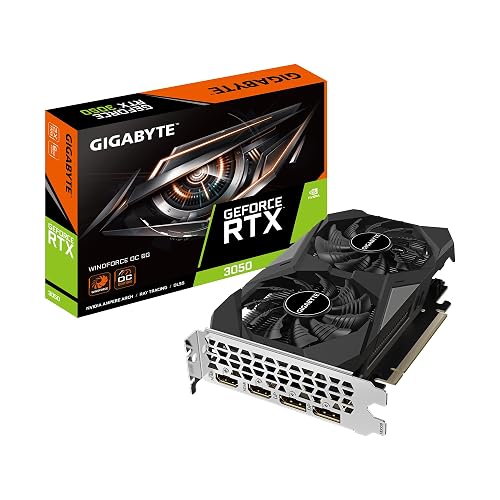
GIGABYTE GeForce RTX 3050 WINDFORCE OC 6G Graphics Card
With its compact dual-fan WINDFORCE cooling and NVIDIA RTX 3050 Ampere architecture, the GIGABYTE GeForce RTX 3050 WINDFORCE OC 6G is a smart pick for gamers and creators who want solid 1080p performance, ray tracing support, and AI acceleration without moving up to a pricier card. You get 6GB GDDR6 memory, a 1477 MHz base clock, and PCIe x8 compatibility in a small 7.51 x 4.37 inch frame. Its two HDMI 2.1 and two DisplayPort 1.4a outputs let you drive modern displays, and the 3 year warranty adds peace of mind for desktop builds.
- GPU Brand:NVIDIA GeForce
- Memory Type:GDDR6
- VRAM Size:6 GB
- PCIe Interface:PCIe 3.0 x8
- Max Resolution:8K
- Cooling:WINDFORCE
- Additional Feature:2nd-gen RT cores
- Additional Feature:3rd-gen Tensor cores
- Additional Feature:2-fan cooling
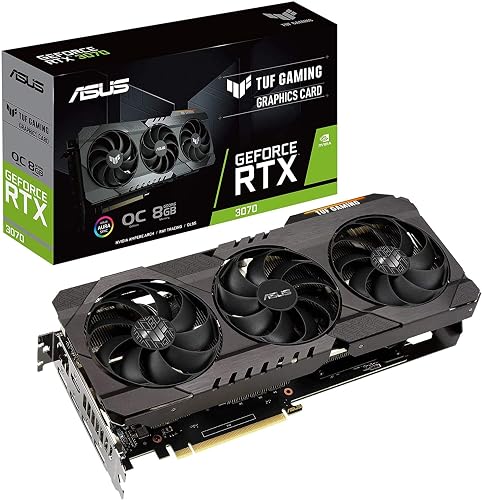
ASUS TUF Gaming GeForce RTX 3070 OC Graphics Card
Built for gamers who want strong 1440p performance and room to push higher settings, the ASUS TUF Gaming GeForce RTX 3070 OC Edition pairs NVIDIA’s Ampere architecture with 8GB of GDDR6 memory and supports ray tracing, DLSS, and up to 8K output. You get PCIe 4.0 compatibility, HDMI 2.1, and DisplayPort 1.4a for flexible display setups. Its triple Axial-Tech fans, dual ball bearings, and independent heatsinks help keep temperatures in check, while GPU Tweak II lets you tune performance. With military-grade components and a 3 year warranty, it is built to last.
- GPU Brand:NVIDIA GeForce
- Memory Type:GDDR6
- VRAM Size:8 GB
- PCIe Interface:PCIe 4.0 x16
- Max Resolution:8K
- Cooling:Axial-tech
- Additional Feature:Triple Axial-Tech fans
- Additional Feature:Dual ball bearings
- Additional Feature:GPU Tweak II
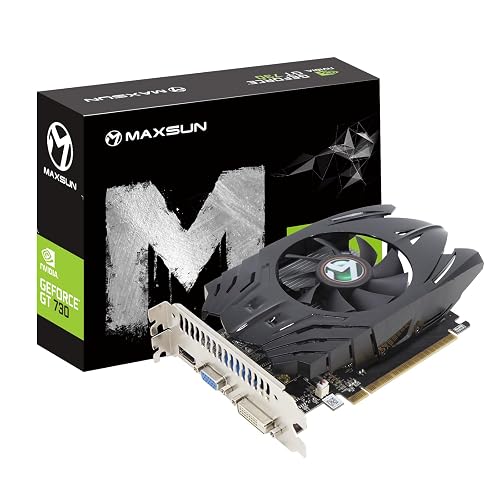
maxsun GeForce GT 730 4GB Graphics Card
If you need a compact, budget-friendly card for basic multitasking, the maxsun GeForce GT 730 4GB Graphics Card fits the bill with its ITX form factor, triple-monitor support, and low-power design. It provides 384 CUDA cores, 4GB of DDR3 memory, and a 902 MHz engine clock for light everyday work. Its HDMI, DVI-I, and VGA outputs let you run three displays at once, including up to 4K at 30 Hz. The 8 cm fan and eagle radiator keep noise down, and the silver-plated PCB plus solid capacitors help improve stability.
- GPU Brand:NVIDIA GeForce
- Memory Type:DDR3
- VRAM Size:4 GB
- PCIe Interface:PCIe 2.0 x16
- Max Resolution:4K
- Cooling:Single fan
- Additional Feature:Triple display support
- Additional Feature:8cm fan
- Additional Feature:250W power minimum
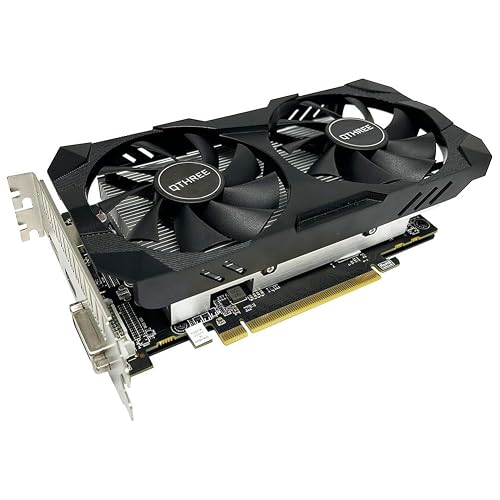
QTHREE Radeon RX 560 XT 8GB Graphics Card
The QTHREE Radeon RX 560 XT 8GB Graphics Card is a solid pick if you want a budget-friendly 1080p card that can also handle light VR and 4K display output. You get 1792 stream processors, 8GB of GDDR5 memory, and a 128-bit bus for smooth everyday gaming. It supports DirectX 12, overclocking, and up to three monitors through DVI, HDMI, and DisplayPort. Dual fans help keep temperatures down, and the 8-pin connector and 150W draw make setup straightforward. Install it in a desktop, HTPC, or multimedia system.
- GPU Brand:AMD Radeon
- Memory Type:GDDR5
- VRAM Size:8 GB
- PCIe Interface:PCIe 3.0 x16
- Max Resolution:4K
- Cooling:Dual fans
- Additional Feature:1792 stream processors
- Additional Feature:8-pin power connector
- Additional Feature:Dual independent fans
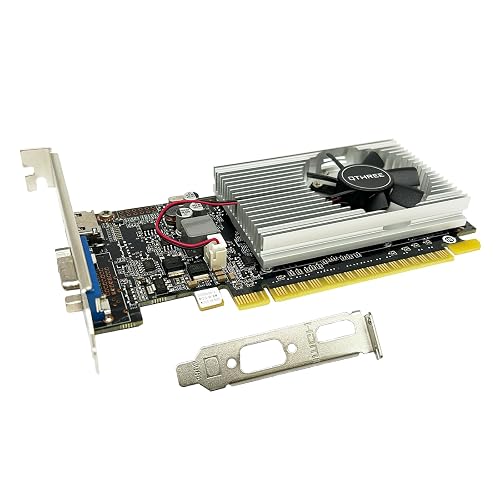
QTHREE GeForce GT 210 Graphics Card (1GB DDR3)
QTHREE’s GeForce GT 210 Graphics Card is a practical choice for a desktop, small form factor, or slim ITX build. It includes 1 GB of DDR3 memory, HDMI and VGA outputs, and supports up to two monitors at 1920 x 1080. The card uses PCIe 2.0 x16, requires no external power, and is easy to install with the included low-profile bracket. It is compatible with Windows 10, 8, 7, Vista, and XP; it is not supported on Windows 11. This card is best suited for office work, media playback, and light editing, not for AAA gaming.
- GPU Brand:NVIDIA GeForce
- Memory Type:DDR3
- VRAM Size:1 GB
- PCIe Interface:PCIe 2.0 x16
- Max Resolution:1080p
- Cooling:Single fan
- Additional Feature:Low profile bracket
- Additional Feature:No external power
- Additional Feature:Windows XP support
Factors to Consider When Choosing Graphics Cards GPUs Benchmark
When comparing graphics cards, focus on GPU architecture, memory capacity, and clock speeds to evaluate how well they will handle your games and applications. Also check the cooling design, since better cooling helps the card remain stable under sustained load. Do not overlook power requirements, because your system must support the card safely and efficiently.
GPU Architecture
GPU architecture is the foundation of a graphics card’s real-world performance, because it shapes how the chip processes parallel workloads, handles ray tracing and AI features, and moves data through its memory system. You should look at the shader or compute unit design, since it determines how much parallel work the card can finish per cycle. Newer generations often add better ray tracing cores, tensor accelerators, or other engines that can speed up specific tasks far beyond basic FLOPS. Smaller process nodes usually improve efficiency and boost clocks. Smarter cache, scheduling, and instruction changes often matter more than raw core counts. You should also check the memory subsystem, because its bandwidth and latency affect how smoothly the GPU handles demanding visuals and data heavy workloads.
Memory Capacity
Memory capacity can make or break a graphics card’s real-world performance, especially once you move beyond 1080p. If you want smooth 1440p or 4K gaming, aim for 8 to 16 GB of VRAM or more. Four GB or less usually will not keep up with modern AAA games at high settings. You should also look at memory bus width and effective memory speed, because they control bandwidth and affect frame rates when textures and frame buffers get large. For creative and AI workloads, extra VRAM helps you work with bigger scenes, higher resolution exports, and larger batch sizes without dumping data into system RAM. When you benchmark, check minimum frame rates and frame times, not just averages, because VRAM limits can cause stutter. Choosing more VRAM than you need today helps future-proof your GPU.
Clock Speeds
Clock speeds give you a quick read on how fast a graphics card can work, but the numbers only matter in context. Check both base and boost clocks, since higher boost speeds usually help shader-heavy workloads finish faster. Still, do not judge a card by MHz alone; compare its core clock with the number of shader and TM units. A lower-clocked GPU with more execution units can beat a faster chip with fewer cores. Memory clock matters too, because effective MHz helps define bandwidth and can improve large-texture or high-resolution performance. For benchmarks, focus on sustained boost clocks under load, not peak advertised spikes. Real gaming results track average clocks during play, and thermal or power limits can reduce them when the card works hard.
Cooling Design
When you compare graphics cards, cooling design matters as much as raw specifications because it determines how well a card can maintain performance under load. Start with the heatsink: more surface area, more heat pipes, and strong contact with the GPU die all help move heat into the fins faster. Fan configuration is important as well. Larger or more fans spinning at lower RPMs usually move air more quietly, while small high RPM fans tend to be louder. Higher-quality thermal paste, thermal pads, or phase-change material can also lower temperatures by reducing thermal resistance. Thicker cards generally provide the cooler with more room and better headroom. Even so, you still need good case airflow, since a cramped chassis can make an otherwise excellent cooler run hotter.
Power Requirements
Power requirements can make or break a GPU upgrade, so check the card’s TDP in watts and match it to a PSU with enough capacity and cooling headroom. Modern mid and high end cards often draw 100 W to 350 W, so compare that figure with the manufacturer’s recommended system wattage, usually 450 W to 850+ W. Add 20% to 30% headroom for your CPU, storage, and any overclocking. You should also verify the required auxiliary connectors, such as 6 pin, 8 pin, or PCIe Gen5 plugs, and make sure your PSU includes the right cables or adapters. Confirm that your case and motherboard can deliver enough 12 V amperage, and choose a quality PSU with strong transient response to handle load spikes and keep your system stable.
Display Outputs
Once you confirm your PSU can handle the card, make sure the GPU display outputs match your monitors and how you plan to use them. Check each port type and version, HDMI 2.1, DisplayPort 2.1, DisplayPort 1.4a, or older options, so you get the right bandwidth for 4K at 120 Hz, 8K at 60 Hz, or your monitor’s native input. Count the connectors as well; if you want three screens, do not assume every card can drive them all at once. Verify the maximum resolution and refresh rate per output standard, since HDMI 2.1, for example, supports 4K at 120 Hz on a single cable. Also confirm HDR, VRR, or DSC support if you need those features. Finally, check port spacing and layout, because tight spacing can make cable access awkward.
Form Factor
Before you buy a GPU, make sure its form factor fits your build. Check the slot width, card length, and height so it clears your case, leaves room for airflow, and does not block adjacent components. Count how many PCIe slots it uses, single, dual, 2.5, or triple, so you do not crowd nearby cards or choke cooling. Measure the card against your case’s GPU clearance, since compact models may be around 170 mm while flagship boards can exceed 300 mm. Also confirm the bracket height, especially if you are using a low profile chassis or a riser. Check power connector placement too, because angled plugs can hit side panels or cables. Thicker coolers run cooler, but they can squeeze airflow and cover M.2 slots.
Warranty Coverage
Warranty coverage can matter as much as raw performance because it protects you if a GPU fails early. Check the manufacturer’s warranty length, usually one to three years, and compare it across cards. Confirm which parts it covers, including the GPU core, memory, PCB, and fans, and see whether overclocking, third-party cooling, heat damage, or physical modifications void the warranty. You also need to know who handles the RMA, the seller, the manufacturer, or an authorized center, and whether they will pay return shipping. Watch for registration deadlines and transfer rules, since some warranties require online signup. If you want less downtime, look for extended protection, accidental damage coverage, or cross-ship replacement options.
Frequently Asked Questions
Which GPU Offers the Best Value for Competitive Gaming?
You’ll usually get the best value from the RTX 4060 or the RX 7600, depending on pricing. You will get strong 1080p competitive performance, low power use, and sufficient frame rates for esports without overspending.
How Much VRAM Is Ideal for Modern AAA Games?
You’ll want 12 GB for modern AAA games, and 16 GB if you want extra breathing room. Coincidentally, that is where many high-end cards sit now, so you will remain comfortable with textures, mods, and future releases.
Do Benchmark Scores Reflect Real-World Gaming Performance?
Not always. Benchmark scores help compare GPUs, but your games, resolution, settings, drivers, and CPU can change real performance. Use benchmarks as guidance, then check gameplay tests for your specific setup.
Which GPU Is Best for 4K Gaming and Streaming?
You should pick the RTX 4090 for 4K gaming and streaming. It delivers top-tier frame rates, excellent ray tracing, and strong NVENC encoding, so you can game smoothly while streaming with ease.
How Important Is Power Supply Compatibility for New GPUS?
It is essential to have sufficient wattage, the correct connectors, and some headroom, otherwise your system will fail to boot or operate reliably. Check your PSU specifications first; mismatches can cause crashes, reduced performance from throttling, or component damage.




