


If you want to remove some uncertainty from a high-end PC decision, Intel’s Core Ultra 9 lineup in 2026 gives you plenty to consider.
You get significant performance gains, hybrid core designs, and platform features that affect everything from gaming to content creation.
The real question is which model best fits your needs, and the answer is not as simple as choosing the highest clock speed.
| ASUS Zenbook Duo Laptop (2026) Dual OLED Display |  | Best for Productivity | Processor: Intel Core Ultra 9 386H | Cores: 16 cores | Threads: Not specified | VIEW LATEST PRICE | Read Our Analysis |
| ASUS ROG Strix G16 Gaming Laptop (2025) | 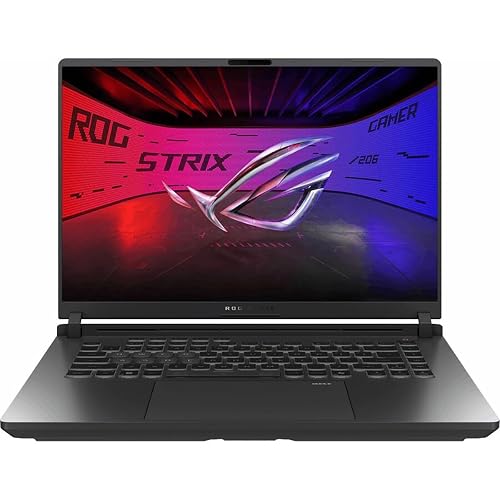 | Best for Gaming | Processor: Intel Core Ultra 9 275HX | Cores: 24 cores | Threads: Not specified | VIEW LATEST PRICE | Read Our Analysis |
| Intel Core Ultra 9 Desktop Processor 285K |  | Best for Enthusiasts | Processor: Intel Core Ultra 9 285K | Cores: 24 cores | Threads: 24 threads | VIEW LATEST PRICE | Read Our Analysis |
| Alienware Aurora Gaming Desktop ACT1250 (RTX 5080 1TB SSD) | 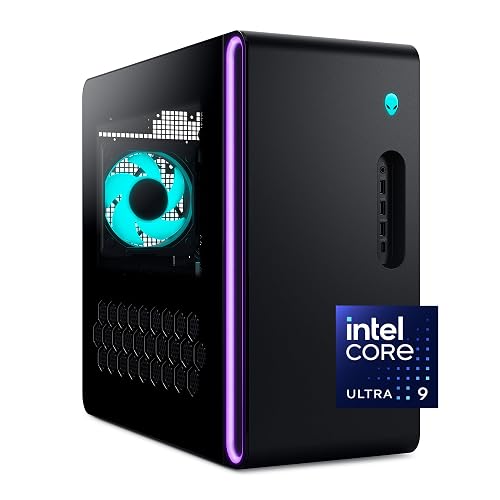 | Best Premium Desktop | Processor: Intel Core Ultra 9 285 | Cores: 24 cores | Threads: Not specified | VIEW LATEST PRICE | Read Our Analysis |
| Intel Core Ultra 5 Desktop Processor 225F | 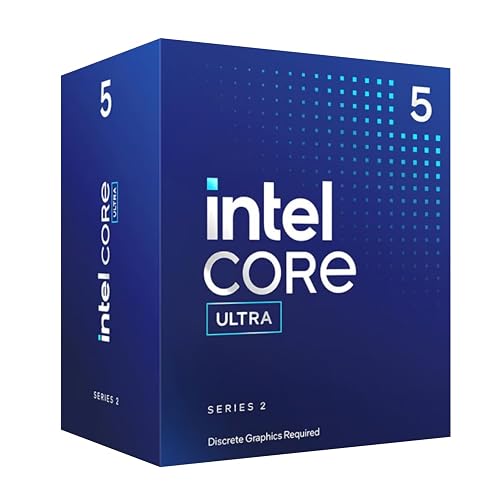 | Best Budget CPU | Processor: Intel Core Ultra 5 225F | Cores: 10 cores | Threads: 14 threads | VIEW LATEST PRICE | Read Our Analysis |
| Intel Core Ultra 9 Desktop Processor 285 | 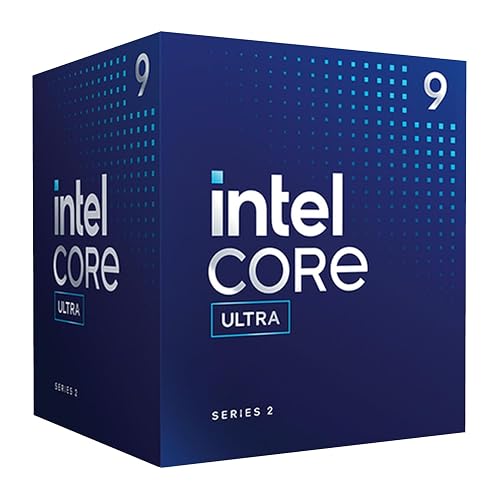 | Best Unlocked Desktop | Processor: Intel Core Ultra 9 285 | Cores: 24 cores | Threads: 24 threads | VIEW LATEST PRICE | Read Our Analysis |
More Details on Our Top Picks
ASUS Zenbook Duo Laptop (2026) Dual OLED Display
The ASUS Zenbook Duo Laptop (2026) is a strong pick if you want a high-performance Intel Core Ultra 9 machine that also gives you serious screen space to work with. It comes with a Core Ultra 9 386H, 32GB of DDR5 memory, and a 1TB SSD, plus 50 TOPS of Copilot acceleration for quick searches and summaries. Its dual 14-inch 3K OLED touchscreens run at 144Hz and reach 1000 nits HDR, so you can multitask with ease. The detachable keyboard, pen support, 99Wh battery, Wi-Fi 7, and Thunderbolt 4 ports make it a versatile choice.
- Processor:Intel Core Ultra 9 386H
- Cores:16 cores
- Threads:Not specified
- Max Frequency:Up to 4.9 GHz
- Socket:Not specified
- Memory Support:DDR5
- Additional Feature:Dual 14″ OLED touchscreens
- Additional Feature:50 TOPS Copilot acceleration
- Additional Feature:ASUS Pen 3.0 included
ASUS ROG Strix G16 Gaming Laptop (2025)
If you want a 2026 gaming laptop that can handle fast-paced play and heavy multitasking, the ASUS ROG Strix G16 stands out with its Intel Core Ultra 9 275HX, RTX 5060 graphics, and 240 Hz 2.5K Nebula display. You get 32 GB of DDR5 memory, a 1 TB PCIe Gen 4 SSD, and a 90 Wh battery for strong all-day potential. ROG Intelligent Cooling uses a vapor chamber, a tri-fan layout, and liquid metal to help keep performance steady. Wi-Fi 7, Thunderbolt, HDMI, and Dolby Atmos round out a capable, well-equipped machine.
- Processor:Intel Core Ultra 9 275HX
- Cores:24 cores
- Threads:Not specified
- Max Frequency:Up to 5.4 GHz
- Socket:Not specified
- Memory Support:DDR5-5600
- Additional Feature:RTX 5060 Laptop GPU
- Additional Feature:240Hz Nebula display
- Additional Feature:360° Aura RGB lightbar
Intel Core Ultra 9 Desktop Processor 285K
The Intel Core Ultra 9 Desktop Processor 285K is the right pick when you want a high-end desktop CPU that can stretch to 5.7 GHz and still balance heavy multitasking with its 24-core hybrid design. You get 8 Performance cores and 16 Efficient cores, plus 24 threads, so it can juggle demanding games, creation work, and background tasks. It uses the LGA 1851 socket, requires an Intel 800 series motherboard, and supports DDR5, PCIe 5.0, and PCIe 4.0. Because it is overclockable and includes integrated graphics, you have flexibility. Its 125W base power and Turbo Boost Max 3.0 help it stay fast.
- Processor:Intel Core Ultra 9 285K
- Cores:24 cores
- Threads:24 threads
- Max Frequency:Up to 5.7 GHz
- Socket:LGA 1851
- Memory Support:DDR5
- Additional Feature:Unlocked processor
- Additional Feature:Intel 800 series support
- Additional Feature:3-year manufacturer warranty
Alienware Aurora Gaming Desktop ACT1250 (RTX 5080 1TB SSD)
With its Intel Core Ultra 9 285 processor and RTX 5080 graphics, the Alienware Aurora Gaming Desktop ACT1250 targets users who want a high-end rig that can handle demanding gaming and content creation without breaking stride. It includes 32 GB of DDR5 memory, a 1 TB SSD, and Windows 11 Home for fast, responsive use. The matte basalt black chassis features a clear panel and AlienFX lighting for a stylish look, and the Alienware Command Center lets you tune performance modes and power states. Optional 240 mm liquid cooling and a 1000 W Platinum PSU help sustain long sessions. Dell provides onsite service.
- Processor:Intel Core Ultra 9 285
- Cores:24 cores
- Threads:Not specified
- Max Frequency:Not specified
- Socket:Not specified
- Memory Support:DDR5
- Additional Feature:RTX 5080 graphics
- Additional Feature:Optional liquid cooling
- Additional Feature:1000W Platinum PSU
Intel Core Ultra 5 Desktop Processor 225F
Built for gamers and productivity-focused users who want a 10-core hybrid chip without paying for integrated graphics, the Intel Core Ultra 5 Desktop Processor 225F pairs 6 P-cores and 4 E-cores with up to 4.9 GHz boost speeds, and supports DDR5 and PCIe 5.0. You get 14 threads, an LGA 1851 socket, and 65 W base power for a balanced build. It works with Intel 800 Series motherboards and fits Windows systems. Because it lacks onboard graphics, you will need a discrete GPU. If you want a compact, modern CPU with solid gaming and multitasking performance, this is a sensible choice.
- Processor:Intel Core Ultra 5 225F
- Cores:10 cores
- Threads:14 threads
- Max Frequency:Up to 4.9 GHz
- Socket:LGA 1851
- Memory Support:DDR5
- Additional Feature:10-core hybrid design
- Additional Feature:Discrete graphics required
- Additional Feature:65W base power
Intel Core Ultra 9 Desktop Processor 285
If you want a high-end desktop chip that balances brute force with smart scheduling, the Intel Core Ultra 9 Desktop Processor 285 is a strong pick. It uses a performance hybrid design with 24 cores, comprising 8 P-cores and 16 E-cores, and offers 24 threads for heavy multitasking. It can boost up to 5.6 GHz and includes 40 MB of cache. Turbo Boost Max Technology 3.0 helps push demanding jobs. You also get integrated Intel Graphics, Optane Memory support, PCIe 5.0 and PCIe 4.0, and compatibility with Intel 800 series motherboards, but you will need to provide your own cooler.
- Processor:Intel Core Ultra 9 285
- Cores:24 cores
- Threads:24 threads
- Max Frequency:Up to 5.6 GHz
- Socket:Not specified
- Memory Support:Not specified
- Additional Feature:24-core hybrid design
- Additional Feature:40 MB cache
- Additional Feature:No thermal solution
Factors to Consider When Choosing Intel Core Ultra 9 Processors
When choosing an Intel Core Ultra 9 processor, weigh core count, clock speeds, and cache size against the workload you need to handle. Also check power requirements, since they affect cooling, efficiency, and system design. Do not forget platform compatibility; the right chip must match your motherboard and other components.
Core Counts
Core counts matter most when your workload can actually use them. Intel Core Ultra 9 chips with higher counts, such as 24 cores, can handle video rendering, large simulations, and heavy multitasking more efficiently through better parallelism. You should also check the balance between performance cores and efficient cores, since hybrid designs affect both demanding tasks and background work. More cores can raise power draw and heat, so your cooling and power delivery need to keep up, or the chip may throttle. For gaming and light productivity, fewer strong cores can feel just as fast in many single threaded tasks. Make sure your software scales well too, because apps that do not use many threads will not benefit much from extra cores.
Clock Speeds
Clock counts tell only part of the story, clock speed shapes how fast an Intel Core Ultra 9 chip actually feels in daily use. You should look at the maximum boost clock first, because it drives peak single-thread speed for quick app launches, web tasks, and bursty edits. High-end models reaching about 5.6 to 5.7 GHz can feel snappier when one core does the heavy lifting. For long renders or exports, the base power class matters too. 65W and 125W chips hold different sustained clocks under heat and power limits. Don’t expect all-core speeds to match peak boost, multi-core turbo usually runs lower. Good turbo management helps prioritize latency-sensitive work. Strong cooling and solid VRMs let you keep higher clocks longer.
Cache Size
Cache is one of the quiet advantages in an Intel Core Ultra 9 chip. More shared L2 and L3 cache can keep frequently used data closer to the cores, cutting memory delays and boosting throughput in heavy multitasking. You will notice the biggest gains when you run compilers, databases, virtual machines, or other workloads with large working sets, because a bigger last level cache reduces costly DRAM trips. Cache also matters in hybrid designs, where efficient sharing and coherence between performance and efficiency cores determine how well the chip handles mixed tasks. For small, single threaded jobs, extra cache helps less once you pass a useful threshold. Compare cache alongside core count, clock speed, and memory bandwidth, since cache alone cannot fix other bottlenecks.
Power Requirements
When you choose an Intel Core Ultra 9 processor, power requirements should be one of your first checks, because higher-end chips often sit around a 125 W base power and can draw much more under boost. You will want to match that load with a motherboard VRM that can deliver stable, multi-phase power without overheating. Watch for short turbo spikes, since peak draw can jump well above the base rating and stress a weak PSU. Do not overlook cooling, a strong air or liquid cooler and good case airflow help the chip hold rated speeds. Finally, build in 20 to 30 percent PSU headroom over your measured system peak, including GPU, storage, and peripherals, so you keep reliability and room for future upgrades.
Platform Compatibility
Platform compatibility matters just as much as raw performance, because your Intel Core Ultra 9 CPU only works as intended if the motherboard socket, chipset, and BIOS all line up. Confirm the board uses the LGA 1851 socket so the pins and mounting match correctly. Next, make sure the chipset supports the processor family, such as Intel 800 series, so you get full features and firmware support. Check that the BIOS or UEFI includes the right microcode and voltage controls for the hybrid cores and boost behavior. You will also want DDR5 support with the speeds and capacity you need. Finally, verify PCIe 5.0 connectivity and solid power delivery, so the platform can handle sustained base and boost demands without limiting performance.
Cooling Needs
Cooling is a major factor with Intel Core Ultra 9 processors, because their high core counts and boost speeds can drive heat and power well beyond typical desktop limits. Match the cooler to at least the chip’s base power, then add headroom for turbo bursts so you do not hit thermal throttling during heavy multitasking or rendering. Strong air coolers with large heatsinks and heatpipes work well, but a 240 mm or larger AIO often keeps boost clocks steadier under sustained loads. Ensure your case moves air in and out efficiently with several fans and slight positive pressure, which helps clear hot spots around the CPU and VRMs. Finally, monitor temperatures in real use and adjust fan curves or power limits to keep performance stable and hardware healthy.
Frequently Asked Questions
Are Intel Core Ultra 9 Processors Good for 4K Video Editing?
Yes, if you are editing a 4K wedding timeline, Intel Core Ultra 9 chips can handle it smoothly. You will get strong multitasking, fast exports, and responsive playback, especially when paired with plenty of RAM and a capable GPU.
Do Core Ultra 9 Chips Support Thunderbolt 5?
Yes, some Core Ultra 9 chips support Thunderbolt 5, but you need a laptop or motherboard that includes it. Check the exact model’s specs, because Intel does not guarantee Thunderbolt 5 on every Core Ultra 9 system.
Can I Upgrade Intel Core Ultra 9 Processor Laptops Later?
Not usually, you cannot upgrade the Core Ultra 9 CPU later because it is soldered in place. You can often upgrade storage or RAM, if the laptop’s design allows it, but the processor itself remains fixed.
Which Core Ultra 9 Model Is Best for Battery Life?
Choose the lowest-power Core Ultra 9 variant with the strongest efficiency settings, typically a U-series model. It will maximize battery life, especially when paired with a larger battery and tuned power management.
Do Core Ultra 9 Processors Work With DDR5 Memory?
Yes, your Core Ultra 9 can work with DDR5, but exact support depends on the laptop or motherboard. Check the specs first; some systems use LPDDR5X instead, so you will want to confirm compatibility before buying.




