


If your gaming desk feels like a cable jungle, the right USB hub can calm things down fast. You will find options that power controllers, headsets, SSDs, and RGB gear without hogging space or slowing transfers.
Some hubs focus on speed, while others add charging, lighting, or a tighter layout for cleaner access. Next you will want to know which features matter most, because the wrong choice can still leave you short on ports when the match starts.
| intpw 9-Port Powered USB-C Hub with 45W Charging | 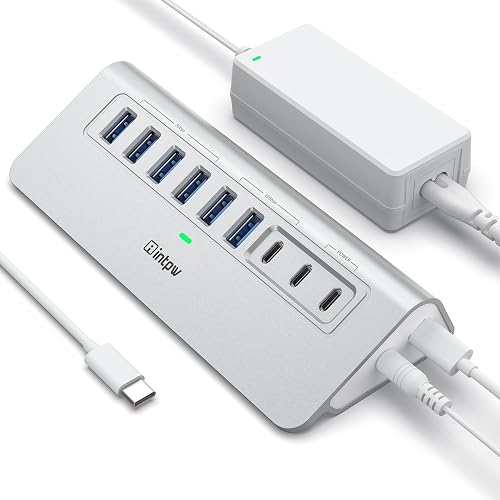 | Best Overall | Port Count: 9 ports | USB Speed: 10 Gbps / 5 Gbps | Power Input: 65W adapter | VIEW LATEST PRICE | Read Our Analysis |
| intpw 12-Port 10Gbps USB-C Hub with Power Delivery | 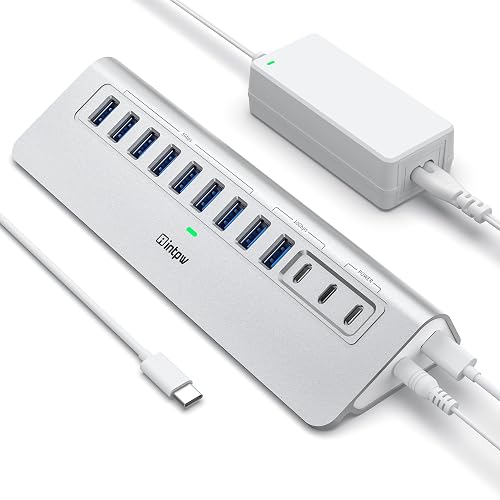 | Best for Power Users | Port Count: 12 ports | USB Speed: 10 Gbps / 5 Gbps | Power Input: 65W adapter | VIEW LATEST PRICE | Read Our Analysis |
| 7-Port USB 3.0 Hub with RGB Lighting |  | Best RGB Pick | Port Count: 7 ports | USB Speed: 5 Gbps | Power Input: USB-C power input | VIEW LATEST PRICE | Read Our Analysis |
| 7-Port USB 3.0 Hub with RGB Lighting |  | Best Compact RGB | Port Count: 7 ports | USB Speed: 5 Gbps | Power Input: USB-C power input | VIEW LATEST PRICE | Read Our Analysis |
| FORIDA 8 Port USB Hub with TypeC Power | 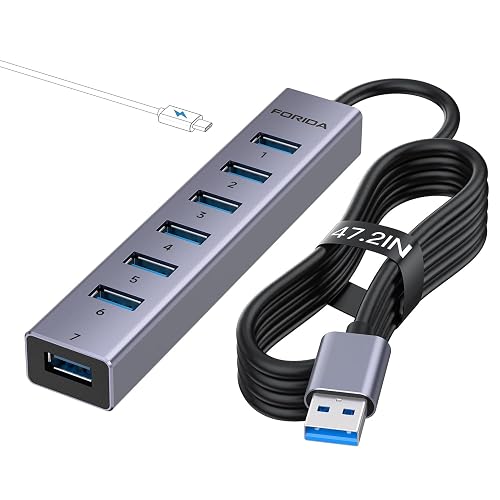 | Best Budget Option | Port Count: 8 ports | USB Speed: 5 Gbps | Power Input: USB-C power input | VIEW LATEST PRICE | Read Our Analysis |
| 10-Port 10Gbps USB 3.2 Hub with Charging Ports | 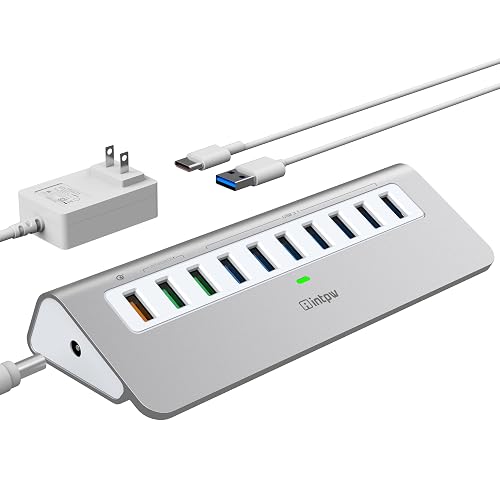 | Best High-Speed Hub | Port Count: 10 ports | USB Speed: 10 Gbps | Power Input: 36W adapter | VIEW LATEST PRICE | Read Our Analysis |
| RSHTECH RGB 7-Port Powered USB Hub (RSH-518R) | 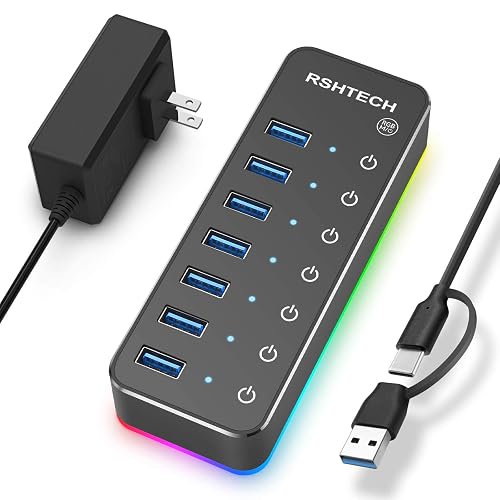 | Best for Gaming Setups | Port Count: 7 ports | USB Speed: 5 Gbps | Power Input: 20W adapter | VIEW LATEST PRICE | Read Our Analysis |
More Details on Our Top Picks
intpw 9-Port Powered USB-C Hub with 45W Charging
If you are building a busy gaming desk and keep running out of ports, the intpw 9-Port Powered USB-C Hub with 45W Charging is a smart choice. It provides nine ports, including fast USB-C and USB-A data lines, plus two 45W charging ports for phones or tablets. Its angled aluminum body sits steady and makes plugs easier to reach. The included 65W adapter helps keep everything stable when you connect many devices. It works well with most USB-C laptops, but it will not send video or charge power-hungry laptops, so your setup remains realistic and tidy.
- Port Count:9 ports
- USB Speed:10 Gbps / 5 Gbps
- Power Input:65W adapter
- RGB Lighting:No
- Material:Aluminum
- Warranty:18 months
- Additional Feature:32-degree ergonomic tilt
- Additional Feature:2 USB-C PD ports
- Additional Feature:50% recycled materials
intpw 12-Port 10Gbps USB-C Hub with Power Delivery
The intpw 12-Port 10Gbps USB-C Hub with Power Delivery is a solid choice for PC gamers and creators who want a single tidy hub that handles fast transfers, steady power, and multiple devices without turning the desk into a cable jungle. It provides 12 ports, including 10Gbps USB-C and USB-A slots, plus 45W PD charging ports for Type-C gear. Its aluminum body sits at a comfortable angle and remains stable. The included 65W adapter helps maintain reliable data performance. It performs well for editing, photo work, and office tasks, but it will not output video or charge laptops.
- Port Count:12 ports
- USB Speed:10 Gbps / 5 Gbps
- Power Input:65W adapter
- RGB Lighting:No
- Material:Aluminum
- Warranty:18 months
- Additional Feature:12 total ports
- Additional Feature:7 USB-A 3.0 ports
- Additional Feature:Triangular aluminum enclosure
7-Port USB 3.0 Hub with RGB Lighting
A USB 3.0 hub with RGB lighting is a smart pick for gamers who want speed, style, and less cable chaos in one compact device. It provides seven USB-A ports, so you can connect your mouse, keyboard, headset, and drives at once. The JoyReken HowlingHUB supports up to 5 Gbps transfer speed, which helps with large game files and backups. Its vertical, wolf-head design saves desk space and looks striking. The USB-C power input keeps data stable, and plug-and-play setup gets you ready for your next match quickly.
- Port Count:7 ports
- USB Speed:5 Gbps
- Power Input:USB-C power input
- RGB Lighting:Yes
- Material:Plastic
- Warranty:12 months
- Additional Feature:Wolf-head RGB pattern
- Additional Feature:Vertical tower design
- Additional Feature:Adhesive mounting included
7-Port USB 3.0 Hub with RGB Lighting
RGB-lit 7-port USB 3.0 hubs are a smart pick for gamers and power users who need more desk control without clutter. One USB 3.0 port becomes seven, so your mouse, keyboard, controller, camera, printer, and flash drives all stay ready. It moves data at up to 5 Gbps and works with USB 3.0, 2.0, and 1.1 devices. The side USB-C power port helps when you plug in power-hungry drives. You get plug-and-play setup, a 2-foot cable, and RGB lighting you can switch off when you want a calmer look.
- Port Count:7 ports
- USB Speed:5 Gbps
- Power Input:USB-C power input
- RGB Lighting:Yes
- Material:Plastic
- Warranty:12 months
- Additional Feature:Tree-silhouette design
- Additional Feature:Seven-color lighting
- Additional Feature:Cable tie included
FORIDA 8 Port USB Hub with TypeC Power
FORIDA’s 8-port USB hub with Type-C power is a practical choice when you need a single, tidy way to connect multiple gaming peripherals without slowing your system down. It provides seven USB 3.0 data ports and one Type-C power input, so your mouse, keyboard, flash drive, and printer stay ready. The aluminum body feels sturdy, and the 47.2-inch cable gives you flexibility in placement. When you run several power-hungry devices, plug in the Type-C power. It supports hot swapping, requires no driver, and helps keep your desk organized.
- Port Count:8 ports
- USB Speed:5 Gbps
- Power Input:USB-C power input
- RGB Lighting:No
- Material:Aluminum
- Warranty:Manufacturer warranty
- Additional Feature:47.2-inch cable
- Additional Feature:Hot swapping support
- Additional Feature:24-hour customer service
10-Port 10Gbps USB 3.2 Hub with Charging Ports
The 10-port 10Gbps USB 3.2 hub with charging ports is the right pick when you want to keep your gaming setup lean, yet still plug in almost everything at once. It provides seven data ports and three charging ports, so your keyboard, mouse, headset, drive, and phone can all stay ready. The aluminum body feels sturdy, and the angled design makes plugging in easier. With 36W power, it keeps devices stable and cool under 45°C. You can hot-swap on Windows, Mac, or Linux without drivers.
- Port Count:10 ports
- USB Speed:10 Gbps
- Power Input:36W adapter
- RGB Lighting:No
- Material:Aluminum
- Warranty:Manufacturer warranty
- Additional Feature:Temperature under 45°C
- Additional Feature:Quick Charge 3.0
- Additional Feature:USB-A to C cable
RSHTECH RGB 7-Port Powered USB Hub (RSH-518R)
RSHTECH’s RGB 7-Port Powered USB Hub, model RSH-518R, is a smart pick if you want one hub that can do more than just add ports. You get seven USB 3.0 connections, 5 Gbps speed, and a 2-in-1 USB-A or USB-C cable, so it fits your gaming PC, laptop, or Mac with ease. The 20W adapter helps keep power steady, and surge, overvoltage, and overcurrent protection add peace of mind. The touch switches let you control each port, and 14 RGB modes bring fun without clutter.
- Port Count:7 ports
- USB Speed:5 Gbps
- Power Input:20W adapter
- RGB Lighting:Yes
- Material:ABS/Aluminum
- Warranty:18 months
- Additional Feature:Individual port switches
- Additional Feature:14 RGB modes
- Additional Feature:Power-off memory function
Factors to Consider When Choosing Pc Gaming Usb Hubs
When choosing a PC gaming USB hub, first determine how many ports you actually need so you do not run out of space mid-game. Next verify data transfer speeds, power delivery, device compatibility, and build quality, because a weak hub can turn your setup into a persistent tech problem. Select the right combination and your gear will remain fast, stable, and ready for extended gaming sessions.
Port Count Needs
A smart USB hub starts with a realistic port count, because a busy gaming setup can fill up fast. List every controller, keyboard, mouse, headset dongle, RGB controller, capture card, and external drive you plug in. Then add two or three extra ports so you are ready for upgrades or a quick guest device. If you use several drives or capture gear, pick a hub with powered ports and its own power supply, so your PC does not strain. Also check spacing, because bulky dongles need room to fit side by side. Finally, favor hubs with more data-ready ports than charging-only ones if you hot-swap SSDs or run demanding gear. That way your desk stays tidy and your gear remains easy to reach.
Data Transfer Speed
Speed matters because your hub should keep up with your games, not slow them down. For PC gaming, look for USB 3.2 Gen 2 or USB 3.1 Gen 2 ports, since they can reach 10 Gbps for fast SSDs and large transfers. USB 3.0, also called USB 3.1 Gen 1, tops out at 5 Gbps, which is fine for most mice, keyboards, and headsets, but it can hold back capture gear and external storage. Also remember that hub ports share bandwidth, so a busy setup can reduce each device’s speed. Check whether any charging-only or PD ports carry data, because some do not. If you run several heavy devices, choose a powered hub with its own adapter so your speeds stay steady.
Power Delivery Support
Look closely at power delivery, because it can make or break how useful your hub feels in daily gaming. Check the PD wattage first. A 45W port may top off a tablet or handheld, but a 65W or higher pass-through is safer for a gaming laptop. Next, verify whether the PD port also carries data, since many hubs charge well while that same port remains inactive for transfers, which can be surprising. Then review the hub’s total power budget and the adapter rating included, because weak adapters force devices to share limited power. Also choose a hub with over-current protection, over-voltage protection, and short-circuit protection. If you run a laptop and other power-hungry gear together, select extra wattage so everything stays steady.
Device Compatibility
When choosing a PC gaming USB hub, device compatibility should come first, because the wrong match can turn an easy setup into a messy one fast. Check the port mix first, so your hub has the right USB-A and USB-C ports and the speed your gear needs, such as USB 3.0 at 5 Gbps or USB 3.2 Gen 2 at 10 Gbps. Next, make sure the host plug fits your PC, laptop, console, or dock, and that it works with your operating system. Then look at power delivery, since some Type-C ports charge devices, while others only move data. If you run SSDs, HDDs, or several controllers, choose a powered hub with enough juice. Finally, check port spacing, so chunky plugs do not crowd each other.
Build Quality Matters
A solid PC gaming USB hub should feel sturdy the moment you pick it up, because build quality affects both performance and peace of mind. Choose a metal or aluminum shell with firm internal soldering, as that helps it shed heat and stay straight during long sessions. Next, check the power side. A rated adapter and robust circuitry keep your mouse, headset, and capture gear steady when they all draw power at once. Then review the spec sheet for quality controllers and EMI shielding, which help your data move cleanly at 5 to 10 Gbps. Also, protect your setup with over-current, over-voltage, short-circuit, and surge safeguards. Finally, pick reinforced ports, stable feet, and an angled layout so cables stay put and your desk stays calm.
RGB Lighting Options
RGB lighting can make a USB hub feel like part of your gaming setup, instead of just another black box on the desk. Check the lighting modes first. You may want static colors, breathing effects, cycling patterns, or presets you can save for later. Then look for per-port or per-zone control, because that helps you match each device with its own look. A memory function is useful too, since your settings should stay put after a power cycle. Next, see how you control it. Hardware buttons, touch controls, and software each feel different, and software can help you sync with other RGB gear. Also check brightness, color accuracy, and whether you can dim or turn it off, to keep glare down and make your eyes more comfortable.
Cable Length And Placement
Don’t let a short cable box you in, because hub placement can make or break your setup. Pick a cable that reaches your PC with a little slack, usually 1 to 2 meters. That extra room keeps connectors from pulling tight when you move gear. Place the hub within easy reach of your keyboard, mouse, and headset so you can cut desk clutter and avoid messy daisy chains. For most desks, set it near the front edge, raised or angled, so plugging in is easy and ports do not take a hit. If you use drives or charge devices, avoid sharp bends that can hurt USB 3.x performance. Keep powered hubs near an outlet and away from airflow paths.
Frequently Asked Questions
How Do USB Hubs Affect Gaming Mouse Input Lag?
USB hubs usually add a tiny amount of latency, but you will barely notice it if you use a powered, high-quality hub. Cheap hubs can cause polling drops or disconnects, so plug your mouse directly into the PC for competitive gaming.
Can I Use a Hub for External Hard Drives While Gaming?
Yes, you can, but treat it like a tightrope. Use a powered, high-quality USB hub, and do not overload it. You will keep drive speeds steadier and avoid stutters while gaming, especially with SSDs.
Do USB Hubs Work With RGB Peripherals and Controllers?
Yes. You can use USB hubs with RGB peripherals and controllers, but choose a powered hub. A powered hub keeps lights, inputs, and polling stable, and helps avoid lag or disconnects from power-hungry devices.
Will a Powered Hub Charge Devices When the PC Is Off?
Usually, no. A powered hub will not charge devices when your PC is off unless the hub has its own power adapter and your motherboard keeps USB power enabled. You will need to enable USB power in the BIOS or have standby power to allow charging.
How Many Hubs Can I Connect to One Gaming PC?
You can connect multiple hubs, but your PC’s USB controllers, bandwidth, and power limit the number you can use. Start with one or two quality hubs and then test your devices. If peripherals disconnect, you have likely exceeded your setup’s capacity.




