


If you are looking for a 5000 series CPU that feels fast without wasting money, the choice is not as simple as core count or brand names.
Some chips lean heavily into gaming, while others handle heavier multitasking better than you might expect.
Compare performance, efficiency, and platform value before deciding.
A few options stand out for very different reasons, and the best one may not be the most obvious.
| AMD Ryzen™ 9 5900XT 16-Core 32-Thread Unlocked Desktop Processor |  | Best High-End | Core Count: 16 cores | Thread Count: 32 threads | Max Boost: 4.8 GHz | VIEW LATEST PRICE | Read Our Analysis |
| AMD RYZEN 5 5600XT 6-Core 12-Thread Processor | 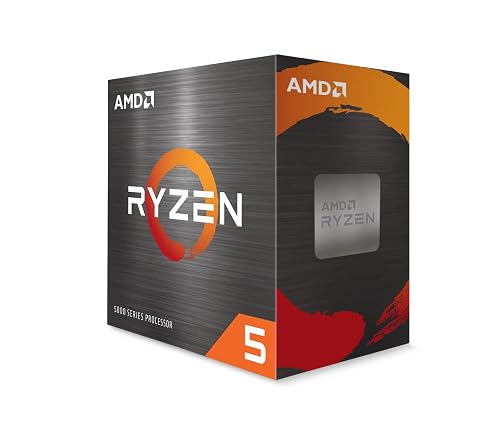 | Best Budget | Core Count: 6 cores | Thread Count: 12 threads | Max Boost: 4.7 GHz | VIEW LATEST PRICE | Read Our Analysis |
| AMD Ryzen™ 5 8400F | 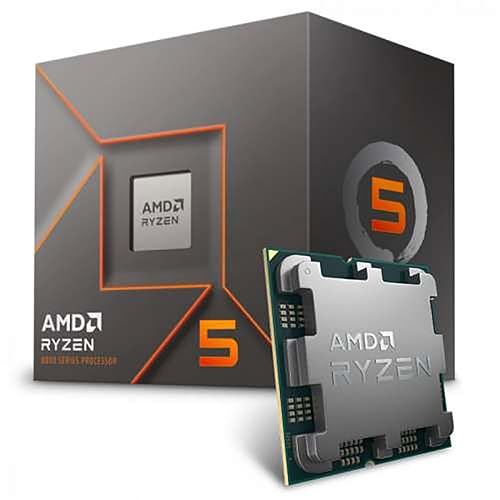 | Best Upgrade Path | Core Count: 6 cores | Thread Count: 12 threads | Max Boost: 4.7 GHz | VIEW LATEST PRICE | Read Our Analysis |
| Intel Core Ultra 5 Desktop Processor 225F | 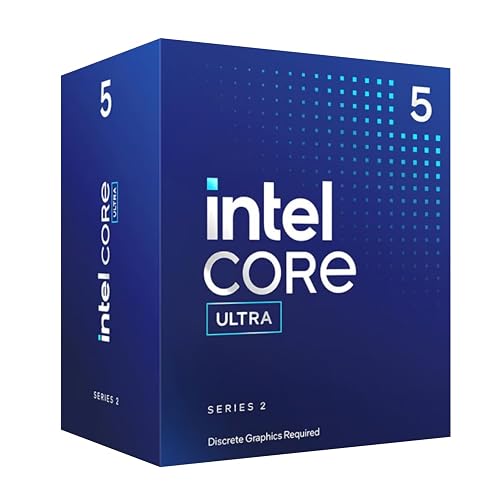 | Best Hybrid | Core Count: 10 cores | Thread Count: 14 threads | Max Boost: 4.9 GHz | VIEW LATEST PRICE | Read Our Analysis |
| Intel Core Ultra 5 Desktop Processor 225 | 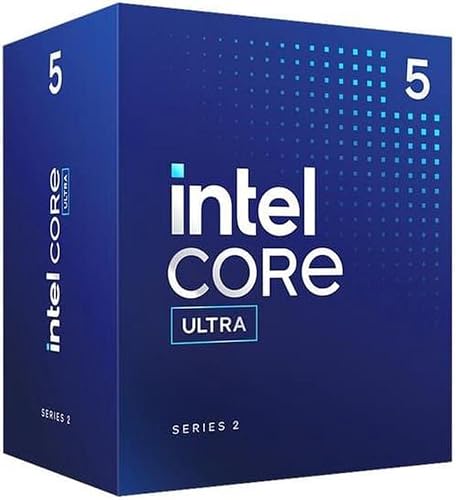 | Best Integrated Graphics | Core Count: 10 cores | Thread Count: 14 threads | Max Boost: 4.9 GHz | VIEW LATEST PRICE | Read Our Analysis |
| AMD Ryzen 7 5800X3D Processor 8-Core 16-Thread | 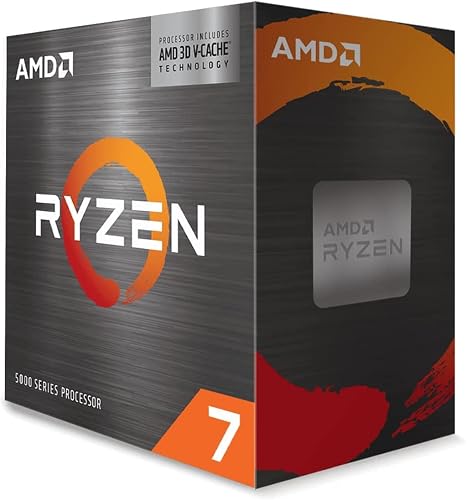 | Best Gaming Pick | Core Count: 8 cores | Thread Count: 16 threads | Max Boost: 4.5 GHz | VIEW LATEST PRICE | Read Our Analysis |
More Details on Our Top Picks
AMD Ryzen™ 9 5900XT 16-Core 32-Thread Unlocked Desktop Processor
If you are building a high-end AM4 system for gaming and content creation, the AMD Ryzen 9 5900XT stands out with 16 cores, 32 threads, and Zen 3 performance that still holds up well today. You get a 3.3 GHz base clock, 4.8 GHz boost, and 72 MB of cache for heavy multitasking. It is unlocked, so you can overclock it if you want more speed. Since it runs on Socket AM4 with PCIe 4.0 and DDR4-3200 support, it fits into proven builds. Remember that you will need aftermarket cooling, because AMD does not include a cooler.
- Core Count:16 cores
- Thread Count:32 threads
- Max Boost:4.8 GHz
- Cache Size:72 MB
- Socket:AM4
- Cooling:No cooler
- Additional Feature:Zen 3 architecture
- Additional Feature:PCIe 4.0 support
- Additional Feature:Windows 11 support
AMD RYZEN 5 5600XT 6-Core 12-Thread Processor
The AMD Ryzen 5 5600XT is a strong pick for gamers who want a balanced 6-core, 12-thread desktop CPU without overcomplicating their build. It uses AMD Zen 3 architecture, so games and everyday tasks stay responsive. Its 4.7 GHz max boost helps push frame rates when extra speed is needed, and 32 MB of cache supports smooth performance. With DDR4-3200 memory support, you can keep system costs sensible. If you want a gaming-focused processor that handles multitasking well, this chip fits neatly into a straightforward desktop setup.
- Core Count:6 cores
- Thread Count:12 threads
- Max Boost:4.7 GHz
- Cache Size:32 MB
- Socket:AM4
- Cooling:Not listed
- Additional Feature:Gaming-focused processor
- Additional Feature:Zen 3 architecture
- Additional Feature:32 MB cache
AMD Ryzen™ 5 8400F
With 6 cores, 12 threads, and AMD Zen 4 performance on the AM5 socket, the Ryzen 5 8400F is a smart starting point for a budget-friendly gaming chip that also handles productivity and video calls well. It reaches a 4.7 GHz boost, supports DDR5, and includes 22 MB of cache, all at a modest 65 watts. Because it uses the AM5 socket, you can upgrade later without replacing the whole platform. If you want solid speed without overspending, this CPU provides a practical path forward.
- Core Count:6 cores
- Thread Count:12 threads
- Max Boost:4.7 GHz
- Cache Size:22 MB
- Socket:AM5
- Cooling:Not listed
- Additional Feature:Zen 4 architecture
- Additional Feature:DDR5 support
- Additional Feature:AM5 socket
Intel Core Ultra 5 Desktop Processor 225F
The Intel Core Ultra 5 Desktop Processor 225F is a modern 10-core, 14-thread chip that delivers strong everyday and gaming performance without stepping up to a higher-tier model. It offers 6 P-cores, 4 E-cores, and up to 4.9 GHz boost, so it handles mixed workloads smoothly. Its 22 MB cache and hybrid architecture help keep tasks organized and responsive. You will need a discrete GPU and your own cooler. The processor is compatible with Intel 800 series motherboards, supports PCIe 5.0 and 4.0, and works with Intel Optane Memory for a practical, current build.
- Core Count:10 cores
- Thread Count:14 threads
- Max Boost:4.9 GHz
- Cache Size:22 MB
- Socket:Intel 800 series
- Cooling:No thermal solution
- Additional Feature:6 P-cores
- Additional Feature:4 E-cores
- Additional Feature:Intel 800 series
Intel Core Ultra 5 Desktop Processor 225
If you want a balanced desktop CPU that delivers solid everyday performance without jumping to a higher-tier chip, the Intel Core Ultra 5 Desktop Processor 225 is a smart pick. You get 10 cores total, with 6 P cores and 4 E cores, plus 14 threads and boost speeds up to 4.9 GHz. Its hybrid architecture helps you prioritize demanding tasks while keeping background work smooth. You also get 22 MB of cache and integrated Intel graphics. It works with Intel 800 series motherboards, supports PCIe 5.0 and 4.0, and omits a thermal solution, so plan cooling separately.
- Core Count:10 cores
- Thread Count:14 threads
- Max Boost:4.9 GHz
- Cache Size:22 MB
- Socket:Intel 800 series
- Cooling:No thermal solution
- Additional Feature:Integrated Intel Graphics
- Additional Feature:Intel 800 series
- Additional Feature:PCIe 5.0 support
AMD Ryzen 7 5800X3D Processor 8-Core 16-Thread
The AMD Ryzen 7 5800X3D is the best 5000 Series CPU pick for gamers who want top-tier AM4 performance without moving to a new platform, thanks to its 3D V-Cache and 8-core, 16-thread design. It has a 3.4 GHz base clock and up to 4.5 GHz boost, plus a large 100 MB cache that helps demanding games stay smooth. It also handles content creation and data work well, but you will need a separate graphics card, and no cooler is included. With a 105 W TDP and strong user ratings, it is a smart upgrade.
- Core Count:8 cores
- Thread Count:16 threads
- Max Boost:4.5 GHz
- Cache Size:100 MB
- Socket:AM4
- Cooling:Without cooler
- Additional Feature:3D V-Cache Technology
- Additional Feature:100 MB cache
- Additional Feature:Content creation support
Factors to Consider When Choosing a 5000 Series CPU
When choosing a 5000 series CPU, match core count to how you work and play because gaming and multitasking place different demands on performance. Check socket compatibility, cache size, and gaming performance to ensure the chip fits your build and reaches your target speeds. Also consider power and cooling, since a higher-performance CPU often requires better airflow and a capable cooler.
Core Count Needs
Core count matters because it should line up with what you actually do on your PC. If you edit video, render scenes, stream, or juggle heavy apps, you will feel the benefit of more cores. A 16-core chip can usually handle more simultaneous work than a 6-core one, especially when your software keeps every thread busy. For everyday use and most gaming, 6 to 8 cores is often enough, but extra cores can still help when background tasks kick in. If you often switch between gaming, browsing, recording, and creative tools, aim for 12 or more threads to reduce slowdowns. More cores only pay off when your programs can use them, so match the CPU to your workload. More threads also give you better headroom later.
Gaming Performance
For gaming, you will usually get better results from higher single-thread boost clocks and strong per-core performance than from a huge core count. Look for a CPU that boosts around 4.5 to 4.8 GHz, because that range often delivers snappy in-game responsiveness. A 3D V-Cache model can push frame rates higher in many titles by giving the processor more cache and reducing memory access delays. Six-core, 12-thread chips are usually enough for smooth play, but 8-core, 16-thread parts give you more breathing room for streaming, background apps, and newer games. On a 5000 series platform, DDR4-3200 and PCIe 4.0 help you keep performance strong when you pair the CPU with a capable GPU and a balanced memory setup.
Socket Compatibility
Socket compatibility is the first thing you should verify before buying a 5000 series CPU, because a mismatch with your motherboard will prevent the chip from fitting or functioning. Match the processor’s socket to your board, since many 5000 series desktop chips use AM4 and will not work on incompatible motherboards. Even within the same CPU family, older AM4 parts and newer AM5 parts follow different upgrade paths, so do not assume they are interchangeable. Also check chipset support, because some CPUs need specific boards for full compatibility and proper BIOS support. Confirming the socket early helps you avoid mounting problems, wasted money, and a system that will not boot.
Cache Size
Cache size can make a real difference in how a 5000 series CPU feels and performs, because more cache lets the processor access frequently used data faster and spend less time waiting. You will see 5000 series chips ranging from about 32 MB to as much as 100 MB, so the gap can be meaningful. Bigger cache helps most when you game, create content, or run tasks that keep reusing the same data. Secondary cache can vary too, with some CPUs offering only a few megabytes and others much more. Still, do not judge a CPU by cache alone. You should weigh it alongside core count, clock speed, and the kind of work you do, since the best choice depends on your workload, not just the biggest number.
Power And Cooling
Power and cooling matter just as much as core count when you are choosing a 5000 series CPU, especially for higher-end desktop models that can draw around 105 watts under boost. You will want a power supply and a motherboard VRM that can handle that draw without throttling. If the chip ships without a cooler, buy one before you install it. For a 105-watt CPU, choose a sturdy air cooler or a liquid cooler to keep temperatures and fan noise in check. If you pick a 65-watt model, you can ease up on cooling and fit smaller cases more easily. Give your cooler enough thermal headroom, and you will hold boost clocks more consistently during long gaming or work sessions.
Frequently Asked Questions
Which 5000 Series CPU Is Best for Competitive Gaming?
For competitive gaming, choose the Ryzen 7 5800X3D; it typically delivers the highest frame rates and the smoothest lows. If you already own an AM4 motherboard, you can upgrade without changing your whole platform.
Do 5000 Series CPUS Need a Separate Graphics Card?
Usually you need a separate graphics card, unless you are prepared for a black screen. You can use integrated graphics only on certain 5000-series chips, so check your exact CPU before you buy.
What Motherboard Socket Do These CPUS Require?
You will need an AMD AM4 motherboard socket for most Ryzen 5000 CPUs. Check your board’s BIOS support before you buy; older AM4 boards sometimes require an update to recognize these processors.
How Much Cooling Do These Processors Typically Need?
Like a racecar, you will typically need a solid air cooler or a 240 mm AIO for most 5000 series processors. Lower-power chips run cooler, but high-end models can push temperatures up, so do not skimp on airflow.
Which CPU Offers the Best Upgrade Path for Future Builds?
You’ll usually want the AM5 Ryzen 5 7600 or 7700, because you can upgrade later to newer Ryzen chips without replacing the motherboard. This gives you the strongest future path in this lineup.




