


If you are considering AMD Ryzen 7 9700X builds, you want more than raw speed, you want a system that stays cool, runs smoothly, and fits your desk without compromise.
Some options lean toward ready-to-use gaming power, while others focus on value or upgrade flexibility.
The right choice depends on how you play, how much you spend, and what you expect next.
A few of these builds stand out for reasons you might not expect.
| Skytech Gaming Shadow PC Ryzen 7 RTX 5060 Ti | 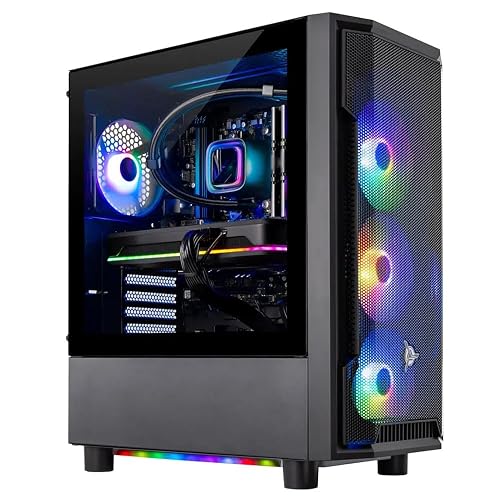 | Best Overall | CPU: Ryzen 7 9700X | Cooling: 360mm AIO | Memory: 32GB DDR5 | VIEW LATEST PRICE | Read Our Analysis |
| Skytech Gaming Azure 3 Gaming PC (Ryzen 7 9700X) |  | Best Value | CPU: Ryzen 7 9700X | Cooling: 360mm AIO | Memory: 16GB DDR5 | VIEW LATEST PRICE | Read Our Analysis |
| AMD Ryzen™ 7 9850X3D Desktop Processor | 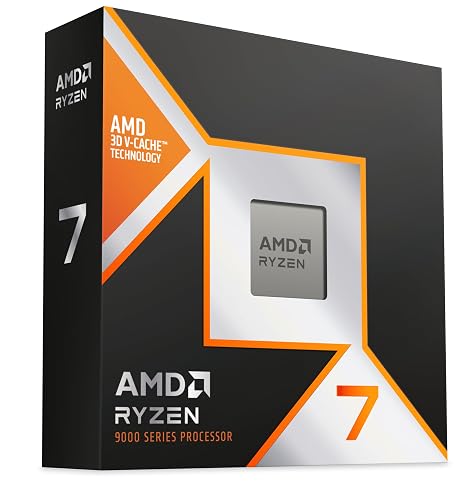 | Premium Gaming CPU | CPU: Ryzen 7 9850X3D | Cooling: None | Memory: N/A | VIEW LATEST PRICE | Read Our Analysis |
| AMD Ryzen 5 7500X3D Box | 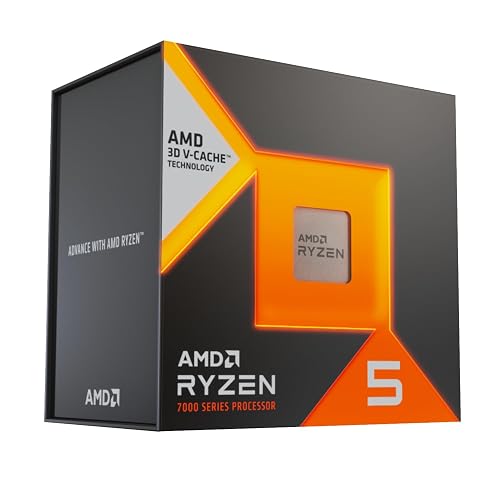 | Entry-Level Pick | CPU: Ryzen 5 7500X3D | Cooling: None | Memory: N/A | VIEW LATEST PRICE | Read Our Analysis |
| INLAND Ryzen 7 7700X CPU with GIGABYTE B650 Motherboard | 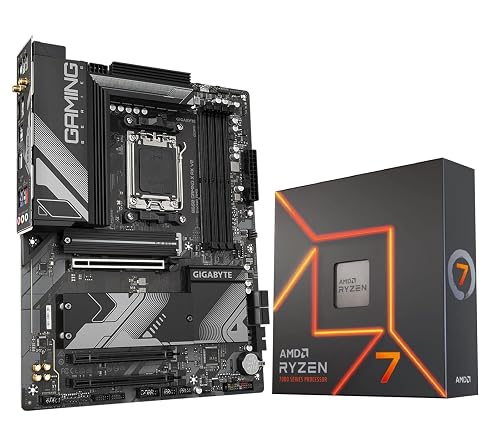 | Best Motherboard Combo | CPU: Ryzen 7 7700X | Cooling: None | Memory: 192GB max DDR5 | VIEW LATEST PRICE | Read Our Analysis |
| Ryzen 7 Wraith Prism RGB CPU Cooler | 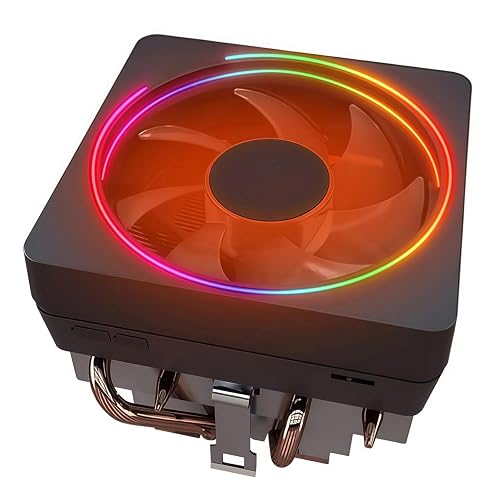 | Budget Cooler Option | CPU: Ryzen 7 compatible cooler | Cooling: Air cooler | Memory: N/A | VIEW LATEST PRICE | Read Our Analysis |
More Details on Our Top Picks
Skytech Gaming Shadow PC Ryzen 7 RTX 5060 Ti
If you want a ready-to-play Ryzen 7 build tuned for 1080p gaming, the Skytech Gaming Shadow PC is a strong pick. It includes an AMD Ryzen 7 9700X, RTX 5060 Ti 8GB, 32GB of DDR5 memory, and a 1TB NVMe SSD, so you can jump into demanding games fast. The 360mm AIO cooler helps keep temperatures in check, and the 650W Gold PSU supports stable performance. You also get Windows 11 Home, Wi-Fi, Ethernet, and gaming peripherals. It is built in the USA and backed by lifetime technical support.
- CPU:Ryzen 7 9700X
- Cooling:360mm AIO
- Memory:32GB DDR5
- Storage:1TB NVMe SSD
- Socket:AM5
- Gaming Focus:Gaming desktop
- Additional Feature:RTX 5060 Ti graphics
- Additional Feature:650W Gold PSU
- Additional Feature:Wi-Fi 802.11ac
Skytech Gaming Azure 3 Gaming PC (Ryzen 7 9700X)
The Skytech Gaming Azure 3 is a strong pick if you want a ready-to-play Ryzen 7 9700X system for smooth 1080p gaming. It pairs AMD’s 8-core AM5 chip with an RTX 5060, 16GB of DDR5-6000 memory, and a 1TB NVMe SSD. You also get a 360mm AIO cooler, ARGB fans, and an 850W Gold ATX 3 PSU, so the rig stays cool and stable. Its black tempered-glass case looks clean, and Wi-Fi, HDMI, DisplayPort, and USB ports keep you connected. Windows 11 Home, bundled peripherals, and a one-year warranty make setup easy.
- CPU:Ryzen 7 9700X
- Cooling:360mm AIO
- Memory:16GB DDR5
- Storage:1TB NVMe SSD
- Socket:AM5
- Gaming Focus:Gaming PC
- Additional Feature:RTX 5060 graphics
- Additional Feature:850W Gold PSU
- Additional Feature:14.81 kg weight
AMD Ryzen™ 7 9850X3D Desktop Processor
With 8 cores, 16 threads, and 104 MB of cache, the AMD Ryzen 7 9850X3D desktop processor is an excellent choice if you want a high-end AM5 chip built for gaming-focused systems. It runs at 4.7 GHz and uses 140 watts, so pair it with a capable cooler and fast DDR5 memory. You also get AMD’s gaming-first tuning in a compact Ryzen 7 package. If you want a processor that pushes frames hard and fits a modern desk setup, this chip delivers impressive headroom without wasting your budget on extra cores.
- CPU:Ryzen 7 9850X3D
- Cooling:None
- Memory:N/A
- Storage:N/A
- Socket:AM5
- Gaming Focus:Gaming processor
- Additional Feature:16 concurrent threads
- Additional Feature:104 MB cache
- Additional Feature:140 watts TDP
AMD Ryzen 5 7500X3D Box
AMD Ryzen 5 7500X3D Box brings X3D gaming performance to an entry-level AM5 chip, making it a smart pick when you want strong frame rates without overspending. It has 6 cores and 12 threads on Zen 4, so it handles modern games smoothly while keeping your build efficient. Its 3D V-Cache helps you push better results in AAA titles and competitive play. Compared with similar chips, it often delivers faster gaming performance, and you will appreciate the value if you want an affordable Ryzen 5 that still feels tuned for serious gaming.
- CPU:Ryzen 5 7500X3D
- Cooling:None
- Memory:N/A
- Storage:N/A
- Socket:AM5
- Gaming Focus:Gaming processor
- Additional Feature:Zen 4 architecture
- Additional Feature:6 cores
- Additional Feature:12 threads
INLAND Ryzen 7 7700X CPU with GIGABYTE B650 Motherboard
If you want a capable AM5 gaming and productivity build that does not require a separate cooler, the INLAND Ryzen 7 7700X paired with GIGABYTE B650 Gaming X AX V2 is a strong fit. You get 8 cores, 16 threads, and boost speeds up to 5.4 GHz, so it handles demanding applications and modern games well. The motherboard supports DDR5, PCIe 5.0 storage, Wi Fi 6E, and Bluetooth 5.3. Its 8+2+2 VRM, M.2 Thermal Guard, and Smart Fan 6 help keep the system stable. Q Flash Plus also makes BIOS updates easy.
- CPU:Ryzen 7 7700X
- Cooling:None
- Memory:192GB max DDR5
- Storage:N/A
- Socket:AM5
- Gaming Focus:Gaming CPU/motherboard bundle
- Additional Feature:Wi-Fi 6E
- Additional Feature:Bluetooth 5.3
- Additional Feature:PCIe 5.0 M.2
Ryzen 7 Wraith Prism RGB CPU Cooler
The Ryzen 7 Wraith Prism RGB CPU cooler is a strong fit for builders who want dependable air cooling with a little flair, especially if you are pairing a Ryzen 7 chip like the 9700X with a standard AM5 or AM4 motherboard. You get an aluminum heatsink, copper base, and heat pipes with pre-applied thermal paste, so installation stays simple. The 95 mm RGB fan connects through PWM and USB or standard RGB headers, allowing you to tune lighting easily. It supports many AMD sockets, runs up to 3000 to 3600 RPM, and keeps noise near 40 dB.
- CPU:Ryzen 7 compatible cooler
- Cooling:Air cooler
- Memory:N/A
- Storage:N/A
- Socket:AM5 compatible
- Gaming Focus:Gaming CPU cooler
- Additional Feature:95 mm RGB fan
- Additional Feature:Pre-applied thermal paste
- Additional Feature:40 dB noise
Factors to Consider When Choosing AMD Ryzen 7 9700X Builds
When choosing an AMD Ryzen 7 9700X build, match the GPU to your gaming or creative workload so you do not waste performance. Plan for cooling, memory speed and capacity, and sufficient power supply headroom. Also consider the storage and connectivity you actually need. Balancing these parts helps you build a system that runs fast, remains stable, and meets your goals.
GPU Pairing Choices
For a Ryzen 7 9700X build, choose a GPU that matches your target resolution instead of chasing top-end power the CPU will not fully use at 1920 × 1080. If you are gaming at 1920 × 1080, an 8 GB GDDR7 card such as an RTX 5060 or 5060 Ti makes sense; the faster model gives you more texture headroom and steadier frame rates. Aim for at least 8 GB of VRAM and a modern PCIe interface if you want smooth 60+ FPS play on ultra settings. Your 9700X has eight cores and a 5.5 GHz boost, so it can handle stronger midrange GPUs and you do not need to overbuy. Keep system memory in mind as well: 16 GB works for lighter builds, while 32 GB gives you more room.
Cooling Requirements
Because the Ryzen 7 9700X is an 8-core, 16-thread, 140-watt CPU, you need a strong cooler to keep temperatures in check during long gaming or productivity sessions. A 240 mm or larger liquid cooler is usually the safer choice than a basic stock cooler, especially if you push the system hard for hours. Also ensure your case has solid airflow, since even a good cooler can struggle if hot air gets trapped inside the chassis. Use high-quality thermal paste and mount the cooler securely so heat moves efficiently from the chip to the heatsink. For quieter operation, choose an oversized cooler that can run its fans slower while still keeping temperatures under control.
Memory Speed And Capacity
Memory speed and capacity both matter in a Ryzen 7 9700X build. For most gamers who also multitask, 32GB of DDR5 is the sweet spot. If you play lighter 1080p titles, 16GB can still get you started, but 32GB provides more breathing room. Aim for DDR5-5600 or DDR5-6000, since both sit in the CPU’s useful range and faster kits can trim latency for snappier response. Use two matched sticks in dual-channel mode instead of one module, because you will get better bandwidth and steadier stability. EXPO support also helps you run the kit at its rated speed with less hassle. You can push capacity far higher, but most gaming builds will not gain much beyond 32GB or 64GB.
Power Supply Headroom
Even with a 140W-class Ryzen 7 9700X, you should not size your PSU right at the limit, since CPU boost spikes and GPU transients can push a build past its peak draw. Pick a unit with room above your system’s maximum load, so the 8-core chip stays stable under bursty workloads. For many gaming rigs with a midrange GPU and one SSD, a 650W PSU works, but a stronger graphics card or extra drives means you should step up. A Gold-rated model helps keep efficiency high, which can lower heat and fan noise during long sessions. If you use liquid cooling, RGB fans, or multiple peripherals, count those draws too. Extra headroom also gives you a safer path for future GPU upgrades.
Storage And Connectivity
For storage and connectivity, start with a 1TB NVMe M.2 SSD so your Ryzen 7 9700X build boots fast, loads games quickly, and feels snappy in everyday use. Choose a motherboard with plenty of expansion, ideally one PCIe 5.0 x4 M.2 slot and two PCIe 4.0 x4 M.2 slots, so you can add faster drives later without swapping your main one. Make sure it also gives you several SATA 6 Gb/s ports for bulk storage or older drives. On the I/O side, include USB 3.2 Gen 2×2 Type-C, plus multiple USB 3.0 and USB 2.0 ports for accessories and external drives. Finally, look for Wi Fi 6E, Bluetooth 5.3, and Ethernet for flexible, reliable networking.
Frequently Asked Questions
Is the Ryzen 7 9700X Good for 4K Gaming?
Yes, you can use the Ryzen 7 9700X for 4K gaming, and it is plenty fast. At 4K you will usually be GPU limited, so this CPU will not hold you back in most games.
Does the 9700X Need Liquid Cooling?
No, you do not need liquid cooling for the 9700X; a good air cooler handles it well. You would consider liquid cooling only if you plan to overclock aggressively, want lower noise, or prefer a cleaner aesthetic.
Which Motherboard Chipset Works Best With the 9700X?
The best match is an X670E or B650E board, as they support PCIe 5.0 and provide strong power delivery. A B650 board also works well if you want to save money without sacrificing performance.
Can the 9700X Handle Streaming and Editing Together?
Yes. The 9700X can handle streaming and editing at the same time, provided you pair it with a strong GPU and sufficient RAM. It manages demanding workloads well. You will get smoother results if you keep backgrounds light.
Is the 9700X Worth Upgrading From Ryzen 7000?
If you already own a Ryzen 7000 chip, you probably should not rush; your upgrade offers only modest gains. You will notice better efficiency and slightly higher performance, but you will get more value by waiting unless you need those improvements now.




