


If you are building a gaming PC on a tight budget, the right CPU combo can stretch your money much farther than you might expect.
From older AMD chips like the Ryzen 5 1400 and 1500X to a stronger 5800XT bundle, each option offers a different balance of price, performance, and upgrade path.
The real question is which one gives you the best value for your setup, and the answer is not as obvious as it seems.


More Details on Our Top Picks
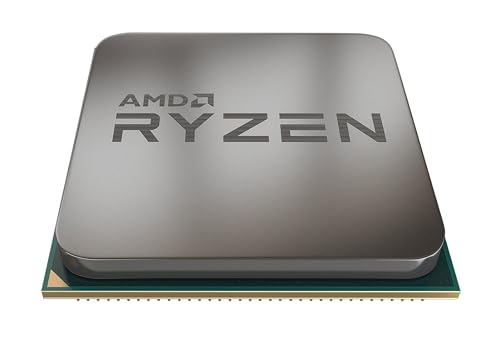
AMD YD150XBBAEBOX Ryzen 5 1500X Processor with Wraith Spire Cooler
If you are building a budget gaming rig and want a processor that still gives solid multitasking headroom, the AMD Ryzen 5 1500X is a smart pick. You get 4 cores and 8 threads, plus a 3.7 GHz Precision Boost and an unlocked design for easy tuning. The AM4 chip supports PCIe 3.0 and runs at a modest 65 W TDP, so you can keep costs down. AMD includes the Wraith Spire cooler, installation instructions, and warranty information. It is compatible with Windows 10, RHEL, and Ubuntu.
- Processor:Ryzen 5 1500X
- Core Count:4 cores
- Memory:Not included
- Storage:Not included
- Cooling:Wraith Spire cooler
- Operating System:No OS
- Additional Feature:AM4 socket
- Additional Feature:Unlocked processor
- Additional Feature:PCIe 3.0 support
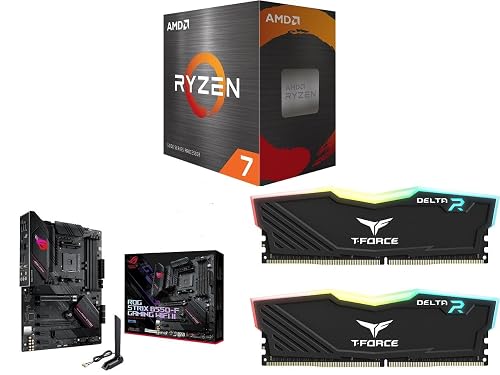
Ryzen 7 5800XT Motherboard Memory Combo Bundle
The Ryzen 7 5800XT motherboard and memory bundle is a smart pick if you want solid 1080p or 1440p gaming performance without overspending. It includes a Ryzen 7 5800XT with 8 Zen 3 cores at 3.8 GHz, the ROG Strix B550-F Gaming WiFi II, and 16 GB of T-Force Delta RGB DDR4 3200. The AM4 platform provides PCIe 4.0, dual M.2 slots, WiFi 6E, and 2.5 Gb Ethernet. This is a balanced Newegg combo for a desktop build, and the one-year warranty adds peace of mind.
- Processor:Ryzen 7 5800XT
- Core Count:8 cores
- Memory:16GB DDR4
- Storage:Not included
- Cooling:Not specified
- Operating System:Windows 11
- Additional Feature:WiFi 6E support
- Additional Feature:Dual M.2 slots
- Additional Feature:DDR4 3200 memory
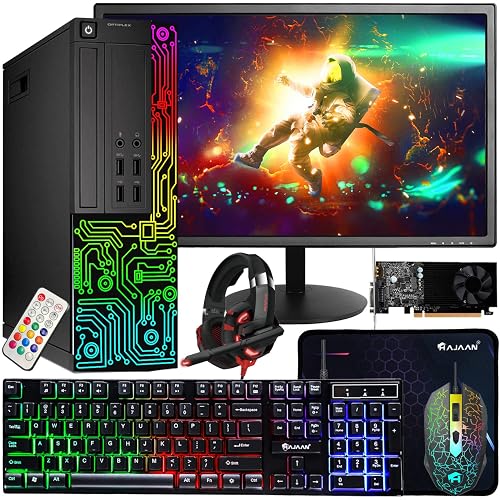
Dell Gaming OptiPlex Desktop PC with Monitor Accessory Bundle
For gamers who want a ready-to-play setup without stretching their budget, the Dell Gaming OptiPlex Desktop PC with Monitor Accessory Bundle is a smart entry point. It includes a renewed OptiPlex tower with an Intel Core i7-4770, 16 GB of DDR3 RAM, and a 512 GB SSD for quick boots and reliable everyday storage. The NVIDIA GT 1030 runs CS:GO, DOTA 2, and GTA V at medium settings with decent FPS. The bundle also includes a 24-inch 1080p HDMI monitor, Windows 11 Pro, Wi-Fi, RGB lighting, and peripherals. A 90-day warranty is included.
- Processor:Intel Core i7-4770
- Core Count:4 cores
- Memory:16GB DDR3
- Storage:512GB SSD
- Cooling:Air cooling
- Operating System:Windows 11 Pro
- Additional Feature:24-inch 1080p monitor
- Additional Feature:GT 1030 graphics
- Additional Feature:RGB front panel
AMD YD1400BBAEBOX Ryzen 5 1400 Processor with Wraith Stealth Cooler
AMD Ryzen 5 1400 with the Wraith Stealth cooler suits budget gaming builds that require solid multitasking without a large upfront cost. It offers 4 cores, 8 threads, and a 3.4 GHz boost clock, so it handles gaming and everyday tasks effectively. The unlocked AM4 chip supports Precision Boost, XFR, PCIe 3.0 x16, and virtualization; a discrete graphics card is required. Its 65 W TDP keeps power consumption low, and the included cooler helps maintain safe temperatures. With 2 MB of L2 cache, 8 MB of L3 cache, and a three year warranty, it is a practical starter choice.
- Processor:Ryzen 5 1400
- Core Count:4 cores
- Memory:Not included
- Storage:Not included
- Cooling:Wraith Stealth cooler
- Operating System:No OS
- Additional Feature:Wraith Stealth cooler
- Additional Feature:XFR support
- Additional Feature:Requires discrete graphics
AMD Ryzen 5 1600 Processor with Wraith Spire Cooler (YD1600BBAEBOX)
Ryzen 5 1600 provides a solid entry point for budget gaming builds, especially if you want 6 cores and 12 threads without spending much. You get an unlocked AM4 chip with a 3.2 GHz base clock and 3.6 GHz Precision Boost, so you can tune performance if you want more headroom. Its 3 MB L2 cache and 16 MB L3 cache help keep games responsive, while PCIe 3.0 x16 supports modern graphics cards. The included Wraith Spire cooler handles heat well, and the CPU has a 95°C limit that adds extra breathing room for affordable gaming rigs.
- Processor:Ryzen 5 1600
- Core Count:6 cores
- Memory:Not included
- Storage:Not included
- Cooling:Wraith Spire cooler
- Operating System:No OS
- Additional Feature:6 cores
- Additional Feature:12 threads
- Additional Feature:16MB L3 cache
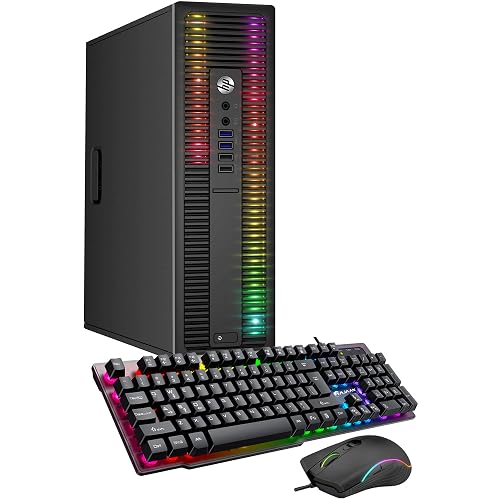
HP ProDesk Desktop Gaming PC with RGB Lights
If you want an inexpensive entry into 1080p gaming and everyday use, the HP ProDesk Desktop Gaming PC with RGB Lights is a practical choice. It includes an Intel Core i5-6500, 8 GB of DDR4 RAM, and a 256 GB SSD, so Windows 11 Pro boots quickly and routine tasks feel responsive. The integrated Intel HD Graphics can handle light gaming and media at 1920 x 1080. HP also provides RGB front-panel lights, a remote, a keyboard, a mouse, and a USB Wi-Fi adapter. The unit is professionally inspected and cleaned, and it is backed by a 90-day hardware warranty.
- Processor:Intel Core i5-6500
- Core Count:4 cores
- Memory:8GB DDR4
- Storage:256GB SSD
- Cooling:Air cooling
- Operating System:Windows 11 Pro
- Additional Feature:RGB front panel
- Additional Feature:USB Wi-Fi adapter
- Additional Feature:Gaming keyboard included
Factors to Consider When Choosing Budget Gaming CPU Combos
When choosing a budget gaming CPU combo, balance core count, graphics compatibility, and memory capacity to ensure smooth performance. Check motherboard features to confirm they support your planned upgrades and connections. Also verify cooling and power, as these components keep the system stable during long gaming sessions.
CPU Core Count
Core count is one of the biggest factors to weigh when choosing a budget gaming CPU combo. A 4-core, 8-thread chip can handle lighter games well, but 6 cores or more usually gives you more breathing room for modern titles and background tasks. You will notice fewer slowdowns in games that spread work across multiple threads, especially if you stream, keep voice chat open, or juggle browser tabs. Thread count matters too, since 4 cores with 8 threads can feel smoother than 4 cores with 4 threads under load. If your budget stretches far enough, an 8-core CPU will age better than a faster 4-core part. When comparing options, pick the highest core count you can afford before chasing small clock-speed gains.
Graphics Compatibility
Graphics compatibility matters just as much as CPU strength in a budget gaming combo, because your GPU has to match the platform’s PCIe support and video output options. Check whether the motherboard and processor support PCIe 3.0 or 4.0 so your graphics card can run at the bandwidth it expects. PCIe 4.0 gives newer cards more room to breathe, while PCIe 3.0 still works for many budget GPUs. If your CPU or motherboard lacks integrated graphics, you will need a discrete graphics card just to see anything on screen. When onboard graphics are present, HDMI or DisplayPort outputs on the motherboard can handle video without a separate GPU. Before you buy, verify slot, output, and GPU support, so you do not end up with a system that will not display at all.
Memory Capacity
For most budget gaming CPU combos, 16 GB of RAM is the sweet spot because it handles modern games and everyday multitasking without pushing the price up too much. You will usually get the best value from 2 x 8 GB sticks, since they let your system run in dual-channel mode on compatible hardware. That can improve responsiveness compared with a single module. DDR4 3200 is a smart budget pick too, because it delivers solid speed and broad support on current platforms. If you stream, keep apps open, or want extra headroom, consider a setup that can grow later. Choosing enough capacity now helps you avoid an early upgrade and keeps your gaming PC ready for heavier loads.
Motherboard Features
When you are choosing a motherboard for a budget gaming CPU combo, start with compatibility and the features you will actually use. Pick an AM4 board if you want the widest support for affordable Ryzen chips. If you can, choose a PCIe 4.0 ready model so your GPU and SSDs will not feel outdated as fast. Dual M.2 slots help you add fast NVMe storage without giving up SATA connections for other drives. Built in Wi‑Fi 6E and 2.5 Gb Ethernet save you from buying extra adapters and keep your network setup cleaner. Also check the rear I/O before you buy. USB 3.2 Gen 2 Type‑C, HDMI 2.1, and DisplayPort matter for your monitors and peripherals, and the right ports can make your whole build easier to use.
Cooling And Power
Cooling and power should be high on your checklist, because a budget gaming CPU combo only feels like a bargain if it stays cool and runs reliably. Aim for a 65W CPU with a cooler rated for at least 65W, so the thermal load stays balanced during long gaming sessions. A processor with a 95°C maximum temperature gives you more headroom before it throttles. Chips without a preset temperature limit can boost harder, so you will want solid airflow to handle the extra heat. Check whether the bundle includes an air cooler with a heatsink and fan, as that can save you money immediately. Also verify the power setup: a standard 24-pin main connector and enough wattage for your CPU and graphics card are important.
Frequently Asked Questions
Which Combo Offers the Best Upgrade Path for Future Gaming Builds?
You’re safest with AMD’s AM5 combo; it provides the most reliable upgrade path for future gaming builds. You can swap CPUs later without replacing the motherboard, keeping future upgrades flexible and more affordable.
Do These Budget CPUS Support Modern Graphics Cards Well?
Yes, most budget CPUs support modern graphics cards well for gaming, especially at 1080p. You may bottleneck very high end GPUs; choose pairings wisely to keep performance strong and your system balanced.
How Much RAM Is Ideal for Budget Gaming CPU Combos?
You should choose 16GB of RAM for most budget gaming CPU combos, as it provides smooth gameplay and adequate multitasking. If you stream, use heavy mods, or keep many programs open, upgrading to 32GB is a better choice.
Are Refurbished Gaming Desktop Bundles Reliable for Long-Term Use?
You can trust refurbished gaming desktop bundles when you buy from a reputable seller, verify the specifications, and confirm warranty coverage. They offer strong value, but expect some wear and plan to replace aging components sooner.
Can These Combos Handle Streaming While Gaming?
Yes, you can stream while gaming on these combos if you keep settings modest, use hardware encoding, and choose a strong CPU and GPU balance. You will get smoother performance, but demanding titles may still require compromises.




