

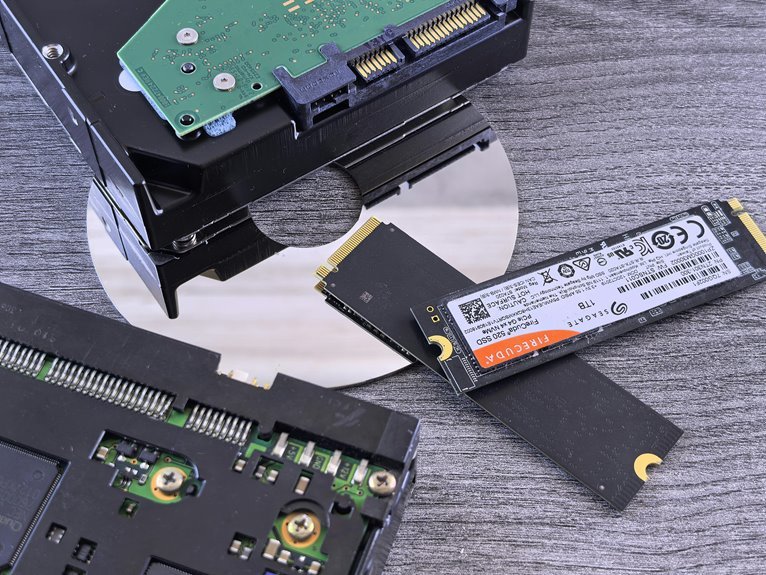

An SSD upgrade makes your computer faster, quieter, and more responsive right away. It cuts boot times, opens apps faster, and speeds up file transfers and games. Your system can run cooler and use less power, which helps battery life on laptops. In this article, we’ll look at eight clear performance gains that come with swapping out an old hard drive.
Why an SSD Upgrade Feels Faster
Because an SSD can grab data almost the moment you ask for it, your whole computer feels quicker from the initial click. You notice that speed in the little moments that shape your day, like opening a browser, saving a project, or pulling up a photo. Since there’s no mechanical latency from spinning parts, the drive responds right away.
That changes how your system feels as a whole. Menus react faster, files appear sooner, and apps stop making you wait around like the last person picked for the team. In turn, stronger storage responsiveness helps your laptop or desktop keep up with you and your routine.
Even on a fairly new machine, an SSD makes everyday tasks feel more natural, more connected, and more in step with how you want your computer to support you.
Faster Boot Times After an SSD Upgrade
Whenever you switch from an HDD to an SSD, one of the initial changes you notice is how quickly your computer starts up. You press the power button, and your startup sequence moves with far less delay. Because an SSD reads data faster, system initialization finishes in about 10 to 13 seconds instead of 30 to 40. That means less waiting and more feeling like your setup finally keeps up with you, every single day.
| Boot Step | What You Notice |
|---|---|
| Power on | Faster response |
| Startup sequence | Less stalling |
| System initialization | Quicker loading |
| Login screen | Appears sooner |
| Ready to use | Almost immediate |
Even better, this improvement helps both laptops and desktops, and you often feel it right away, even before making any other changes.
Faster App Launches and Everyday Tasks
After your PC boots faster, you’ll notice the next big win right away: your apps open much quicker, and your files respond without the old hard drive lag.
That means you can click, open, save, and switch between everyday tasks with less waiting and more flow.
In real use, your computer just feels smoother, calmer, and easier to trust.
Quicker Program Startup
While a hard drive can make even simple tasks feel like a waiting game, an SSD helps your computer open programs, files, and everyday tools almost right away. You click, and things respond with the kind of speed that makes your whole setup feel more welcoming and easier to trust.
That difference shows up clearly in program startup benchmarks and application opening comparisons. Your browser, chat app, music player, and work tools launch faster because an SSD skips the mechanical delays that slow a hard drive down. As a result, you spend less time staring at loading windows and more time actually getting things done.
Provided that you play games, you’ll notice launch screens move along faster too. Even better, your computer feels like it’s finally keeping up with you, not making you wait for every little step.
Snappier File Access
Feel the difference the moment you click a file or open a daily app, because an SSD cuts out the mechanical delays that make a hard drive hesitate. You get instant file browsing, rapid folder movement, and faster access to photos, documents, and tools you use every day. That means your routine feels lighter, smoother, and more in step with how you actually live.
- Open spreadsheets, PDFs, and images without that awkward pause
- Jump between folders quickly whenever you’re organizing school or work files
- Search large libraries and see results appear with less waiting
- Launch creative apps and browsers fast, so you stay in your flow
- Handle many small file reads at once, which keeps tasks feeling responsive
With an SSD, you don’t wait for your computer to catch up. It finally feels like part of your team.
Smoother Daily Computing
That quick file access shows up in the rest of your day too, because an SSD helps your whole system respond faster the moment you ask it to do something. You feel it when apps open without that awkward pause, files appear faster, and your daily workflow stops getting broken by little waits. Even simple things like search, updates, and saving documents feel lighter and more natural.
That carries into the tasks you share with everyone around you. Your browser responsiveness improves, tabs switch faster, and streaming or school platforms feel less stubborn. If you game, launchers and level loads move quicker too.
On both laptops and desktops, an SSD makes your computer feel more ready, more reliable, and more in step with how you live. It helps your day feel smoother from start to finish.
Quicker File Transfers and Load Times
With an SSD, you can move large files in far less time, so backups, videos, and big projects don’t keep you waiting. You also get shorter app and game load times, which means you can jump into your work or play faster.
After seeing how quickly everyday tasks open, you’ll really notice the next win whenever your biggest files and heaviest programs keep up with you.
Faster Large File Transfers
Often, the initial thing you’ll notice after upgrading to an SSD is how much faster large files move from one place to another. You spend less time waiting and more time getting things done, which feels great whenever you’re handling huge videos, photo libraries, portable backups, or bulk archive transfers with your team.
That speed shows up in everyday work:
- You copy raw video files in far less time.
- You move big photo folders without long pauses.
- You back up projects faster to external drives.
- You transfer archives smoothly during cleanup days.
- You feel less friction in shared creative workflows.
Because SSDs deliver much higher bandwidth than hard drives, even entry-level NVMe models can move data several times faster than SATA. So you stay in rhythm, finish sooner, and feel more confident every single day.
Shorter App Load Times
As soon as you switch from an HDD to an SSD, your apps don’t keep you waiting nearly as long. You click, and they open fast enough to feel like your computer is finally working with you, not against you. That quick response helps you stay in your flow and feel more connected to what you’re doing.
Because an SSD reads data without mechanical delays, app files, game assets, and saved projects load much faster. Even dialog startup feels snappier, so small tasks stop breaking your rhythm.
After cache warming, repeat launches often feel even quicker, which makes everyday work smoother and more welcoming. When you use an NVMe SSD, load times can drop further, especially for larger programs. You spend less time staring at screens and more time getting things done together.
Smoother Multitasking With Less Lag
Upon you upgrade from an HDD to an SSD, multitasking feels easier right away because your system can read and move data far faster without waiting on spinning parts. You notice smoother task switching, quicker response, and fewer freezes whenever several background apps stay open. That means your browser, music, chat, and documents can keep moving together, so you feel more in control.
- Switch between tabs and tools without long pauses
- Keep background apps running with less slowdown
- Open files while updates install more smoothly
- Edit photos or spreadsheets with fewer stalls
- Feel less stress whenever your PC keeps up
As a result, your whole setup feels more dependable. You stay in the flow, and your laptop or desktop feels like it belongs with the way you work, learn, and connect every day.
Faster Game Load Times With an SSD
That same speed increase shows up the moment you start a game, because an SSD pulls files far faster than an HDD ever could. You spend less time staring at loading screens and more time jumping into matches, quests, and shared worlds with everyone else. Games open quicker, levels load faster, and fast travel feels less like a chore.
That matters even more in large games. An SSD feeds texture streaming data quickly, so environments appear sooner and movement feels smoother. You’re less likely to hit pauses, late-loading details, or annoying open world stutter whenever the game needs new assets right away.
Even though an SSD won’t improve frame rates, it helps your experience feel more polished and connected. Whenever your system keeps up, you stay in the action and in sync with your crew.
Quieter Operation and Lower Power Use
Beyond faster loading, an SSD also makes your computer feel calmer and easier to live with each day.
Because it has no spinning platters or moving heads, you get quiet operation that helps your room, desk, or shared space feel more peaceful. That small change matters whenever you work late, study nearby others, or just want less background noise.
- Your laptop runs with less mechanical sound
- Your desktop feels less distracting in quiet rooms
- You get better power savings during daily tasks
- Your battery can stretch longer between charges
- Your system gives off less heat under light use
Just as game loads improve your flow, lower energy use improves comfort.
You notice fewer fan bursts, less warmth on your lap, and a setup that fits smoothly into the way your day already works.
SSDs Are More Reliable Than Hard Drives
Because SSDs have no moving parts, they’re much less likely to fail from bumps, drops, or daily wear that can damage a hard drive over time. That matters whenever you carry your laptop, move your desktop, or simply want storage you can count on every day.
You also get better data integrity, since SSDs don’t rely on spinning platters or fragile read heads. As a result, your files stay safer during travel, busy workdays, and long gaming sessions.
In the same way, SSDs support stronger hardware longevity because they resist shock, heat, and mechanical stress more effectively. That reliability helps you feel confident, connected, and ready to keep creating, playing, and sharing without the nagging worry of drive failure. It’s one upgrade that helps your whole setup feel more trustworthy and calm.
Frequently Asked Questions
How Long Does an SSD Typically Last Under Daily Use?
An SSD usually lasts around 5 to 10 years with daily use. Knowing how SSD lifespan works and what causes everyday wear can help you maintain speed and get more life from your drive.
Can I Upgrade to an SSD Without Losing My Files?
Yes, you can switch to an SSD without losing your files if you back up your data first and use a drive cloning or migration tool. Your documents, apps, and settings can stay in place while your computer gains faster boot times and quicker performance.
Do I Need SATA or NVME for My Motherboard?
Check which storage connections your motherboard actually has before buying a drive. If it includes an M.2 slot that supports NVMe, go with an NVMe drive. If it only supports SATA, choose a SATA drive instead. Either option can work well, but compatibility comes first.
How Much SSD Storage Space Should I Buy?
Buy 1TB for most builds. Choose 2TB if you keep several modern games or large files. Plan around the size of your game library so your drive does not fill up too quickly as your setup expands.
Will an SSD Upgrade Work in an Older Laptop?
In most cases, an older laptop can use an SSD, but you need to confirm a few hardware details first. Check the drive size, the connection type, and whether the BIOS can detect the new drive. If those match, the upgrade usually leads to much faster startup and load times.




