
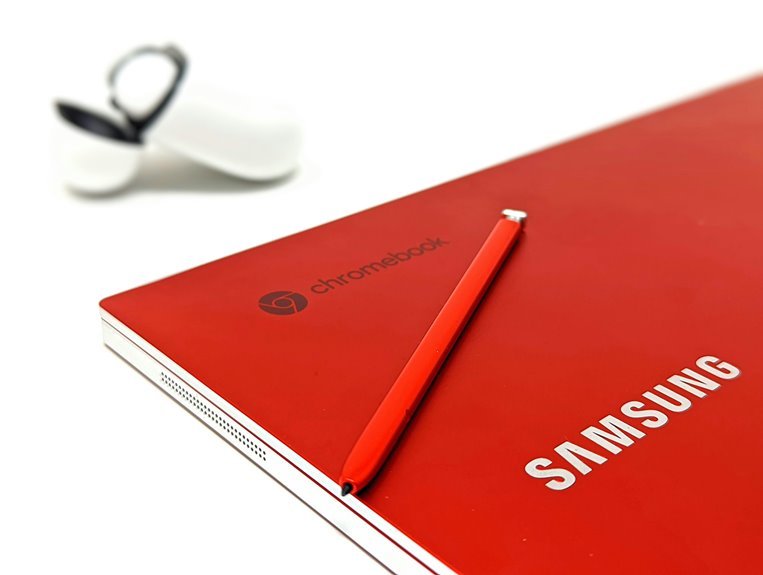

For everyday use, a Chromebook often feels faster and simpler. It starts quickly, runs smoothly for browsing, email, video calls, and web apps, and needs very little upkeep. A laptop usually wins for desktop software, bigger workloads, and stronger offline use. The right pick comes down to how you spend your day and which tasks matter most.
Chromebook vs Laptop: Which Performs Better Daily?
If you care most about how a device feels during a normal day, a Chromebook often seems faster because it boots in seconds, opens web tasks quickly, and stays smooth while you browse, email, or work in Google Docs. That quick start helps you jump in with everyone else instead of waiting around. Chrome OS stays light, so even modest hardware feels responsive.
That daily ease also connects to battery efficiency. You can move from class, couch, or café without hunting for an outlet. Many Chromebooks last longer than similar laptops, which makes your routine feel simpler and more dependable. Still, laptops win on offline reliability when your internet drops and you need full programs.
How to Judge Daily Performance
At the moment you judge daily performance, start with the moments you feel most: how fast the device wakes up, how quickly your tabs load, how smoothly it handles email and documents, and how long it lasts before you need a charger.
Then, notice the small signals that shape your routine and help you feel settled:
- A screen that greets you without delay, like a friend saving you a seat.
- Tabs opening cleanly, without stutter, while your playlist keeps going.
- Strong battery responsiveness that carries you through class, work, or the couch.
- Good thermal comfort, so your lap stays calm instead of turning into a toaster.
If a device makes everyday tasks feel easy, quiet, and steady, you’ll know it fits your pace and your people well.
Chromebook vs Laptop Boot Speed
When you press the power button, a Chromebook usually gets you online in seconds, while many laptops take longer to fully load.
You’ll also notice that waking a Chromebook from sleep feels almost instant, which helps whenever you need to jump back into work fast.
Should quick starts matter to you, these boot speed differences can shape how smooth your day feels.
Startup Time Differences
Because speed matters the moment you open your device, boot time is one of the clearest differences between a Chromebook and a laptop. You feel it right away.
A Chromebook usually gets you online in seconds, while many laptops take longer because heavier systems load more services, startup animations, and background checks before you’re ready.
That difference shows up in small moments you notice:
- You press power and see a clean, quick start.
- You reach the login screen without long login screen delays.
- You open Chrome and your tabs feel close at hand.
- You settle in fast, like your device is keeping pace with your day.
If you want a device that feels easy to join and use, a Chromebook often gives you that smooth, welcome-in feeling.
Wake From Sleep
How fast a device wakes up matters just as much as how fast it boots, especially whenever you open the lid many times a day. In real use, that moment shapes how connected and productive you feel. A Chromebook usually gives you a smoother sleep resume, so you jump back into tabs, messages, and schoolwork in seconds.
That speed feels natural because Chrome OS stays light and focused on web tasks. You get instant unlock more often, and that helps you rejoin your flow without waiting through spinning icons or desktop lag. Many laptops still wake quickly, but results vary more by hardware, background apps, and battery settings.
Should you want a device that feels ready whenever your group is already moving, a Chromebook often keeps you in step instead of making you catch up or feel left behind.
Chromebook vs Laptop for Web Browsing
When you browse the web, you’ll usually feel a Chromebook respond faster because Chrome OS is built for online tasks. Should you keep lots of tabs open, a Chromebook can stay surprisingly smooth, especially when you close extra apps and focus on browsing.
A laptop can still do more in total, but you might need stronger hardware to match that same easy, quick web experience.
Browser Speed Comparison
Why does a Chromebook often feel quicker the moment you open a browser? You notice it right away because Chrome OS is built for the web. It trims background clutter, so pages begin loading fast and page render responsiveness feels snappy. You stay in the flow, not waiting, not questioning whether your device belongs here.
- You tap Chrome and see a clean window appear like a light switching on.
- You open a news site, and browser cache behavior helps familiar pages snap back quickly.
- You search, scroll, and click, while the system keeps motion smooth and steady.
- You move through email and docs feeling connected, because the device is tuned for these moments.
A laptop can match this speed, but usually only with stronger hardware and more power behind the browser.
Tab Multitasking Performance
Although both can handle a busy browser session, a Chromebook often feels steadier once you start stacking tabs for everyday web use. When you’re the kind of person who keeps email, Docs, music, shopping, and research open together, Chrome OS usually stays calm. Its memory management is built for browser-heavy work, so you notice fewer slowdowns whenever tabs pile up.
That matters even more once your routine gets messy. On many laptops, extra tabs can push RAM harder, especially with background apps running. With a Chromebook, you can lean on tab grouping to keep school, work, and personal pages organized without feeling lost.
You stay in sync with how most people browse now: many tabs, quick jumps, less waiting. It feels simple, shared, and ready for your daily flow too.
Chromebook vs Laptop for Office Work
Your office work happens mostly in a browser, a Chromebook often feels quicker and easier to live with than a traditional laptop.
You sign in, open your tabs, and get moving fast.
For teams that rely on document sharing, email, calendars, and spreadsheet editing, that smooth start helps you feel in step with everyone else.
- You flip it open and you’re in your inbox within seconds.
- You jump into shared files and coworkers see updates right away.
- You move between meetings, notes, and sheets without the fan whining.
- You keep working longer on battery, even away from your desk.
A laptop still fits offices with heavier offline needs, but for everyday browser-based work, a Chromebook often gives you the calmer, simpler rhythm your team already uses daily.
Chromebook vs Laptop App Support
When you look at app support, the biggest difference shows up in what you need to run each day. If your routine lives in a browser, a Chromebook feels easy, familiar, and welcoming. You get web apps, Android apps on many models, and simple access to Google tools. Still, app installation limits can matter when you want full desktop programs.
That’s where laptops usually give you more freedom. You can install traditional Windows or macOS software, connect specialty tools, and handle broader workflows without workarounds. These software compatibility differences matter if your group, school, or job relies on specific apps.
Chromebook vs Laptop for Video Calls
Often, the better device for video calls depends on how smoothly it handles your camera, microphone, browser tabs, and battery at the same time. Whenever you want calls that feel easy and natural, Chromebooks often shine because they boot fast, stay efficient, and usually last longer unplugged, so you can stay present with your group.
Picture your call like this:
- Your camera quality stays steady in a bright room.
- Your microphone clarity helps your voice sound warm and clear.
- Your battery keeps going through class, work, or family chats.
- Your device opens the meeting quickly, without making you wait.
Laptops can still work well, especially with better built-in webcams or mics. But whenever your calls mostly happen online, a Chromebook often helps you feel connected, included, and ready.
Chromebook vs Laptop Multitasking
That same smooth feel you want in video calls also matters in multitasking, because your device has to keep several things moving at once without slowing you down.
Once you jump between tabs, email, music, and documents, a Chromebook often feels steadier for web-based work because Chrome OS manages background app handling efficiently.
That said, your experience changes once heavier programs join the mix.
A laptop usually gives you more room to run desktop apps, edit large files, and keep many windows open without hitting memory pressure limits too fast.
Chromebooks can still handle lots of browser tabs well, especially once you close unused apps, but they aren’t built for every demanding workflow.
Once your day stays mostly online, you’ll likely feel right at home on a Chromebook.
Once it stretches wider, a laptop keeps pace better.
Who Gets Better Value: Chromebook or Laptop?
In case you’re trying to get the best value for your money, a Chromebook usually gives you more for less in everyday use.
You join a smart crowd upon you choose a machine that starts fast, lasts longer on a charge, and handles browsing, email, and Google apps without needing pricey hardware. That makes it the best budget fit for students, families, and anyone who lives online.
- You open the lid, and it wakes in seconds.
- You carry it all day, and the battery keeps going.
- You browse, stream, and write, and Chrome OS stays smooth.
- You spend less up front, and long term ownership costs stay lower.
Should you need heavy offline software or serious gaming, a laptop earns its price. Otherwise, a Chromebook feels practical and welcoming.
Frequently Asked Questions
Can a Chromebook Replace a Laptop for Programming?
A Chromebook works for programming if you mainly build websites and want a straightforward setup, but a traditional laptop handles offline work, larger projects, and demanding software more reliably.
How Secure Are Chromebooks Compared to Windows Laptops?
Chromebooks are often more secure than Windows laptops because they are built around automatic updates, app sandboxing, and verified boot. These features reduce exposure to malware and help protect your data during everyday use.
Which Is Better for Photo and Video Editing?
For photo and video editing, high performance laptops give you more control, faster rendering, and access to professional desktop software. Chromebooks work best for light, browser based edits and quick cloud workflows, but they fall short for demanding creative projects.
Do Chromebooks Work Well With Printers and Accessories?
Chromebooks work with many printers and accessories, especially newer wireless models. Printing and accessory support cover common daily tasks, making it easy to connect devices and get work done online.
How Long Do Chromebooks and Laptops Typically Last?
A Chromebook often runs for about 10 hours on a charge, while many laptops last less. A Chromebook can stay powered through most of the day, while laptop battery life differs more by model, although sturdier hardware can help a laptop remain useful longer.




