
A strong streaming background makes your setup look cleaner, sharper, and more professional right away. A few smart changes like better lighting, simple decor, and neat cables can transform the whole space fast. You do not need a fancy room to create a setup that looks great on camera. Even a plain background can turn into something stylish with the right details.
Choose a Streaming Background Style
Choosing the right streaming background style can make your setup feel polished without making it feel busy.
You want a look that fits you, so start with Minimalist backdrop choices whether you like calm, clean spaces. Neutral walls, one simple shelf, or a framed print can keep attention on you while still feeling welcoming.
Whether you want more warmth, nature inspired background themes can bring in plants and earthy textures that make your room feel relaxed and friendly. This choice works well once you want viewers to feel at ease with you fast.
Pick one style and keep the rest tidy, because a clutter-free space helps your stream feel intentional. Once your backdrop matches your vibe, you look more settled, and your audience feels like they belong too.
Use Lighting to Shape the Mood
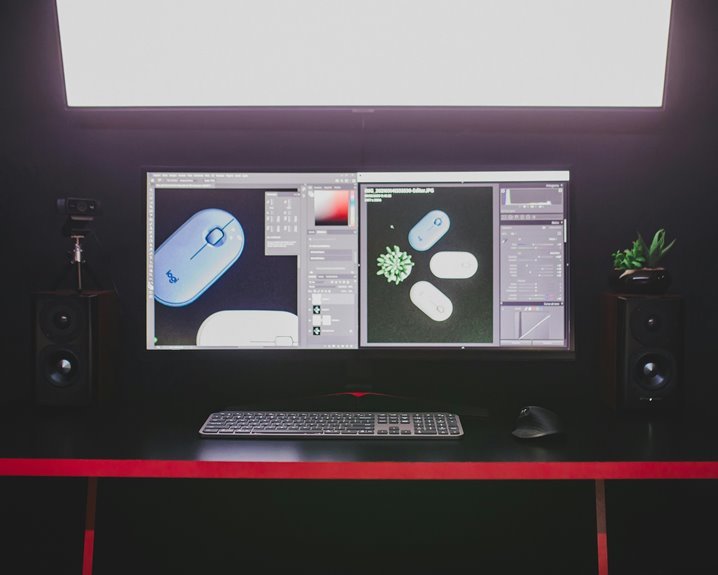
Lighting can change your stream from plain to polished in seconds, and it helps you steer the mood once your background style is set. You can use mood lighting to make viewers feel welcome, focused, or relaxed.
A soft ambient glow behind you keeps your face clear and your space comfortable, so people stay longer and feel part of the room. Try one main light, then add a gentle side light to ease shadows. Should your setup feel flat, move a lamp or strip light a little farther back for depth.
You don’t need fancy gear to fit in with your audience. You just need steady light that feels calm, warm, and intentional, like your stream was built for shared moments.
Pick Colors That Look Good on Camera
Whenever you pick colors for your stream, consider about how they’ll read on camera, not just how they look in your room. You want viewers to feel welcomed, so choose shades that flatter you and your setup. Soft blues, warm grays, and muted greens often work well. Skin tone friendly palettes help your face stand out without washing you out.
| Color choice | On-camera effect |
|---|---|
| White | Bright, clean |
| Beige | Calm, soft |
| Navy | Rich, steady |
| Sage | Fresh, friendly |
| Black | Sharp, focused |
Use camera safe background contrasts so your outline stays clear. If your shirt is dark, keep the wall lighter. If your wall is bold, wear a calmer tone. That balance helps you look polished and keeps your audience comfy, like they belong with you.
Add Visual Depth With Shelves and Decor
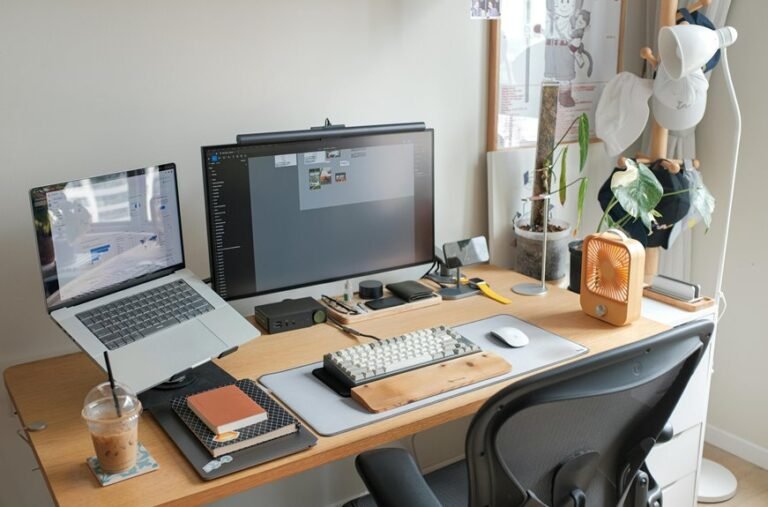
You can make your background feel deeper by layering shelves with a mix of books, plants, and a few well-chosen decor pieces.
Try placing taller items at the back and smaller accents in front so the setup feels stacked, not flat.
Even one tidy shelf with a framed print or a small light can give your stream a more polished, lived-in look.
Layered Shelf Displays
If your stream room feels flat, layered shelf displays can change that fast through adding depth without making the space feel busy. You can build shelf symmetry with matching bins, framed art, and a few personal objects, so your background feels steady and welcoming. Curated book rows also help because they add color, shape, and a lived-in feel that makes viewers sense your style.
- Place taller items on one side and balance them with medium pieces on the other.
- Leave small gaps so each object can breathe and stand out.
- Mix books, collectibles, and simple containers to create smooth visual layers.
As you adjust each shelf, consider how it frames you on camera.
That little structure can make your setup feel more like a place people want to join.
Decorative Depth Accents
To keep your stream background from feeling flat, add decorative depth accents that give the eye places to land without stealing the show. You can place a slim shelf behind you, then mix in decorative wall accents like framed prints, small sculptures, or a muted clock.
After that, layer in textured backdrop layers with wood grain, fabric panels, or matte paint, so your setup feels warm and lived-in. You don’t need a lot, either. A lamp, one plant, and a few kept-tidy objects can make your space feel like it belongs to you and your viewers.
Whenever you vary height, texture, and spacing, your background gains shape, and you stay the clear focus. That balance helps people feel welcome, relaxed, and ready to stay.
Hide Clutter Without Losing Personality
You can hide messy cables without making your setup feel cold or staged.
Tuck cords along shelves, behind panels, or under desk edges, then let a few personal accents, like a framed photo or small plant, bring back your style.
That way, your background looks clean, but it still feels like you.
Conceal Cables Cleanly
Cables can quietly ruin an otherwise great streaming setup, but a clean hide keeps your space calm without stripping away personality. You can make wire management feel easy if you plan cable routing before you plug anything in. Start with these steps:
- Run cords along desk edges.
- Bundle extra length with ties.
- Place power strips out of sight.
Then use clips or sleeves to guide each line where it belongs. This keeps your background neat, and it also helps you feel more settled on camera. Once your setup looks orderly, you join a space that feels welcoming, not crowded. Small choices matter, because they let your room support your stream instead of fighting it. Clean cables give you confidence, and that calm shows up for everyone watching.
Showcase Personal Accents
A few thoughtful accents can give your stream a real personality, even while you keep the room clean and uncluttered.
You can show who you’re with personal memorabilia, a favorite mug, or one framed photo that feels meaningful. Then add custom artwork that matches your colors and tells your story without crowding the shot.
A small shelf, a neat plant, or one game figure can invite viewers in and help them feel like they know you. Keep each piece spaced out so your background stays easy on the eyes.
When you choose items that matter to you, you build a space that feels welcoming, honest, and ready for connection. That balance helps you belong, and it helps viewers feel at home too.
Create a Themed Streaming Background
When your stream has a clear theme, the whole room starts to feel more like your world and less like a random backdrop. You help viewers settle in once your background tells one story. Start with theme matching, so your colors, wall art, and lighting all point the same way. Then use prop styling to place a few pieces that fit your vibe without crowding you.
- Pick a mood, like cozy, sleek, or bold.
- Repeat one or two colors in small details.
- Add props that support your stream topic, not distract from it.
Whenever you keep each choice linked, people feel your intent fast. That shared feel can make newcomers stay, because it feels like they’ve found their place.
Improve Your Streaming Background on a Budget
Even on a tight budget, you can make your streaming background look polished and inviting. Start with DIY backdrop materials like poster board, fabric, or peel-and-stick wallpaper to cover empty walls fast.
Then add a thrifted room refresh with a framed print, a small lamp, or a secondhand shelf that fits your style. You don’t need much to feel at home on camera; a few well-placed items can make viewers feel welcome too.
Next, use soft lighting from a desk lamp or cheap LED strips to brighten your space without glare. Finally, clear away clutter so your background feels calm and easy to watch.
With a few smart swaps, you’ll build a setup that feels like you belong there.
Frequently Asked Questions
How Do I Make My Background Look Good on a Webcam?
Keep the space behind you clean, use soft front lighting to avoid harsh shadows, and pick background colors that do not compete with your face. A single plant, framed print, or shelf item can add interest without pulling attention away from you.
What Camera Angle Best Showcases a Streaming Background?
A camera set just above eye level often highlights a streaming background most effectively. This position keeps your framing balanced, shows more of the space behind you, and adds visual depth without making the shot feel forced.
How Can I Reduce Background Noise in My Stream Space?
Reduce background noise with acoustic panels, rugs, curtains, and other sound absorbing materials. Seal gaps around doors and windows, and switch off noisy fans or appliances before you go live. This helps create a calmer stream space that is easier for viewers to listen to.
Should I Change My Background for Different Types of Content?
Yes, changing your background for different types of content can help. Streams with tailored visuals may improve viewer recall by 20%. You can create backgrounds that match each content style and shape a clear visual identity, so viewers recognize your look quickly and feel connected to your space.
How Often Should I Update My Streaming Background Setup?
Refresh your streaming background every 6 to 12 months, or any time your content, equipment, or visual style changes. Even a minor update can keep your space looking intentional, strengthen viewer recognition, and make your channel feel more polished and consistent.