


You want gaming performance without drifting into premium-laptop territory. These seven picks focus on the parts that matter most in real use, like GPU class, RAM capacity, storage size, display refresh rate, and how comfortably a machine handles long sessions at a desk or on the move.
That makes this list useful for students, commuters, and home gamers who need a practical balance of frame-rate headroom, fast loading, and sane pricing pressure. The strongest options here separate themselves by how much hardware they pack into a standard 15.6-inch chassis, not by flashy claims.
Quick Shortlist For Everyday Gaming

acer Nitro V Gaming Laptop (ANV15-51-51H9)

HP Victus 15 Gaming Laptop (15-fa0025nr)

NIMO 15.6″ FHD Light-Gaming-Laptop Ryzen 7 Pro 6850U

HP Victus 15.6″ Full HD 144Hz Gaming Laptop
Gaming Laptop with AMD Ryzen 7 H255 24GB DDR5
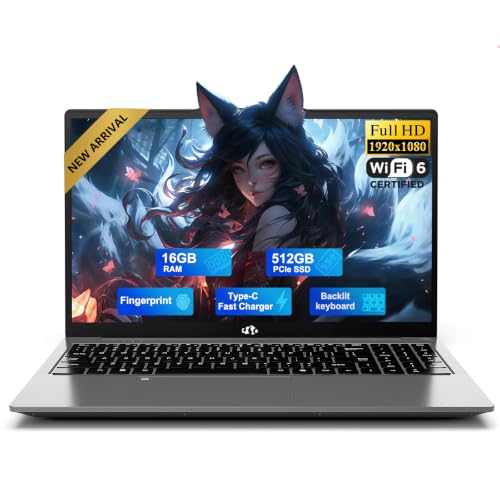
NIMO 15.6″ AI Creator Gaming Laptop 2026 Edition
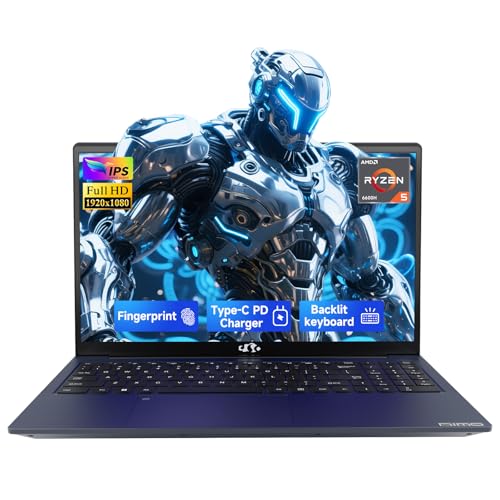
NIMO 15.6″ IPS FHD-Light Gaming-Laptop Ryzen 5 6600H
More Details On Our Top Picks
The Nitro V sits near the sharp end of this list because the RTX 4050 laptop GPU gives you more breathing room than the older RTX 3050 machines below it. Paired with a 144Hz 15.6-inch IPS panel, it makes sense for you if you want smoother motion in fast games and a little extra headroom for future titles.
The 8GB DDR5 memory is the catch, since that’s enough for basic gaming but less generous for heavier multitasking. Still, the 512GB Gen 4 SSD and Wi-Fi 6 keep the setup practical, and daily users will appreciate the backlit keyboard during late sessions.
Strong Points
- RTX 4050 graphics give you the strongest gaming headroom in this group.
- 144Hz IPS display suits fast movement, especially in shooters and racers.
- Gen 4 SSD helps games and apps open with less waiting.
- Backlit keyboard supports low-light desks and dorm rooms.
Worth Noting
- 8GB RAM is the main constraint for heavier multitasking.
- The smaller SSD can fill quickly if your library grows fast.
- Owners typically keep the chassis cleaner with regular vent and keyboard care.
Feature Rundown
Who It Suits Best
You get the most from this model if you want a mainstream gaming laptop with a stronger graphics card than the entry-level crowd.
Where A Sibling Pick Shines
HP Victus 15 Gaming Laptop (15-fa0025nr) makes more sense for you if you want a simpler RTX 3050 machine at a gentler hardware step.
This Victus keeps the formula familiar, which helps you know exactly what you’re getting: an RTX 3050, a 12th Gen Core i5-12500H, 8GB of memory, and a 512GB SSD. For someone who wants a straightforward gaming setup for school nights or weekend sessions, that mix is easy to understand and easy to live with.
The Enhanced Thermals note matters more than it sounds, because sustained play usually separates decent budget laptops from frustrating ones. You still get a backlit keyboard and Windows 11 Home, so the machine leans practical rather than flashy, much like a dependable sedan in a parking lot full of sports cars.
What We Like
- RTX 3050 graphics cover a wide range of lighter and older games.
- Core i5-12500H offers solid everyday responsiveness.
- 512GB SSD gives you enough room for a starter library.
- Backlit keyboard helps in dim bedrooms and shared spaces.
Room For Improvement
- 8GB RAM is fine for basics, but it leaves little margin.
- The 3050 trails the Acer Nitro V on raw graphics muscle.
- Regular dust clearing helps airflow stay consistent over time.
Who Will Love This
This fits you best if you want a recognizable gaming laptop layout and don’t need more than mainstream graphics.
Another Choice May Suit
acer Nitro V Gaming Laptop (ANV15-51-51H9) suits you better once you want more graphics headroom for newer releases.
Plenty of budget gaming laptops skimp on memory, but this NIMO does the opposite with 32GB LPDDR5 and a 1TB SSD. That combination changes the day-to-day feel for you if you keep game launchers, browser tabs, chat apps, and creative tools open at once.
Its Radeon 680M integrated graphics is not in the same class as the discrete RTX chips above, so the trade-off is clear: more multitasking comfort, less raw gaming punch. The 100W Type-C charging, backlit keyboard, and fingerprint reader help make it feel more complete than the bare-minimum crowd.
Highlights
- 32GB RAM gives you unusually roomy multitasking headroom.
- 1TB SSD reduces how quickly storage pressure builds.
- Fingerprint reader adds a tidy daily convenience.
- 100W Type-C charging is handy for lighter travel kits.
- Ryzen 7 Pro 6850U suits work and play workloads well.
Areas To Watch
- Radeon 680M graphics sit below the discrete GPU options here.
- The name says light gaming for a reason.
- Support and returns are part of the ownership picture, so keeping the box may help.
Core Details
Made For
You suit this best if you split your time between light gaming, study, and lots of multitasking.
Look Elsewhere When
HP Victus 15.6″ Full HD 144Hz Gaming Laptop fits better if your main focus is stronger frame-rate performance.
This version of the Victus trims the compromises a bit by pairing the RTX 3050 with 16GB RAM and a 144Hz IPS screen. For you, that matters in the usual real-life mix of gaming, schoolwork, and a dozen browser tabs, because memory pressure eases and motion looks cleaner on-screen.
The i5-12450H and 512GB PCIe SSD keep the core formula simple, while Wi-Fi 6 and Windows 11 Pro make it feel slightly more polished than the Home-edition model above. The blue finish gives it a cleaner desk presence, though the chassis still needs the same ordinary care around vents and fingerprints.
Bright Spots
- 16GB RAM gives you more breathing room than the 8GB options.
- 144Hz panel suits fast camera movement and action games.
- Windows 11 Pro may suit work or school setups better.
- Wi-Fi 6 helps keep wireless use more stable in busy homes.
Small Caveats
- RTX 3050 still sits below the Nitro V’s RTX 4050.
- 512GB storage is usable, though larger installs can crowd it.
- Blue finishes often show smudges sooner than darker shells.
Right Fit For
This suits you best if you want a familiar gaming laptop with a little more memory cushion than the entry models.
Swap It Out When
acer Nitro V Gaming Laptop (ANV15-51-51H9) is the better move once graphics performance matters more than the Windows 11 Pro trim.
Compared with the RTX-based laptops above, this MALLRACE model leans on a fast Ryzen 7 H255 and a generous 24GB of DDR5 memory. That makes it a smart fit for you if gaming sits alongside heavy multitasking, large spreadsheets, editing, or lots of active background apps.
The 512GB NVMe SSD keeps storage responsive, though it won’t stretch as far as the 1TB NIMO option. You trade discrete graphics for a broader system-memory cushion, so the honest read is that this works best for mixed workloads rather than graphics-first play.
Upsides
- 24GB DDR5 is unusually comfortable for multitasking.
- Ryzen 7 H255 reaches a high boost ceiling for demanding sessions.
- NVMe storage supports quick app loading and file access.
- Good fit for work-plus-play setups in one machine.
Points To Note
- No discrete GPU is listed, so gaming expectations should stay grounded.
- 512GB storage is respectable but not sprawling.
- Dust care matters, especially in a desk-heavy setup.
The Right Fit
You benefit most from this if you care more about multitasking comfort than graphics card bragging rights.
A Better Fit Elsewhere
acer Nitro V Gaming Laptop (ANV15-51-51H9) suits you better if your priority is the strongest listed gaming graphics.
This NIMO keeps the spec sheet restrained, but the metal top cover and 100W USB-C charger give it a more refined feel than many entry models. For commuters or students who split time between classes, cafés, and a desk, that lighter ownership rhythm can matter as much as raw hardware.
The Ryzen 5 6600H points it toward everyday gaming and creator work, yet the source details stop short of a discrete graphics callout. That means you should treat it as a balanced portable machine first, then a gaming option second, which is a sensible order for many mixed-use setups.
Standout Traits
- Metal top cover gives the shell a more solid feel.
- 100W USB-C charger keeps travel packing simpler.
- Ryzen 5 6600H is a capable base for daily work.
- 2026 Edition naming hints at current-generation positioning.
Honest Caveats
- The listing does not spell out the graphics setup.
- Gaming focus is less clear than on RTX-based picks.
- Smaller accessories are easier to misplace in transit, so storing the charger carefully helps.
Feature Snapshot
Built With In Mind
You suit this best if you want a portable laptop for school, content work, and lighter gaming sessions.
Reach For A Different Pick When
HP Victus 15.6″ Full HD 144Hz Gaming Laptop makes more sense if you want a clearer graphics-focused gaming setup.
The last NIMO is the plainest of the group, and that simplicity can be a strength for you. With an IPS FHD screen and the Ryzen 5 6600H, it reads like a straightforward light-gaming laptop rather than a machine trying too hard to impress.
That makes it a practical fit for general use, streaming, schoolwork, and less demanding games. It won’t lure someone chasing the strongest frame rates, but it does keep the spec story tidy, which often matters more than marketing noise.
Best Bits
- IPS panel usually gives you steadier viewing angles.
- FHD resolution is a comfortable baseline for 15.6-inch use.
- Ryzen 5 6600H offers a sensible everyday performance floor.
- Light-gaming positioning keeps expectations grounded.
Minor Gripes
- Graphics details are not spelled out here.
- Less feature-dense than the higher-memory NIMO and MALLRACE picks.
- Simple shells benefit from routine cleaning around the keyboard and vents.
Whose Shelf It Belongs On
You fit this best if you want a restrained, easygoing laptop for school, media, and casual gaming.
Another Choice May Suit
NIMO 15.6″ FHD Light-Gaming-Laptop Ryzen 7 Pro 6850U suits you better if you want far more memory and storage.
What Matters Most Before Choosing Affordable Laptops For Gaming
Hidden Buying Traps
Graphics comes first, but memory and storage still shape daily use. An RTX 3050 machine with 8GB RAM can feel cramped long before the processor does.
The Upgrade Payoff
Higher-tier models usually cost more because of the GPU, the display, and the memory subsystem. The extra spend makes sense once you want smoother frame rates, less stutter, or enough room for heavier multitasking.
Things Worth Knowing First
Common Shopping Slip Ups
Focusing on the CPU alone is a common mistake in this category. You get better real-world results by pairing the chip with enough RAM, usable storage, and a screen that matches the games you play.
Where The Extra Money Goes
Premium steps in this group usually buy you stronger graphics, faster refresh rates, or larger memory pools. That matters most for competitive play, larger game installs, and machines that need to do more than one job at once.
Frequently Asked Questions
How much RAM should you look for?
16GB is the safer middle ground for gaming and everyday multitasking. 8GB can work for lighter use, but it leaves less room for background apps.
Is a 144Hz display worth it?
Yes, especially for fast-paced games where motion clarity matters. You also notice the smoother feel during general scrolling and desktop use.
Do you need a discrete graphics card?
For modern gaming, a dedicated GPU gives you more headroom than integrated graphics. That difference becomes obvious in newer releases and higher settings.
How much storage is enough?
512GB works for a starter library, though large games can crowd it quickly. 1TB feels more relaxed if you keep several big installs on the system.
Which pick suits mixed work and play?
NIMO 15.6″ FHD Light-Gaming-Laptop Ryzen 7 Pro 6850U and Gaming Laptop with AMD Ryzen 7 H255 24GB DDR5 both handle that role well. The NIMO favors more memory and storage, while the MALLRACE leans into a strong multitasking setup.
