


Basic desktop computers still make sense when you want a stable setup for email, web work, documents, video calls, or a family station that stays put. The right choice depends on size, noise, ports, storage, and how much headroom you want for multitasking. A small office machine and a living-room all-in-one solve different problems, even when the specs look close on paper. These eight picks cover compact towers, all-in-ones, and mini PCs for different desks and different routines.
Quick Look At The Shortlist

Dell Optiplex 7050 SFF Desktop PC Intel i7-7700 32GB RAM 1TB SSD

Dell Optiplex 3050 SFF Desktop Computer PC Intel i5-6500 16GB RAM

Dell OptiPlex 5040 SFF Desktop Computer PC Intel i5-6500T 8GB RAM

HP 2025 22″ FHD All-in-One Desktop Computer 13th Gen Intel Quad-Core CPU
Lenovo IdeaCentre All-in-One Desktop Computer 8GB RAM 512GB SSD
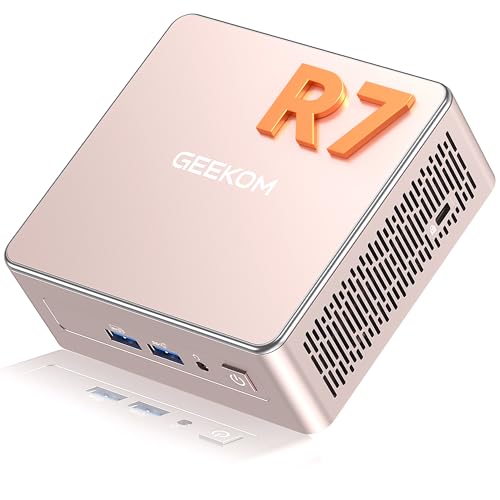
GEEKOM A5 2027 Edition Mini PC Ryzen 7 7730U 16GB RAM 512GB SSD
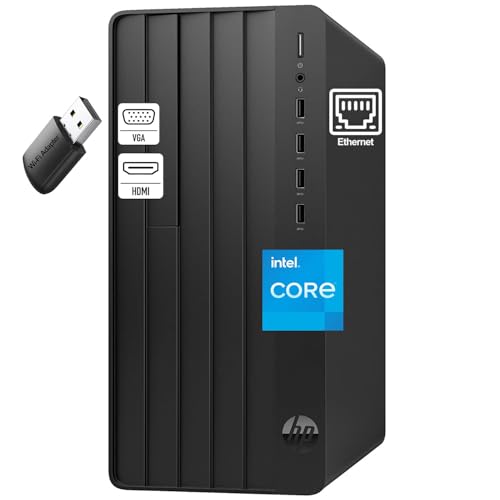
HP Desktop 2026 Tower Intel Quad-Core Processor 16GB RAM 512GB PCIe SSD
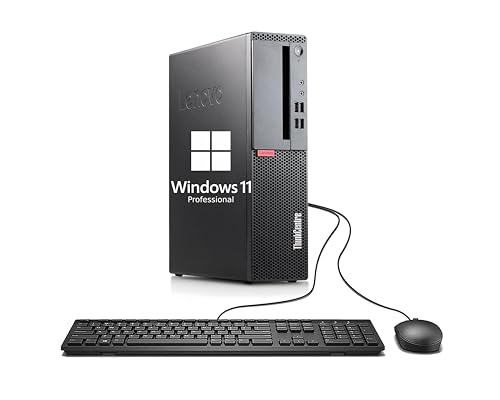
Lenovo ThinkCentre M710 SFF Desktop Computer PC 8GB RAM 256GB SSD
More Details On Our Top Picks
Heavy multitasking is where this Dell makes sense, especially in a work setup with spreadsheets, browser tabs, and video calls all open at once. The 32GB of DDR4 memory gives you more breathing room than the smaller office picks below, and the 1TB SSD keeps storage from feeling cramped.
Small form factor means the case stays out of the way, which matters on a crowded desk or under a monitor arm setup. The honest trade-off is that this kind of renewed business box is about utility, not style, so you care more about ports and pace than a polished front panel.
Strong Points
- Core i7 class processing suits busy office multitasking.
- 32GB memory helps keep more apps responsive together.
- 1TB SSD gives generous room for files and software.
- Small footprint fits neatly beside dual monitors.
Things To Consider
- Renewed business hardware can show cosmetic wear.
- The compact case limits easy internal expansion.
- Best for desk duty, not a showpiece setup.
Feature Snapshot
Who It Suits Best
Office users, home workers, and multitaskers who want a compact tower with real breathing room.
Where A Sibling Pick Shines
Dell Optiplex 3050 SFF Desktop Computer PC suits lighter workstations better, especially when you want a simpler and less storage-heavy setup.
This Optiplex 3050 sits in the middle of the pack in a sensible way, with enough memory for office apps, schoolwork, and routine browsing without the larger footprint of a full tower. Compared with the 7050 above, it trims back storage and raw headroom, which makes it easier to justify for lighter desks.
The 4K support, HDMI, and DisplayPort output matter more than they sound, because they make dual-screen or higher-resolution setups less fussy. In a small home office, that flexibility often matters more than chasing extra processor muscle.
What We Like
- 16GB RAM handles everyday multitasking well.
- Small chassis leaves more room on the desk.
- DisplayPort and HDMI give useful monitor flexibility.
- Wi-Fi support reduces cable clutter.
Points To Note
- 256GB storage suits lighter file loads better.
- It offers less headroom than the 7050.
- Renewed condition can vary cosmetically.
Made For
Home offices, students, and remote workers who want a compact desktop for routine tasks.
A Better Fit Elsewhere
Dell Optiplex 7050 SFF Desktop PC fits you better when your day includes heavier multitasking and more local storage.
The 5040 is the kind of desktop that makes sense for standard home use, nothing flashy, just a compact box that keeps the basics moving. Its 8GB of memory and 256GB SSD are fine for web work, documents, and streaming, while the Wi-Fi and Bluetooth support make setup less awkward.
Compared with the 3050, you give up a little system flexibility and memory headroom, so it fits lighter workloads best. The trade-off is simple: less bulk on the desk, less room for a crowded multitasking day.
Upsides
- Small form factor keeps the setup tidy.
- Wi-Fi and Bluetooth reduce accessory clutter.
- HDMI output works well for a basic monitor.
- Good fit for everyday web and document work.
Small Caveats
- 8GB RAM suits lighter use better than heavy multitasking.
- 256GB storage can fill quickly with larger media libraries.
Right Fit For
Households and solo users who want a modest, space-saving desktop for daily tasks.
Another Choice May Suit
Dell Optiplex 3050 SFF Desktop Computer PC is the smarter step up for you if you want more memory and a roomier feel.
All-in-one setups earn their keep by cutting cable clutter, and this HP leans into that clean-desk appeal. The 22-inch Full HD screen is a practical size for email, schoolwork, and streaming, while the DDR5 memory gives the system a newer platform feel than older budget desktops.
Compared with the compact Dell boxes, this one trades upgrade flexibility for a simpler, neater layout. That’s the point, really, and in a bedroom, dorm, or shared corner desk, the smaller footprint can matter more than a tower’s extra room.
Bright Spots
- All-in-one design reduces cable clutter.
- 22-inch Full HD screen suits daily viewing.
- Type-C and HDMI add useful connection options.
- HD webcam helps with remote calls.
Areas To Watch
- Storage is modest for large photo or video libraries.
- All-in-one designs are less expandable than towers.
- The fixed screen style suits static desks best.
Core Details
Whose Shelf It Belongs On
Students, apartment dwellers, and home users who want a neat desktop with a built-in screen.
Swap It Out When
Lenovo IdeaCentre All-in-One Desktop Computer fits better for families or shared spaces that benefit from a larger 24-inch panel.
This Lenovo stretches the all-in-one idea in a useful direction, pairing a 24-inch Full HD IPS panel with a 512GB SSD, so the setup feels roomier than the HP above. IPS means in-plane switching, a display panel type known for better viewing angles, which helps in a family space where you do not sit dead center all the time.
The anti-glare finish matters on bright days or under overhead lighting, and Wi-Fi 6 plus Bluetooth 5.2 keep the desk cleaner than a cable-heavy tower. The catch is the same one most all-in-ones carry: you get a tidy footprint, but not much upgrade freedom later.
Reasons To Buy
- 24-inch screen gives a more comfortable workspace.
- 512GB SSD leaves more room for files and apps.
- IPS panel helps shared viewing feel easier.
- Wi-Fi 6 and Bluetooth 5.2 keep connections modern.
Softer Spots
- Fixed all-in-one design limits later hardware changes.
- Best suited to a stationary desk.
Technical Sheet
The Right Fit
Families, shared workspaces, and home users who want a larger screen without a separate tower.
Look Elsewhere When
HP 2025 22″ FHD All-in-One Desktop Computer makes more sense for tighter desks where a smaller display is easier to place.
Mini PCs live or die by space savings, and this GEEKOM earns attention for that alone before you even get to the Ryzen 7 chip. Ryzen 7 7730U is a mobile-class processor, which means it focuses on efficient everyday speed rather than desktop-tower bulk.
That makes it a sharp fit for tight desks, behind-monitor mounting, or a travel setup that needs more power than a tiny stick PC can offer. The trade-off is obvious: small hardware usually asks you to accept fewer internal expansion options than a tower like the HP Desktop 2026.
Best Bits
- Very small chassis saves desk space.
- Ryzen 7 class CPU adds solid everyday speed.
- 16GB RAM supports common multitasking needs.
- 512GB SSD keeps storage practical for routine use.
Honest Caveats
- Mini format leaves less room for expansion.
- Best matched to a monitor you already own.
Who Will Love This
Desk minimalist shoppers, travelers, and home office users who want a tiny system with real punch.
Where Another Pick Suits Better
HP Desktop 2026 Tower gives you a more traditional upgrade path if you prefer a larger case and easier component access.
A tower still earns its place when you want a straightforward machine with room to live on your desk and enough internal breathing space for common home tasks. The 16GB RAM and 512GB PCIe SSD make this one feel more prepared than bare-bones basics, while PCIe storage helps with fast access to files and software.
Compared with the smaller Dell SFF models, this HP is easier to think about as a general-purpose home machine. The usual tower trade-off applies, though, because it occupies more floor or desk space than a mini PC or all-in-one.
Highlights
- 16GB RAM suits routine multitasking well.
- 512GB PCIe SSD offers fast everyday storage.
- Tower layout usually simplifies future access.
- Works well for a family room desk.
Room For Improvement
- Tower size takes more space than compact picks.
- Source details are thinner than on some rivals.
Built With In Mind
Home users and casual multitaskers who want a standard tower for everyday work.
Skip It When
GEEKOM A5 2027 Edition Mini PC makes more sense for a small desk or a space-conscious setup.
This Lenovo is aimed at the practical end of the market, with a small footprint and bundled keyboard and mouse that reduce setup friction. For a first desktop or a spare machine in a study, that kind of convenience can matter more than chasing bigger internal specs.
Compared with the Dell Optiplex 5040, it adds a tidy accessory bundle, but its 8GB RAM and 256GB SSD still keep it in the lighter-use lane. The real appeal is simplicity, not scale.
Best Bits
- Keyboard and mouse simplify first-time setup.
- Compact SFF body saves desk room.
- Wi-Fi and Bluetooth help with easy connections.
- Good match for basic daily computing.
Areas To Watch
- 8GB memory suits lighter multitasking better.
- 256GB storage is modest for large libraries.
Perfect Match For
Beginners, spare-room offices, and simple workstations that need an easy desktop start.
Reach For A Different Pick When
Dell Optiplex 3050 SFF Desktop Computer PC fits better for you if you want a little more memory and monitor flexibility.
What Matters Most Before Choosing Basic Desktop Computers
Size, Noise, And Desk Reality
Small form factor desktops suit tight desks and home offices, while towers give you easier access for future changes. All-in-ones clean up cable mess, but they lock the screen and computer together.
Memory And Storage Balance
8GB RAM handles light daily use, while 16GB or 32GB feels calmer under multitasking. SSD storage matters because it shortens start-up and file access, and 512GB or more helps once you keep photos, apps, and downloads on the machine.
Ports And Screen Setup
HDMI, DisplayPort, USB-C, Wi-Fi, and Bluetooth shape how smoothly the desktop fits your monitor and accessories. Dual-screen support and newer wireless standards matter more than many shoppers expect.
A Quick Reality Check Before You Buy
Common Shopping Slip Ups
Shoppers often chase CPU names and ignore storage size, ports, and case size. A compact desktop that looks powerful can still feel cramped beside a large app library or dual monitors.
The Upgrade Payoff
Higher-tier models usually cost more because of faster processors, larger memory pools, better displays, and roomier SSDs. That upgrade makes sense for heavier multitasking, bigger households, and desks that need fewer compromises.
Frequently Asked Questions
What size desktop works best for a small desk?
Small form factor desktops and mini PCs usually fit best in tight spaces. All-in-ones also help when you want one unit instead of a separate tower and monitor.
How much memory feels right for everyday use?
8GB works for lighter browsing, email, and documents. 16GB gives you a smoother cushion for multiple apps and more tabs at once.
Do all-in-one desktops make sense for home use?
They suit desks that need a cleaner look and fewer cables. They are less flexible later, so they work best when you value simplicity over expansion.
Why does SSD storage matter so much?
SSD storage helps a desktop start faster and open files with less delay. It also keeps the system feeling more responsive than older mechanical storage.
Is renewed hardware a sensible route?
Renewed business desktops can be a smart way to get stronger specs in a compact shell. The main trade-off is cosmetic variation and less certainty about long-term component life than a brand-new machine.
