


Coding work asks different things from different machines. You might need a compact desktop for a desk that never moves, a portable laptop for classes and side projects, or a kid-focused kit that teaches logic before a full editor ever opens.
This roundup keeps those use cases separate. You’ll see hardware for heavier multitasking, smaller systems for tight setups, and learning kits that make programming feel approachable instead of abstract.
The Shortlist At A Glance

Dell Latitude 3190 11.6″ 2-in-1 Touchscreen Laptop

GEEKOM IT13 Mini PC 2026, Intel i5-13600H

NIMO 17.3″ AI-Creator-Laptop, AMD R5 6600H

CodaKid Coding Box for Kids, Minecraft Modding & Java

NIMO 15.6″ AI-Creator-Laptop, AMD R5 6600H
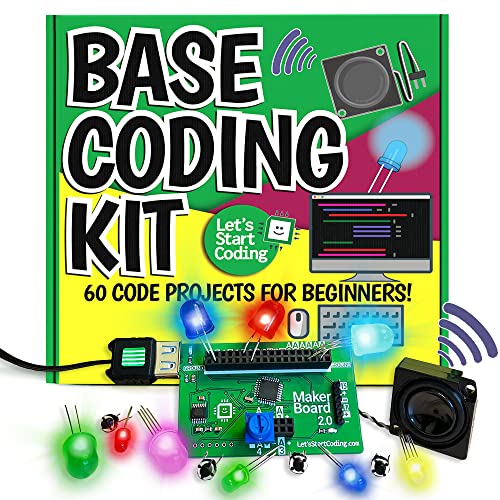
Base Kit Computer Coding Game for Kids and Teens

Sphero Indi Student Kit Screenless Coding Robot
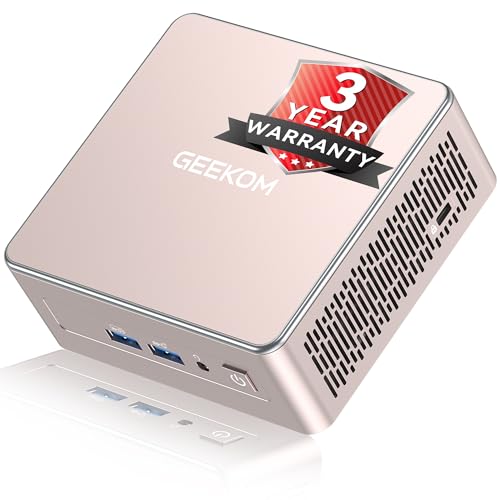
GEEKOM A5 Mini PC, AMD Ryzen 5 7430U
More Details On Our Top Picks
A small 2-in-1 like this makes sense for coding drills, note-taking, and web-based lessons more than heavy local builds. The 11.6-inch touch display keeps the footprint tight, and the renewed angle lowers the entry point for a school desk or a shared family setup.
Its Intel Celeron N5030, 4GB of memory, and 128GB SSD point to light work, not stacked browser tabs and larger IDEs. The honest read is that you should treat it as a starter machine, especially useful for a commuting student or a first laptop for basic practice.
Strong Points
- Touchscreen and 2-in-1 hinge help with tablet-style note work.
- Small chassis fits crowded desks and backpacks.
- Solid-state storage should feel quicker than old hard drives.
- Windows 11 Pro gives a familiar setup for school or home.
Things To Consider
- 4GB memory leaves little room for heavy multitasking.
- The 11.6-inch panel feels compact for long code sessions.
- Storage capacity suits essentials, not large project libraries.
Core Details
Who It Suits Best
New coders, younger students, and anyone who needs a small, carry-easy laptop for light workloads fit it well.
A Better Fit Elsewhere
GEEKOM IT13 Mini PC 2026 suits you better for heavier multitasking and a permanent desk setup.
This mini PC speaks to desk-bound coding, not lap use. The Intel i5-13600H, 16GB RAM, and 1TB SSD form a much stronger base than the laptop in item 1, and the tiny footprint keeps cables and peripherals easier to manage.
Two USB4 ports, 8K output support, and an SD slot make it a serious compact workstation for multi-monitor setups and media-heavy workflows. You may find it especially sensible in a lab, office nook, or home desk where stability matters more than portability.
Upsides
- High-core mobile processor handles code, browser tabs, and tools with room left over.
- 1TB SSD gives generous space for repositories and local files.
- USB4 connectivity helps with fast peripherals and docking gear.
- Small chassis keeps the desk cleaner than a full tower.
- 8K and multi-display support suit complex workstation layouts.
Room For Improvement
- You’ll need your own monitor, keyboard, and mouse.
- The compact case is less suitable for carrying between locations.
- Small systems can run warmer than larger desktops under long workloads.
Feature Rundown
Who Should Grab It
Developers, office users, and power multitaskers who want a compact desktop for a fixed workspace fit it well.
Swap It Out When
NIMO 15.6″ AI-Creator-Laptop, AMD R5 6600H suits you better for work that has to move from desk to desk.
Big-screen laptops like this are for people who keep code, docs, chats, and reference material open side by side. Compared with the smaller Dell and the compact GEEKOM mini PC, the 17.3-inch panel gives you much more breathing room, and that matters during long editing or debugging sessions.
The Ryzen 5 6600H, 32GB RAM, and 1TB SSD place it squarely in the higher-headroom group of this list. The trade-off is size, of course, so portability takes a back seat, but the payoff is smoother multitasking for workdays that don’t stay simple.
Bright Spots
- 32GB memory helps keep heavier workflows responsive.
- 17.3-inch display is easier on split-screen work.
- Ryzen 5 6600H suits sustained everyday development tasks.
- 1TB SSD gives you ample project and media space.
Softer Spots
- The larger chassis is less friendly for constant travel.
- Big panels can take up a lot of desk depth.
- It is more machine than many first-time coders need.
Perfect Match For
Developers, students in heavier programs, and remote workers who want a roomy portable workstation fit it best.
Where A Sibling Pick Shines
NIMO 15.6″ AI-Creator-Laptop, AMD R5 6600H suits you better when you want similar parts in a smaller shell.
Key Specs
For kids who already care about Minecraft, this box turns curiosity into structured building. The 12-month access window and mentor help desk give the kit a guided feel, while the short video lessons keep the pace manageable for an after-school routine.
Unlike the hardware picks above, this is a learning system rather than a machine, so the real value sits in the curriculum. The honest read is that it works best as a parent-friendly bridge from play to Java basics, not as a broad programming course for every interest.
What We Like
- Minecraft context makes the first lessons feel familiar.
- Short tutorials fit attention spans better than long lectures.
- Mentor support helps with stuck moments.
- Project-based format gives visible progress with each lesson.
Small Caveats
- The learning style leans heavily toward Minecraft modding.
- You’ll get the most out of it with a child who likes game design.
- It teaches coding concepts, not a full formal curriculum.
Built With In Mind
Kids around upper elementary and middle-school age who learn best through games and short guided tasks fit it well.
Another Choice May Suit
Base Kit Computer Coding Game for Kids and Teens fits better for families who want hardware-based electronics lessons instead of Minecraft focus.
This is the more travel-friendly sibling to the 17.3-inch NIMO. The 15.6-inch size keeps the screen large enough for code and browser windows, while the Ryzen 5 6600H, 16GB RAM, and 1TB SSD provide a sensible middle ground for everyday development work.
It fits best in a backpack-and-desk routine, especially for commuting students or remote workers who split time between rooms. The trade-off is simple, less screen room than the 17.3-inch model, but also less bulk to carry around.
Positives
- 15.6-inch panel balances visibility and portability.
- 16GB RAM supports everyday multitasking without feeling cramped.
- Ryzen 5 6600H gives you a stronger base than many thin ultraportables.
- 1TB SSD offers practical room for projects and coursework.
Points To Note
- The larger NIMO model gives you more screen area.
- It still leans more toward carried work than true desktop replacement use.
- Heavy creative workloads will benefit from extra airflow and desk space.
Right Fit For
Students, remote staff, and hobby coders who want one laptop for class, work, and everyday projects fit it well.
Look Elsewhere When
GEEKOM IT13 Mini PC 2026 is the better match for a fixed desk and dual-monitor life.
This kit is aimed at first-time coders who need something tactile, not abstract. The circuit board, video walkthroughs, and 55-plus projects give it a hands-on rhythm that can be easier to stick with than a pure screen course.
Because it mixes coding with electronics, it helps connect commands to physical outcomes, which is often where interest starts to click. Compare it with CodaKid, though, and you’ll see the split: this one leans into hardware and C++, while that one stays inside Minecraft and Java.
Highlights
- Hands-on board makes code changes feel concrete.
- More than 55 projects give you plenty of practice paths.
- Video walkthroughs help keep the pace steady.
- Works for kids and teens who like building and tinkering.
Areas To Watch
- Requires more setup than a tablet-style lesson app.
- Children who only want game-based learning may drift away from it.
- Desk space for parts and cables helps a lot.
The Right Fit
Kids and teens who like gadgets, circuits, and step-by-step problem solving fit it best.
Where A Sibling Pick Shines
Sphero Indi Student Kit suits younger children who need a screenless starting point before circuits and code.
Indi starts with a very low barrier, which makes sense for younger children who are still building attention span and motor planning. The screenless tile-based setup keeps the first steps physical, then the app-based progression adds a more traditional coding feel later on.
That blend makes it different from the larger kits in this list, especially the Base Kit and CodaKid box. The trade-off is clear, it is not meant for deep programming study, but for early logic, sequencing, and playful repetition it does a lot with very little friction.
Best Bits
- No screen needed at the start.
- Color tiles make sequencing easy to grasp.
- Progression into app use gives room to grow.
- Small footprint is easy to store and reset.
Honest Caveats
- Older kids may outgrow the beginner pace quickly.
- It teaches coding foundations, not full programming depth.
- Tile pieces need to be kept together after each session.
Whose Shelf It Belongs On
Families with preschool or early elementary children who need a playful entry into logic and movement fit it best.
Reach For A Different Pick When
Base Kit Computer Coding Game for Kids and Teens suits older children who want electronics and C++ practice.
At A Glance
Among the mini PCs here, this one leans toward practical home-office use rather than raw workstation muscle. The Ryzen 5 7430U, 16GB memory, and 1TB NVMe SSD make it a balanced base for coding, cloud tools, file work, and everyday productivity.
It stands apart from the IT13 by being more general-purpose than performance-forward, and that suits many home desks just fine. The six USB ports, SD card slot, and 8K support are useful touches, though you still need your own display and peripherals, just as with most mini PCs.
Reasons To Buy
- Compact footprint keeps your desk open.
- 1TB PCIe 4.0 SSD gives fast everyday storage access.
- Upgradeable memory adds some future flexibility.
- Six USB ports support a busy accessory setup.
- Three-year coverage adds reassurance for long ownership.
Worth Noting
- You’ll need a separate monitor and input devices.
- It is aimed more at steady use than heavy creator loads.
- Mini PC cable management matters more than with a laptop.
Made For
Home-office coders and everyday desktop users who want a tidy, compact system fit it best.
Skip It When
GEEKOM IT13 Mini PC 2026 is the stronger fit for more demanding multi-display work.
What Matters Most Before Choosing Coding Computers
Wrong Turns To Avoid
Don’t confuse portability with enough headroom for your tools. A slim laptop can feel fine for lessons, then slow down once you open an editor, browser tabs, and a few helper apps together.
The Upgrade Payoff
Higher-tier systems usually buy you more memory, faster storage, better cooling, and stronger processors. That matters most for longer sessions, bigger projects, and setups where you keep several things open at once.
Things Worth Knowing First
Common Shopping Slip Ups
Shoppers often focus on screen size alone and miss memory limits or storage size. A compact system can be the right call, but only when the desk setup matches the way you actually work.
What The Higher Tier Buys
More expensive options usually make sense for heavier multitasking, external monitors, and larger local files. For lighter lessons or early coding practice, the extra headroom can be more than you need.
Frequently Asked Questions
What matters most for a first coding machine?
Memory, storage, and a processor that won’t bog down under a browser and editor at the same time matter most. For beginners, a simple setup with a clean screen often matters more than raw power.
Is a mini PC better than a laptop for coding?
A mini PC works better for a fixed desk and multi-monitor life. A laptop works better for classes, commuting, and moving between rooms.
Do kids need a full laptop to start learning code?
No, a project kit or screenless robot can teach sequencing, logic, and basic problem solving first. That path often feels easier for younger children than typing into a text editor.
How much storage do coding setups usually need?
Small class projects need very little, but tools, samples, and media files add up quickly. A larger SSD helps keep everything local without constant cleanup.
What is the safest choice for mixed school and home use?
A balanced laptop with enough memory for class tabs and homework tools is usually the easiest answer. A 15.6-inch model or compact 2-in-1 often lands in that middle ground.
