


Computers for music making cover a wide spread, from software that shapes a mix to hardware that carries a full production session. Your real need is usually simple: keep recording, editing, and arranging without fighting lag, cramped controls, or a setup that gets in the way.
That’s why this roundup separates software, controllers, workstations, and standalone production machines. You’ll see which options suit a laptop-based setup, which ones fit a desk-bound studio, and which ones make sense for hands-on beat work or track finishing.
Quick Look at the Shortlist
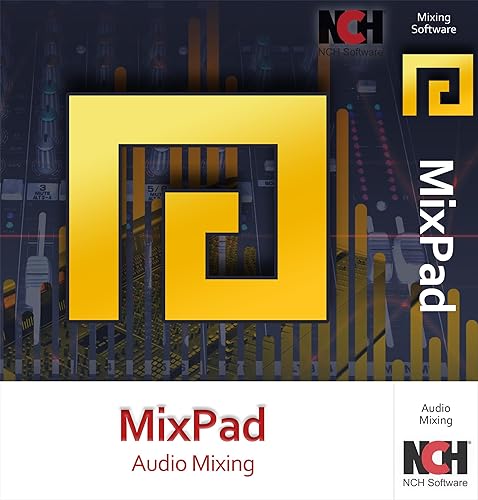
MixPad Multitrack Recording Software

DaierTek Midi Keyboard Controller 25 Key Portable Mini

Mixing and Mastering in the Box

Dell Precision 3620 / T3620 Music Production Workstation PC

Akai Professional MPC Key 37 G2

Akai Professional MPC XL Standalone Music Production Center
More Details On Our Top Picks
MixPad fits the desk setup that already has instruments, a microphone, and a computer. It brings multitrack recording, editing, and mix shaping into one place, so your session stays organized instead of scattered across separate tools.
The useful part is the workflow, not just the feature list. Beat Maker and Midi Creator give you a practical path for building parts, while bookmarks and effect chaining help you move through larger projects without constant menu hunting.
What We Like
- Tracks for audio, music, and voice keep different parts of a project in one session.
- Effect chaining lets you stack processing more cleanly, which matters on busy mixes.
- Beat Maker and Midi Creator support loop-based work and simple composition.
- Bookmark tools help you return to key spots in longer recordings.
Things To Consider
- Software like this still depends on your computer’s speed and memory.
- Deep feature sets can take some setup time before the workflow feels natural.
Feature Snapshot
Who It Suits Best
Home recordists and songwriters who want a software-first setup will get the most from it.
A Better Fit Elsewhere
Akai Professional MPC Key 37 G2 works better for hands-on producers who want pads and keys built into the hardware itself.
This is the compact choice for a desk that never seems to have enough room. Twenty-five keys keep the footprint tight, while the 8 pads and 8 knobs give you more than a bare-bones controller for sketching ideas, triggering drums, or shaping a part in real time.
Bluetooth and USB connection options matter in a small apartment studio or a portable rig, though wireless control can feel less predictable than a cable in crowded signal environments. The mini-display and touch strips add day-to-day control, so you’re not relying only on a mouse once the session gets moving.
Highlights
- 25-key layout keeps it easy to carry and easy to fit beside a laptop.
- 8 velocity-sensitive pads support finger drumming and clip-style triggering.
- 8 assignable knobs give you direct control over common production moves.
- Bluetooth support helps reduce cable clutter in a mobile setup.
- Included production software lowers the barrier for first-time controller use.
Worth Noting
- Mini keys can feel cramped for players used to a larger keyboard.
- Wireless use is convenient, but cable connection still suits more stable desk sessions.
- Lots of controls in a small shell can take a little time to memorize.
Who Will Love This
Portable beat makers and laptop producers who want physical controls without a large board will appreciate it.
Swap It Out When
MixPad Multitrack Recording Software is the better match for someone who prefers software editing over hardware playing surfaces.
This title suits the person who already has software but wants cleaner decisions from a mix. It reads like a study aid rather than a flashy product, which is exactly the point, because mixing and mastering rewards structure more than speed.
You can treat it as a desk reference while working in a DAW, especially during long evenings spent fixing balance, EQ, and final polish. Steve Savage’s name on the cover signals a teaching focus, and that matters for anyone who learns better from a step-by-step guide than from scattered tutorials.
Reasons To Buy
- Focused on mixing and mastering, so the subject stays narrow and useful.
- Works well as a reference beside a production computer during real sessions.
- Good fit for self-paced study, especially for newer engineers.
Points To Note
- This is educational material, not a tool for recording or editing itself.
- Shoppers who want immediate hands-on hardware will need a different pick.
Core Details
Best Suited To
Beginners and self-directed home producers will get the most value from it.
Another Choice May Suit
DaierTek Midi Keyboard Controller 25 Key Portable Mini suits a hands-on creator who needs physical input tools more than reading time.
For a fixed studio desk, this has the shape of a practical workhorse. The Intel i7-6700, 32GB of DDR4 memory, and the split storage layout give you room for a boot drive and a separate space for projects, samples, or archived sessions.
That combination makes more sense than the lighter controller-style picks above when you need a machine that stays planted and handles bigger sessions. Windows 11 Pro, HDMI, USB 3.0, and Intel HD Graphics 530 keep it suited to the everyday realities of a production room, though the renewed status means condition details can vary from unit to unit.
Best Bits
- 32GB of memory supports heavier project loads than basic starter systems.
- 512GB SSD plus 2TB HDD gives you fast startup and roomy storage.
- Windows 11 Pro suits a dedicated studio workstation well.
- HDMI and USB 3.0 keep common studio connections straightforward.
Softer Spots
- Renewed hardware can arrive with cosmetic variation, depending on the unit.
- Intel HD Graphics 530 is fine for studio work, though not aimed at heavy visual workloads.
- Desktop format suits a permanent setup more than a carry-everywhere rig.
Feature Card
Who Should Grab It
Studio owners who want a ready-made desktop for recording and arranging will benefit most.
Where A Sibling Pick Shines
Akai Professional MPC XL Standalone Music Production Center is the stronger match for a hardware-first setup that skips the traditional computer tower.
The MPC Key 37 G2 sits in the middle ground between keyboard and production center, and that’s its edge. A 37-key compact keybed, MPC pads, a 7-inch touchscreen, and USB-C connectivity put nearly everything you need within arm’s reach, so the mouse becomes optional instead of mandatory.
For solo creators who want to sketch, sample, sequence, and arrange in one place, the standalone workflow is the real attraction. Compared with the Dell workstation above, this trades desktop flexibility for a more tactile front panel, and that trade-off feels deliberate rather than limiting.
Positives
- Standalone operation supports complete track building without a separate computer.
- The 7-inch touchscreen makes editing and navigation more direct.
- USB-C studio connectivity keeps the hookup simple.
- Compact keybed and pads suit beat-focused writing on a crowded desk.
- Sampling and sequencing live in one hardware unit, which streamlines workflow.
Minor Gripes
- Compact keys may feel tight for players who want a full-size layout.
- Standalone hardware asks for more upfront learning than plain software.
- The all-in-one format is excellent for control, though less modular than a desktop rig.
Details At A Glance
Built With In Mind
Hardware-oriented producers and beat writers will get the most from it.
Look Elsewhere When
MixPad Multitrack Recording Software fits better for someone who wants all editing to happen inside a computer screen.
This model is aimed at producers who treat the workstation like the center of the room. The Gen 2 8-core processor, 16GB of RAM, and 256GB internal SSD point to a machine built for heavier sessions, especially when multiple plugins and samples are in play.
Compared with the MPC Key 37 G2, you give up the keyboard layout and gain a more production-centered console. That makes sense in a control room or a dedicated writing space, where tactile pads and internal headroom matter more than portability.
Strong Points
- Standalone design removes the need for a separate computer.
- 8-core processing supports more demanding projects.
- 16GB of RAM helps keep multiple plugins active at once.
- 256GB internal SSD gives you built-in room for projects and samples.
Areas To Watch
- This is a specialized production center, so it takes commitment to learn and configure.
- It suits a fixed studio space better than a carry-to-gig setup.
- Users focused on piano-style playing may prefer the MPC Key 37 G2 instead.
Core Details
Right Fit For
Experienced producers who want a desk anchor for composing and arranging will appreciate it.
Reach For A Different Pick When
Dell Precision 3620 / T3620 Music Production Workstation PC is the better route for someone who wants a more traditional Windows desktop base.
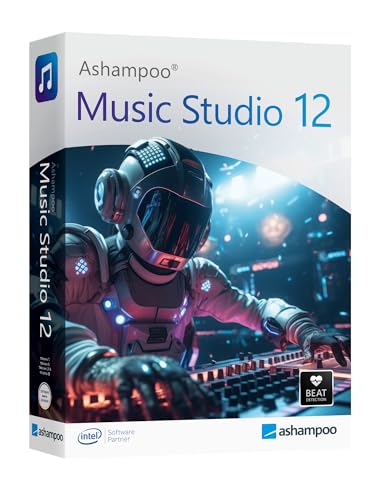
Music Studio 12 is the kind of software that suits a Windows desktop built for straightforward editing jobs. Editing, converting, and mixing sit at the center of the package, so it appeals to someone who wants focused audio work instead of a giant production suite.
The source details also point to easier handling of titles, splitting, and tags, which matters once your library gets crowded. For a home studio that captures streamed audio or keeps a lot of short projects moving, that can make file organization less of a chore.
Standout Traits
- Editing, conversion, and mixing live in one Windows-focused package.
- Title bar handling helps reduce friction during file organization.
- Splitting tools are useful for trimming long recordings into smaller parts.
- Tag support helps keep a growing audio library easier to sort.
Room For Improvement
- It’s software, so your computer still needs to carry the workload.
- Some creators will want a full DAW with deeper composing tools.
- The download-and-license format asks for a tidy install and account setup.
Whose Shelf It Belongs On
Windows users who edit and organize a lot of audio files will benefit most.
Where Another Pick Suits Better
MixPad Multitrack Recording Software is a stronger choice for creators who need full multitrack project work rather than focused audio editing.
What Matters Most Before Choosing Computers For Music Making
Where Shoppers Go Wrong
Storage and memory get ignored more often than they should. A music machine that looks fast can still bog down once you open layered sessions, sample libraries, and a browser full of notes.
The Upgrade Payoff
Higher-tier models usually cost more because they handle more at once, stay more responsive under load, and include stronger hands-on controls. That matters most for long sessions, heavier plugin use, or a studio setup that stays in place day after day.
Frequently Asked Questions
Do You Need A Full Computer For Music Making?
Not always, because standalone hardware can cover composing and arranging on its own. A traditional computer still helps when you want broad software access and flexible file management.
Is A MIDI Controller Enough To Start?
A MIDI controller gives you hands-on input, but it still needs software to make sound. It works well as the front end of a laptop-based setup.
What Matters More, RAM Or Storage?
RAM helps with active multitasking and larger sessions. Storage matters for keeping projects, samples, and archived work in one place.
Can Learning Material Help A Home Studio?
Yes, because structure matters in editing and mixing. A focused guide can make your workflow clearer before you spend heavily on hardware.
Is Standalone Gear Better Than Software?
Neither is universally better, because the right fit depends on how you work. Standalone gear favors tactile control, while software favors flexibility and lower startup complexity.
