


Video timelines, layered photos, and multitasking sessions ask a lot from a desktop or laptop. You need enough memory, fast storage, and a processor that stays calm when several creative apps are open at once. That’s where this shortlist helps: it narrows the field to machines that fit editing work without drifting into guesswork. Some lean hard into raw speed, others into screen size, portability, or value.
Quick Look at the Shortlist
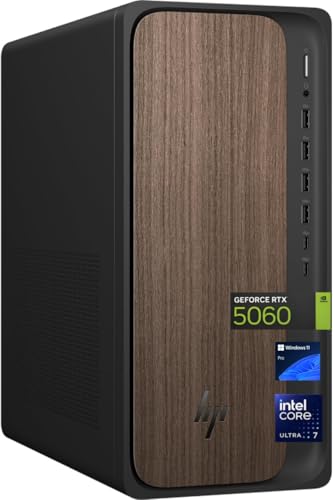
HP OmniDesk M03-0060 Desktop PC

HP ProDesk 600 Desktop Computer

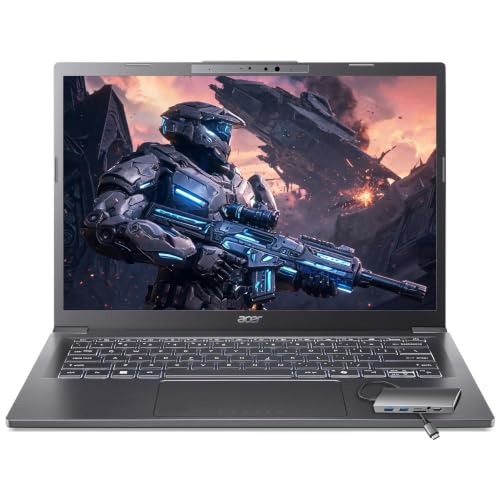

Dell Pro Tower Desktop Computer

HP Workstation PC Desktop Computer

More Details On Our Top Picks
For editing work that pushes hard on timelines, the HP OmniDesk M03-0060 has the kind of parts list you want to see at the top of the stack. The Intel Core Ultra 7 265, RTX 5060 graphics, and 32 GB of DDR5 memory point to a machine that can handle layered projects, preview windows, and background apps without feeling cramped.
The 2 TB solid-state drive gives you room for large source files, cache folders, and finished exports, which matters fast once your library starts growing. Compared with the more modest HP ProDesk 600, this is the stronger fit for serious editing sessions, though the wired keyboard and mouse keep the setup desktop-bound.
Strong Points
- Core Ultra 7 and RTX 5060 suit demanding creative workloads.
- 32 GB DDR5 helps with larger projects and multitasking.
- 2 TB SSD leaves room for footage and exports.
- Windows 11 Pro fits a work-focused setup.
Things To Consider
- It stays on the desk, so it’s not the flexible choice for travel.
- The bundled wired peripherals are useful, but they may not match your preferred setup.
Feature Snapshot
Who It Suits Best
You’ll get the most out of this tower if you handle regular photo batches, 4K clips, or multitask between editing apps and browser windows.
A Better Fit Elsewhere
The Acer Aspire Laptop 2026 suits you better when you need a portable editing machine for café sessions, campus work, or client visits.
This ProDesk keeps the formula simpler, and that’s the point. The Intel i5-10400F, 16 GB of RAM, and 512 GB SSD give you a sensible base for photo culling, office work, and lighter editing jobs without paying for more machine than you need.
It sits below the OmniDesk in raw headroom, but that trade-off can make sense in a home studio or a small office where file sizes stay manageable. Owners who rotate through browser tabs, spreadsheets, and a photo app at the same time should find the layout familiar and easy to live with.
Upsides
- Six-core CPU handles everyday creative and office work smoothly.
- 16 GB memory is a workable floor for lighter edits.
- SSD storage keeps startup and file access snappy.
Minor Gripes
- 512 GB storage can fill quickly with raw images and video.
- It’s better for lighter editing than long-form production work.
Who Should Grab It
You’re in the sweet spot here if your editing is occasional, your files are moderate, and you want a straightforward desktop that doesn’t overcomplicate the desk.
Another Choice May Suit
The HP OmniDesk M03-0060 is the smarter step up for creators who keep many projects open and want more storage breathing room.
The Pavilion lands in a nice middle lane for home use. With a 6-core Intel i5, 32 GB of DDR4 memory, and a 1 TB PCIe SSD, you get enough breathing space for browsing, family files, and photo editing without moving into workstation territory.
Compared with the ProDesk 600, it brings more memory and more storage, which helps when projects sprawl across folders and export drafts. The included wired keyboard and mouse make setup simple, though you may still want to swap in your own peripherals for a more comfortable desk layout.
Reasons To Buy
- 32 GB RAM helps keep editing and multitasking steady.
- 1 TB PCIe SSD offers useful space for growing libraries.
- Good fit for mixed home computing, not just editing.
- Bundled input devices reduce the setup burden.
Worth Noting
- It’s still a desktop, so relocation takes more effort than with a laptop.
- The processor is capable, but not in the same class as the OmniDesk.
Feature Card
Made For
You’re the best match here if your desktop has to serve as a family hub, a homework station, and an editing corner in the same room.
Where A Sibling Pick Shines
The HP 17 Laptop makes more sense for anyone who edits in different rooms or wants a larger screen that still moves with them.
Portability changes the equation, and this Acer is built around that shift. The touchscreen, Intel Core Ultra 7 258V, 32 GB of RAM, and 2 TB SSD make it a convincing choice for mobile editing, remote work, and quick creative sessions away from a full desk.
The dedicated NPU, or neural processing unit, matters because it offloads certain AI tasks from the main processor. That helps with features like background blur or auto-framing, though the trade-off is that a slim laptop still won’t match a large desktop for sustained heavy exports.
Positives
- Touchscreen support makes navigation and timeline work more direct.
- Large SSD capacity suits photo libraries and project files.
- 32 GB RAM keeps multitasking comfortable on the move.
- Copilot+ PC features add useful workflow flexibility.
Areas To Watch
- Portable hardware usually asks for more careful battery and thermal management than a tower.
- The slim format trades some upgrade freedom for mobility.
Best Suited To
You’re a strong fit here if you edit away from home, bounce between meetings and files, or want one machine that can cover work and creative tasks.
Look Elsewhere When
The HP OmniDesk M03-0060 is the better call for stationary editors who want the stronger desktop ceiling.
The Dell Pro Tower keeps things stripped down in a good way. A Core i3-14100, 16 GB of DDR5 memory, and a 512 GB SSD cover office work, browser-heavy days, and light media editing with less fuss than a more aggressive creative rig.
DDR5 is newer memory with higher throughput than older DDR4, so it helps the system stay responsive during routine multitasking. The honest read is that storage space is the main limit, especially once you start keeping source footage, exports, and backups on the machine.
Highlights
- DDR5 memory gives the desktop a modern foundation.
- Intel Core i3-14100 is well matched to everyday use.
- Compact tower layout is easy to place under or beside a desk.
Points To Note
- 512 GB storage can feel tight for video libraries.
- It suits lighter editing better than large, layered projects.
The Right Fit
You should look at this Dell if your editing stays occasional and your main goal is a dependable desktop for work, mail, and a few creative tasks.
Skip It When
The HP OmniDesk M03-0060 is the more suitable step up for creators who need stronger graphics and a much larger storage cushion.
This renewed workstation takes a different road from the consumer towers above it. The Quadro K1200 graphics card, 32 GB of DDR4 memory, and mixed 1 TB SSD plus 4 TB hard drive storage point toward editing, design, and large local archives rather than thin-and-light convenience.
The Quadro line is a workstation graphics family built for professional application compatibility more than flashy gaming numbers. That makes this pick interesting for design work and file-heavy projects, though the renewed status means condition and accessory expectations can feel less uniform than a brand-new desktop.
Best Bits
- Large combined storage suits archives and project libraries.
- 32 GB memory helps with heavier multitasking.
- Workstation graphics fit design-oriented software well.
- Windows 11 Pro suits a business setup.
Softer Spots
- Renewed equipment rewards a careful look at return conditions and included accessories.
- The older Core i5 platform may feel behind newer creative desktops in some workloads.
Core Details
Built With In Mind
You’ll appreciate this most in a home studio or small office where design files, reference assets, and project archives all need room.
Reach For A Different Pick When
The HP OmniDesk M03-0060 is the better fit for newer graphics horsepower and a more modern all-round creative desktop.
A 17.3-inch FHD screen changes the editing rhythm in a useful way. The HP 17 gives you a bigger workspace than most portable machines, so timelines, toolbars, and side panels feel less crowded during photo fixes or casual video cuts.
The AMD Ryzen 5, 16 GB of DDR4 memory, and 1 TB SSD make it a sensible large-screen laptop rather than a brute-force creator rig. That makes sense for commuters, students, or home users who want one machine that can travel occasionally without losing desk-like comfort.
Positives
- Large display helps with side-by-side editing layouts.
- 1 TB SSD gives you decent local project space.
- Included Windows 11 Pro adds a work-focused setup.
- The size suits media work better than compact laptops.
Trade Offs
- A 17-inch chassis is less convenient for tight bags and small desks.
- It’s more about screen comfort than top-tier editing horsepower.
Whose Shelf It Belongs On
You’re the best fit here if a large screen matters more to you than absolute portability and you want a laptop that feels roomy during creative work.
Swap It Out When
The Acer Aspire Laptop 2026 is the better choice for lighter carry weight and newer AI-focused hardware.
What Matters Before You Choose
Hidden Buying Traps
Do not let storage space fool you. Large photo catalogs and video caches fill a drive faster than most shoppers expect, so 512 GB makes sense only for lighter work.
The Upgrade Payoff
Higher-tier machines spend the money on stronger processors, better graphics, more memory, and larger SSDs. That upgrade pays off once your edits involve several apps, bigger files, or frequent exports.
Things Worth Knowing First
Common Shopping Slip Ups
Memory matters just as much as the processor, especially in editing software that keeps layers, previews, and browser tabs open together. A desktop with the right CPU but too little RAM can still feel tight.
Where The Extra Money Goes
Premium models usually buy you more headroom, faster storage, and better graphics support. For long projects or client work, that cushion helps the machine stay comfortable under pressure.
Frequently Asked Questions
How much memory does editing work usually need?
32 GB is a comfortable target for mixed photo and video work. 16 GB still works for lighter projects and simpler timelines.
Is a desktop better than a laptop for editing?
A desktop usually gives you more power for the money and easier desk ergonomics. A laptop makes sense when you need to move between rooms, classes, or job sites.
Do you need a dedicated graphics card?
Dedicated graphics help when your software leans on acceleration for effects, previews, or export tasks. Basic edits can run without one, but heavier projects benefit from it.
How much storage should you look for?
1 TB is a practical starting point for many editors. 2 TB or more gives you more breathing room for footage, photo libraries, and export folders.
What screen size works best for laptop editing?
A 17-inch display gives you more room for timelines and tool palettes. Smaller screens travel more easily, but the workspace feels tighter during detailed edits.
