


Minecraft looks simple on paper, but a good laptop still has to handle modpacks, shaders, launchers, voice chat, and a second browser tab without turning sluggish. You also want a screen that stays clear in long sessions and a chassis that makes sense for school, home, or travel.
The eight picks below span serious gaming machines, lighter everyday options, and a few balanced middle grounds. That spread matters, because your best fit depends on whether you want maximum headroom, easy portability, or a machine that can handle Minecraft and daily work with less compromise.
Quick Look at the Shortlist

Alienware 16 Aurora Gaming Laptop RTX 5050
acer Gateway Chromebook 314 CBO314-1H-C476 Laptop

acer Nitro V 15.6” FHD IPS 165Hz Gaming Laptop
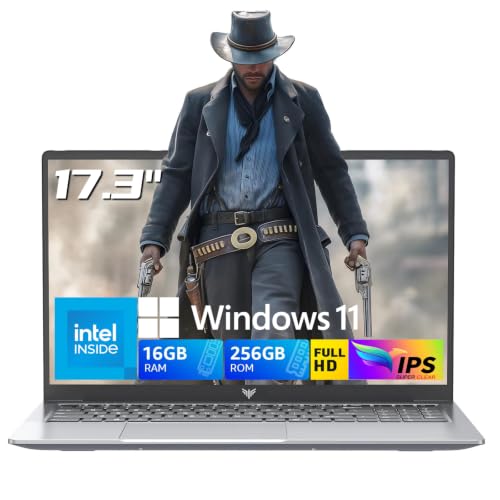
2026 AMD Gaming Laptop Ryzen 5 7430U
Gaming Laptop AMD Ryzen 7 H255

KAIGERR Gaming Laptop 1TB NVMe SSD

Lenovo Gaming Laptop Ryzen 5 7535HS

Lenovo 15 Gaming Laptop Ryzen 5 7535HS
More Details On Our Top Picks
For shader-heavy Minecraft, this Alienware sits in the headroom-heavy lane. The Intel Core 7 240H and RTX 5050 pairing gives you room for modpacks, recording software, and a busy desktop without making the machine feel cramped.
The 16-inch WQXGA panel at 120Hz fits long sessions well, especially if you like a sharper workspace than a basic 1080p screen. The anodized aluminum lid points to a more polished chassis, though the trade-off is the usual gaming-laptop weight and a format that favors desk use over all-day carry.
Strong Points
- RTX 5050 graphics give extra room for visual mods and higher settings.
- Intel Core 7 240H supports multitasking beside the game.
- 120Hz refresh helps movement look steadier in fast scenes.
- WQXGA resolution gives more workspace for launchers, maps, and chat.
- Aluminum lid adds a more refined feel on the desk.
Things To Consider
- The larger chassis is less convenient for frequent travel.
- A sharper screen is great, though it can also nudge expectations upward for battery life.
- The premium build leans more toward enthusiasts than casual school use.
Core Details
Who It Suits Best
You’ll get the most from this machine if Minecraft is only part of a larger gaming setup and you want stronger visuals than a basic thin-and-light can offer.
A Better Fit Elsewhere
The Lenovo Gaming Laptop, AMD 6-core Ryzen 5 7535HS fits better for a portable dorm machine, since it keeps the spec list simpler and easier to carry.
This Chromebook makes sense as a lightweight companion rather than a true Minecraft main machine. The 14-inch Full HD panel keeps text sharp, and the small footprint helps when your desk space is already crowded with notebooks, chargers, and a controller.
Its Intel Celeron N4500, 4GB of LPDDR4X memory, and 64GB eMMC storage are fine for web-first tasks, but they leave little room for heavier games or many tabs. The honest read is that it suits cloud tools, schoolwork, and basic browsing better than modded Minecraft.
What We Like
- Lightweight body is easy to move from room to room.
- Full HD panel gives a cleaner look than a plain HD screen.
- Chrome OS keeps routine tasks straightforward.
Room For Improvement
- 4GB memory leaves limited breathing room for heavier multitasking.
- 64GB eMMC storage is modest for large local game files.
- Best suited to lighter work, not demanding play sessions.
Who Will Love This
You’ll appreciate this most as a school laptop, travel backup, or cloud-focused device that spends more time in a browser than in a game launcher.
Where A Sibling Pick Shines
The Lenovo 15 Gaming Laptop, AMD Ryzen 5 7535HS is a far stronger match for anyone who wants to run Minecraft locally with more headroom.
The Nitro V lands in a very practical middle zone for Minecraft. The Intel Core i5-13420H, RTX 5050, and 16GB of memory give you enough room for mods, background apps, and voice chat without stepping all the way into an oversized premium rig.
The 15.6-inch IPS panel at 165Hz is a real fit for smoother-looking motion, especially in action-heavy games that sit beside Minecraft in your library. The included mouse pad is a small touch, nothing dramatic, but it makes the out-of-box setup feel more complete.
Highlights
- 165Hz display supports smoother motion in fast scenes.
- RTX 5050 and GDDR7 memory give strong gaming depth.
- 16GB RAM helps with mods and background apps.
- Intel Core i5-13420H suits multitasking and game play.
Softer Spots
- The 512GB SSD can fill up quickly with large libraries.
- It is more performance-focused than compact.
- The bundled mouse pad is nice, though it does not change core hardware value.
Feature Rundown
Best Suited To
This fits someone who wants Minecraft plus a broader game library and does not mind a laptop built more for desk use than constant travel.
Look Elsewhere When
The KAIGERR Gaming Laptop, 1TB NVMe SSD is the better call for shoppers who care more about storage room than refresh rate.
This one leans into straightforward everyday gaming rather than flashy extras. The Ryzen 5 7430U, 16GB of RAM, and 512GB NVMe SSD make a sensible trio for Minecraft, schoolwork, and a few side apps running at once.
Wi-Fi 6, HDMI, Type-C, and a webcam cover slide make the machine feel practical in a home office or dorm. The built-in cover is a nice privacy touch, and the black finish keeps the design quiet rather than loud.
Upsides
- 16GB RAM helps the system stay comfortable with multitasking.
- 512GB NVMe SSD keeps loading and storage management simple.
- Wi-Fi 6 supports steadier wireless use in busy homes.
- HDMI and Type-C improve monitor and accessory flexibility.
Points To Note
- Ryzen 5 7430U is more balanced than aggressive for heavy gaming.
- The 15.6-inch format is practical, though not especially compact.
- Black finishes tend to show fingerprints more readily during daily carry.
Whose Shelf It Belongs On
You’ll get the best fit here if you want a single laptop for Minecraft, homework, calls, and a monitor hookup without stepping into a bulky machine.
Swap It Out When
The Alienware 16 Aurora Gaming Laptop RTX 5050 makes more sense for a gamer chasing stronger graphical overhead and a bigger display.
The Ryzen 7 H255 gives this model a stronger upper gear than the simpler Ryzen 5 machines in the list. With 24GB of DDR5 memory and a 512GB NVMe SSD, it looks especially well suited to a setup where game launchers, browsers, and creative tools all stay open together.
That extra RAM is the detail that stands out most for busy multitaskers. It does not make the laptop a magical fix for every game, but it does help the machine feel less pinned down during long sessions or heavier desktop use.
Bright Spots
- 24GB DDR5 offers generous room for multitasking.
- Ryzen 7 H255 gives the laptop a stronger performance ceiling.
- 512GB NVMe SSD keeps local storage snappy for everyday use.
- Good fit for game play plus creative work.
Areas To Watch
- The 512GB drive is decent, though some game libraries outgrow it.
- Performance gains matter most for heavier workloads, not basic browsing.
Right Fit For
You’ll appreciate this most when you want more memory headroom for Minecraft, streaming tools, and several other apps at once.
Reach For A Different Pick When
The Acer Nitro V 15.6” FHD IPS 165Hz Gaming Laptop makes more sense for a shopper who values a faster panel and a more gaming-first layout.
Storage is the headline here, and that matters more than people often expect. A 1TB NVMe SSD gives you room for a larger Minecraft setup, other games, and the usual pile of school or work files without forcing constant cleanup.
The Ryzen 7 5825U, 16GB of RAM, and Radeon RX Vega 8 graphics make this a sensible all-rounder for creative work and lighter gaming. Compared with the Acer Nitro V, it feels less aggressive on gaming specs, but the bigger drive makes daily ownership easier to live with.
Best Bits
- 1TB SSD offers much more room for game libraries.
- 16GB RAM keeps browsing and apps comfortable.
- Ryzen 7 5825U gives steady everyday responsiveness.
- Good balance for creative and business tasks.
Minor Gripes
- Vega 8 graphics are more modest than newer gaming GPUs.
- The bigger storage capacity does not replace a stronger graphics tier.
Made For
This fits you best if storage room matters as much as game play and you want a laptop that can hold a lot without feeling cluttered.
Skip It When
The Alienware 16 Aurora Gaming Laptop RTX 5050 is the smarter move for a gamer who wants a more powerful graphics focus.
This Lenovo is aimed at the person who wants a straightforward gaming laptop without a huge footprint. The Ryzen 5 7535HS and Radeon 660M graphics are a reasonable match for Minecraft, especially in the kind of lighter setup that also includes homework, chat apps, and streaming music.
The 15-inch FHD IPS display keeps the experience clear, and the Moonlight Grey finish gives it a more restrained look than many gaming rigs. That quieter styling is a nice fit for dorms or shared spaces, though the 8GB RAM and 256GB SSD ask you to stay disciplined about open tabs and installed games.
Reasons To Buy
- Compact enough for dorm desks and commuting.
- FHD IPS panel gives a clean, familiar viewing area.
- Ryzen 5 7535HS handles everyday gaming well.
- Bluetooth 5.3 and Wi-Fi 6 add modern connectivity.
Small Caveats
- 8GB RAM is workable, though it leaves less multitasking margin.
- 256GB SSD is modest for larger libraries.
- The graphics setup is better for lighter play than demanding visual settings.
Built With In Mind
This is the right call for students and commuters who want a portable machine that can still handle Minecraft after class.
Where A Sibling Pick Shines
The KAIGERR Gaming Laptop, 1TB NVMe SSD suits you better if you want much more room for game installs and files.
This model keeps the formula lean, which is useful for a first gaming laptop or a secondary machine. The Ryzen 5 7535HS, 8GB DDR5, and 256GB PCIe SSD make a compact spec set for Minecraft, schoolwork, and lighter multitasking.
Because it trims away extras, it can feel easier to live with in a bedroom, dorm, or small apartment desk. The trade-off is obvious, though, since the storage ceiling and memory limit leave less breathing room than the larger Lenovo or KAIGERR options.
Positives
- Simple hardware mix keeps setup easy.
- DDR5 memory is a modern touch at this level.
- Compact storage and memory needs suit lighter use.
Honest Caveats
- 256GB SSD fills quickly with games and media.
- 8GB RAM is fine for basics, not heavy multitasking.
- Better for casual Minecraft than demanding mod-heavy sessions.
The Right Fit
You’ll get the most from this if your goal is a lean, portable gaming laptop for casual play and everyday school tasks.
Another Choice May Suit
The Acer Nitro V 15.6” FHD IPS 165Hz Gaming Laptop is a better match for you if smoother visuals matter more than keeping the machine minimal.
What Matters Most Before You Choose A Minecraft Laptop
Wrong Turns To Avoid
Do not judge these machines by the word gaming alone. For Minecraft, memory, storage, and display quality matter just as much as raw graphics, especially once you add mods, shader packs, or multitasking. A thin Chromebook can handle schoolwork with ease, yet still fall short for local gaming.
The Upgrade Payoff
Higher-tier models usually cost more because they bring stronger graphics, faster processors, larger SSDs, and more comfortable screens. That extra spending makes sense when you play often, keep many games installed, or use the laptop for editing and streaming alongside Minecraft.
Frequently Asked Questions
Do you need a gaming laptop for Minecraft?
No, vanilla Minecraft can run on modest hardware. A gaming laptop matters more once you add shaders, mods, or heavy multitasking.
How much RAM helps most for Minecraft?
8GB can work for lighter use, but 16GB is a more comfortable target. That extra memory helps when you keep launchers, chat, and browser tabs open.
Is a fast screen worth it for Minecraft?
Yes, a higher refresh panel can make movement look smoother. It matters more if you also play fast-paced games beyond Minecraft.
How much storage should you aim for?
256GB is workable for a lean setup, while 512GB leaves more room to breathe. A 1TB drive makes life easier for larger game libraries and files.
Are Chromebooks a good fit for Minecraft?
They work better for school tasks and cloud-based use than for demanding local play. For most people, a Windows gaming laptop is the safer choice for flexibility.
