


You want a desktop that keeps its head down, fits the desk, and handles everyday work without turning into a money sink. That usually means weighing size, ports, storage, and memory with more care than glossy marketing ever does.
This roundup focuses on compact business-style machines and mini PCs that make sense for home offices, student desks, front-desk setups, and light multitasking. You’ll see where older Dell towers still hold value, where GEEKOM’s newer minis add flexibility, and where the trade-offs show up in ports, expandability, and included accessories.
Quick Shortlist For Fast Comparison
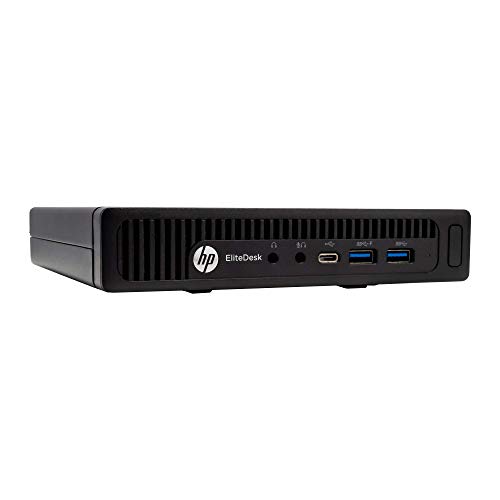
HP EliteDesk 800 G2 Desktop Mini Business PC

Dell Optiplex 7040 SFF Intel Core i5-6500

Dell Optiplex 7050 SFF Desktop PC Intel i7-7700

Dell Optiplex 3050 SFF Desktop Computer PC

GEEKOM IT12 Mini PC, Intel i3-12300HE

Dell Optiplex 5050 Small Form Factor (SFF) Business Desktop PC

Dell OptiPlex 5040 SFF Desktop Computer PC
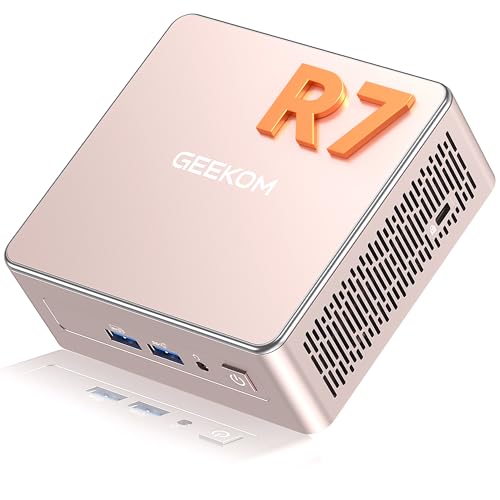
GEEKOM A5 2027 Edition Mini PC, Ryzen 7 7730U
More Details On Our Top Picks
Desk space is where this HP mini earns its keep. The i5-6500T is a low-power quad-core chip, so it suits email, browser work, and basic office apps without asking for much room or power.
The 16GB of DDR4 memory helps keep several windows open at once, and the 240GB SSD gives you the fast startup behavior people expect from a small business tower. VGA and DisplayPort matter here because older monitors still show up in home offices and reception desks, though the compact chassis leaves less room for future expansion.
Strong Points
- Mini chassis fits shallow desks and cramped shelves with ease.
- 16GB memory supports smoother multitasking for office routines.
- SSD storage makes boot-up and file access feel brisk.
- VGA and DisplayPort broaden monitor compatibility for mixed setups.
Things To Consider
- 240GB storage fills faster once you keep media or large project files locally.
- The tiny case is practical, but it leaves little breathing room for upgrades.
Feature Rundown
Who It Suits Best
Home-office users and front-desk setups benefit most from the small footprint and straightforward parts list.
A Better Fit Elsewhere
The Dell Optiplex 7050 SFF Desktop PC Intel i7-7700 suits heavier multitaskers who want more headroom than this mini can offer.
This Dell takes a more traditional route than the HP mini, and that has value in a work corner. The SFF, or small form factor, case usually balances desk footprint with easier service access than the tiniest boxes.
Its 16GB memory and 256GB SSD are a sensible middle ground for office documents, browser work, and video calls. WiFi and DVD-RW add flexibility, though the optical drive feels dated unless you still use discs for installs or archived files.
Upsides
- Small form factor case keeps the desktop footprint controlled.
- 16GB memory supports ordinary multitasking without feeling bare-bones.
- WiFi helps place it where a cable run is awkward.
- DVD-RW still helps for disc-based media and archives.
Small Caveats
- DVD-RW adds bulk only worth paying attention to if you still need it.
- Storage is fine for documents, but large game libraries will outgrow it quickly.
Feature Card
Who Will Love This
It suits office users who still value a disc drive and want a tidy machine for day-to-day desktop work.
Skip It When
The HP EliteDesk 800 G2 Desktop Mini Business PC makes more sense for ultra-tight spaces where every inch matters.
Among these budget-leaning desktops, this one feels built for heavier days at the office. The i7-7700, 32GB of DDR4 memory, and 1TB SSD give you a much wider buffer for spreadsheets, many tabs, and larger local files.
The HDMI output plus dual-monitor support line up well for people who split work across screens. Bluetooth and WiFi round out the setup, though the compact SFF body still leaves you with less room to add internal hardware later.
Highlights
- 32GB memory gives you more breathing room for multitasking.
- 1TB SSD suits larger document sets and local media storage.
- Dual-monitor support helps create a more efficient desk layout.
- WiFi and Bluetooth reduce accessory clutter.
- Strong processor choice makes this a better fit for heavier office workloads.
Points To Note
- The stronger spec set makes sense only when you’ll actually use the extra headroom.
- SFF hardware can run warm in stacked or poorly ventilated spaces, so airflow matters.
Core Details
Best Suited To
Power users and home-office multitaskers benefit most from the larger memory pool and broader storage space.
Where A Sibling Pick Shines
The Dell Optiplex 5050 Small Form Factor (SFF) Business Desktop PC suits you better when you want similar core strength with a simpler, more traditional package.
The 3050 sits in a useful middle lane. It keeps the familiar SFF shape of the earlier Dell machines, but the 4K support and DisplayPort plus HDMI outputs make it easier to pair with sharper displays or a dual-screen desk.
Its i5-6500, 16GB of DDR4, and 256GB SSD are enough for office apps, video calls, and everyday browsing. For most home offices, that’s the point, though local storage stays modest once you start saving photos, downloads, and project files.
Bright Spots
- 4K support gives it more flexibility with modern monitors.
- DisplayPort and HDMI cover the most common display connections.
- 16GB memory helps the desktop stay responsive during routine multitasking.
- Small form factor design keeps the setup tidy.
Areas To Watch
- 256GB storage is enough for basics, but not for large local libraries.
- The older processor platform is sensible, though not the roomiest choice for growth.
Details At A Glance
Perfect Match For
It suits home-office setups that want cleaner monitor support without moving into a larger tower.
Another Choice May Suit
The GEEKOM IT12 Mini PC, Intel i3-12300HE fits better for shoppers who want a newer mini-PC platform with more flexibility in a smaller shell.
This GEEKOM feels more current than the older business minis around it. The full metal chassis is the detail that stands out first, because it suits shared workspaces and frequent desk movement better than lighter plastic shells.
USB4, which is a compact high-bandwidth connection for data and accessories, opens the door to more capable docking setups. Pair that with 16GB memory, a 512GB SSD, preinstalled operating software, and the upgradable design, and you get a mini PC that makes sense for office rollouts and tidy home workstations.
What We Like
- Metal chassis gives the unit a more substantial feel on the desk.
- USB4 adds flexibility for docks and modern peripheral chains.
- 512GB SSD gives you more room than the smaller business minis here.
- Upgradable design helps preserve value over time.
- Preinstalled software makes setup feel less fussy for routine deployment.
Honest Caveats
- The smaller body still demands tidy cable management, especially with docks attached.
- Its appeal is strongest when you want a modern mini, not a low-cost throwback machine.
At A Glance
Who Should Grab It
It fits office setups and compact workstations where you want a modern mini PC with more flexibility than the older refurbished boxes.
A Better Fit Elsewhere
The Dell Optiplex 7040 SFF Intel Core i5-6500 suits anyone who wants a simpler, more familiar desktop layout with a DVD drive.
Compared with the 3050, this 5050 shifts the value toward storage speed and a more capable core setup. The i7-7700 and 512G NVMe SSD make it better suited to busier desks where files open all day and you want less waiting between tasks.
NVMe, or non-volatile memory express, is a storage connection built for quicker transfers than older SATA-style drives. That difference is noticeable in daily use, and the included wired keyboard and mouse make the bundle more complete than the bare desktop listings here.
Reasons To Buy
- 512G NVMe SSD supports quick app launches and file access.
- i7-7700 gives more cushion for heavier office routines.
- Included keyboard and mouse reduce accessory shopping.
- SFF size keeps it friendlier to cramped work areas.
Room For Improvement
- 16GB memory is good, though not as roomy as the 32GB machine above.
- The bundle stays focused on usefulness, not visual flair.
Technical Sheet
The Right Fit
It suits office users who want a compact desktop bundle with quicker storage and fewer extra purchases.
Swap It Out When
The Dell Optiplex 7050 SFF Desktop PC Intel i7-7700 is the better call when memory capacity matters more than a bundled keyboard and mouse.
This is the simplest machine in the group, and that can be the right answer for a clutter-free desk. The i5-6500T is a modest chip, so the fit is strongest for browsing, documents, email, and similar light work rather than busy creative sessions.
WiFi, Bluetooth, and HDMI add easy connectivity for modern peripherals and displays. The trade-off is easy to read too: 8GB RAM is fine for basic use, but it does not leave the same breathing room you get from the 16GB and 32GB options above.
Best Bits
- WiFi and Bluetooth keep cable clutter down.
- HDMI simplifies monitor hookup.
- Compact SFF body fits easily in a home office.
- Good for everyday tasks that don’t demand much memory.
Minor Gripes
- 8GB memory can feel tight with many browser tabs open.
- The lighter spec set makes it less convincing for demanding office loads.
Whose Shelf It Belongs On
It belongs on a basic home-office desk where space and simplicity matter more than raw headroom.
Look Elsewhere When
The Dell Optiplex 3050 SFF Desktop Computer PC gives you more memory and display flexibility for a small step up.
The A5 moves away from refurbished business boxes and into a newer mini-PC lane. Ryzen 7 7730U brings more modern platform appeal, and the 16GB memory with 512GB SSD keeps it aimed at compact productivity rather than bare minimum use.
GEEKOM’s three-year coverage stands out in a category where short support windows are common, though the real advantage here is the balanced spec sheet. For a small desk or living-room workstation, it feels like a neat middle ground between the older Dell minis and a full-size tower.
Positives
- Ryzen 7 platform gives it a newer hardware base.
- 16GB memory and 512GB SSD cover everyday multitasking well.
- Mini format suits clean desks and compact home stations.
- Three-year coverage adds reassurance for longer ownership.
Softer Spots
- The mini footprint keeps things tidy, but it still asks for careful cable planning.
- It makes more sense for productivity than for bulky local storage needs.
Built With In Mind
It suits shoppers who want a modern compact desktop for home offices, side work, or light business deployment.
Reach For A Different Pick When
The Dell Optiplex 7050 SFF Desktop PC Intel i7-7700 is the better call for heavier file loads and stronger office multitasking.
What Matters Before You Choose A Bargain Desktop
Wrong Turns To Avoid
Don’t focus only on processor names. Memory, SSD size, and display outputs decide whether the desktop feels easy or cramped in daily use.
The Case For Spending Up
Higher-tier models usually buy you more memory, larger SSDs, newer chips, and extra ports. That upgrade pays off for heavier multitasking, dual-monitor desks, or storage-heavy work.
A Quick Reality Check
Common Shopping Slip Ups
Small form factor and mini PCs save space, but they often leave less room for future expansion. Check monitor connections and storage size before you settle on the cheapest-looking spec sheet.
What The Higher Tier Buys
The extra money often goes toward better responsiveness, more local storage, and a cleaner setup with fewer add-ons. That matters most for office users who keep many apps open or share a desk with a second display.
Frequently Asked Questions
How Much Memory Does A Bargain Desktop Need?
8GB works for basic browsing and documents. 16GB is the safer floor for smoother multitasking.
Is An SSD Worth Prioritizing Over A Larger Hard Drive?
Yes, because an SSD makes startup and app loading feel much quicker. A bigger slow drive only helps after speed stops being the main concern.
Do Small Form Factor Desktops Still Allow Upgrades?
Sometimes, but not always in the same way a full tower does. Mini cases usually trade expansion room for desk space.
What Should You Check For Monitor Compatibility?
Look at HDMI, DisplayPort, and older ports like VGA. Matching the right output to your monitor avoids extra adapters.
Which Type Fits A Basic Home Office Best?
A compact SFF desktop with 16GB memory is a safe place to start. It keeps the footprint small while leaving enough room for everyday work.
