


Medical billing and coding work asks a lot from a computer, steady multitasking, fast file access, clean desktop ergonomics, and enough headroom for claim portals, training material, and office apps. You also need a setup that fits the way you work, whether that means a compact tower beside a small desk or a heavier desktop that stays planted in a home office.
This roundup keeps the focus on usable specs and real work scenarios. Some picks suit study and certification prep, while others make more sense for a billing desk that runs all day, with trade-offs called out clearly so you can match the machine to your pace.
The Shortlist At A Glance

Medical Billing & Coding Mastery in 4 Months

HP ProDesk 600 Desktop Computer, i5-10400F, 16GB RAM, 512GB SSD, Win 11 Pro
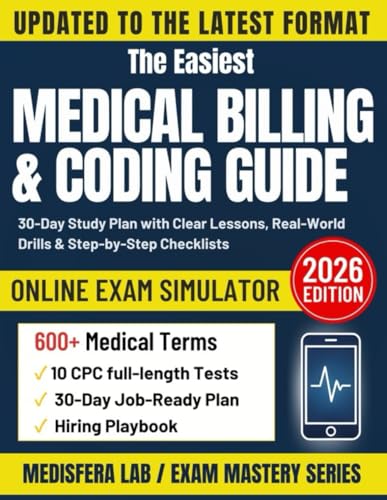
Medical Billing & Coding Guide Made Simple: 30-Day Study Plan

Medical Billing & Coding for Beginners

Dell Pro Tower Desktop Computer, Intel Core i3-14100, 16GB DDR5, 512GB SSD

Medical Billing & Coding Training System
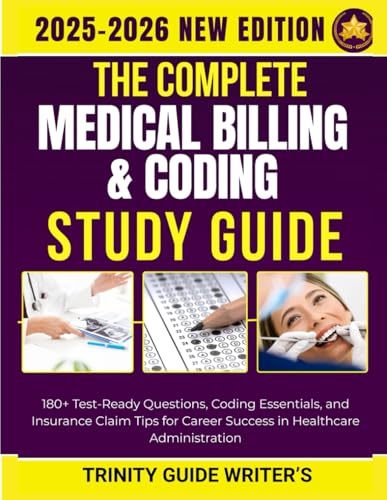
The Complete Medical Billing & Coding Study Guide 2025–2026

More Details On Our Top Picks
Interactive training modules give this title a more guided feel than a plain study book, which matters when you’re trying to build confidence from scratch. The exam strategy and job-hunting sections widen the usefulness beyond memorizing terms, so it suits someone aiming for both certification and a first role.
The trade-off is obvious, though, it’s a learning product, not a desktop tool, so you’re buying instruction rather than hardware. Compared with the more drill-heavy guides below, this one feels better for structured progress over a few months.
Strong Points
- Interactive lessons give you a clearer step-by-step path.
- Exam strategy content helps you study with a purpose, not just read pages.
- Career guidance adds value for someone entering the field.
- Useful for learners who want a slower, more orderly pace.
Things To Consider
- It leans toward guided learning, so advanced coders may outgrow it quickly.
- The title promises a lot, which means you’ll want realistic expectations from a book format.
Feature Card
Who It Suits Best
Newcomers who want a guided entry into billing and coding get the most from it.
Where Another Pick Suits Better
Medical Billing & Coding Study Guide: Learn to Code with Real Examples and Pass the CPC Exam on Your First Try suits you better when your main goal is exam-style practice and faster problem solving.
This ProDesk lands in the practical desktop lane, with an Intel i5-10400F and 16GB of RAM giving it the kind of breathing room that helps when you keep a browser, billing portal, email, and training tab open at once. The 512GB SSD, a solid-state drive that loads files faster than a spinning hard drive, also makes day-to-day office work feel less sluggish.
It’s a sensible fit for a billing desk or a small home office, though the dedicated graphics note matters less for coding work than for visual tasks. Compared with the Dell Pro Tower below, this one reads like a straightforward business machine with enough muscle for routine multitasking.
What We Like
- 16GB of memory gives you more room for multitasking.
- The SSD helps the system feel responsive during long work sessions.
- Windows 11 Pro suits a business-oriented setup.
- The tower format usually stays tidy under a desk.
Room For Improvement
- The i5-10400F is capable, but it’s not the newest chip in the group.
- Desktop towers need a dedicated spot, so they’re less flexible than a laptop.
Feature Rundown
Who Will Love This
You’ll get the most from it in a home office or small practice that wants a dependable desktop for billing tasks.
Another Choice May Suit
Dell Pro Tower Desktop Computer, Intel Core i3-14100, 16GB DDR5, 512GB SSD fits you better when newer memory and a more current desktop platform matter more than this model’s overall business balance.
A 30-day structure is the main appeal here, because short study windows work better for a lot of people than open-ended reading. The drills and checklists make it easier to keep momentum, especially for someone squeezing study time between work shifts or family responsibilities.
It’s less about deep theory and more about getting organized quickly, which is useful for a deadline-driven review cycle. Compared with the more expansive guide from Publishing Help, this one feels tighter and more task-focused.
Upsides
- The 30-day plan gives you a clear pace to follow.
- Real-world drills help you move from reading to application.
- Step-by-step checklists are handy for tracking progress.
- Good fit for short, repeatable study sessions.
Minor Gripes
- The narrow format leaves less room for broad background context.
- Checklists and drills work best for disciplined self-study habits.
Who Should Grab It
You’ll appreciate this most if you want a concise study roadmap instead of a large, slow-moving guide.
Swap It Out When
Medical Billing & Coding Training System: Video Lessons, Q&A & Practice Tests fits better for someone who learns more easily through mixed formats than through a one-month reading plan.
This one is plainly aimed at first-time learners, and that makes its role easy to understand. The “from confusion to mastery” angle signals a slower ramp, which can be reassuring for someone starting with little coding background or coming back after a long break.
It also reaches beyond coding into the billing side, so you get a wider view of the workflow instead of a narrow glossary. The honest read is that beginners will likely get more from it than experienced coders looking for rapid exam drills.
Best Bits
- Clear beginner focus makes the subject feel less intimidating.
- Step-by-step framing supports steady learning.
- Covers both coding and billing, which matters for real office work.
Points To Note
- Advanced users may want something more question-heavy.
- The broad promise means your results depend on how consistently you study.
Perfect Match For
You’ll fit this best if you’re starting from square one and want a simpler on-ramp into the field.
Look Elsewhere When
The Complete Medical Billing & Coding Study Guide 2025–2026 works better for someone who wants a denser set of test-style questions and stronger exam rehearsal.
The newer Core i3-14100 and DDR5 memory give this Dell a fresher feel than the HP tower above, especially for everyday office work that needs quick response rather than raw power. DDR5, a newer memory standard, matters because it supports smoother multitasking and a more current platform.
That makes it a smart fit for a billing workstation that stays in service all day. The trade-off is simple, you’re paying for a more up-to-date base rather than extra bells and whistles, so it suits practical setups better than feature hunters.
Highlights
- Core i3-14100 is a current-generation entry point for office tasks.
- 16GB DDR5 helps the system feel modern and responsive.
- 512GB SSD keeps storage fast for documents and software launches.
- Good match for a clean, no-drama desk setup.
Small Caveats
- It’s still an entry-to-mid desktop, not a heavy creative workstation.
- Tower placement takes more room than an all-in-one style machine.
Core Details
Built With In Mind
You’ll get the most out of it in a small business office or home workstation that values current parts over flashy extras.
Where A Sibling Pick Shines
HP ProDesk 600 Desktop Computer, i5-10400F, 16GB RAM, 512GB SSD, Win 11 Pro suits you better if Windows 11 Pro and a slightly different business configuration matter more than newer memory.
Video lessons, Q&A, and practice tests give this one a more varied learning rhythm than the straight book formats above. That mix helps if you absorb material better by hearing, reading, and then checking your recall in one place.
The “real-world application” angle also matters, because billing and coding stick best when examples connect back to office tasks. It’s a strong fit for someone who wants study material that feels less static, though it won’t suit anyone who prefers a purely text-based guide.
Bright Spots
- Multiple formats keep the study routine from feeling flat.
- Practice tests support recall under pressure.
- Q&A sections are helpful for quick self-checks.
- Good for learners who want a more active review style.
Areas To Watch
- The mixed format may feel busy to someone who likes one clean reading path.
- Video-based learning depends on your comfort with screen time.
Whose Shelf It Belongs On
You’ll get the best fit here if you learn faster with a blend of watching, answering, and reviewing.
Reach For A Different Pick When
Medical Billing & Coding Guide Made Simple: 30-Day Study Plan fits better for someone who wants a tighter schedule and a simpler day-by-day structure.
Question-heavy study material tends to suit people who already know the basics and want stronger recall, and this guide leans into that need. The 2025 to 2026 framing also signals that it’s built around a more current exam window, which matters in a field where terminology and payer rules can shift.
It’s a smart companion for late-stage prep, especially when you want to pressure-test what you know before exam day. Compared with the beginner book, this one looks better for tighter review and less hand-holding.
Reasons To Buy
- 180-plus questions give you a strong review workload.
- Coding essentials keep the focus on core knowledge.
- Insurance claim tips add workplace relevance.
- Good fit for structured self-assessment.
Worth Noting
- Question-driven formats work best after you’ve learned the basics.
- It leans more toward review than first-time instruction.
Details At A Glance
The Right Fit
You’ll benefit most from it when you’re already familiar with the basics and want stronger recall drills.
Skip It When
Medical Billing & Coding Mastery in 4 Months is the better fit for someone who needs a gentler, more guided start.
Real examples give this guide immediate practical value, because billing and coding only start to click once charts turn into actual code choices. The CPC focus makes it especially relevant for certification prep, and the promise of working through real examples suggests a more applied style than the broader introductory books.
The 100-question, four-hour pacing note also points to exam rehearsal rather than casual reading. That makes it appealing for someone who wants to simulate a timed session, though people looking for broader teaching on the profession may want a more expansive title alongside it.
Best Bits
- Real examples help bridge theory and practical coding.
- CPC focus keeps the material tightly aimed.
- Timed question practice supports exam conditioning.
Honest Caveats
- It leans toward exam rehearsal, so it’s less of a broad primer.
- Timed practice works best once you already know the basics.
Made For
You’ll get the clearest value from it if you’re preparing for CPC-style questions and want realistic practice material.
A Better Fit Elsewhere
Medical Billing & Coding Training System: Video Lessons, Q&A & Practice Tests is a stronger match for anyone who wants a more mixed learning format instead of a timed, example-led guide.
What Matters Most Before Choosing A Billing And Coding Desktop
Hidden Buying Traps
Don’t focus only on processor names and ignore memory or storage. A modest chip with 16GB of RAM and an SSD usually serves office work better than a faster processor paired with cramped memory.
The Upgrade Payoff
Higher-tier desktops tend to cost more because they use newer processors, more current memory, and cleaner business features. That extra spend makes sense for long workdays, heavier multitasking, or a setup you expect to keep for years.
Storage And Space
A tower can be the right call for a billing desk, but it needs room, cable planning, and a stable place to sit. Compactness matters less than airflow, easy access, and how smoothly the machine fits beside your monitor and scanner.
A Quick Reality Check Before You Choose
Common Shopping Slip Ups
Many shoppers overbuy power they won’t use or underbuy memory they will need. For billing work, that usually means paying for the wrong part of the system.
Where The Extra Money Goes
Premium machines usually spend the difference on newer internals, faster responsiveness, and a more polished business build. That’s worth it for all-day desks and heavier multitasking.
Frequently Asked Questions
What computer specs matter most for medical billing and coding?
Focus on at least 16GB of memory, SSD storage, and a processor that can keep multiple tabs and office apps responsive. That combination matters more than flashy extras for daily billing work.
Is a desktop better than a laptop for this work?
A desktop makes sense for a fixed workspace because it often gives you more value for the money and easier long-term comfort. A laptop still works well for mobile study or split-location work.
Do you need Windows 11 Pro?
Windows 11 Pro is useful in a business setting because it fits office management tasks more naturally than a basic consumer build. For solo study at home, it’s helpful but not always essential.
How much storage is enough?
A 512GB SSD is a comfortable starting point for training files, office apps, and routine documents. Larger libraries or shared office storage can justify more room.
Which pick is best for beginners?
Medical Billing & Coding for Beginners is the simplest entry point in this roundup. It suits you best when you want slower pacing and a broader introduction before you tackle harder practice material.
