


Gaming under a four-figure budget is mostly a balancing act. You want enough graphics muscle for modern games, enough RAM and storage to keep load times sane, and a chassis that won’t feel fragile after a year of commuting or dorm life. The models below cover that middle ground in different ways, from stronger GPU headroom to larger storage and lighter everyday setups.
The Shortlist At A Glance

Acer Nitro V Gaming Laptop ANV15-52-586Z

HP Victus 15 Gaming Laptop 15-fa0025nr

Acer Nitro V 15.6″ Gaming Laptop
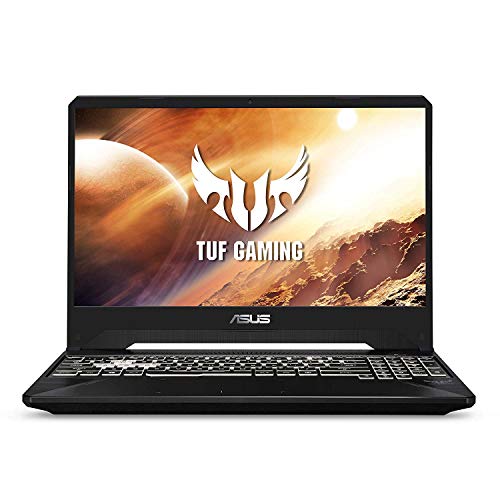
ASUS TUF FX505DT Gaming Laptop FX505DT-UB52

KAIGERR Gaming Laptop 1TB NVMe SSD 16GB RAM

Lenovo Gaming Laptop Ryzen 5 7535HS
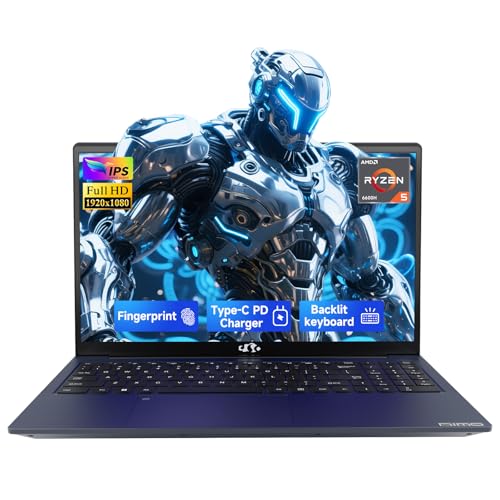
NIMO 15.6″ IPS FHD-Light Gaming Laptop Ryzen 5 6600H

Lenovo 15 Gaming Laptop Ryzen 5 7535HS
More Details On Our Top Picks
The Nitro V is the clearest performance-first choice in this group. An Intel Core i5-13420H and RTX 4050 give it the kind of headroom that matters in 1080p gaming, while the 15.6-inch IPS panel at 165Hz should keep motion looking smoother than the 60Hz crowd on older budget machines.
8GB memory and a 512GB Gen 4 SSD keep the spec sheet honest, though that storage fills faster once you install a few modern games. For commuting students or a small desk setup, the backlit keyboard and Wi-Fi 6 round out a practical build without much fluff.
Strong Points
- RTX 4050 graphics bring the strongest gaming ceiling in this list.
- 165Hz refresh rate suits fast motion in shooters and racers.
- Gen 4 SSD helps games and apps open quickly.
- Wi-Fi 6 is a sensible fit for crowded home networks.
Things To Consider
- 8GB RAM is workable, but heavy multitaskers will notice the limit sooner.
- 512GB storage leaves less room for large installs and captures.
- The stronger parts usually mean more fan noise under load, which is normal for this class.
Feature Rundown
Who It Suits Best
Competitive gamers and students who want the strongest graphics headroom in a sub-$1k machine fit this Acer well.
Where A Sibling Pick Shines
Lenovo Gaming Laptop Ryzen 5 7535HS suits you better if portability and lighter everyday use matter more than raw graphics power.
The Victus 15 sits in the middle of the pack in a useful way. Its RTX 3050 and 12th Gen Core i5-12500H are old enough to be familiar, yet still well matched for lighter 1080p gaming, school work, and everyday use on Windows 11 Home.
Enhanced thermals matter here, because thin gaming laptops can get warm quickly in a dorm room or on a crowded desk. The honest read is that 8GB RAM and 512GB storage are workable starting points, not roomy ones.
What We Like
- RTX 3050 graphics keep it in the practical gaming lane.
- Core i5-12500H gives you a capable multitasking base.
- Windows 11 Home is ready for mainstream use out of the box.
- Enhanced thermals should help with steady everyday sessions.
Room For Improvement
- 8GB RAM is tight once game launchers and browser tabs pile up.
- 512GB storage can feel modest after a few large installs.
- RTX 3050 is the step behind the newer, stronger graphics in Item 1.
Who Will Love This
Students and casual gamers who want a familiar HP layout with balanced parts and no dramatic extras are the best fit.
Another Choice May Suit
Acer Nitro V Gaming Laptop ANV15-52-586Z suits you better for heavier gaming, while the Lenovo 15 Gaming Laptop Ryzen 5 7535HS makes more sense for lighter portable use.
This Nitro V lines up for shoppers who want a fresher graphics path than the RTX 3050 models. The RTX 5050 with 8GB GDDR7 VRAM gives you newer memory on the graphics side, and that tends to matter most in heavier titles or higher-detail settings.
The included mouse pad is a small extra, not a deciding factor, but it does fit the practical feel of the package. The trade-off is familiar: you still need to respect the 8GB system memory and 512GB SSD, so this is more about a stronger graphics base than a roomy workstation.
Highlights
- RTX 5050 is the freshest graphics option in the group.
- 8GB GDDR7 VRAM helps this model stand apart from the RTX 3050 laptop.
- 165Hz display supports smoother on-screen motion.
- 16GB RAM is a better starting point for multitasking than several rivals here.
- Wi-Fi 6 keeps it current for shared networks and dorm setups.
Minor Gripes
- 512GB storage still asks you to manage game installs carefully.
- The stronger graphics focus does not remove the usual fan output under load.
- The included mouse pad is useful, but it does not change core performance.
Core Details
Best Suited To
Shoppers who want the strongest graphics upgrade feel without jumping into a much larger machine will get the most from this Acer.
Look Elsewhere When
HP Victus 15 Gaming Laptop 15-fa0025nr is the calmer pick for basic gaming, while Acer Nitro V Gaming Laptop ANV15-52-586Z gives you a more established RTX 4050 path.
The ASUS TUF model leans older, but that also explains why it can still make sense in a strict budget search. Ryzen 5 3550H, 8GB DDR4, and a 256GB PCIe SSD put it in starter territory, and the RGB keyboard gives it more visual flair than the spec sheet might suggest.
Dual-fan cooling with anti-dust design is a meaningful long-term detail, especially in rooms that collect lint fast. Compared with the Acer and Lenovo entries above, this one trades away newer platform speed for a simpler entry point.
Best Bits
- Dual-fan cooling with anti-dust design adds practical maintenance value.
- RGB keyboard gives the chassis a more gaming-focused feel.
- PCIe SSD keeps basic loads snappy for an older machine.
- Wi-Fi 5 is still serviceable for standard home internet use.
Points To Note
- Ryzen 5 3550H trails the newer processors elsewhere in this roundup.
- 256GB storage is tight for modern game libraries.
- Windows 10 Home dates the platform compared with the current systems above.
Made For
Cost-conscious shoppers who want an entry gaming laptop for lighter titles, school tasks, and basic everyday use fit this ASUS best.
Reach For A Different Pick When
KAIGERR Gaming Laptop 1TB NVMe SSD 16GB RAM suits you better for storage-heavy use, and Lenovo Gaming Laptop Ryzen 5 7535HS is the cleaner current-gen alternative.
KAIGERR’s appeal starts with storage and keeps going from there. A 1TB NVMe SSD gives you far more room than the 256GB and 512GB setups elsewhere in this list, and 16GB RAM makes it easier to keep multiple apps open for school, content work, or casual gaming.
The Ryzen 7 5825U is a strong general-purpose processor, though the Radeon Vega 8 graphics place this more in the lighter gaming camp than the heavy graphics camp. For a student desk or home office, that mix feels practical, almost like a roomy closet in laptop form.
Upsides
- 1TB NVMe SSD leaves more room for games and large files.
- 16GB RAM supports smoother multitasking than the 8GB models above.
- Ryzen 7 5825U offers a capable core for daily work.
- Wi-Fi 6 fits busy home or campus networks well.
- Windows 11 keeps the software side current.
Soft Spots
- Radeon Vega 8 graphics suit lighter gaming better than demanding titles.
- The source does not spell out display refresh details, so motion-focused shoppers have less to judge.
- Its strength is balance, not the strongest gaming frame in this group.
Feature Snapshot
Who Should Grab It
Students, home-office users, and casual gamers who value storage space and memory over raw graphics power are the best match.
Skip It When
Acer Nitro V Gaming Laptop ANV15-52-586Z fits you better for stronger game performance, while HP Victus 15 Gaming Laptop 15-fa0025nr is the simpler mainstream gaming alternative.
This Lenovo reads as the cleanest everyday gaming compromise in the set. The Ryzen 5 7535HS, DDR5 memory, and Radeon 660M graphics sit in a current-gen lane that suits lighter gaming, school projects, and video calls without feeling overbuilt.
BT 5.3 and Wi-Fi 6 are the useful extras here, especially for anyone who keeps a headset, mouse, and wireless network in constant rotation. Compared with the ASUS TUF pick, you get a more modern platform and a tidier overall package, though the 256GB SSD still asks for discipline.
Reasons To Buy
- Ryzen 5 7535HS gives you a current platform for mixed use.
- DDR5 memory supports snappier everyday multitasking than older DDR4 systems.
- Wi-Fi 6 and BT 5.3 suit a connected desk setup.
- 15-inch IPS display is a practical size for dorms and desks.
Areas To Watch
- 256GB SSD fills quickly once games and files pile up.
- Radeon 660M graphics are better for lighter play than heavy new releases.
Right Fit For
Shoppers who split time between coursework, streaming, and lighter gaming will get the most value from this Lenovo.
Swap It Out When
KAIGERR Gaming Laptop 1TB NVMe SSD 16GB RAM is better for storage-heavy use, while Acer Nitro V Gaming Laptop ANV15-52-586Z is the stronger choice for graphics-first gaming.
Feature Card
NIMO keeps the pitch direct, and that helps. A Ryzen 5 6600H paired with a 15.6-inch IPS Full HD screen is a straightforward formula for light to moderate gaming, online classes, and the kind of everyday use that fills most days.
The source also points to expandability, which matters more than glossy extras for a budget laptop because it lets the machine grow with your needs. The trade-off is that the listing leaves you with less detail than some of the more explicit models above, so the fit is clearer than the full roadmap.
Bright Spots
- Ryzen 5 6600H gives you a solid midrange processor base.
- IPS Full HD panel is a sensible match for everyday viewing.
- Expandability can help stretch the laptop’s useful life.
- The simpler design suits desks that already feel crowded.
Points To Note
- The source provides fewer detail points than some other entries here.
- Light gaming positioning suggests caution with demanding titles.
- Maintenance and upgrade planning matter more on a simpler laptop like this.
The Right Fit
You get the most from this NIMO when you want a no-drama machine for school, browsing, and lighter gaming on a modest budget.
Where A Sibling Pick Shines
Lenovo Gaming Laptop Ryzen 5 7535HS is the cleaner current-gen alternative, while ASUS TUF FX505DT Gaming Laptop FX505DT-UB52 fits shoppers who want a lower-spec entry point.
This Lenovo keeps to the essentials, and that simplicity is the point. Ryzen 5 7535HS, 8GB DDR5, and a 256GB PCIe SSD make it a sensible starter for a dorm, coffee shop, or light gaming corner at home.
Compared with the fuller-featured Lenovo model above, this one stays focused on the basics without the extra wireless notes. You may find that appealing if you want a small, tidy machine and don’t plan to store a giant game library on day one.
Best Bits
- Ryzen 5 7535HS gives the laptop a current processor base.
- DDR5 memory keeps the platform modern for everyday tasks.
- 256GB PCIe SSD supports fast startup and routine loading.
- The simple layout suits shared spaces and travel days.
Softer Spots
- 256GB storage is modest for a gaming library.
- 8GB RAM is enough for basics, but not roomy.
- Radeon graphics are better for lighter play than demanding releases.
Whose Shelf It Belongs On
Travel-minded students and casual gamers who want a restrained, portable setup should look here first.
Look Elsewhere When
Lenovo Gaming Laptop Ryzen 5 7535HS gives you a fuller feature set, and KAIGERR Gaming Laptop 1TB NVMe SSD 16GB RAM is the better storage-focused alternative.
Core Details
What Matters Most Before Choosing Gaming Laptops Under 1k
Graphics, Memory, And Storage Balance
The GPU sets the gaming ceiling, so the RTX 4050 and RTX 5050 entries matter most for tougher titles. 8GB RAM still works for lighter play, but 16GB gives you more breathing room once game launchers and chat apps stay open.
Screen Speed And Everyday Comfort
A 165Hz panel matters when smooth motion is part of the experience, especially in shooters and racing games. IPS panels also help with viewing angles, which is useful on shared desks or in a dorm room.
Storage Space You Can Live With
256GB fills fast, 512GB is the workable middle, and 1TB is the safest option for larger libraries. That trade-off matters more than flashy branding because modern games eat space quickly.
Fit For Your Routine
A heavier performance model suits a desk-first setup, while a lighter Ryzen 5 machine makes more sense for classes and travel. Choose the machine that matches your week, not just your wishlist.
Key Considerations Across These Picks
Common Shopping Slip Ups
A lot of shoppers focus on CPU names and ignore the graphics tier, which leads to underpowered gaming results. Storage also gets overlooked, and 256GB can disappear fast once a few large titles land on the drive.
The Case For Spending Up
Higher-tier models usually buy you newer graphics, more memory, and better screen rates. That matters most for heavier games, streaming, or a setup you plan to keep for several years.
Frequently Asked Questions
Are Gaming Laptops Under 1k Good For Modern Games?
Yes, but the right games matter. Models with RTX 4050 or RTX 5050 graphics handle much more than the older entry-level options.
Is 8GB RAM Enough For Gaming?
It works for basic play, but multitasking feels tight. 16GB gives you more room for launchers, browsers, and background apps.
How Much Storage Should You Aim For?
256GB is a minimum, not a comfort zone. 512GB is safer, and 1TB is better for anyone with a large game library.
Do Refresh Rates Matter On A Budget Laptop?
They matter a lot in fast-motion games. A 165Hz display can look smoother than a standard panel, especially in shooters.
Which Pick Makes Sense For School And Gaming?
Lenovo Gaming Laptop Ryzen 5 7535HS is a strong fit for that split use case. KAIGERR Gaming Laptop 1TB NVMe SSD 16GB RAM is better when storage and multitasking matter more.
