


You want enough GPU power for modern games, enough CPU headroom for streaming, and a screen that keeps motion readable during fast scenes. The right machine also needs sane thermals, practical storage, and a keyboard that stays comfortable during long sessions. This roundup focuses on laptops that make that balance easier, from larger 17-inch options to more portable 15.6-inch picks.
Some choices lean hard into frame rates, while others make more sense for quieter workdays, editing, or lighter gaming between classes or commutes. You’ll see where each one fits, what it gives up, and which model makes the most sense for your setup.
Quick Shortlist for Gaming and Streaming

ASUS TUF Gaming F16 2025 Gaming Laptop

msi Katana 15 HX 15.6 165Hz QHD+ Gaming Laptop

Acer Nitro V 16S AI Gaming Laptop
NIMO 15.6 AI Creator Laptop
2026 AMD Gaming Laptop with Ryzen 5 7430U Processor
Gaming Laptop with AMD Ryzen 7 H255
msi Cyborg 17 17.3 FHD 144Hz Gaming Laptop
NIMO 15.6 IPS FHD-Light Gaming-Laptop
More Details On Our Top Picks
The F16 lands in a useful middle ground for anyone who games at night and streams after work. A 16-inch 16:10 panel gives you extra vertical space, which helps in chat windows, editing timelines, and long web sessions.
The Intel Core i5-13450HX and RTX 5050 pairing makes more sense than flashy branding suggests. You get a practical 16GB of DDR5 memory and a 512GB PCIe Gen4 SSD, so it suits a tight library better than a massive install pile.
Strong Points
- 16:10 display format gives you more room for timelines, chat, and menus.
- 165Hz refresh helps motion look cleaner in fast games and scrolling scenes.
- DDR5 memory supports smoother multitasking during a game plus stream setup.
- PCIe Gen4 storage is a sensible fit for quick booting and game loading.
Things To Consider
- 512GB storage fills faster once your launchers and larger titles stack up.
- Core i5 class power is practical, but it sits below the heavier CPU options here.
- Windows 11 Home is standard, not especially tailored for creator workflows.
Feature Rundown
Who It Suits Best
It fits a mainstream gamer who also streams, edits, or keeps several apps open during play.
Where A Sibling Pick Shines
msi Katana 15 HX suits you better for heavier gaming loads and a stronger CPU-first setup.
This Katana leans toward serious gaming first, then streaming second, and that order matters. The Core i9-14900HX plus RTX 5070 pairing gives you much more headroom than the ASUS TUF F16, especially for heavier titles and higher settings.
The QHD+ 165Hz panel is the right kind of middle ground, sharper than basic FHD without pushing into an awkward trade-off for most desks. You also get 32GB of DDR5 memory and a 1TB NVMe SSD, which suits larger libraries and keeps background apps from crowding the system.
Upsides
- Core i9 processor gives you strong multitasking headroom.
- RTX 5070 is a better fit for demanding game settings.
- 32GB memory helps when streaming software stays open beside the game.
- 1TB NVMe storage gives you room for a bigger install list.
- QHD+ resolution improves image detail without losing the fast refresh rate.
Small Caveats
- Higher-output parts usually bring more heat and fan noise under load.
- The 15.6-inch size gives you less workspace than the 16-inch ASUS TUF F16.
- Its strength is gaming power, so it is less restrained than lighter everyday picks.
Who Will Love This
It suits a gamer who streams often and wants a machine that can stay busy without feeling cramped.
Another Choice May Suit
Acer Nitro V 16S AI fits better for you if you want a more portable body with a large 16-inch display.
The Nitro V 16S AI sits near the center of this roundup, and that makes it easy to place. You get a Ryzen 7 260 processor, RTX 5060 graphics, and a 16-inch WUXGA IPS panel with 180Hz refresh, so motion should stay clean in fast games and streaming overlays.
It also carries 32GB of DDR5 memory and a 1TB Gen 4 SSD, which is the kind of storage and memory mix that feels generous for a laptop in this group. Compared with the Katana 15 HX, it looks more portable and slightly less extreme, which suits travel and dorm life better.
Reasons To Buy
- 180Hz refresh gives you very fluid motion for competitive play.
- WUXGA resolution keeps text crisp without overtaxing the panel.
- 32GB memory is helpful for streaming, editing, and browser-heavy use.
- 1TB SSD leaves room for several large games and media files.
- 16-inch size offers a useful balance between workspace and portability.
Points To Note
- It does not aim for the rawest top-end spec sheet in this list.
- Ryzen 7 260 is well suited to balance, though the Katana’s Core i9 goes harder on CPU muscle.
- USB and port layout details are not listed here, so setup preferences need checking on the product page.
Best Suited To
It fits a streamer who wants strong memory, a fast screen, and a machine that still travels well.
Skip It When
msi Cyborg 17 suits you better if a bigger 17.3-inch display matters more than portability.
This NIMO model looks aimed at practical daily use before it chases big-frame gaming bragging rights. The Ryzen 5 6600H brings 6 cores and 12 threads, which matters for browser tabs, office work, coding, and lighter game sessions that still need steady responsiveness.
Its 16GB RAM and 512GB SSD make it a straightforward, no-fuss setup for someone who wants a simpler machine. Compared with the higher-output MSI and Acer options, it is the quieter fit for work, classes, and casual streaming on the side.
Best Bits
- Ryzen 5 6600H gives you solid day-to-day speed for mixed workloads.
- 6 cores and 12 threads help with multitasking across work and entertainment.
- 16GB memory is enough for normal streaming setups and common apps.
- 512GB SSD keeps startup and file access quick.
Worth Noting
- It is the most restrained gaming option in this roundup.
- Storage capacity suits moderate use better than huge game libraries.
- The listing focuses on core internals, so display and chassis details stay limited.
Core Details
Who Should Grab It
It suits a student or remote worker who also wants light gaming without paying for overkill.
Look Elsewhere When
ASUS TUF Gaming F16 fits you better if a faster panel and stronger gaming hardware matter more.
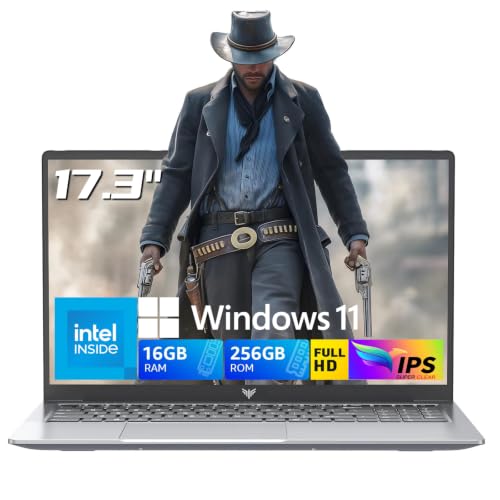
This MALLRACE model is built for casual gaming and everyday desk work more than brute-force play. The Ryzen 5 7430U, Radeon graphics, 16GB RAM, and 512GB NVMe SSD form a familiar, sensible package for someone who wants a simple laptop that still handles entertainment well.
The webcam cover slide and USB-C plus HDMI mix make it easier to use in a home office or shared room. Compared with the NIMO 15.6 AI Creator Laptop, it feels more polished for mixed daily use, though it still sits below the stronger RTX-based machines for demanding titles.
Highlights
- Webcam cover adds a privacy-minded touch for shared spaces.
- Wi-Fi 6 and HDMI make it practical for home networks and external displays.
- 16GB memory and NVMe storage are sensible for routine multitasking.
- Ryzen 5 7430U suits light gaming, web use, and everyday apps.
Areas To Watch
- Integrated Radeon graphics trail the RTX-equipped picks for heavier gaming.
- It is better for moderate workloads than for long, demanding streaming sessions.
- The listing keeps the chassis story brief, so finish and upgrade paths need a closer look on the product page.
Built With In Mind
It suits a casual gamer who also wants a basic work laptop with simple connectivity.
Reach For A Different Pick When
msi Katana 15 HX makes more sense if your priority is higher-end frame rates and heavier streaming.
The Ryzen 7 H255 is the kind of spec that starts making sense once your laptop stays busy for hours at a stretch. With 24GB of DDR5 memory and a 512GB NVMe SSD, it gives you more breathing room than the NIMO or MALLRACE 16GB options without jumping all the way into the biggest-ticket gaming rigs.
That extra memory helps when streaming software, browser tabs, and launchers all sit open at once. One thing worth considering is that the listing says more about processor and memory than about the display or chassis, so it works best for someone already focused on internals.
Bright Spots
- Ryzen 7 H255 gives you a stronger CPU tier for busy sessions.
- 24GB DDR5 is more generous than the standard 16GB setups here.
- NVMe storage keeps everyday loading quick and smooth.
- Good fit for multitasking across games, chat, and background tools.
Room For Improvement
- The listing leaves display information out, so screen fit needs extra checking.
- Storage capacity is fine, though 512GB still asks for selective install habits.
- You are buying largely on processor and memory strength rather than a full feature story.
Whose Shelf It Belongs On
It suits a streamer or multitasker who wants more memory headroom than a basic entry-level laptop provides.
A Better Fit Elsewhere
Acer Nitro V 16S AI makes more sense if you want a clearer screen spec and a more complete gaming profile.
The Cyborg 17 stands out mainly because of size, and that matters more than people sometimes expect. A 17.3-inch FHD display at 144Hz gives you a roomy work surface for streams, dashboards, and longer gaming sessions, while the RTX 5060 and Core 7-240H keep the internals in the modern middle tier.
Compared with the 15.6-inch Katana, it gives your eyes more space and your desk a more cinematic feel. The trade-off shows up in portability, so this is the pick for someone who expects a laptop to stay near an outlet more often than not.
Positives
- Large 17.3-inch screen helps with multitasking and split-screen work.
- 144Hz refresh still supports smooth motion during fast play.
- RTX 5060 gives you current-generation discrete graphics support.
- 1TB SSD gives you strong storage headroom for games and captured clips.
- Type C and Wi-Fi 6E add modern convenience for daily use.
Honest Caveats
- It is the least travel-friendly machine in this roundup.
- 17.3-inch bodies usually need a larger bag and more desk space.
- Thin styling is nice, though it can mean a little less comfort on cramped laps.
Perfect Match For
It suits a desk-based gamer or streamer who values screen size over portability.
Swap It Out When
ASUS TUF Gaming F16 is the smarter choice if you want a more manageable 16-inch frame.
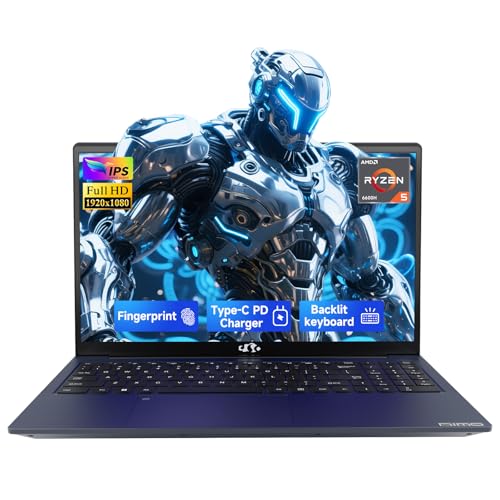
This NIMO keeps things simple, and that can be a strength for casual use. Ryzen 5 6600H power is enough for schoolwork, streaming video, and lighter games, while the IPS FHD display should suit day-to-day viewing with decent angles.
The “light gaming” angle matters here, because that’s the honest read of its role in this roundup. Compared with the more aggressive RTX-based laptops above, it is a calmer, lower-stress choice for someone who wants a basic machine first and a gaming machine second.
What We Like
- Ryzen 5 6600H gives you respectable everyday performance.
- IPS panel is a practical choice for general viewing.
- Smaller 15.6-inch size is easier to move and store.
- Good fit for casual gaming, browsing, and homework.
Minor Gripes
- It is aimed at lighter play, not demanding game settings.
- Details beyond the core CPU and display are limited in the listing.
- More serious streamers will likely want a stronger graphics platform.
The Right Fit
It suits a casual gamer who wants a manageable 15.6-inch machine for everyday use.
Where A Sibling Pick Shines
Acer Nitro V 16S AI is the better fit if you want a clearer performance jump for streaming and gaming.
What Matters Before You Choose A Gaming And Streaming Laptop
Mistakes Worth Dodging
Do not overfocus on the processor name and ignore the graphics chip, because streaming and modern games lean heavily on both. Screen size matters too, since a 17.3-inch panel can feel spacious on a desk but awkward on a commute.
The Upgrade Payoff
Higher-tier models usually cost more because you get stronger GPUs, larger memory pools, and faster storage. That extra spend pays off when your game, stream, and chat tools all stay open at once without slowing the session.
Frequently Asked Questions
What matters most for gaming and streaming in one laptop?
Graphics power and memory deserve the first look, because both affect game smoothness and multitasking. A fast screen helps too, especially for action games and live overlays.
Is 16GB of memory enough?
For many setups, yes, especially for casual streaming and regular gaming. Heavier multitasking feels better with 24GB or 32GB.
Does screen size change the experience much?
Yes, because a 17.3-inch panel gives you more room for chat, timers, and dashboards. A 15.6-inch or 16-inch laptop usually feels easier to carry.
Why do some laptops use 165Hz or 180Hz displays?
Higher refresh rates can make motion look smoother in fast games. They also help scrolling and pointer movement feel more fluid.
Should you choose RTX graphics over integrated graphics?
RTX graphics suit heavier gaming and more demanding streaming setups. Integrated graphics make more sense for lighter play and simpler daily use.
